Hosting, Domain and Server Differences – Are you a beginner blogger? Have you ever heard the terms hosting, domain and server? To build a website you need several components such as domain and hosting / server.
Why to create a website need hosting and domain name?
Maybe, only a few people know about domain and hosting, that’s because not everyone has a website, so it’s no wonder if the domain, hosting and sever are still a little foreign.
Especially for beginners who just want to create a website. They must be laymen about hosting, domain and server. Today I am going to share about the differences between domain, hosting and server. Please stay until the last page….
Understanding the fundamental components of website creation is crucial for anyone entering the digital space. Whether you’re starting a personal blog, launching a business website, or exploring web development careers, knowing the differences between hosting, domains, and servers will help you make informed decisions about your online presence.
Hosting, Domain and Server Differences Between Them
Hosting
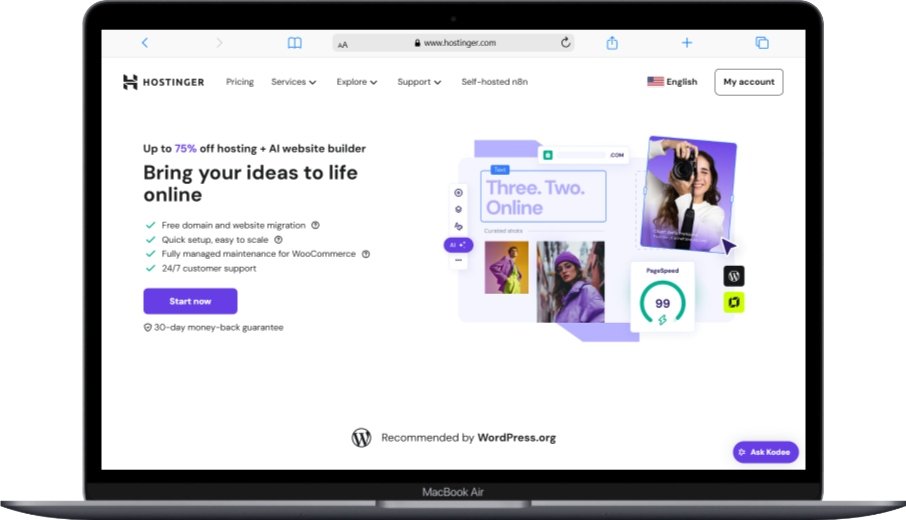
Hosting is a data storage area that is usually on a computer. It has a physical form called a server. The server works like a normal computer. There is a hard disk, RAM, to the processor, whose shapes and sizes are adjusted to be stored in the rack server.
Web hosting essentially provides the foundation where your website lives on the internet. Think of it as renting space in a digital apartment building where your website files reside. The hosting service ensures your website remains accessible to visitors 24/7, handles traffic spikes, and provides the necessary resources for your site to function properly. Many hosting providers also offer additional services like email accounts, databases, and website monitoring tools to keep your site running smoothly.
The hosting server is always stored in a data center that is controlled for 24 hours and is connected by electricity and a large backup power generator. Modern data centers implement advanced cybersecurity measures to protect hosted websites from various threats and attacks.
Hosting for websites also called web hosting. The server for web hosting is equipped with an operating system and software. The goal is to be able to run the web and can continue to operate easily according to user needs.
So, Hosting is a storage / media to put website files such as images, videos, website scripts and databases.
This is a simple explanation of hosting, hosting has several types such as: Shared Hosting, Virtual Private Servers (VPS), Dedicated Server Hosting and Cloud Hosting.
Types of Web Hosting Explained
Shared Hosting is the most economical option where multiple websites share resources on a single server. This works well for small businesses and personal websites with moderate traffic. However, performance can be affected by other websites on the same server.
Virtual Private Server (VPS) hosting provides a middle ground between shared and dedicated hosting. You get dedicated resources within a shared environment, offering better performance and more control than shared hosting while remaining cost-effective.
Dedicated Server Hosting gives you complete control over an entire server. This option is ideal for high-traffic websites or applications requiring specific configurations and maximum performance.
Cloud Hosting utilizes multiple servers working together to host your website. This provides excellent scalability and reliability, as your site can handle traffic spikes by drawing resources from multiple servers. Many businesses prefer cloud hosting solutions for their flexibility and robust performance.
Domain
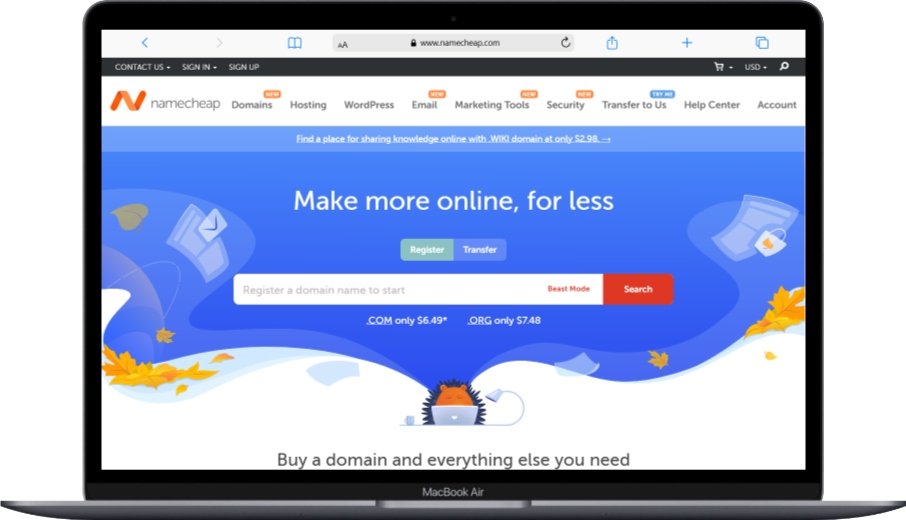
A domain is the name or address of a website. You might often see domain addresses like www.Google.com or www.keyanalyzer.com This is a domain name. A domain name serves as your website’s unique identifier on the internet, much like a street address for your physical location. It’s what people type into their browsers to find your website. The domain name system (DNS) translates these human-readable names into IP addresses that computers use to locate your website’s hosting server.
On the internet, there are billions of domain names that are connected to the server / hosting. When choosing a domain name, it’s important to consider factors that can impact your website’s success, including SEO implications and brand recognition.
Each computer that is related to each other will have an IP address. However, IP addresses in the form of a row of numbers are difficult to memorize. Therefore, a domain name is created.
When you enter www.Google.com on your browser, it same like enter an IP address 172.217.15.100 it will go to the address www.Google.com That is a simple understanding of the domain.
Domain Name Structure and Components
Domain names consist of several parts that work together to create a complete web address. Understanding these components helps you make better decisions when registering your domain:
Top-Level Domain (TLD): This is the extension at the end of your domain name, such as .com, .org, .net, or country-specific extensions like .uk or .ca. The choice of TLD can affect your website’s credibility and search engine optimization.
Second-Level Domain: This is the main part of your domain name that you choose, such as “google” in google.com. This should be memorable, relevant to your business, and easy to spell.
Subdomain: These are optional prefixes that can be added to your main domain, such as “blog.yoursite.com” or “shop.yoursite.com”. Subdomains help organize different sections of your website.
When selecting a domain name, consider purchasing cheap SSL certificates to secure your domain and improve user trust and search engine rankings.
Server

Server
A server is a computer system that provides certain services on a computer network. Not only in the form of software, the server also has a form of hardware. There are processors and RAM that run a special operating system, usually referred to as the network operating system.
Servers are powerful computers specifically designed to handle multiple requests from various clients simultaneously. Unlike personal computers, servers are built for reliability, performance, and continuous operation. They’re equipped with redundant power supplies, high-performance processors, and substantial amounts of RAM to handle the demands of serving websites and applications to users worldwide.
The server also runs software that can control access to enter the network and the resources contained in it. Server has a variety of types that are usually tailored to your needs. Modern servers often include monitoring tools to track performance and identify potential issues before they affect website availability.
Simply, the server will work when there is a request from the client. The client here is the browser that you normally use. like Chrome, Mozilla Firefox, Internet Explorer, Safari and others.
Server Types and Their Applications
Web Servers specifically handle HTTP requests from browsers and serve web pages to users. Popular web server software includes Apache, Nginx, and Microsoft IIS, each with different strengths and use cases.
Database Servers store and manage data for websites and applications. They handle requests for information and ensure data integrity and security. Common database servers include MySQL, PostgreSQL, and Microsoft SQL Server.
File Servers provide centralized file storage and sharing capabilities within networks. They’re often used for backing up website files and sharing resources among team members.
Application Servers run specific applications and provide services to client programs. They’re commonly used for complex web applications and enterprise-level software solutions.
Understanding server monitoring is crucial for maintaining optimal website performance and preventing downtime that could impact your business.
How Hosting, Domains, and Servers Work Together
The relationship between hosting, domains, and servers creates the foundation of how websites function on the internet. When someone types your domain name into their browser, several processes occur simultaneously to deliver your website to their screen.
First, the browser contacts a DNS server to translate your domain name into an IP address. This IP address points to the specific server where your website files are hosted. The hosting service then retrieves your website files from the server and sends them back to the user’s browser, which displays your website.
This process happens in milliseconds for properly configured websites, but various factors can affect loading speeds. Website performance optimization techniques can help ensure fast loading times and better user experiences.
Understanding this relationship helps you make informed decisions about hosting choices, domain selection, and server configurations that best serve your website’s needs and your visitors’ expectations.
Security Considerations for Your Website Infrastructure
When setting up your website infrastructure, security should be a top priority. Each component – hosting, domain, and server – presents different security considerations that can affect your website’s safety and your users’ data protection.
Domain Security: Protecting your domain involves setting up proper DNS security measures, using domain privacy protection to hide your personal information from public WHOIS databases, and implementing domain locking to prevent unauthorized transfers. Understanding DNS security helps prevent domain hijacking and other malicious activities.
Hosting Security: Choose hosting providers that offer robust security features, including regular backups, malware scanning, firewalls, and SSL certificate support. Regular security updates and patches are essential for maintaining a secure hosting environment.
Server Security: Proper server security involves regular software updates, strong access controls, network security measures, and continuous monitoring. Implementing cybersecurity best practices helps protect against various threats and vulnerabilities.
Cost Considerations and Budget Planning
Understanding the costs associated with hosting, domains, and servers helps you plan your website budget effectively. Different options come with varying price points and feature sets that should align with your needs and budget constraints.
Domain Costs: Domain registration typically costs between $10-15 per year for common TLDs like .com or .org. Premium domains or specialty TLDs may cost significantly more. Remember to factor in renewal costs, as some registrars offer discounted first-year pricing but charge higher rates for renewals.
Hosting Costs: Hosting prices vary widely based on the type and features included. Shared hosting might cost $3-10 per month, while VPS hosting ranges from $20-50 monthly. Dedicated servers and premium cloud hosting can cost hundreds or thousands of dollars per month, depending on specifications and traffic requirements.
Additional Costs: Consider expenses for SSL certificates, premium support, backup services, and security features. Many hosting providers include these in their packages, but understanding what’s included helps you compare options effectively.
When budgeting for your website, also consider ongoing costs like website monitoring services and maintenance tools that help ensure optimal performance and security.
Performance Optimization and Monitoring
Once your website is established with proper hosting, domain, and server configurations, ongoing performance monitoring and optimization become crucial for maintaining user satisfaction and search engine rankings.
Performance Monitoring: Regular monitoring helps identify performance issues before they impact users. Tools for server status checking can alert you to problems and help maintain optimal uptime percentages.
Optimization Strategies: Website optimization involves various techniques including image compression, caching implementation, content delivery network (CDN) usage, and database optimization. These strategies help ensure fast loading times regardless of user location or device type.
Scalability Planning: As your website grows, you may need to upgrade hosting plans, optimize server configurations, or implement additional performance enhancement tools. Planning for growth helps ensure your website can handle increased traffic without performance degradation.
Frequently Asked Questions (FAQs)
What’s the difference between hosting and a server?
Hosting is a service that provides space for your website files on a server, while a server is the actual physical computer hardware that stores and serves your website files. Think of hosting as renting space in an apartment building (the server). You don’t own the building, but you have space to store your belongings (website files) there.
Can I use my own server instead of buying hosting?
Yes, you can set up your own server, but this requires significant technical expertise, reliable internet connectivity, and ongoing maintenance. You’ll need to handle server security, updates, backups, and monitoring yourself. For most people, purchasing hosting from a professional provider is more cost-effective and reliable.
Do I need to buy hosting and domain from the same company?
No, you can purchase your domain and hosting from different companies. Many people buy domains from specialized registrars and hosting from different providers to get the best prices and features. You’ll need to point your domain to your hosting provider using DNS settings, which is a straightforward process.
How long does it take for a new domain to work?
Once you register a domain and point it to your hosting server, it typically takes 24-48 hours for the changes to propagate across the internet (called DNS propagation). However, you might see your website working within a few hours in many cases. During this time, some users might see your new website while others still see the old one or an error message.
What happens if my hosting provider goes out of business?
If your hosting provider shuts down, you could lose access to your website files and data. This is why regular backups are crucial. Choose reputable hosting providers with good track records, and always maintain current backups of your website files and databases. Having backups allows you to quickly move to a new hosting provider if needed.
Can I change hosting providers later?
Yes, you can migrate your website to a different hosting provider at any time. The process involves backing up your website files and databases, setting up the new hosting account, uploading your files, and updating your domain’s DNS settings to point to the new server. Many hosting providers offer free migration services to help with this process.
How much hosting space do I need for my website?
The amount of hosting space depends on your website’s content and expected traffic. A simple blog might need only 1-5 GB of space, while an e-commerce site with many product images might require 10-20 GB or more. Most hosting plans offer generous space allocations, and you can usually upgrade as your needs grow.
What’s the difference between bandwidth and storage in hosting?
Storage refers to the amount of disk space available for your website files, while bandwidth is the amount of data that can be transferred between your website and visitors each month. High-traffic websites need more bandwidth, while websites with lots of images or videos need more storage space.
Should I choose shared hosting or VPS hosting?
Shared hosting is suitable for small websites with low to moderate traffic, personal blogs, and simple business websites. VPS hosting is better for websites with higher traffic, e-commerce sites, or applications requiring specific configurations. VPS offers better performance and security but costs more than shared hosting.
How do I know if my website needs an SSL certificate?
All websites should use SSL certificates, especially if they collect any user information (contact forms, login pages, payment processing). SSL certificates encrypt data transmission between users and your server, improving security and search engine rankings. Most modern hosting providers include free SSL certificates with their hosting plans.
Conclusion
Understanding the differences between hosting, domains, and servers is fundamental to successfully establishing and maintaining a website. Each component plays a crucial role in making your website accessible and functional for visitors around the world.
Hosting provides the essential storage and server resources needed to keep your website online 24/7. Whether you choose shared hosting for a simple blog or dedicated hosting for a high-traffic business site, selecting the right hosting solution impacts your website’s performance, security, and scalability.
Domains serve as your website’s unique address on the internet, making it easy for users to find and remember your site. A well-chosen domain name supports your branding efforts and can positively impact your search engine optimization efforts.
Servers provide the physical infrastructure that powers your website, handling requests from visitors and serving your content reliably. Understanding server types and capabilities helps you make informed decisions about hosting options and performance optimization.
As you embark on your website journey, remember that these components work together as an integrated system. Investing time in understanding their relationships and choosing quality providers for each component will pay dividends in website performance, security, and user satisfaction.
Whether you’re starting a personal blog, launching a business website, or building a complex web application, having a solid foundation in these fundamental concepts will help you make better decisions and avoid common pitfalls. As your website grows, you can always upgrade and optimize these components to meet evolving needs and traffic demands.
The key is to start with a clear understanding of your current needs while planning for future growth. With the right hosting, domain, and server setup, your website will be well-positioned to succeed in the competitive online landscape.
You May Also Like
 JavaScript
20 JavaScript Frameworks and Libraries for Modern Web Development
 WordPress
12 Best Cheap SSL Certificate Providers To Secure Your Website
 SEO Tools
50+ Best Free SEO Tools That SEO Experts Actually Use In 2026
 WordPress
How to Install Google reCAPTCHA on WordPress: A Complete Guide for Contact Form 7
 WordPress
8 Best Cheap Shared Hosting Providers for WordPress In 2026
 WordPress
10 Best Free Online Server Status Checker Websites: Complete Guide to Monitor Your Server Health
 WordPress
WordPress Email Templates: Smart Points to Know
 WordPress
How to Use 1and1 Webmail? Here Are IONOS Webmail Login Guide
 WordPress


