Cybersecurity is the practice of protecting systems, data, and networks from cyberattacks, hackers, and unauthorized access. We do many things online each day. We send messages, share photos, watch videos, play games, and even shop or bank. Each of these activities creates digital information that needs safeguarding. Just like your home needs locks, your online activities need protection.
Our world has changed a lot in the past few decades. Twenty years ago, few people had smartphones, and many homes lacked internet access. Today, we carry powerful computers in our pockets. Our homes are full of smart devices, and we rely on the internet for almost everything. This digital shift has made life easier, but it has also brought new dangers we must understand and guard against.
Types of Cybersecurity
Cybersecurity isn’t just one thing. It’s a field with many specialties. Each focuses on protecting different parts of our digital world. Knowing these types shows how broad cybersecurity really is.
Network Security
Network security protects the connections between devices and the internet. It’s like having security guards at all the entrances and exits of a building. Network security includes:
- Firewalls that block unauthorized access to networks
- Intrusion detection systems that monitor for suspicious activity
- Virtual Private Networks (VPNs) that create secure connections over the internet
- Network segmentation that divides networks into smaller, more secure sections
Network security professionals work to prevent attacks like denial-of-service attacks, man-in-the-middle attacks, and unauthorized access to network resources.
Application Security
Application security focuses on keeping software and apps safe from threats. This includes:
- Secure coding practices that prevent vulnerabilities during development
- Testing and analysis to find and fix security flaws
- Application firewalls that protect web applications
- Security updates that patch known vulnerabilities
Application security is important because even a small weakness in an app can give attackers access to sensitive data or control over systems.
Information Security
Information security (sometimes called InfoSec) protects data wherever it is—stored on devices, moving across networks, or being processed by applications. It includes:
- Encryption that scrambles data so only authorized people can read it
- Access controls that limit who can see or modify information
- Data loss prevention that stops sensitive information from leaving an organization
- Data classification that identifies how sensitive different types of information are
Information security follows three main principles: confidentiality (keeping information private), integrity (ensuring information isn’t changed improperly), and availability (making sure information is accessible when needed).
Operational Security
Operational security (OpSec) focuses on protecting the day-to-day operations of organizations. It includes:
- Security policies and procedures that define how people should handle information
- User awareness training that teaches people to recognize and avoid threats
- Physical security that protects devices, buildings, and people
- Incident response planning that prepares organizations to handle security breaches
Operational security recognizes that people are often the weakest link in security, so it focuses on creating processes and habits that minimize human error.
Cloud Security
Cloud security protects data, applications, and infrastructure in cloud computing environments. As more organizations move to the cloud, this type of security becomes increasingly important. It includes:
- Cloud access security brokers that monitor cloud activity
- Cloud identity and access management that controls who can use cloud resources
- Cloud encryption that protects data stored in the cloud
- Cloud security posture management that ensures cloud configurations are secure
Cloud security is challenging because organizations often don’t have direct control over the cloud infrastructure they use, so they need to trust their cloud providers while also taking steps to secure their own cloud resources.
Critical Infrastructure Security
Critical infrastructure security protects the systems that society depends on, including:
- Power grids that provide electricity
- Water treatment facilities that provide clean water
- Transportation systems that move people and goods
- Communication networks that connect us
- Healthcare systems that provide medical care
These systems are more connected to the internet. This connection makes them targets for attacks that could impact many people or threaten national security.
Internet of Things (IoT) Security
IoT security protects the many connected devices in our homes, businesses, and cities. This includes:
- Smart home devices like thermostats, security cameras, and voice assistants
- Wearable devices like fitness trackers and smartwatches
- Industrial IoT devices used in manufacturing and other industries
- Smart city infrastructure, like traffic lights and environmental sensors
IoT security poses challenges. Many devices have limited processing power and memory. This makes it hard to apply strong security measures. Often, these devices focus on functionality rather than security.
Identity and Access Management (IAM)
Identity and Access Management ensures that only the right people can access the right resources at the right times. It includes:
- Authentication that verifies who users are (through passwords, biometrics, etc.)
- Authorization that determines what users are allowed to do
- User provisioning that creates and manages user accounts
- Single sign-on that allows users to access multiple systems with one set of credentials
IAM is important because it helps prevent unauthorized access to systems and data, which is a common goal of many cyber attacks.

Types of Cybersecurity Threats and Attacks
Cybersecurity threats come in many forms, each with different methods and goals. Understanding these threats is the first step in protecting against them. Let’s explore the major types of cybersecurity threats and attacks that we face today.
Malware-Based Attacks
- Malware (malicious software) aims to harm, disrupt, or access computer systems without permission. There are various types of malware attacks: Viruses attach to real files and spread when those files are shared. They can corrupt files, steal data, or create backdoors for attackers.
- Worms are self-replicating malware. They spread across networks without human help. Worms can quickly infect thousands of devices and use up network bandwidth. This can slow down systems or even cause them to crash.
- Trojans look like real software but have harmful code. Once they’re on a device, they can steal data, create backdoors, or download more malware. They usually spread via email attachments or infected websites.
- Ransomware encrypts files on a victim’s device and demands payment, usually in cryptocurrency, to decrypt them. Modern ransomware often steals data before encryption. It also threatens to release this data publicly if the ransom isn’t paid.
- Spyware secretly monitors user activity. It collects information like passwords, credit card numbers, and browsing habits. Some spyware can even activate webcams or microphones without the user knowing.
- Adware automatically shows unwanted ads and may collect browsing data for marketing. While often seen as less harmful, it can slow down systems and compromise privacy.
- Rootkits give attackers privileged access to a system while hiding their presence. They can be very hard to detect and remove, often needing a complete system reinstallation.
- Keyloggers capture every keystroke on a compromised device. They record passwords, credit card numbers, and other sensitive information. Keyloggers can be hardware devices connected to computers or software installed remotely.
Phishing and Social Engineering Attacks
These attacks rely on human behavior rather than technical flaws:
- Email Phishing sends fake emails that look like they’re from real organizations. These emails often have links to fake websites or harmful attachments meant to steal credentials or install malware.
- Spear Phishing targets specific people or organizations. Attackers research their victims to create convincing messages. They often go after executives, finance staff, or IT workers.
- Whaling is a type of spear phishing aimed at high-profile targets like CEOs, celebrities, or government officials. The goal is often to access sensitive information or approve large money transfers.
- Smishing (SMS phishing) uses text messages to trick people into clicking harmful links or sharing personal details. These texts usually appear to be from banks, delivery services, or government agencies.
- Vishing (voice phishing) uses phone calls to fool victims into giving up sensitive information or taking actions that benefit the attacker. Callers may pretend to be tech support, bank staff, or government officials.
- Business Email Compromise (BEC) is when hackers hack or spoof business email accounts. They do this to redirect payments or steal sensitive information. These attacks often target companies that regularly wire money.
- Social Engineering tricks people into revealing confidential information or taking actions that harm security. This can involve pretexting (creating a false story), baiting (offering something enticing), or tailgating (following someone into secure areas).
Network-Based Attacks
These attacks target network infrastructure and communications:
- Denial of Service (DoS) attacks flood systems with traffic. This makes them unavailable to real users. Such attacks can drain resources, bandwidth, or memory.
- Distributed Denial of Service (DDoS) attacks use networks of hacked devices, known as botnets, to strike a target from many places at once. This makes them tougher to stop than single-source DoS attacks.
- Man-in-the-Middle (MitM) attacks secretly intercept communications between two parties. Attackers can eavesdrop on conversations, change data while it travels, or pretend to be legitimate parties.
- DNS Spoofing alters the Domain Name System. It redirects users from safe websites to harmful ones. This tactic can support phishing, spread malware, or intercept traffic.
- DNS Amplification is a DDoS attack that uses open DNS resolvers. It overwhelms a target with amplified traffic. Attackers send small queries, which lead to large responses aimed at the victim.
- ARP Spoofing sends fake Address Resolution Protocol messages. This links an attacker’s MAC address to the IP address of a real device on the network. As a result, the attacker can intercept, modify, or stop data being sent.
- Session Hijacking takes over a legitimate session between a user and a server after authentication. This allows attackers to bypass authentication mechanisms and gain unauthorized access.
Web Application Attacks
These attacks target vulnerabilities in web applications:
- SQL Injection involves inserting harmful SQL code into input fields to control databases. This can allow attackers to access, modify, or delete sensitive information. They can also bypass authentication and perform administrative tasks.
- Cross-Site Scripting (XSS) injects malicious scripts into web pages viewed by other users. This can be used to steal session cookies, redirect users to malicious sites, or perform actions on behalf of the victim.
- Cross-Site Request Forgery (CSRF) tricks authenticated users into submitting malicious requests without their knowledge. This can result in unauthorized fund transfers, password changes, or data modifications.
- Directory Traversal exploits insufficient input validation to access files and directories outside the web root directory. This can allow attackers to read sensitive files, execute commands, or gain system access.
- File Inclusion vulnerabilities allow attackers to include files on a web server through user input. Local File Inclusion (LFI) includes files already on the server, while Remote File Inclusion (RFI) includes files from external sources.
- XML External Entity (XXE) attacks exploit poorly configured XML processors to disclose internal files, execute remote requests, or cause denial of service. This can lead to data exposure, system compromise, or service disruption.

Authentication and Credential Attacks
These attacks target user credentials and authentication systems:
- Brute Force Attacks systematically try every possible combination of passwords until the correct one is found. While time-consuming, automated tools can make thousands of attempts per minute.
- Credential Stuffing uses stolen username-password combinations from one breach to gain unauthorized access to other accounts where users have reused the same credentials.
- Password Spraying tries a few common passwords across many user accounts rather than many passwords against one account. This helps avoid account lockout mechanisms.
- Dictionary Attacks use lists of common words, phrases, or leaked passwords to guess user credentials. They are more efficient than brute force attacks on weak passwords.
- Session Fixation assigns a known session ID to a user, then waits for the user to authenticate. Once authenticated, the attacker can use the known session ID to hijack the session.
- Pass-the-Hash attacks collect password hashes instead of plaintext passwords. These hashes let attackers access network services directly. This approach skips the step of cracking the hash to find the actual password.
- Pass-the-Ticket attacks exploit Kerberos authentication in Windows environments by stealing and reusing service tickets to gain unauthorized access to systems.
Advanced and Persistent Threats
These sophisticated attacks are often carried out by well-funded attackers:
- Advanced Persistent Threats (APTs) are long-term, targeted attacks. They are usually backed by nation-states or organized crime groups. APTs keep access to networks without being detected, often for months or even years.
- Zero-Day Exploits target previously unknown vulnerabilities in software or hardware. Since no patch exists, these attacks can be highly effective until the vulnerability is discovered and fixed.
- Supply Chain Attacks target software or hardware during development or distribution. By infecting real software updates or components, attackers spread malware to multiple organizations at once.
- Fileless Malware operates in memory instead of saving files to disk. This makes it hard to detect with regular antivirus software. It often uses legitimate system tools to perform harmful actions.
- Polymorphic Malware changes its code to avoid detection by signature-based security tools. Each iteration appears different to antivirus software while maintaining the same malicious functionality.
- Oligomorphic Malware has a few variants. It changes its code only for propagation. This makes it harder to detect than static malware. However, it is less advanced than polymorphic malware.
- Metamorphic Malware rewrites its own code each time it infects a system. It generates versions that behave the same but appear different. This makes detection via signature-based methods very challenging.
Insider Threats
These threats come from within an organization:
- Malicious Insiders are employees, contractors, or business partners who intentionally misuse their access to harm the organization. This could involve stealing data, sabotaging systems, or facilitating external attacks.
- Accidental Insiders unintentionally cause security breaches through carelessness or lack of awareness. This might include falling for phishing scams, misconfiguring systems, or losing devices containing sensitive data.
- Compromised Insiders have their credentials stolen or accounts hijacked by external attackers. The attacker then uses the insider’s legitimate access to move within the organization undetected.
- Third-Party Insiders are external parties with access to an organization’s systems, such as vendors, suppliers, or service providers. Their compromised accounts or malicious actions can create significant security risks.
Emerging and Evolving Threats
These threats represent new attack vectors or evolving techniques:
- Cryptojacking hijacks computing resources to mine cryptocurrency without the owner’s knowledge. This can slow down systems, increase energy costs, and cause hardware damage.
- AI-Powered Attacks use artificial intelligence and machine learning to build smarter threats. This involves AI-generated phishing emails, malware that adapts, and automated ways to find vulnerabilities.
- IoT Botnets are networks of hacked Internet of Things devices. They can launch DDoS attacks, send spam, or mine cryptocurrency. A well-known example is the Mirai botnet, which infected hundreds of thousands of devices.
- Deepfake Attacks use AI-generated audio or video to impersonate individuals convincingly. This can be used for social engineering, fraud, or disinformation campaigns.
- Quantum Computing Threats could break current encryption methods when quantum computers advance enough. This concern has sparked research into quantum-resistant cryptographic algorithms.
- 5G Network Vulnerabilities As 5G networks grow, new attack surfaces appear. These include weaknesses in network slicing, virtualized network functions, and the rising number of connected devices.
- Supply Chain Attacks targeting software dependencies and development tools. By compromising popular libraries or development platforms, attackers can distribute malware to thousands of organizations through legitimate software updates.
Physical Security Threats
These attacks target physical rather than digital vulnerabilities:
- Device Theft or Loss of laptops, smartphones, or storage devices can lead to unauthorized access to sensitive data, especially if devices are not properly encrypted.
- Tailgating follows authorized personnel into restricted areas without proper authentication. This can allow attackers to gain physical access to sensitive systems or data centers.
- Dumpster Diving searches through trash for discarded documents, storage media, or equipment that might contain sensitive information. This is a form of social engineering that exploits improper disposal practices.
- Eavesdropping involves listening to private conversations or monitoring device screens to gather sensitive information. This can be done visually (shoulder surfing) or with electronic devices.
- Hardware Keyloggers are physical devices attached to computers to capture keystrokes. Unlike software keyloggers, they can’t be detected by antivirus software and may go unnoticed for long periods.
- USB Drop Attacks involve leaving infected USB drives in public areas. Curious individuals may pick them up and plug them into their computers, unknowingly installing malware.
It’s important to understand these cybersecurity threats. Each type needs specific prevention, detection, and response actions. We’ll cover these in the sections ahead.

Why Cybersecurity Is So Important Today
Cybersecurity is more than just computer protection. It’s essential for our way of life. Here’s why it’s important in today’s world:
Our Personal Information Is Valuable
Your personal information is like digital gold. Hackers want it to steal money, impersonate you, or sell it. Consider all the personal details you have online: your name, address, phone number, birthdate, photos, school records, and possibly your social security number or bank account information.
When this information falls into the wrong hands, the consequences can be serious. Identity theft can ruin your credit score and take years to fix. Financial fraud can empty your bank account. Personal photos shared without permission can cause embarrassment and emotional distress. Cybersecurity helps prevent these problems by keeping your personal information private and secure.
Our Devices Are Connected
The Internet of Things (IoT) connects nearly everything in our lives to the internet. Your phone, laptop, tablet, smart TV, gaming console, fitness tracker, and some appliances are all part of this network. Each device can be an entry point for attackers if not secured properly.
Imagine someone controlling your smart home devices. They could turn off your security cameras, unlock your doors, or change your thermostat. If they accessed your fitness tracker, they might see your daily routines and know when you’re away. Cybersecurity protects these devices and the information they gather.
Our Critical Systems Depend on It
The systems we use daily—electricity, water, transportation, hospitals, and schools—depend on computers and networks. If these systems face an attack or disruption, the results could be dire. A power outage might impact millions. A hospital without access to patient records could endanger lives. A transportation failure could create chaos in a city.
Cybersecurity helps protect these critical systems so that we can continue to rely on the services that keep our society running smoothly. It’s not just about protecting individual devices or information—it’s about protecting the infrastructure that our modern world depends on.
How Cybersecurity Works: The Layers of Protection
Cybersecurity relies on multiple layers of protection, similar to an onion. Each layer serves a unique purpose. Combined, they create a robust defense against digital threats.
Encryption: Scrambling Your Information
Encryption is the process of scrambling information so that only authorized people can read it. It’s like writing a secret code that only you and the intended recipient can understand.
When you send information over the internet, encryption protects it in two ways:
- Encryption in transit protects your data while it’s moving between your device and a website or service. This is why you see “https://” and a padlock icon in your browser’s address bar—these indicate that your connection is encrypted.
- Encryption at rest protects your data when it’s stored on a device or server. Even if someone steals your phone or hacks into a server, they won’t be able to read your encrypted files without the encryption key.
Modern encryption is extremely strong. The most commonly used encryption standard, AES-256, would take billions of years to break with current technology. This is why you can safely send sensitive information online, knowing that encryption is protecting it.
Firewalls: The Digital Gatekeepers
Firewalls act as gatekeepers between your device or network and the internet. They examine all the data coming in and going out, blocking anything that seems suspicious or dangerous.
There are two main types of firewalls:
- Hardware firewalls are physical devices that protect your entire network. Most home routers include a basic hardware firewall.
- Software firewalls are programs installed on individual devices. Windows and macOS both include built-in software firewalls, and you can also install third-party firewall software for additional protection.
Firewalls use rules to decide what traffic to allow and what to block. For example, they might allow web browsing but block connections to known malicious websites. They can also prevent unauthorized access to your device from the internet.
Antivirus and Anti-Malware Software: Digital Health Checks
Antivirus and anti-malware software scan your devices for malicious programs and remove them. They work in several ways:
Signature-based detection compares files on your device to a database of known malware signatures. If it finds a match, it alerts you and removes the threat. This is like a police officer checking IDs against a list of wanted criminals.
Behavior-based detection monitors how programs act on your device. If a program begins to behave suspiciously—such as trying to change system files or sending large amounts of data—the antivirus software marks it as potentially harmful. It’s like a security guard watching for odd behavior.
Heuristic analysis identifies traits common in malware, even if it’s new. This approach helps guard against threats not yet in signature databases.
Good antivirus software updates often to keep up with new threats. Many programs offer extra features like firewalls, password managers, and safe browsing tools.
Multi-Factor Authentication: Proving You’re Really You
Multi-factor authentication (MFA) adds steps to confirm your identity when logging into accounts. You prove your identity in several ways:
Something you know is usually your password or PIN. Something you have could be your phone, a security key, or a smart card. Something you are might be your fingerprint, face, or voice.
MFA requires two or more factors to make it harder for attackers to access your accounts, even with a stolen password. For instance, if someone tries to log into your email from a new device, the service may send a code to your phone. You need to enter this code to complete the login.
Many online services offer MFA. This includes email providers, social media platforms, banks, and shopping sites. Using MFA is a top way to keep your accounts safe from unauthorized access.
Cybersecurity Awareness For Employees
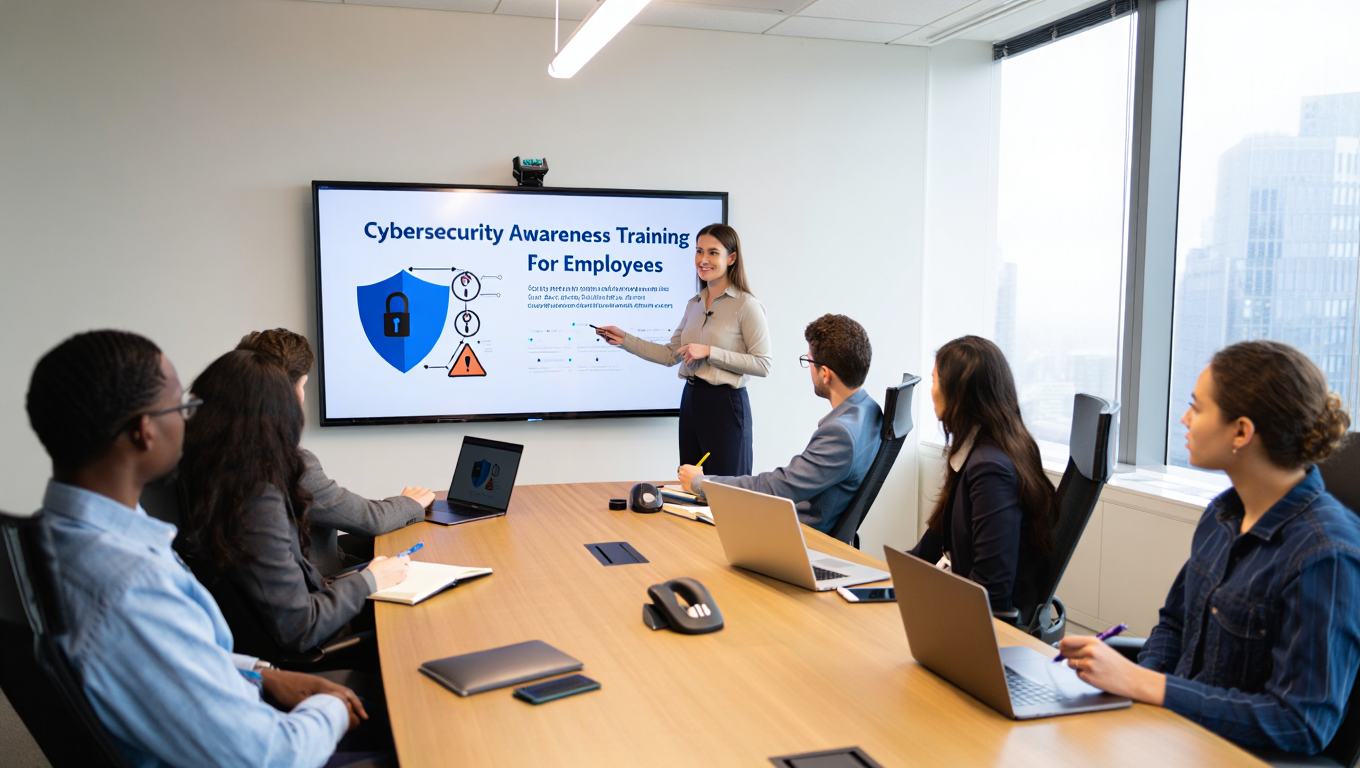
Employees are often the first line of defense against cyber threats. However, they can also be the weakest link if not trained properly. Creating a strong culture of cybersecurity awareness is essential for protecting company assets and data.
Why Employee Awareness Is Very Important?
Human error causes over 90% of security breaches. Attackers know it’s easier to trick people than to bypass security systems. They often target employees with phishing emails, social engineering calls, or other manipulation tactics.
When employees understand security threats and how to respond, they become a strong human firewall. Security-aware employees can spot phishing attempts, follow procedures for handling sensitive data, and report suspicious activities.
Key Areas of Employee Security Training
Effective cybersecurity awareness training should cover several essential areas:
Phishing Recognition
- How to identify suspicious emails (strange sender addresses, urgent language, poor grammar)
- What to do with suspicious messages (report, don’t click or respond)
- How to verify the legitimacy of requests (contact through known channels)
- Real-world examples of phishing attempts relevant to your industry
Password Security
- Creating strong, unique passwords for each account
- Using password managers effectively
- Understanding the importance of multi-factor authentication
- Recognizing password-related threats (credential stuffing, password spraying)
Data Handling
- Classifying information based on sensitivity
- Proper methods for storing and transmitting sensitive data
- Understanding data retention and disposal policies
- Recognizing and reporting data loss incidents
Physical Security
- Protecting devices from theft or unauthorized access
- Secure printing and document disposal
- Tailgating prevention (not allowing unauthorized people to follow into secure areas)
- Proper handling of visitor access
Social Engineering Defense
- Recognizing manipulation tactics (urgency, authority, scarcity)
- Verifying unusual requests through secondary channels
- Understanding the value of information, attackers might seek
- Reporting social engineering attempts
Implementing Effective Security Awareness Programs
Creating a successful security awareness program requires more than just annual training sessions. Here’s how organizations can build effective programs:
Regular Training
- Conduct initial comprehensive training for all employees
- Provide regular refreshers and updates on new threats
- Use microlearning (short, focused lessons) for better retention
- Offer training in multiple formats (videos, interactive modules, written materials)
Simulated Attacks
- Conduct regular phishing simulations to test employee awareness
- Provide immediate feedback and additional training for those who fail simulations
- Track improvement over time and adjust training accordingly
- Make simulations realistic but not deceptive or harmful
Role-Based Training
- Customize training content to specific job functions and risks
- Provide specialized training for high-risk roles (finance, HR, executives)
- Include department-specific scenarios and examples
- Address the unique security challenges of remote or hybrid work
Continuous Communication
- Share regular security updates and threat intelligence
- Celebrate security successes and improvements
- Create security champions within departments to promote awareness
- Use multiple communication channels (email, posters, meetings, intranet)
Measuring Awareness Program Effectiveness
To ensure that security awareness training is working, organizations should measure its effectiveness:
Behavioral Metrics
- Track phishing simulation click rates over time
- Monitor reporting of suspicious activities
- Measure compliance with security policies
- Track security incident rates related to human error
Knowledge Assessment
- Conduct regular quizzes and tests on security concepts
- Survey employees on security confidence and awareness
- Evaluate understanding through scenario-based questions
- Assess retention of training material over time
Cultural Indicators
- Measure engagement with security communications
- Track participation in optional security activities
- Survey employees on security culture perceptions
- Monitor peer-to-peer security coaching and support
Creating a Security-First Culture
The goal of security awareness training is to create a culture where security is everyone’s responsibility:
Leadership Involvement
- Executives must visibly support and participate in security initiatives
- Leaders should model secure behaviors in their daily work
- Management should reinforce security messages in team meetings
- Security performance should be included in evaluations where appropriate
Positive Reinforcement
- Recognize and reward secure behaviors
- Celebrate security improvements and milestones
- Create friendly competitions around security awareness
- Share success stories of threats prevented by alert employees
Continuous Improvement
- Regularly update training content based on new threats
- Solicit feedback from employees on training effectiveness
- Adapt programs to changing work environments and technologies
- Stay current with best practices in security awareness education
Advanced Cybersecurity Solutions
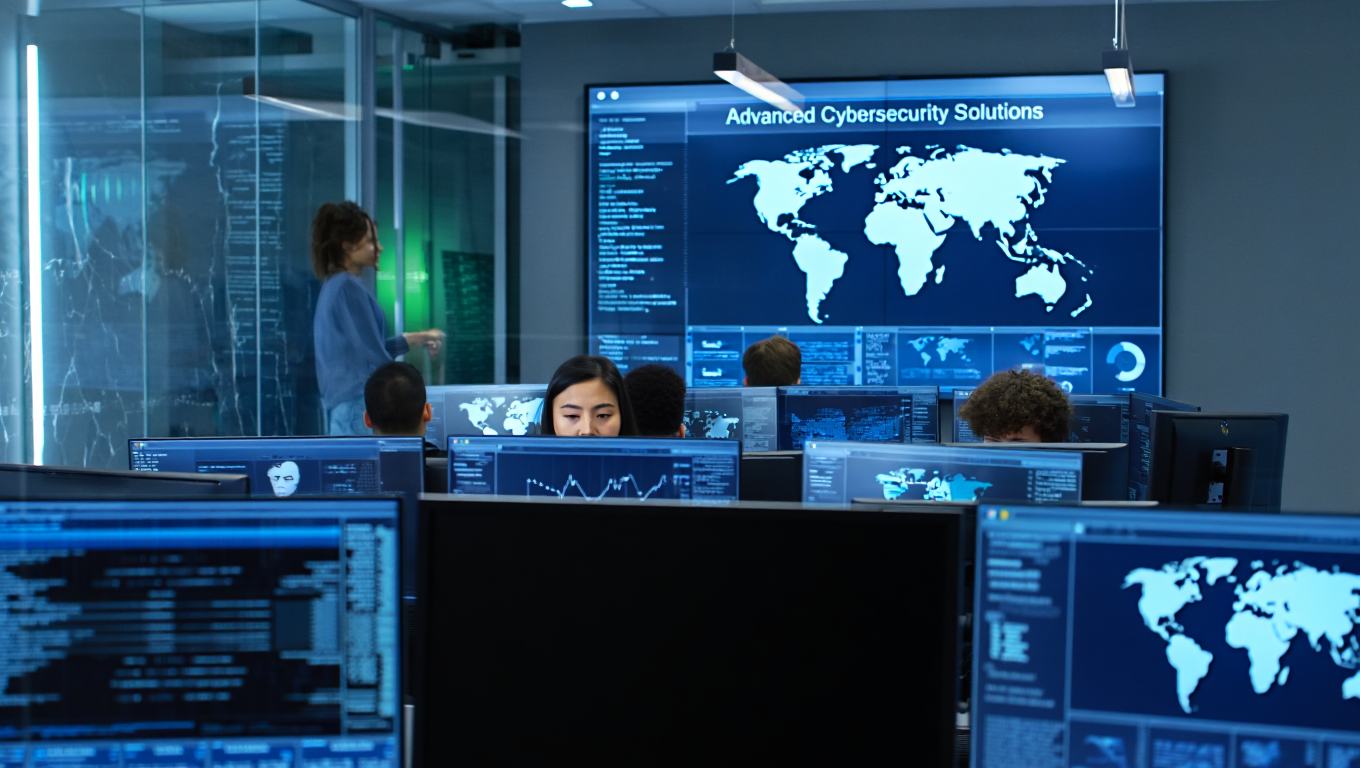
As cyber threats grow more complex, organizations need stronger security solutions. These advanced technologies offer better protection against today’s cyber attacks.
Artificial Intelligence and Machine Learning in Security
Artificial intelligence (AI) and machine learning (ML) are changing cybersecurity. They help systems learn from data, spot patterns, and make decisions with little human help.
Threat Detection and Prevention: AI-based security systems can examine large data sets. They find threats that traditional tools often overlook. These systems can:
- Detect unusual patterns in network traffic that indicate potential attacks
- Identify malware by analyzing code behavior rather than just signatures
- Recognize phishing attempts by analyzing email content and sender behavior
- Predict potential vulnerabilities before they can be exploited
Automated Response: AI can automate security responses to reduce the time between threat detection and mitigation:
- Automatically isolate infected devices to prevent threat spread
- Block malicious IP addresses and domains in real-time
- Apply security patches automatically across the organization
- Initiate incident response protocols based on threat severity
User and Entity Behavior Analytics (UEBA): Machine learning algorithms can establish baselines of normal behavior for users and systems, then flag deviations that might indicate security issues:
- Detect compromised accounts by identifying unusual login patterns
- Identify insider threats through abnormal data access behavior
- Spot compromised systems by recognizing unusual network connections
- Discover privilege escalation attempts through unexpected permission changes
Zero Trust Architecture
Zero Trust is a security model that follows the principle “never trust, always verify.” Unlike traditional models, which trust users and devices inside the network, Zero Trust demands verification for every access request. This applies no matter where the request comes from.
Core Principles of Zero Trust
- Verify explicitly: Always authenticate and authorize based on all available data points
- Use least privilege access: Grant only the minimum access necessary for specific tasks
- Assume breach: Design systems with the assumption that attackers are already inside
Key Components of Zero Trust Implementation
- Identity and Access Management: Strong authentication, authorization, and access controls
- Network Segmentation: Micro-segmentation to limit lateral movement
- Endpoint Security: Continuous monitoring and protection of all devices
- Data Protection: Encryption, classification, and loss prevention
- Visibility and Analytics: Comprehensive monitoring and analysis of all traffic
Benefits of Zero Trust
- Reduced risk of data breaches and unauthorized access
- Improved visibility into network traffic and user activities
- Better protection against insider threats and compromised accounts
- Enhanced security for remote and cloud-based work environments
Extended Detection and Response (XDR)
XDR is an advanced security approach that integrates multiple security products into a unified system that collects and correlates data across various security layers.
What XDR Includes
- Endpoint Detection and Response (EDR): Protection for endpoints like laptops, servers, and mobile devices
- Network Detection and Response (NDR): Monitoring of network traffic for threats
- Cloud Security: Protection for cloud environments and applications
- Email Security: Advanced filtering and analysis of email communications
- Identity Security: Monitoring and protection of user identities and access
How XDR Works: XDR platforms collect data from various security tools and use AI and ML to:
- Correlate events across different security layers to identify complex attacks
- Automate threat detection and response workflows
- Provide comprehensive visibility into the security landscape
- Enable faster investigation and remediation of security incidents
Advantages of XDR
- Improved threat detection through correlated data analysis
- Faster response times with automated workflows
- Reduced complexity by integrating multiple security tools
- Better visibility into the entire security environment
Security Orchestration, Automation and Response (SOAR)
SOAR platforms help organizations manage and respond to security threats more efficiently by automating security tasks and orchestrating responses across different security tools.
Key Capabilities of SOAR
- Automation: Automating repetitive security tasks like alert triage, user access requests, and threat intelligence gathering
- Orchestration: Coordinating actions across multiple security tools and systems
- Case Management: Managing security incidents from detection to resolution
- Threat Intelligence: Collecting, analyzing, and applying threat intelligence data
How SOAR Improves Security Operations
- Reduces alert fatigue by automatically filtering and prioritizing alerts
- Accelerates incident response times through automated workflows
- Ensures consistent response procedures across the organization
- Enables security teams to focus on complex threats rather than routine tasks
Common SOAR Use Cases
- Phishing email analysis and response
- Malware investigation and containment
- User access request management
- Security incident response coordination
- Vulnerability management and patching
Cloud Security Posture Management (CSPM)
As organizations move more workloads to the cloud, CSPM tools help ensure that cloud configurations are secure and compliant with regulations.
What CSPM Monitors
- Cloud infrastructure configurations (IaaS, PaaS, SaaS)
- Identity and access management settings
- Data storage and encryption configurations
- Network security settings and firewall rules
- Compliance with industry standards and regulations
Key CSPM Capabilities
- Continuous monitoring of cloud environments for misconfigurations
- Automated remediation of security issues
- Compliance reporting and audit support
- Risk assessment and prioritization
- Integration with cloud provider security tools
Benefits of CSPM
- Prevention of cloud misconfigurations that could lead to breaches
- Automated compliance with cloud security best practices
- Reduced risk of data exposure in cloud environments
- Improved visibility into cloud security posture across multiple providers
Deception Technology
Deception technology uses decoys, traps, and lures to detect, deflect, and counteract cyber attacks.
Types of Deception Technology
- Honeypots: Systems designed to attract and trap attackers
- Honeynets: Networks of honeypots that simulate real network environments
- Decoy Data: Fake data that appears valuable but is actually monitored
- Endpoint Deception: Fake credentials, files, and applications on endpoints
- Network Deception: Fake network segments and services
How Deception Technology Works
- Deploy realistic decoys throughout the IT environment
- Monitor decoys for any interaction or access attempts
- Generate high-fidelity alerts when decoys are engaged
- Collect intelligence about attacker methods and tools
- Divert attackers away from real assets
Benefits of Deception Technology
- Early detection of attackers in the environment
- Reduced false positives compared to traditional security tools
- Valuable intelligence about attacker tactics and techniques
- Deterrence of attackers by creating uncertainty about real assets
Best Cybersecurity Practices For Individuals & Organizations
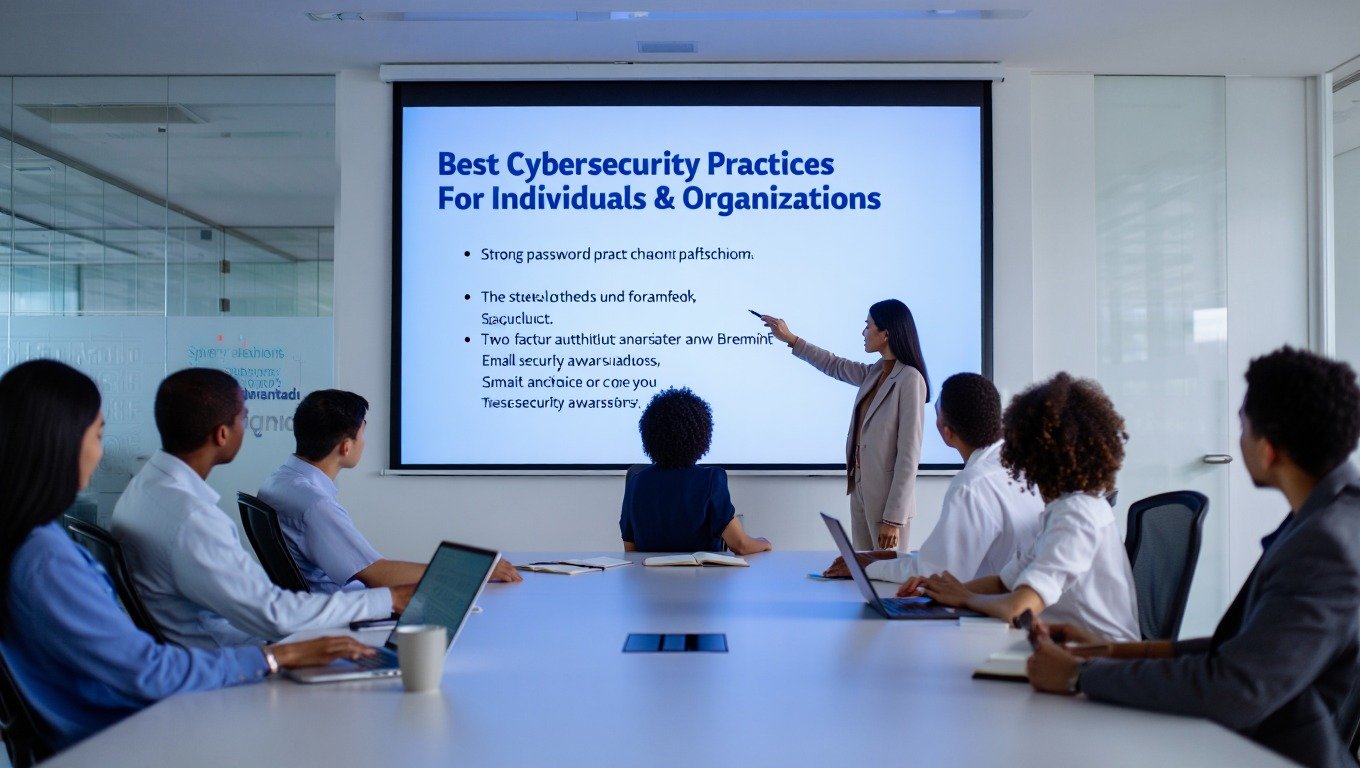
To implement effective cybersecurity, you must follow proven best practices. These practices guard against common threats. They build a strong security foundation for both individuals and organizations.
For Individuals: Personal Security Best Practices
Password Management
- Use long, unique passwords for each account (at least 12 characters)
- Create passphrases instead of complex passwords (e.g., “CorrectHorseBatteryStaple!”)
- Use a reputable password manager to generate and store passwords
- Enable multi-factor authentication wherever possible
- Never share passwords or write them down where others can find them
- Change passwords immediately if a service reports a breach
Device Security
- Keep operating systems and applications updated with security patches
- Install and maintain reputable antivirus/anti-malware software
- Use device encryption (FileVault for Mac, BitLocker for Windows)
- Enable automatic screen locks with strong PINs or biometrics
- Install applications only from official app stores
- Regularly review and remove unused applications
- Enable remote tracking and wiping for mobile devices
Network Security
- Use WPA2 or WPA3 encryption for home Wi-Fi networks
- Change default router usernames and passwords
- Disable WPS (Wi-Fi Protected Setup) on routers
- Use a VPN when connecting to public Wi-Fi networks
- Turn off automatic Wi-Fi connections to unknown networks
- Regularly check for and install router firmware updates
- Consider creating a separate guest network for visitors
Email and Communication Security
- Be skeptical of unexpected emails, especially those with attachments or links
- Verify sender addresses carefully (look for small misspellings or wrong domains)
- Hover over links to see the actual destination before clicking
- Use encrypted messaging apps for sensitive communications
- Be cautious with email auto-forwarding rules
- Report phishing attempts to your IT department or email provider
- Use separate email addresses for different purposes (e.g., personal, shopping, newsletters)
Social Media and Online Presence
- Review and adjust privacy settings on all social media accounts
- Be selective about what personal information you share online
- Avoid posting real-time location updates or travel plans
- Be cautious with friend/follower requests from unknown accounts
- Use strong, unique passwords for social media accounts
- Be aware that anything posted online may be permanent
- Regularly review connected apps and remove unnecessary ones
Data Protection
- Back up important files regularly (follow the 3-2-1 rule: 3 copies, 2 different media, 1 off-site)
- Use encrypted cloud storage or external drives for backups
- Enable versioning on cloud storage to recover from ransomware
- Encrypt sensitive files before storing or sharing them
- Use secure deletion methods for sensitive data
- Be cautious with USB drives and external media
- Regularly clean up digital clutter and old files
For Organizations: Enterprise Security Best Practices
Security Governance and Risk Management
- Develop a comprehensive security policy aligned with business objectives
- Conduct regular risk assessments to identify and prioritize threats
- Establish a security governance framework with clear roles and responsibilities
- Create and maintain an asset inventory of all hardware and software
- Implement regular security audits and compliance checks
- Develop a security awareness training program for all employees
- Establish metrics to measure security program effectiveness
Access Control and Identity Management
- Implement the principle of least privilege for all users and systems
- Use multi-factor authentication for all remote access and privileged accounts
- Conduct regular access reviews and remove unnecessary permissions
- Implement single sign-on where appropriate
- Use privileged access management for administrative accounts
- Implement just-in-time access for privileged operations
- Monitor and log all authentication and authorization events
Network Security
- Implement network segmentation to limit lateral movement
- Use next-generation firewalls with intrusion prevention
- Deploy web application firewalls for public-facing applications
- Implement DNS filtering to block access to malicious sites
- Use VPNs with multi-factor authentication for remote access
- Monitor network traffic for unusual patterns and behaviors
- Implement network access control for all devices connecting to the network
Data Security
- Classify data based on sensitivity and apply appropriate controls
- Encrypt data both at rest and in transit
- Implement data loss prevention (DLP) solutions
- Establish data retention and disposal policies
- Use secure methods for data sharing and collaboration
- Implement rights management for sensitive documents
- Regularly back up critical data and test restoration procedures
Endpoint Security
- Deploy endpoint detection and response (EDR) solutions
- Implement full disk encryption on all laptops and mobile devices
- Use application whitelisting or control to prevent unauthorized software
- Keep all systems patched with the latest security updates
- Implement device management solutions for mobile devices
- Use USB control to prevent unauthorized removable media
- Conduct regular vulnerability scans and penetration testing
Incident Response and Business Continuity
- Develop and maintain an incident response plan with clear roles and procedures
- Establish an incident response team with designated responsibilities
- Create communication plans for internal and external stakeholders
- Implement security information and event management (SIEM) solutions
- Conduct regular incident response simulations and tabletop exercises
- Develop business continuity and disaster recovery plans
- Establish relationships with external incident response providers and law enforcement
Vendor and Third-Party Risk Management
- Conduct security assessments of all vendors and third parties
- Include security requirements in contracts and service level agreements
- Limit vendor access to only what is necessary for their services
- Monitor vendor compliance with security requirements
- Establish processes for onboarding and offboarding vendors
- Require vendors to report security incidents promptly
- Regularly review and update third-party risk assessments
For Specific Industries: Sector-Specific Best Practices
Healthcare
- Comply with HIPAA regulations for protected health information (PHI)
- Implement strict access controls for electronic health records (EHR)
- Encrypt all PHI both at rest and in transit
- Conduct regular security risk assessments as required by HIPAA
- Train staff on handling PHI and recognizing security threats
- Implement audit logging for all access to PHI
- Establish business associate agreements with all third parties handling PHI
Financial Services
- Comply with GLBA, PCI DSS, and other financial regulations
- Implement strong authentication for online banking and financial systems
- Monitor transactions for fraud and unusual activity
- Encrypt sensitive financial data
- Conduct regular penetration testing and vulnerability assessments
- Implement fraud detection and prevention systems
- Establish strict controls for wire transfers and financial transactions
Education
- Protect student education records in compliance with FERPA
- Implement content filtering and monitoring for student safety
- Secure research data and intellectual property
- Provide age-appropriate security awareness training for students
- Implement controls for remote learning environments
- Secure online assessment and testing systems
- Establish acceptable use policies for technology resources
Government
- Comply with relevant government security standards and regulations
- Implement strict access controls for classified and sensitive information
- Conduct regular security assessments and audits
- Implement continuous monitoring of systems and networks
- Establish clear incident reporting and response procedures
- Provide regular security awareness training for all employees
- Implement secure systems for citizen services and communications
Protecting Yourself: Practical Steps for Digital Safety

You don’t need to be a computer expert to practice good cybersecurity. Here are detailed, practical steps you can take to protect yourself online:
Create and Manage Strong Passwords
Passwords are your first defense for accounts, so make them strong:
Make them long and complex – Use at least 12 characters. Mix uppercase letters, lowercase letters, numbers, and symbols. Longer passwords are tougher to crack than shorter ones, even with simpler characters.
Use passphrases – Choose a phrase or sentence you can remember. It should be hard for others to guess. For example, “PurpleMonkeys$DanceInRain!” is better than “P@ssw0rd1” and easier to recall.
Be unique – Use a different password for each account. If one password is compromised, you don’t want all your accounts to be at risk. This might seem difficult, but password managers can help.
Use a password manager – Password managers create and save strong, unique passwords for your accounts. You only need to remember one master password to access everything else. Many also offer security alerts and password strength checks.
Change passwords when necessary – You don’t need to change passwords often unless there’s a security breach or you think your password is compromised. Changing them too frequently can lead to weaker passwords as people may forget new ones.
Keep Everything Updated
Software updates are crucial for security because they often fix vulnerabilities that attackers could exploit:
Enable automatic updates – Most operating systems and applications offer automatic updates. Enable this feature to ensure you receive security patches as soon as they’re available.
Update all devices – Don’t forget about your smartphone, tablet, smart TV, and other connected devices. They all need regular updates to stay secure.
Update your router – Your home router is the gateway to your network, but many people never update it. Check the manufacturer’s website for firmware updates periodically.
Don’t ignore update notifications – When your device tells you there’s an update available, install it as soon as possible. These updates often include important security fixes.
Update applications – Web browsers, office software, games, and other applications all need regular updates. Enable automatic updates or check for updates regularly.
Recognize and Avoid Phishing Attempts
Phishing attacks are becoming more sophisticated, but there are still signs you can look for:
Check the sender – Look carefully at the email address or phone number. Phishers often use addresses that look similar to legitimate ones but have small differences (e.g., “support@arnazon.com” instead of “support@amazon.com”).
Look for urgency or threats – Phishing messages often create a sense of urgency or threaten negative consequences if you don’t act immediately. Legitimate organizations rarely do this.
Check the links – Hover over links (without clicking) to see where they really go. If the URL looks suspicious or doesn’t match the supposed sender, don’t click it.
Be wary of attachments – Don’t open attachments you weren’t expecting, especially if they’re from unknown senders. Malware often spreads through email attachments.
Trust your instincts – If something seems off about a message, it probably is. When in doubt, contact the organization directly through a known, trusted channel rather than responding to the suspicious message.

Secure Your Home Network
Your home network is the foundation of your digital life, so securing it is essential:
Change your router’s default password – Many routers come with simple default passwords that attackers can easily guess. Change this to a strong, unique password.
Use strong Wi-Fi encryption – Use WPA2 or WPA3 encryption for your Wi-Fi network. Avoid WEP, which is outdated and easily cracked.
Create a guest network – If your router supports it, create a separate guest network for visitors. This keeps your main network more secure.
Disable WPS – Wi-Fi Protected Setup (WPS) is convenient but has security vulnerabilities. Disable it in your router settings if you don’t use it.
Change your network name – Avoid using personally identifiable information in your network name (SSID). This makes it harder for attackers to target you specifically.
Protect Your Mobile Devices
Mobile devices are like mini-computers that we carry everywhere, so they need protection too:
Use a screen lock – Set a PIN, password, pattern, or biometric lock like fingerprint or face recognition. This prevents unauthorized access to your device.
Install apps only from official stores – Use the Google Play Store and Apple App Store. They have security measures to block harmful apps. Avoid unknown sources.
Review app permissions – Look at what permissions apps ask for. Deny any that seem unnecessary. For instance, a flashlight app doesn’t need access to your contacts.
Enable remote tracking and wiping – Both Android and iOS let you locate, lock, or erase your device if lost or stolen. Ensure these features are on.
Keep your device updated – Install operating system updates right away. They often include vital security fixes.
Back Up Your Data Regularly
Backups are your safety net if something goes wrong:
Follow the 3-2-1 rule – Keep at least 3 copies of your data, on 2 different types of storage, with 1 copy off-site. For example, you might have files on your computer, an external hard drive, and a cloud storage service.
Automate your backups – Use backup software or services that automatically back up your files on a schedule. This ensures you don’t forget to back up important data.
Test your backups – Periodically check that your backups are working and that you can restore files from them. A backup that doesn’t work is no backup at all.
Back up everything important – Don’t forget documents, photos, videos, music, and any other files that would be difficult or impossible to replace.
Consider versioning – Some backup services keep multiple versions of your files, so you can restore from different points in time. This can be helpful if you discover a problem several days after it occurred.
Cybersecurity in Different Areas of Life
Cybersecurity affects different parts of our lives in different ways. Let’s explore how to stay safe in various contexts:
At Home: Protecting Your Personal Space
Our homes are filled with connected devices that need protection:
Smart home devices – Smart speakers, thermostats, security cameras, and other IoT devices can be entry points for attackers. Change default passwords, keep firmware updated, and disable features you don’t need.
Home computers – Use antivirus software, enable firewalls, and keep software updated. Create separate user accounts for family members with appropriate permissions.
Family safety – Talk to your family about cybersecurity, especially children. Set up parental controls, monitor online activity, and teach kids about safe online behavior.
Personal networks – Secure your Wi-Fi network with strong encryption and a unique password. Consider segmenting your network to keep IoT devices separate from computers and phones.
At School: Learning Safely
Schools face unique cybersecurity challenges while trying to provide technology for learning:
Student Data Protection – Schools collect sensitive student information, like grades and personal details. This data needs strong protection.
Educational Technology – Online learning platforms and digital tools require security measures to safeguard student privacy.
Digital Citizenship – Schools should teach students responsible online behavior. This includes protecting their information, respecting others’ privacy, and spotting threats.
Network Security – School networks must be protected from external threats and misuse by students. This involves content filtering, monitoring, and access controls.
At Work: Professional Protection
Businesses of all sizes need to protect their systems, data, and reputation:
Company data – Businesses store customer information, financial records, intellectual property, and other sensitive data that needs protection.
Employee training – Employees are often the weakest link in security. Regular training on recognizing threats, following security policies, and reporting incidents is essential.
Access controls – Employees should only have access to the data and systems they need for their jobs. This limits the potential damage if an account is compromised.
Incident response – Businesses need plans for responding to security incidents, including who to contact, how to contain the breach, and how to recover operations.
In Public: Staying Safe on the Go
When you’re away from home, you face additional security challenges:
Public Wi-Fi – Public networks are often unsecured, making it easy for attackers to intercept your data. Use a VPN or avoid sensitive activities on public Wi-Fi.
Physical device security – Keep your devices with you or locked securely when in public. Never leave them unattended, even for a few minutes.
Shoulder surfing – Be aware of people who might be looking over your shoulder to see your screen or keyboard. Use privacy screens in crowded places.
Public charging stations – Be cautious about using public USB charging stations, as they can be compromised to steal data. Use your own charger and plug directly into an outlet when possible.

Emerging Threats and Future Challenges
The cybersecurity landscape is constantly evolving. Here are some of the newest threats and challenges we’re facing:
Artificial Intelligence in Cybersecurity
Artificial intelligence is changing both cybersecurity and cyber threats:
AI for Defense – AI helps detect threats quickly. It analyzes large data sets and spots patterns that humans might overlook. AI security systems can respond to attacks automatically, often before anyone notices the threat.
AI for Attacks – Sadly, attackers use AI too. They create more advanced threats with it. AI can generate realistic phishing emails, develop malware that adapts to avoid detection, and even produce deepfake videos for scams.
The AI Arms Race – Both defenders and attackers are using AI. This has led to an arms race, where each side tries to outsmart the other. Cybersecurity becomes more complex but also more effective.
Quantum Computing and Encryption
Quantum computers represent a potential future threat to current encryption methods:
How quantum computers work – Unlike traditional computers that use bits (0s and 1s), quantum computers use quantum bits or qubits, which can represent multiple states simultaneously. This makes them incredibly powerful for certain types of calculations.
The encryption threat – Many current encryption methods rely on mathematical problems that are very difficult for traditional computers to solve. Quantum computers could potentially solve these problems much faster, breaking encryption that currently protects our data.
Post-quantum cryptography – Researchers are developing new encryption methods that can withstand attacks from quantum computers. This transition will take time but is essential for future security.
Internet of Things (IoT) Security Challenges
The growing number of connected devices creates new security challenges:
Device proliferation – By 2025, there could be over 75 billion IoT devices worldwide. Each device is a potential entry point for attackers if not properly secured.
Security by design – Many IoT devices are designed with functionality in mind rather than security. Manufacturers need to build security into these devices from the beginning.
Network security – Many devices connect to home and business networks, making security complex. Segmentation and monitoring are key to stopping compromised devices from impacting the entire network.
Longevity concerns – Unlike computers and phones that we replace often, IoT devices like smart appliances can last a decade or more. This raises long-term security issues since these devices might not get regular updates.
Supply Chain Security
Our increasingly connected global supply chain creates new vulnerabilities:
Third-party risks – Companies rely on many third-party vendors and suppliers. If any of these partners have weak security, it can create vulnerabilities for the companies they serve.
Software supply chain – Software is often built using components from many different sources. If any of these components are compromised, it can affect all the software that uses them.
Hardware supply chain – Hardware components are manufactured and assembled around the world. This creates opportunities for malicious actors to compromise hardware during production or distribution.
Verification challenges – It’s difficult to verify the security of every component in complex supply chains. Companies need new approaches to assess and manage these risks.
Cybersecurity Careers: Protecting Our Digital Future
As cybersecurity becomes more important, the demand for cybersecurity professionals continues to grow. Here’s what you need to know about careers in this field:
Types of Cybersecurity Jobs
Cybersecurity offers many different career paths, each with its own focus and responsibilities:
Security Analyst – Security analysts monitor networks for suspicious activity, investigate security incidents, and help protect organizations from threats. They’re like the digital equivalent of security guards or detectives.
Penetration Tester – Penetration testers, also known as ethical hackers, try to break into systems (with permission) to find and fix security weaknesses before malicious attackers can exploit them.
Security Engineer – Security engineers design and build secure computer systems and networks. They create the defenses that protect organizations from cyber threats.
Security Consultant – Security consultants advise organizations on how to improve their security. They assess risks, recommend solutions, and help implement security measures.
Incident Responder – Incident responders are the emergency responders of the cybersecurity world. They help organizations recover from security breaches and minimize the damage.
Security Architect – Security architects design comprehensive security systems that protect all aspects of an organization’s digital assets.
Forensics Investigator – Forensics investigators gather and analyze digital evidence after security incidents. They help determine what happened, how it happened, and who was responsible.
Compliance Analyst – Compliance analysts ensure that organizations follow security regulations and standards. They help companies avoid legal problems and fines related to security failures.
Skills Needed for Cybersecurity Careers
Cybersecurity professionals need a combination of technical skills, soft skills, and personal qualities:
Technical skills include knowledge of networks, operating systems, security tools, and programming. Understanding how systems work is essential for protecting them.
Problem-solving skills are crucial because cybersecurity involves identifying and solving complex problems. Security professionals need to think creatively about how attackers might exploit vulnerabilities.
Communication skills are important because security professionals need to explain technical issues to non-technical people, write reports, and work in teams.
Attention to detail helps security professionals notice small clues that might indicate a security problem. In cybersecurity, small details can make a big difference.
Ethics and integrity are essential because security professionals have access to sensitive information and powerful tools. They must use these resources responsibly and ethically.
Continuous learning is necessary because the cybersecurity field is always changing. Professionals need to stay current with new threats, technologies, and best practices.
Getting Started in Cybersecurity
If you’re interested in a cybersecurity career, here are some ways to get started:
Education – While you don’t necessarily need a degree, many cybersecurity professionals have backgrounds in computer science, information technology, or related fields. Community colleges, universities, and online platforms offer cybersecurity programs and courses.
Certifications – Industry certifications can help demonstrate your knowledge and skills. Entry-level certifications like CompTIA Security+ or Microsoft Security Fundamentals are good starting points.
Hands-on experience – Practice environments like Hack The Box, TryHackMe, and CyberAces allow you to develop practical skills in a safe, legal environment. Building your own home lab can also provide valuable experience.
Networking – Join cybersecurity communities, attend conferences and meetups, and connect with professionals in the field. Networking can lead to job opportunities and valuable mentorship.
Entry-level positions – Look for entry-level jobs like IT support, help desk, or junior security analyst. These positions can provide a foundation for a cybersecurity career.

Building a Culture of Cybersecurity
Cybersecurity isn’t just about technology—it’s about people. Building a culture of cybersecurity means making security a part of how we live and work every day.
Education and Awareness
Education is the foundation of good cybersecurity:
Start early – Teaching children about cybersecurity from a young age helps them develop safe online habits that will last a lifetime.
Lifelong learning – Cybersecurity threats and technologies are always changing, so we all need to keep learning throughout our lives.
Make it relevant – Cybersecurity education should focus on real-world situations that people encounter in their daily lives, not just technical concepts.
Different approaches for different audiences – Tailor cybersecurity education to the needs and interests of different groups, from young children to senior citizens.
Personal Responsibility
Each of us has a role to play in cybersecurity:
Individual actions matter – The security choices we make as individuals affect not just us but also our families, employers, and communities.
Lead by example – When you practice good cybersecurity habits, you influence others around you to do the same.
Speak up – If you see something suspicious or unsafe, report it. Your vigilance could prevent a security incident.
Continuous improvement – Regularly review and improve your security practices. What was sufficient last year might not be adequate today.
Community and Cooperation
Cybersecurity is a team effort:
Share information – When we share information about threats and best practices, we all become more secure.
Support each other – Help friends and family members with their security practices. Offer assistance rather than criticism when someone makes a security mistake.
Participate in community efforts – Join local cybersecurity initiatives, volunteer to teach others about online safety, or participate in security awareness events.
Global cooperation – Cybersecurity is a global challenge that requires international cooperation. Support efforts to establish norms and agreements for responsible behavior in cyberspace.
Taking Action: Your Cybersecurity Checklist
Here’s a comprehensive checklist to help you improve your cybersecurity:
Immediate Actions (Do These Today)
- Create strong, unique passwords for all your accounts
- Enable multi-factor authentication wherever possible
- Install updates on all your devices
- Review your social media privacy settings
- Back up your important files
Weekly Actions
- Check for and install any available software updates
- Review your bank and credit card statements for suspicious activity
- Clear your browser cache and cookies
- Run a virus scan on your devices
- Review recent login activity on your important accounts
Monthly Actions
- Check your credit report for signs of identity theft
- Review app permissions on your mobile devices
- Clean up your email inbox and unsubscribe from unnecessary mailing lists
- Test your backups to ensure they’re working
- Review your social media connections and remove any you don’t recognize
Annual Actions
- Conduct a thorough review of your security practices
- Update your estate plan to include digital assets
- Consider a credit freeze if you’re concerned about identity theft
- Evaluate your need for cybersecurity insurance
- Research and learn about new security threats and protections
Conclusion: Our Shared Digital Future
Cybersecurity isn’t just a tech buzzword. It’s part of our daily lives. We lock our doors and look both ways before crossing the street. Similarly, our online actions matter. Every time we send a message, shop online, or use our phones, we make choices that impact our digital safety.
The digital world has many dangers. There’s malware that can damage our devices and phishing scams that try to deceive us. However, we’re not helpless. We can take simple steps to protect ourselves. Use strong passwords, keep software updated, be careful about what we click, and back up important files.
Cybersecurity is exciting because it brings people together. Good digital habits protect us, our families, schools, workplaces, and communities. Security is a team effort. When someone reports a suspicious email, they might stop a data breach that affects many. A friend who sets up two-factor authentication makes your online life safer and harder for bad actors to reach.
The world of cybersecurity keeps changing, and that’s actually pretty exciting. New technologies like AI are making our defenses smarter, but they’re also creating new challenges. That means we all need to keep learning and adapting. The good news is that we don’t have to be perfect—just aware and willing to take small steps in the right direction.
If you want a career in cybersecurity or just want to be safer online, remember that every action counts. Take a moment to verify a suspicious email. Spend time updating your software. Have a chat with a family member about online safety. All these actions help make our digital world safer for everyone.
Our digital future is bright, but we must make it secure. By staying informed and careful, we can enjoy technology’s benefits without facing its dangers. The internet should connect us and improve our lives, not create safety concerns. Let’s work together to keep it that way.
You May Also Like
 Cyber Security
Can Ransomware Infect iCloud? What Mac and iPhone Users Need to Know
 Data Security & Privacy
Is a Password Manager Safe? How to Use One Securely
 WordPress
12 Best Cheap SSL Certificate Providers To Secure Your Website
 Data Security & Privacy
Is Password Protection the Same as Encryption? Differences in Data Security
 Data Security & Privacy
What Is End-to-End Encryption? Your Complete Guide to Secure Communication
 Data Security & Privacy
What Is a Cloud Security Scanner for AWS, Azure, and Google Cloud?
 Cyber Security
Is Temu Legit or a Scam? The Complete Truth You Need to Know
 VPN
VPNHow to Block Ads on FirstRowSports: A Step-by-Step Guide
 Proxies