JavaScript frameworks help you build modern websites and apps faster. I’ve worked with many of these frameworks over the years, and I’ll share what I’ve learned about the best ones available today. Whether you’re making a simple website or a complex web app, picking the right framework can save you time and headaches. If you’re just starting with JavaScript, you might want to brush up on some fundamental concepts before diving into frameworks.
These frameworks give you ready-made tools and patterns to build better code. Instead of writing everything from scratch, you can focus on what makes your app special. From my experience working on different projects, I’ve seen how the right framework helps teams work faster and create better results. Many developers who master these frameworks go on to become full-stack developers with valuable career skills.
1. React: The Popular Choice for Building Websites
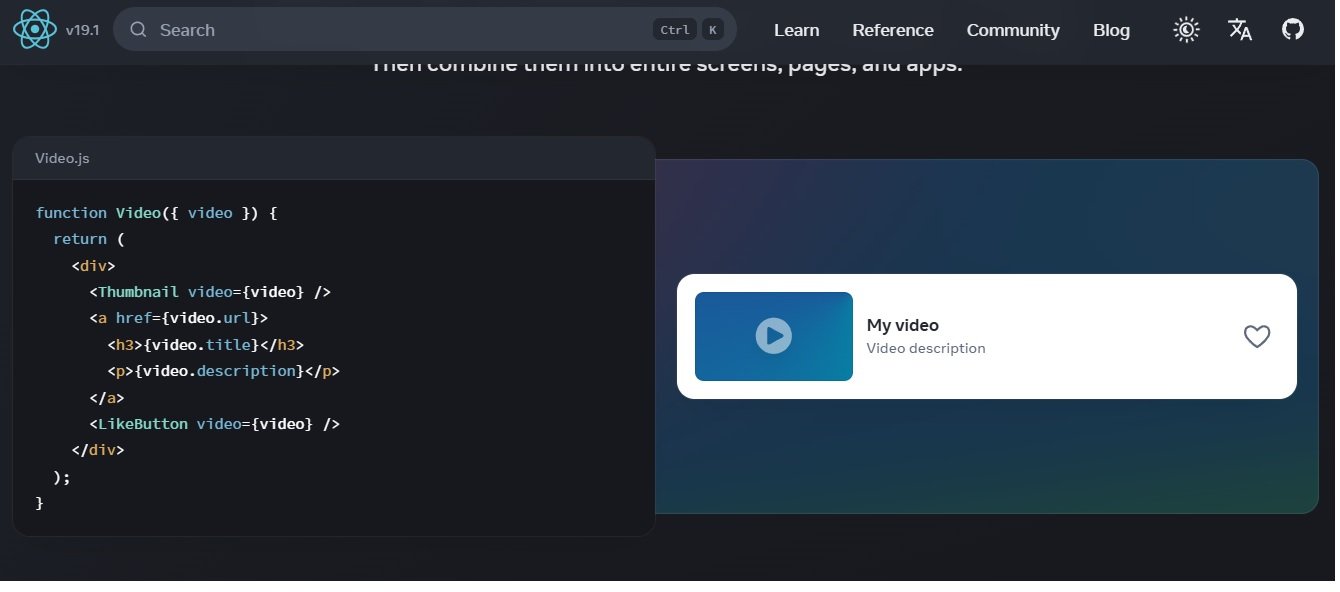
React is probably the most famous JavaScript framework right now. Facebook created it, and it’s changed how we build websites. I use React a lot because it lets you break your website into small, reusable pieces called components. This makes your code cleaner and easier to manage.
React works fast because it uses something called a “virtual DOM” – basically, it figures out what needs to change on your page before actually changing it. This makes websites feel quick and responsive. The best part about React is the huge community – if you get stuck, someone has probably already solved your problem. Many developers who learn React find it opens up great job opportunities in the tech industry.
Key Features:
- Virtual DOM for better performance
- Component-based structure
- JSX for writing HTML-like code
- Huge collection of extra tools
- Hooks for managing data and effects
Pros:
- Lots of jobs available
- Big community to help you
- Fast for large websites
- Flexible – you can add what you need
- Great tools for debugging
Cons:
- Just a library, not a complete framework
- Need to add extra tools for routing and data
- Takes time to learn advanced features
- Changes often can break things
Best For: Interactive websites, single-page apps, and projects where you want lots of flexibility.
Alternatives: Vue.js, Angular, Solid.js
2. Angular: The Complete Framework for Big Projects
Angular is Google’s answer to building big, professional websites. I’ve used it on company projects, and it gives you everything you need in one package. Unlike React, Angular comes with routing, forms, and other tools built right in. This means less time deciding which tools to use.
Angular uses TypeScript, which helps catch mistakes before they happen. This is great for big teams where consistency matters. If you’re not familiar with TypeScript, you might want to check out how it differs from regular JavaScript before diving into Angular. The downside is that Angular has more rules and takes longer to learn. But if you’re building a large business application, these rules actually help keep everything organized.
Key Features:
- Two-way data binding
- Dependency injection system
- Modular structure
- TypeScript support
- Complete command-line tools
Pros:
- Everything included in one package
- Great for big company projects
- TypeScript prevents errors
- Consistent way of writing code
- Stable and well-supported
Cons:
- Harder to learn
- More code to write
- Slower than lighter frameworks
- Complex setup
Best For: Large business applications, enterprise projects, and teams that need strict rules.
Alternatives: React, Vue.js, Aurelia
3. Vue.js: The Easy-to-Learn Framework
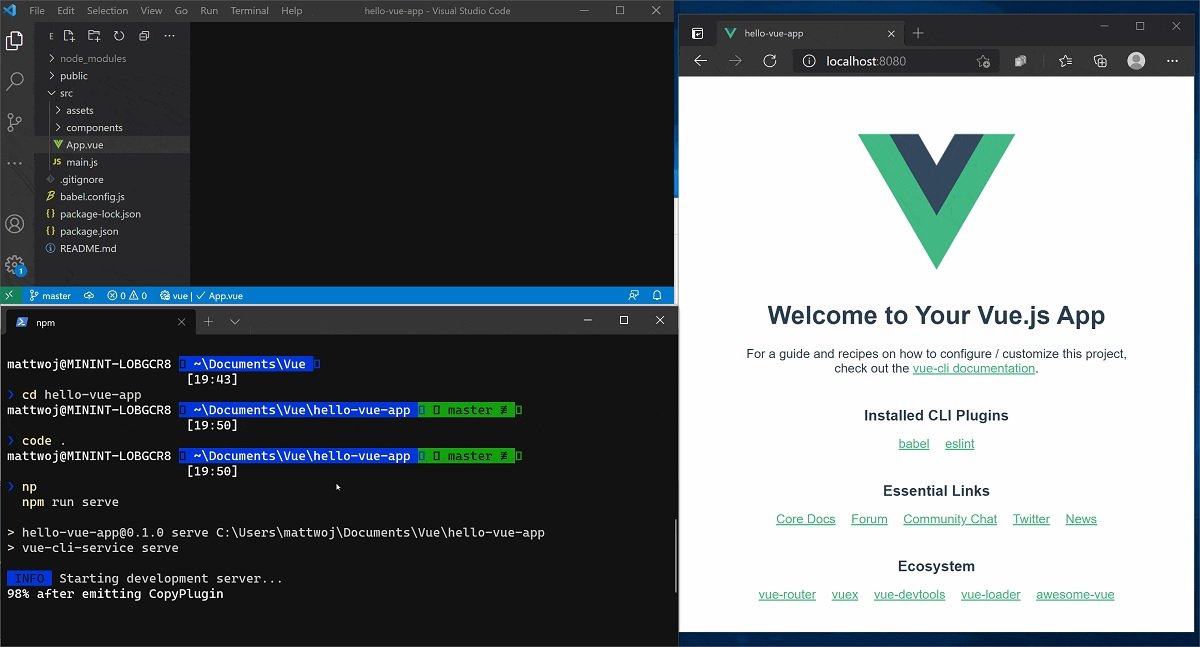
Vue.js is my top recommendation for people new to JavaScript frameworks. It was created by Evan You, who wanted something simpler than React or Angular. I’ve taught Vue to beginners, and they usually get productive much faster than with other frameworks.
Vue lets you write regular HTML, CSS, and JavaScript, then adds special features to make it interactive. The documentation is excellent, and the community is friendly and helpful. Vue is perfect for small to medium projects where you want to get things done quickly without a steep learning curve. Many developers find Vue easier to grasp than other frameworks, especially if they understand basic JavaScript concepts first.
Key Features:
- Easy to start with
- Reactive data system
- Single-file components
- Virtual DOM for speed
- Good collection of tools
Pros:
- Easy to learn
- Great documentation
- Flexible – use as much as you want
- Fast performance
- Helpful community
Cons:
- Smaller community than React
- Not as popular in big companies
- Fewer job opportunities
- Can struggle with very large apps
Best For: Beginners, small to medium projects, and teams that want to move fast.
Alternatives: React, Angular, Svelte
4. Svelte.js: The Fast Framework That Compiles Your Code

Svelte works differently from other JavaScript Frameworks. Instead of running in the browser, Svelte turns your code into regular JavaScript before it reaches the user. I’ve been amazed at how fast Svelte apps feel – they load quickly and run smoothly.
What I love about Svelte is how simple it is. You write code that looks like HTML, CSS, and JavaScript, and Svelte handles all the complex parts behind the scenes. There’s no virtual DOM or complicated state management to worry about. While Svelte is newer than React or Vue, it’s gaining popularity fast, especially for projects where speed matters most. Many developers who learn Svelte alongside traditional JavaScript find it complements their skills well.
Key Features:
- Compiles code to regular JavaScript
- Built-in reactivity
- No virtual DOM needed
- Small file sizes
- Simple syntax
Pros:
- Very fast performance
- Small download size
- Easy to learn
- No virtual DOM overhead
- Great for speed-focused apps
Cons:
- Smaller community
- Fewer extra tools available
- Newer technology
- Different way of thinking
Best For: Fast-loading websites, performance-critical apps, and developers who want simplicity.
Alternatives: React, Vue.js, Preact
5. Solid.js: The Fast React Alternative
Solid.js is like React, but much faster. It keeps the familiar JSX syntax but gets rid of the virtual DOM. I’ve used Solid on projects where performance was crucial, and it delivered impressive results. Your apps feel snappy and responsive, even with lots of data.
What makes Solid special is how it tracks what needs to update. Instead of checking everything, it knows exactly which parts of your app need to change. This makes it incredibly efficient. If you know React, learning Solid is pretty easy – you’ll feel right at home with the components and hooks, but you’ll get better performance out of the box. Many developers who work with Solid also find it valuable to understand backend technologies to build complete applications.
Key Features:
- Fine-grained reactivity
- JSX like React
- No virtual DOM
- Great TypeScript support
- Small size
Pros:
- Excellent performance
- Familiar for React developers
- Small download size
- Good TypeScript integration
- Growing community
Cons:
- Still new
- Smaller community
- Takes time to understand reactivity
- Not used by many companies yet
Best For: Fast apps, React developers wanting better speed, and projects with lots of data changes.
Alternatives: React, Svelte, Qwik
6. Qwik.js: The Instant-Loading Framework
Qwik is all about making websites load instantly. I’ve tested it on content-heavy sites, and the difference is noticeable – pages appear right away instead of making users wait. Qwik does this by loading only what’s needed, when it’s needed.
What’s cool about Qwik.js is how it pauses and resumes your app. Instead of loading everything at once, it loads pieces as the user interacts with the page. This means your site feels fast even on slow connections. While Qwik is still new, it’s perfect for sites where every second of loading time matters, like online stores or news sites. The performance gains from Qwik can be especially important when you need to send large files or handle lots of data.
Key Features:
- Resumable execution
- Instant loading
- Loads only what’s needed
- HTML-first approach
- Optimistic updates
Pros:
- Amazing performance
- Pages load instantly
- Great for search engines
- Familiar component system
- New and innovative
Cons:
- Very new
- Limited tools available
- Small community
- Different from other frameworks
Best For: Content sites, online stores, and any project where loading speed is critical.
Alternatives: Svelte, Solid.js, React
7. Lit.js: The Simple Library for Web Components

Lit.js is perfect for building reusable pieces that work anywhere. I use it when I need components that work with any framework or no framework at all. It’s small (about 6KB) but powerful enough for most component needs.
What I like about Lit.js is how it uses web standards. Your components will work today and in the future because they’re built on official web standards. The reactive system is simple but effective, and the templates feel natural to write. If you’re building design systems or components that need to work across different projects, Lit.js is a great choice. Understanding how Lit works can also help you grasp other JavaScript concepts more easily.
Key Features:
- Based on web components
- Reactive properties
- Simple templates
- Tiny size (~6KB)
- Works with any framework
Pros:
- Great performance
- Components work everywhere
- Small file size
- Perfect for design systems
- Uses web standards
Cons:
- Just for components
- Smaller tool ecosystem
- Not for full apps alone
- Need to learn web components
Best For: Design systems, component libraries, and projects needing framework-free components.
Alternatives: Svelte, Stencil, React
8. Ember.js: The Framework That Follows Rules

Ember.js is for developers who like rules and structure. I’ve used it on big team projects, and its “convention over configuration” approach means everyone writes code in a similar way. This makes it easier for team members to understand each other’s work.
Ember.js gives you everything you need out of the box – routing, data management, testing tools, and more. You spend less time making decisions and more time building features. While Ember has more rules to learn, once you understand them, you can build complex applications quickly and consistently. Many professional developers who work with Ember also find value in learning API testing to ensure their applications work correctly.
Key Features:
- Convention over configuration
- Built-in routing and data
- Great testing tools
- Strong command-line tools
- Focus on not breaking changes
Pros:
- High productivity
- Great for big teams
- Consistent code style
- Excellent testing support
- Stable over time
Cons:
- Steep learning curve
- Many rules to follow
- Smaller community
- Less flexible
Best For: Large company apps, teams that need consistency, and long-term projects.
Alternatives: Angular, React, Vue.js
9. Backbone.js: The Simple, Lightweight Framework
Backbone.js is one of the original JavaScript frameworks. While it’s not as popular today, it still works well for simple projects. I’ve used it when I needed basic structure without a lot of extra features. At just 7KB, it won’t slow down your website.
Backbone gives you models, views, collections, and routers – the basic building blocks for web apps. It doesn’t tell you how to structure everything, which gives you freedom but also means you need to make more decisions. For simple apps or when you want to keep things minimal, Backbone still gets the job done. Some developers who start with Backbone eventually move to more complex frameworks as their skills grow.
Key Features:
- Very small (~7KB)
- Models, views, collections, routers
- Event-based system
- Flexible structure
- Easy to add other tools
Pros:
- Tiny file size
- Simple to understand
- Flexible approach
- Good for simple apps
- Works with other libraries
Cons:
- Not popular anymore
- Limited built-in features
- Need to write more custom code
- Small community
- Not for complex apps
Best For: Simple websites, prototypes, and projects needing minimal JavaScript.
Alternatives: React, Vue.js, Mithril
10. Preact.js: The Tiny React Clone
Preact is React, but much smaller – just 3KB instead of React’s 40KB+. I use Preact when I need React’s features but want faster loading times. It works almost exactly like React, so you can switch between them easily.
What’s great about Preact.js is that you can use most React libraries with it. Your components, hooks, and JSX code work the same way, but your users download much less JavaScript. If you’re building apps for mobile users or places with slow internet, Preact can make a big difference in how fast your app feels. The performance benefits of Preact are similar to what you might see when optimizing other aspects of web development.
Key Features:
- Works like React
- Tiny size (~3KB)
- Virtual DOM
- Hooks support
- Easy to switch from React
Pros:
- Extremely small
- React-compatible
- Great performance
- Easy for React developers
- Works with many React tools
Cons:
- Smaller than React community
- Some React tools won’t work
- Fewer advanced features
- Fewer jobs available
Best For: Fast-loading apps, projects with size limits, and React developers needing better speed.
Alternatives: React, Svelte, Solid.js
11. Next.js: The React Framework for Production
Next.js has become my go-to for serious React projects. It’s not just a framework – it’s a complete system for building React apps that work well in the real world. I use Next.js for most of my React projects now because it handles so many things automatically.
What makes Next.js special is how it handles different types of rendering. Your pages can be server-rendered for better SEO, statically generated for instant loading, or client-rendered for interactive apps. It also handles routing, code splitting, and image optimization automatically. If you’re building with React, Next.js makes everything easier and faster. Many developers who master Next.js find themselves in high demand for JavaScript development jobs.
Key Features:
- Multiple rendering options
- Automatic routing
- Built-in optimizations
- API routes
- Great developer experience
Pros:
- Excellent performance
- Great for search engines
- Easy to deploy
- Handles complex tasks automatically
- Huge community
Cons:
- More complex than plain React
- Some restrictions on how you build
- Learning curve for concepts
- Can be overkill for simple projects
Best For: Production React apps, content sites, and projects needing good SEO.
Alternatives: Remix, Nuxt.js, Gatsby
12. Nuxt.js: The Vue Framework for Everything
Nuxt.js is to Vue what Next.js is to React – it makes Vue even more powerful. I’ve used Nuxt for Vue projects that needed server-side rendering or static site generation. It takes care of the complex setup so you can focus on building your app.
What I love about Nuxt.js is how it simplifies difficult tasks. Need server-side rendering? Just add a simple option. Want a static site? Change one setting. Nuxt also provides great file-based routing and automatic code splitting. If you’re using Vue and want to level up your projects, Nuxt is the way to go. Understanding Nuxt can be a great step toward becoming a full-stack developer.
Key Features:
- Multiple rendering modes
- Automatic routing
- Static site generation
- Server middleware
- Great modules system
Pros:
- Makes Vue more powerful
- Easy to use
- Great performance
- Good for SEO
- Strong community
Cons:
- Another layer to learn
- Some Vue patterns work differently
- Configuration can be complex
- Smaller than Next.js community
Best For: Vue apps needing server features, static sites, and projects wanting better SEO.
Alternatives: Next.js, Vue.js, Astro
13. Remix.js: The Full-Stack React Framework
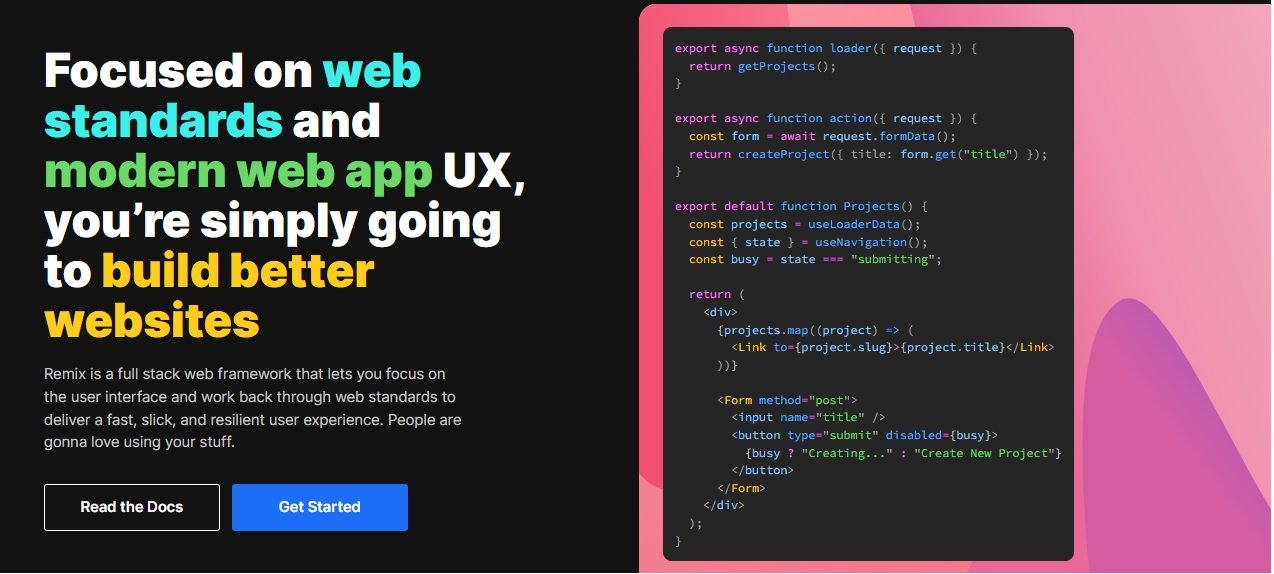
Remix.js is a new take on building web apps with React. Instead of trying to do everything in the browser, Remix embraces the web platform and uses the server more. I’ve been impressed with how fast Remix apps feel, especially on forms and data loading.
What sets Remix apart is its focus on web fundamentals. It uses standard browser features like forms and links instead of replacing them with JavaScript. This means your apps work better even without JavaScript and load faster. Remix also makes data loading and mutations much simpler than traditional React apps. If you’re tired of complex state management, Remix offers a refreshing alternative. Many Remix developers also find it helpful to understand backend technologies to build complete applications.
Key Features:
- Web-focused approach
- Server-first architecture
- Nested routing
- Built-in data loading
- Great error handling
Pros:
- Excellent performance
- Simplifies data management
- Great user experience
- Works without JavaScript
- Modern approach
Cons:
- Different from typical React
- Learning curve for concepts
- Smaller community
- Newer technology
Best For: Data-heavy apps, e-commerce sites, and projects wanting fast, reliable user experiences.
Alternatives: Next.js, React, SvelteKit
14. Astro: The Content-Focused Framework

Astro.js is perfect when your site is mostly content with some interactive parts. I use Astro for blogs, documentation sites, and marketing pages. It lets you build with components but delivers mostly static HTML for incredible speed.
What’s cool about Astro.js is how it handles interactivity. Your page loads as fast as possible with static HTML, then you can add “islands” of interactivity where needed. You can even use components from React, Vue, or Svelte all in the same project. If your site has lots of content but needs some interactive features, Astro is the perfect balance. Many content-focused sites built with Astro benefit from understanding how to optimize various aspects of web performance.
Key Features:
- Content-first approach
- Multiple framework support
- Island architecture
- Static by default
- Great for markdown content
Pros:
- Extremely fast loading
- Great for search engines
- Can use any component framework
- Simple to learn
- Perfect for content sites
Cons:
- Not for highly interactive apps
- Different development approach
- Limited for complex apps
- Newer ecosystem
Best For: Blogs, documentation, marketing sites, and content-heavy projects.
Alternatives: Next.js, Nuxt.js, SvelteKit
15. Alpine.js: The Tiny JavaScript Framework
Alpine.js is like a super-powered version of JavaScript for your HTML. I use it when I need a little interactivity without the complexity of a big framework. At just 7KB, it’s tiny but surprisingly powerful.
What I love about Alpine.js is how simple it is. You add special attributes to your HTML elements, and Alpine makes them interactive. No build step, no complex setup – just drop it in and go. It’s perfect for adding small interactive features to existing sites or building simple apps without the overhead of larger frameworks. Alpine.js is great for developers who understand basic JavaScript concepts but want something simpler than full frameworks.
Key Features:
- Tiny size (~7KB)
- HTML-based syntax
- No build step required
- Reactivity system
- Works with any backend
Pros:
- Extremely small
- Easy to learn
- No build tools needed
- Great for simple interactivity
- Works anywhere
Cons:
- Limited to simple apps
- Not for complex projects
- Smaller community
- Fewer advanced features
Best For: Simple interactive features, enhancing existing sites, and small projects.
Alternatives: Vue.js, jQuery, Stimulus
16. Stencil.js: The Web Component Builder
Stencil.js is a tool designed specifically for building web components. I use it to create component libraries that work anywhere. It compiles your components into standard web components, which means they work in React, Vue, Angular, or even plain HTML without any framework.
What makes Stencil.js Powerful is its performance focus. The components it compiles are tiny and fast, with all the best practices for modern web components built right in. If you need to create reusable components for different projects or build a design system, Stencil is the perfect choice. Many developers who work with Stencil also find that understanding TypeScript helps them build more robust components.
Key Features:
- Compiles to web components
- Works with any framework
- Virtual DOM
- TypeScript support
- Great performance
Pros:
- Components work everywhere
- Excellent performance
- Modern tooling
- Great for design systems
- TypeScript support
Cons:
- Learning curve for web components
- Not for full apps alone
- Smaller community
- Limited to component development
Best For: Component libraries, design systems, and framework-agnostic components.
Alternatives: Lit, Svelte, React
17. Inferno.js: The Blazing Fast React Alternative
Inferno is like React but focused on one thing: speed. I’ve used it in projects where every millisecond mattered, and it delivered impressive performance. It’s incredibly small and fast, making it perfect for performance-critical applications.
What makes Inferno.js Special is how it optimizes everything. The virtual DOM is highly optimized, the rendering is super fast, and the bundle size is tiny. If you know React, learning Inferno is straightforward – the API is very similar. For apps that need to be as fast as possible, especially on mobile devices, Inferno is an excellent choice. Many developers who work with performance-critical applications also benefit from understanding API testing to ensure their fast apps also work correctly.
Key Features:
- Extremely fast performance
- React-like API
- Small bundle size
- Optimized virtual DOM
- Great for mobile
Pros:
- Amazing speed
- Small file size
- React-compatible API
- Great for mobile apps
- Good performance
Cons:
- Very small community
- Limited ecosystem
- Fewer learning resources
- Not widely used
Best For: Performance-critical apps, mobile web apps, and projects needing maximum speed.
Alternatives: Preact, Solid.js, React
18. SolidStart.js: The Full-Stack Solid Framework

SolidStart.js is the official framework for building full-stack apps with Solid.js. I’ve started using it for projects that need both frontend and backend capabilities. It brings the performance benefits of Solid.js to server-side rendering and static site generation.
What I like about SolidStart is how it combines Solid’s fine-grained reactivity with modern web development patterns. You get server-side rendering, routing, and API endpoints all in one package, but with the performance benefits that make Solid special. If you’re already using Solid.js or want to build fast full-stack apps, SolidStart is worth checking out. Many developers working with SolidStart also explore backend technologies to build complete applications.
Key Features:
- Full-stack Solid.js framework
- Server-side rendering
- Static site generation
- API routes
- Great performance
Pros:
- Excellent performance
- Full-stack capabilities
- Solid.js reactivity
- Modern features
- Growing community
Cons:
- Very new
- Small community
- Limited documentation
- Learning curve
Best For: Full-stack apps needing high performance, Solid.js developers, and modern web projects.
Alternatives: Next.js, Remix, SvelteKit
19. Gatsby.js: The React-Based Static Site Generator

Gatsby.js is a powerful static site generator built on React. I’ve used it for countless content-focused websites that need both speed and flexibility. What makes Gatsby special is how it pulls data from almost anywhere – Markdown files, CMSs, APIs, databases – and turns it into super-fast static HTML pages.
What I love about Gatsby.js is its rich plugin ecosystem. With thousands of plugins available, you can add almost any functionality you need without writing much code. Gatsby also handles image optimization, code splitting, and prefetching automatically, which means your sites load incredibly fast. While Gatsby is perfect for blogs and documentation sites, it’s also powerful enough for complex e-commerce sites and web applications. Many developers who work with Gatsby find it valuable to understand how to optimize web performance for handling large amounts of content.
Key Features:
- React-based static site generation
- Rich plugin ecosystem
- Data sourcing from anywhere
- Automatic performance optimizations
- PWA support out of the box
Pros:
- Extremely fast loading
- Great for search engines
- Huge plugin library
- Automatic image optimization
- Strong community and documentation
Cons:
- Build times can be long for large sites
- Steeper learning curve for advanced features
- Limited dynamic content capabilities
- Can be overkill for simple sites
Best For: Content sites, blogs, documentation, marketing sites, and any project where speed and SEO matter.
Alternatives: Next.js, Astro, Hugo
20. Marko.js: The Fast HTML-Based Framework
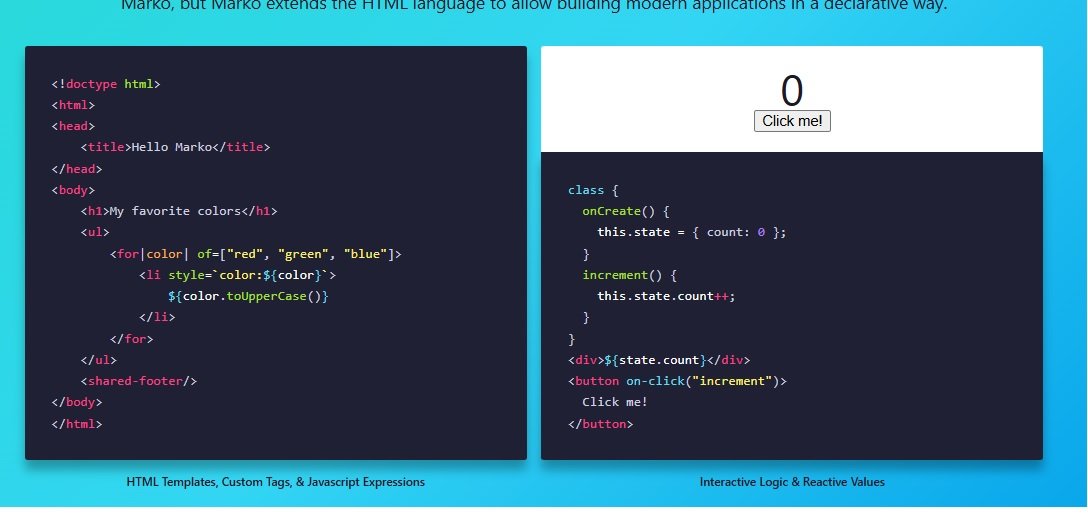
Marko.js is one of those frameworks that’s been around for a while but doesn’t get enough attention. I’ve used it for projects where I wanted something simple but powerful. Marko uses HTML-like syntax that feels natural to write, and it compiles to highly optimized JavaScript.
What I appreciate about Marko.js is its focus on performance and simplicity. The framework is tiny but provides features like server-side rendering, streaming, and partial hydration out of the box. eBay uses Marko for their site, which shows it can handle large-scale applications. If you want a framework that prioritizes performance and developer experience, Marko is worth a look. Many developers who work with Marko also find value in understanding TypeScript for building robust applications.
Key Features:
- HTML-based syntax
- Server-side rendering
- Streaming support
- Small size
- Great performance
Pros:
- Easy to learn
- Excellent performance
- Proven in production
- Small bundle size
- Good features
Cons:
- Smaller community
- Less popular than major frameworks
- Fewer learning resources
- Limited job market
Best For: Performance-critical apps, developers who like HTML syntax, and projects needing speed.
Alternatives: Vue.js, Svelte, React
Conclusion: Picking the Right Framework in 2025
After working with all these JavaScript Frameworks, I’ve learned that there’s no single best choice. Each one has its strengths and is good for different types of projects. When you’re choosing a framework, think about what you need to build, who will work on it, and what matters most for your users.
For most new projects in 2025, I’d suggest starting with React, Vue, or Svelte. They have big communities, lots of help available, and work well for most types of applications. If you’re building something for a big company, Angular or Ember might be better. For sites that need to load instantly, check out Qwik or Astro.
The best JavaScript Framework is the one that helps you build your project quickly while keeping your code clean and your users happy. Don’t be afraid to try different ones on small projects to see what you like. The world of JavaScript frameworks keeps changing, so stay curious and keep learning – the perfect tool for your next project might be something new that just came out.
If you want to learn more about JavaScript careers, check out our guide on what jobs you can get with JavaScript or learn about becoming a full-stack developer. For backend development, our comparison of Python vs Java might help you choose the right server technology to go with your frontend framework.
You May Also Like
 JavaScript
The Top 8 PhantomJS Alternatives for Web Scraping and Testing
 WordPress
How to Use 1and1 Webmail? Here Are IONOS Webmail Login Guide
 WordPress
12 Best Cheap SSL Certificate Providers To Secure Your Website
 JavaScript
TypeScript vs JavaScript: Understanding the Key Differences
 Web Development
What Is the Difference Between UI Testing and UX Testing?
 Web Development
Agile Testing Strategies: Boost Your Software Development Efficiency
 Web Development
Automation in Software Testing: Benefits, Process & Example
 Web Development
Integrated Software Testing Methodologies: A Comprehensive Guide
 Web Development