TypeScript and JavaScript are both programming languages used to build websites and apps, but they work in different ways. JavaScript has been around since 1995 and is the basic language that makes websites interactive. TypeScript came later in 2012 and is like an upgraded version of JavaScript that adds extra features to help catch mistakes before they cause problems.
Choosing between TypeScript and JavaScript depends on what you’re building and who you’re working with. TypeScript is great for big projects with lots of people working together, while JavaScript is perfect for smaller projects or when you’re just starting to learn coding. This guide will help you understand the differences so you can pick the right one for your needs.
What is JavaScript?
JavaScript is the programming language that makes websites do interactive things like respond when you click buttons or show moving pictures. It was created by Brendan Eich in 1995 and runs directly in your web browser. When you see a website that updates without reloading the page or shows pop-up messages, that’s usually JavaScript at work.
JavaScript is pretty flexible because it doesn’t make you tell it what type of data you’re using – it figures that out as it goes. This makes it easy to write code quickly, but it can also lead to mistakes that only show up when people are actually using your website. Understanding the global object in JavaScript is essential for mastering how variables and functions work across different environments.
What JavaScript is Good For
JavaScript works well for:
- Small to medium websites
- Quick projects that need to be finished fast
- Learning how to code for the first time
- Making websites interactive
- Building both the parts of websites that users see and the parts they don’t
- Creating mobile apps
- Making simple tools and scripts
Jobs You Can Get with JavaScript
Lots of companies need people who know JavaScript. There are more than 65,000 jobs available for JavaScript developers right now. You could work as a web developer, app developer, or even a game developer. Many companies use JavaScript, so learning it opens up numerous career opportunities in web development.
What is TypeScript?
TypeScript is like JavaScript with training wheels – it helps you avoid mistakes while you’re coding. Microsoft created TypeScript in 2012 to solve some of JavaScript’s problems, especially when working on big projects with lots of code.
The biggest difference is that TypeScript makes you say what type of data you’re using (like numbers, text, or lists). This might seem like extra work, but it helps catch mistakes before your code runs. TypeScript code needs to be converted to regular JavaScript before it can work in browsers, but this process is automatic and most developers don’t even notice it happening.
What TypeScript is Good For
TypeScript is especially helpful for:
- Big websites and applications
- Projects with many developers working together
- Long-term projects that will need updates over time
- Complex applications where mistakes could cause big problems
- Teams moving from other programming languages
- Projects using modern JavaScript frameworks like Angular or React
How TypeScript and JavaScript Are Different
The main difference between TypeScript and JavaScript is how they handle data types. TypeScript makes you be specific about what kind of data you’re using, while JavaScript is more relaxed about it. This simple difference leads to several other important distinctions.
Data Types
TypeScript requires you to specify data types, which means you have to say whether something is a number, text, or something else. This might seem annoying at first, but it catches lots of common mistakes.
// TypeScript example
let age: number = 25;
age = "twenty six"; // Error: You can't put text in a number variable
JavaScript figures out data types on its own, which is faster to write but can lead to unexpected problems.
// JavaScript example
let age = 25;
age = "twenty six";
console.log(age * 2); // This gives you "NaN" (Not a Number) - a confusing error
Before vs During Running
TypeScript checks for mistakes before your code runs. It’s like having a spell checker that catches errors before you send your email. This prevents many problems from ever reaching your users.
JavaScript only finds mistakes when the code is actually running. This is like finding typos after you’ve already sent your email – the mistakes are already out there for people to see.
Code Organization
TypeScript helps you organize your code better with features like interfaces and generics. These are like templates that help keep your code consistent and easier to understand, especially in big projects.
JavaScript is more free-form, which is great for small projects but can get messy when lots of people are working on the same code.
Learning Difficulty
TypeScript takes longer to learn because you need to understand types, interfaces, and other extra features. If you’re new to coding, this can feel overwhelming at first.
JavaScript is easier to start with because you can begin writing working code right away without worrying about types and other complex concepts.
Speed Comparison
TypeScript and JavaScript run at the same speed once they’re in the browser. This is important to understand – TypeScript doesn’t make your website slower for users. The only difference is that TypeScript code needs to be converted to JavaScript first, which adds a tiny delay when you’re writing code but doesn’t affect the final product.
While You’re Coding
JavaScript shows results immediately when you save your changes. This instant feedback makes it faster to experiment and try new ideas.
TypeScript has a brief delay while it checks your code and converts it to JavaScript. Modern tools make this delay very small, but it’s still there.
When People Are Using Your Website
Both languages work exactly the same in the browser. Since TypeScript becomes JavaScript before anyone sees it, your users won’t notice any difference in speed or performance.
When to Pick TypeScript
TypeScript is the better choice for big projects or when you’re working with a team. The extra features help prevent mistakes and make it easier for everyone to work together without stepping on each other’s toes. Following software development best practices often leads teams to choose TypeScript for enterprise applications.
Big Projects
TypeScript shines when you have thousands of lines of code. The type system helps keep everything organized and prevents the small mistakes that can turn into big problems in large applications.
Team Work
TypeScript makes it easier for teams to work together because the code is more self-documenting. When someone writes code with clear types, other developers can understand what it does without having to ask questions or guess.
Long-Term Projects
TypeScript is great for projects that will be around for years. The clear structure and type safety make it easier to come back to code months later and understand what it’s supposed to do.
Complicated Applications
TypeScript helps manage complexity in applications with lots of moving parts. When you’re dealing with complicated business logic or lots of data, the type system helps keep everything straight.
When to Pick JavaScript
JavaScript is perfect for smaller projects or when you’re just starting out. Its simplicity and immediate feedback make it the right choice for many situations.
Small Projects
JavaScript is ideal for small websites and simple applications. You can get things working quickly without dealing with types and other extra features.
Learning to Code
JavaScript is better for beginners because you can start writing working code right away. The immediate feedback helps you learn faster without getting bogged down in complex concepts.
Quick Experiments
JavaScript lets you test ideas quickly when you’re prototyping or experimenting. You can try something, see if it works, and change it without any delays.
Working with Existing Code
JavaScript is necessary when you’re maintaining older projects that were already written in JavaScript. Converting everything to TypeScript might not be worth the time and effort.
Why TypeScript Might Be Better
TypeScript has several advantages that make it increasingly popular with professional developers. These benefits are especially valuable in business environments where mistakes can be costly and are essential for full-stack developers working on complex applications.
Catches Mistakes Early
TypeScript finds problems before your code runs, which saves a lot of time and frustration. Instead of users finding bugs, you catch them while you’re still writing the code.
Better Code Quality
TypeScript encourages cleaner, more consistent code. The type system forces you to think about what your code is actually doing, which leads to better design and fewer errors.
Helpful Tools
TypeScript works better with code editors and provides better suggestions, error checking, and code navigation. This makes you more productive, especially when working with large codebases.
Easier Teamwork
TypeScript makes it easier for developers to work together because the code is more self-explanatory. Team members can understand each other’s code without constant communication.
Safer Changes
TypeScript makes it safer to update and improve existing code. The type system helps you see what might break when you make changes, so you can fix problems before they happen.
Why JavaScript Might Be Better
JavaScript still has many advantages that keep it relevant and popular. For many projects and developers, JavaScript remains the best choice.
Easier to Learn
JavaScript is more beginner-friendly because you don’t need to understand types and other complex concepts right away. You can start building things immediately and learn as you go.
Faster for Small Projects
JavaScript lets you work more quickly on small projects. Without the need to define types or wait for compilation, you can get from idea to working code faster.
Instant Feedback
JavaScript gives you immediate results when you make changes. This instant feedback loop makes it easier to experiment and learn, especially when you’re trying something new.
More Flexible
JavaScript is more flexible and forgiving, which can be helpful when you’re working with changing requirements or experimenting with new ideas.
More Resources Available
JavaScript has been around longer, so there are more tutorials, tools, and help available. If you get stuck, you’re more likely to find someone who has already solved your problem.
Side-by-Side Comparison
| Feature | TypeScript | JavaScript |
|---|---|---|
| Data Types | Must specify types | Types are figured out automatically |
| Before Running | Needs to be converted first | Runs right away |
| Interfaces | Has them | Doesn’t have them |
| Generics | Supports them | Doesn’t support them |
| Access Control | Can make things private/public | Everything is public |
| Error Finding | Finds errors before running | Finds errors while running |
| Tools | Better code editor support | Good but not as smart |
| Learning | Takes longer to learn | Easier to start with |
| Files | Uses .ts and .tsx | Uses .js |
| Browser Support | Works after converting to JavaScript | Works directly in browsers |
Moving from JavaScript to TypeScript
You don’t have to switch everything to TypeScript at once. You can gradually add TypeScript to existing JavaScript projects, which makes the transition much easier.
Take It Step by Step
TypeScript lets you convert your code gradually. You can start by adding types to new code or the most important parts of your existing code.
Start with File Names
The easiest first step is just renaming your files from .js to .ts. This makes them TypeScript files without requiring any immediate changes.
Add Types Slowly
You can add type definitions bit by bit. Start with the most important functions and variables, then gradually add more types as you have time.
Set Up Your Tools
You’ll need to configure TypeScript with a tsconfig.json file and set up your build tools to handle TypeScript. Most modern build tools support TypeScript out of the box.
Good Practices for TypeScript
Following these practices will help you get the most out of TypeScript and avoid common pitfalls that can make your code harder to work with.
Use Strict Mode
Turn on strict mode in TypeScript to catch more potential mistakes. It might seem annoying at first, but it will save you from many headaches later.
{
  "compilerOptions": {
    "strict": true
  }
}
Let TypeScript Help
Use TypeScript’s ability to guess types when you can. Often, TypeScript can figure out the type without you having to spell it out, which keeps your code cleaner.
// TypeScript knows these are numbers
let count = 42;
let price = 19.99;
Create Clear Templates
Use interfaces to define the shape of your data. This makes your code easier to understand and helps catch mistakes when data doesn’t match what you expect.
interface User {
  id: number;
  name: string;
  email: string;
}
Avoid the “Any” Type
Try not to use the “any” type in TypeScript. It defeats the purpose of having types because it tells TypeScript to stop checking. Use specific types or “unknown” when you’re not sure.
Good Practices for JavaScript
Even though JavaScript is more flexible, following these practices will help you write better code and avoid common problems.
Use Modern JavaScript
Take advantage of newer JavaScript features like arrow functions, destructuring, and template literals. They make your code shorter and easier to read.
// Modern JavaScript is cleaner
const numbers = [1, 2, 3, 4, 5];
const doubled = numbers.map(n => n * 2);
const message = `Total: ${doubled.length}`;
Keep Your Style Consistent
Use the same coding style throughout your project. Tools like ESLint and Prettier can help enforce consistency automatically.
Add Comments
Use JSDoc comments to document your code. This gives you some of the benefits of TypeScript’s type checking without actually using TypeScript.
/**
 * Adds two numbers together
 * @param {number} a - First number
 * @param {number} b - Second number
 * @returns {number} The sum
 */
function add(a, b) {
  return a + b;
}
Handle Errors Gracefully
Use try-catch blocks to handle potential errors. This makes your code more reliable and easier to debug when things go wrong.
try {
  const result = doSomethingRisky();
  return result;
} catch (error) {
  console.error('Something went wrong:', error.message);
}
What’s Next for Both Languages
Both TypeScript and JavaScript keep getting better over time. JavaScript adds new features regularly, and TypeScript improves its type system and tools. Understanding where they’re headed can help you make better choices about what to learn.
JavaScript Keeps Improving
JavaScript gets new features every year that make it more powerful and easier to use. Recent additions have made JavaScript more similar to TypeScript in many ways, which makes switching between them easier.
TypeScript Keeps Growing
More and more companies are choosing TypeScript, especially for big projects. Its popularity grows because it helps teams write better code with fewer mistakes.
They’re Becoming More Similar
The gap between TypeScript and JavaScript is getting smaller as JavaScript adopts features that were once only available in TypeScript. This is good news for developers because it makes it easier to switch between them.
Tools Keep Getting Better
The tools for both languages keep improving, making developers more productive regardless of which language they choose. Better code editors, debugging tools, and build systems help everyone write better code faster.
Final Thoughts
TypeScript and JavaScript both have their place in web development. TypeScript is like having a helpful assistant that catches your mistakes before they cause problems, while JavaScript is like working freely without any restrictions.
The right choice depends on what you’re building and who you’re working with. For big projects with many developers, TypeScript’s safety features are worth the extra effort. For small projects or when you’re learning, JavaScript’s simplicity is hard to beat.
Both languages are valuable skills for developers. Many developers know both and use whichever one makes the most sense for each project. As you gain experience, you’ll develop a feel for when to use each one.
FAQ
Is TypeScript harder to learn than JavaScript?
Yes, TypeScript is harder to learn because it has extra concepts like types and interfaces that you need to understand. JavaScript is simpler to start with because you can begin writing working code right away without learning about types first.
Does TypeScript replace JavaScript?
No, TypeScript doesn’t replace JavaScript. TypeScript is an add-on to JavaScript that gives you extra features. All JavaScript code works in TypeScript, and TypeScript turns into JavaScript before it runs in browsers.
Is TypeScript slower than JavaScript?
No, TypeScript runs just as fast as JavaScript once it’s in the browser. The only difference is that TypeScript code needs to be converted to JavaScript first, but this doesn’t affect how fast your website runs for users.
Can I use both TypeScript and JavaScript in the same project?
Yes, you can mix TypeScript and JavaScript in the same project. This makes it easy to start using TypeScript gradually without having to rewrite everything at once.
Should I learn JavaScript before TypeScript?
Yes, you should learn JavaScript first. Since TypeScript builds on JavaScript, understanding JavaScript basics will make learning TypeScript much easier. Think of it as learning to walk before you run.
Is TypeScript only for big projects?
No, you can use TypeScript for projects of any size, but it’s most helpful for big projects with lots of code. For small projects, the extra features might not be worth the effort.
Can TypeScript run directly in browsers?
No, browsers can’t run TypeScript directly. TypeScript code must be converted to JavaScript first, but this happens automatically and most developers don’t even think about it.
Are there more jobs for TypeScript or JavaScript developers?
TypeScript skills are in high demand for big companies and complex projects, but JavaScript skills are still essential and valuable. Many job postings ask for both, so knowing both languages gives you more options.
Is TypeScript good for beginners?
No, TypeScript isn’t ideal for people just starting to code. The extra concepts can be overwhelming when you’re trying to learn programming basics. Most people find it easier to start with JavaScript and learn TypeScript later.
Can I change existing JavaScript code to TypeScript?
Yes, you can convert JavaScript to TypeScript gradually. You can start by changing file extensions and adding types slowly over time. Many tools can help with this process, making it easier than starting from scratch.
You May Also Like
 JavaScript
20 JavaScript Frameworks and Libraries for Modern Web Development
 WordPress
12 Best Cheap SSL Certificate Providers To Secure Your Website
 Proxies
REST APIs Explained: Everything You Need to Know to Build and Use Them
 JavaScript
The Top 8 PhantomJS Alternatives for Web Scraping and Testing
 WordPress
How to Use 1and1 Webmail? Here Are IONOS Webmail Login Guide
 Web Development
What Is the Difference Between UI Testing and UX Testing?
 Web Development
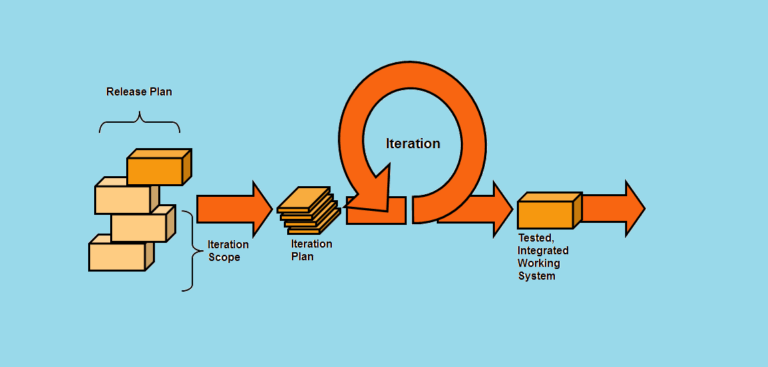
Agile Testing Strategies: Boost Your Software Development Efficiency
 Web Development
Automation in Software Testing: Benefits, Process & Example
 Web Development


