Romspedia is a website that offers free game downloads. But it has safety risks. The site lets you download ROMs and emulators for many gaming systems. These include old systems like Nintendo and newer ones too. Many gamers use the site. But you should know the risks before downloading anything.
Downloading from Romspedia can be unsafe. It can also be illegal in many cases. This article will explain what Romspedia is. It will cover how it works. You will learn about ROMs and emulators. Most importantly, you will understand the safety and legal issues. This will help you make smart choices about using the site.
What Is Romspedia?
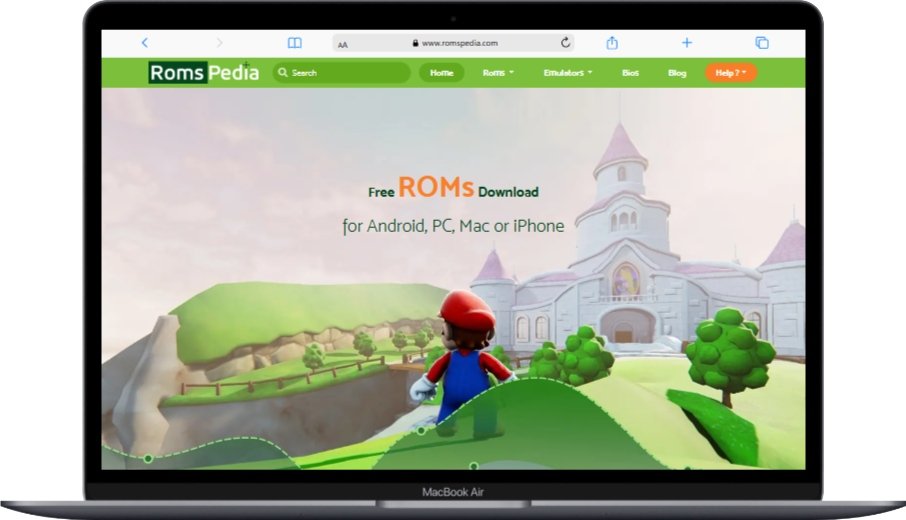
Romspedia is a big website with game files for many gaming systems. It has ROMs for consoles like NES, GBA, SNES, Nintendo 64, and PlayStation. The site also has emulators. Emulators are programs that let you play these games on your computer or phone. According to their website, they have millions of ROM downloads.
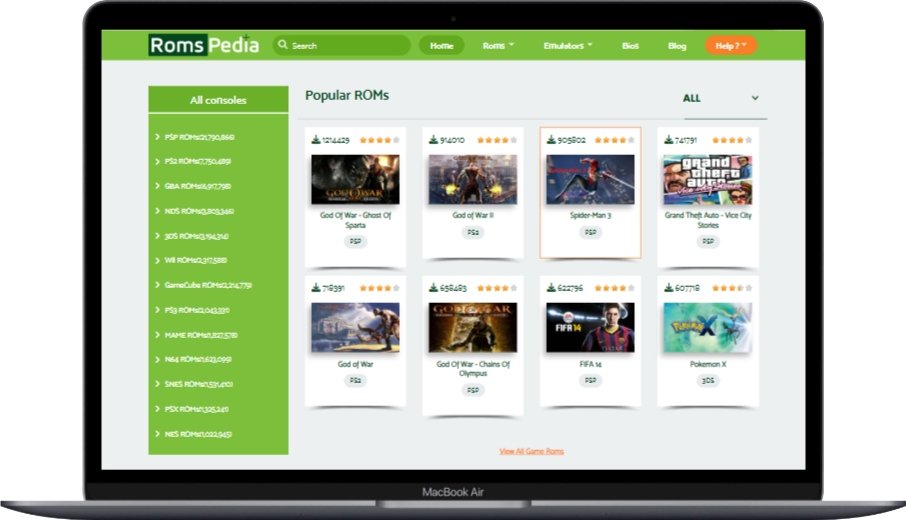
The site works like a library for old games. You can find almost any classic game there. Romspedia organizes games by console system. This makes it easy to find what you want. They also show how many times each game has been downloaded. This helps you know which games are popular.
Romspedia makes money from ads on their website. These ads can sometimes be tricky. They might look like download buttons. You need to be careful not to click on the wrong thing. The site also asks you to make an account. This lets them track what you download.
How Does Romspedia Work?
Romspedia works by hosting game files that users can download. When you visit the site, you see a list of gaming systems. You can click on any system to see the games available. Each game has information about it. This includes screenshots and how many times it has been downloaded.
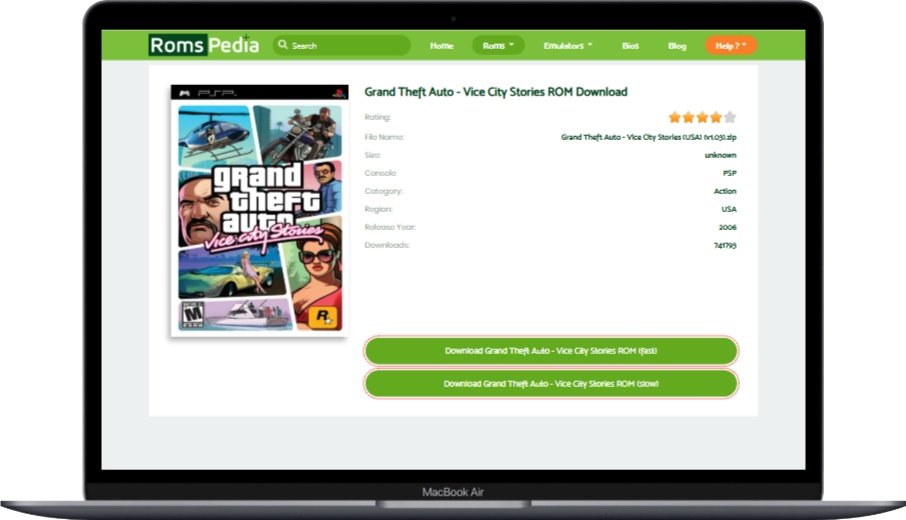
To download a game, you usually need to create an account first. This requires giving them your email address. After making an account, you can download games. The download process involves clicking on download links. These links might take you to different pages before you get the actual file.
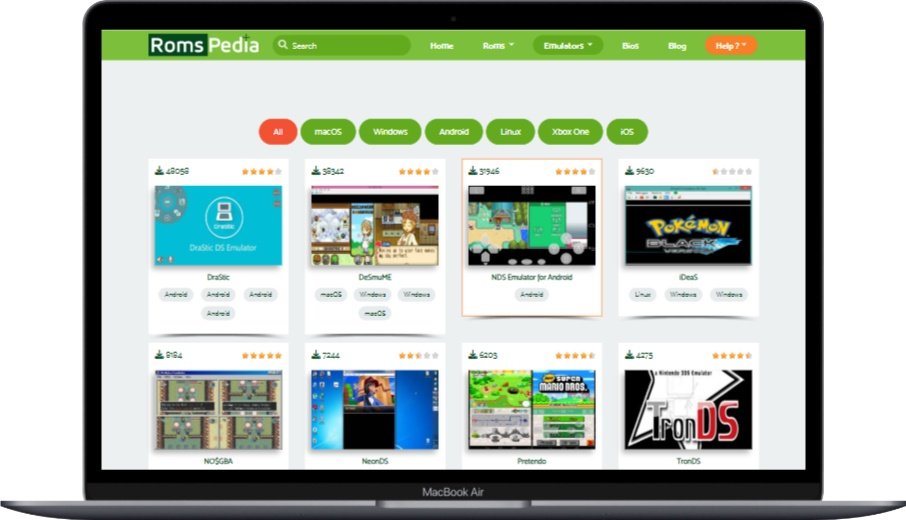
After downloading a ROM, you need an emulator to play it. Romspedia provides emulators too. You download the emulator program. Then you open the ROM file with the emulator. This lets you play the game on your device. The site has emulators for different operating systems. These include Windows, Mac, Android, and iOS.
The site uses ads to make money. These ads appear all over the website. Some ads look like download buttons. Others might look like system warnings. You need to be careful to click only on real download links. The ads help keep the site free. But they can make it harder to use safely.
What Are ROMs and Emulators?
ROMs are digital copies of games. ROM stands for Read-Only Memory. These files contain all the data from a game cartridge or disc. When you download a ROM, you’re getting a copy of the original game. ROM files have different extensions depending on the system. For example, NES games end in .nes. Nintendo 64 games end in .n64.
Emulators are programs that act like game consoles. An emulator makes your computer or phone think it’s an old gaming system. This lets you play ROM games on modern devices. For example, a NES emulator makes your computer act like a Nintendo Entertainment System. Then it can run NES ROM files.
ROMs and emulators work together. You need both to play classic games on new devices. The ROM is the game itself. The emulator is the system that runs the game. Without an emulator, your computer wouldn’t know how to read the ROM file. Without a ROM, the emulator would have no game to play.
People use ROMs and emulators for different reasons. Some want to play games from their childhood. Others want to try games they have never played before. Some people use them to preserve gaming history. Physical game cartridges can break or stop working over time. Digital ROMs help keep these games available for future generations.
Is Romspedia Safe to Use?
Romspedia is not completely safe to use. Like many websites that offer free downloads, it has risks. These include malware, viruses, and other security threats. The site itself may not have bad intentions. But it can’t guarantee that all files are safe. Users need to protect themselves when downloading from the site.
Malware and Virus Risks
Downloading from Romspedia can expose your device to malware. Malware is harmful software. It can damage your device or steal your information. Some ROM files on the site might contain malware. This is because anyone can upload files to the site. The site owners can’t check every file for safety.
To stay safe, always scan downloaded files with antivirus software. Good antivirus programs can detect and remove malware. They can scan files before you open them. This helps catch any threats before they harm your device. Make sure your antivirus software is up to date. New malware appears all the time.
Be careful with file sizes and types. If a ROM file is much smaller than expected, it might be suspicious. For example, a Nintendo 64 game should be several megabytes. If you find one that’s only a few kilobytes, it could be malware. Also, watch out for files with strange extensions. Most ROMs have standard extensions like .nes, .snes, or .n64.
Deceptive Advertisements and Redirects
Romspedia has many ads that can be misleading. These ads are designed to get your attention. Some look like download buttons. Others look like system warnings. Clicking on these ads can take you to harmful websites. They might also start unwanted downloads on your device.
Learn to tell the difference between real download links and ads. Real download links are usually clearly marked. They take you directly to the file you want. Ads often use bright colors and urgent language. They might say “Download Now” or “Your Computer Has a Virus.” Take your time to find the real download button.
Consider using an ad-blocker when visiting Romspedia. Ad-blockers are browser extensions that block ads. They can make the site safer and easier to use. Popular ad-blockers include uBlock Origin and AdBlock Plus. These tools can block many harmful ads and tracking scripts. But some sites might not work properly with ad-blockers enabled.
Privacy and Data Security
Romspedia collects data about its users. This is common for websites that require accounts. When you sign up, you give them your email address. The site also tracks what you download. They might use this information to show you targeted ads. They could also share this data with other companies.
Read the privacy policy before creating an account. The privacy policy explains how the site uses your data. It tells you what information they collect. It also says who they might share it with. Many people skip this step. But it’s important to understand how your data is being used.
Using a VPN can help protect your privacy on Romspedia. A VPN is a Virtual Private Network. It hides your IP address and encrypts your internet traffic. This makes it harder for websites to track you. It also protects your data from hackers. A VPN is especially useful when visiting sites that operate in legal gray areas.
Is ROMspedia Legal to Download ROMs & Emulators?
Using Romspedia raises legal concerns you should understand. Downloading copyrighted games without permission is illegal in most countries. This is true even for old games that are no longer sold. The legal issues around ROMs are complex. But the basic principle is simple: if you don’t own the game, downloading it is usually against the law.
Copyright Infringement Issues
Downloading ROMs for games you don’t own is copyright infringement. Copyright law protects creative works like video games. This law gives the creator exclusive rights to copy and distribute their work. When you download a ROM without permission, you’re breaking this law. This is true no matter how old the game is.
Game companies say downloading ROMs is always illegal. Companies like Nintendo have clear policies against ROM downloads. According to Nintendo, downloading a ROM is illegal even if you own the original game. They state this clearly on their website. Other game companies have similar positions.
The “24-hour rule” is a myth. Some people think you can download a ROM if you delete it after 24 hours. This is not true. There is no such rule in copyright law. Any unauthorized download is illegal, no matter how long you keep the file. This myth has spread online, but it has no legal basis.
Fair Use and Personal Backup Arguments
Some argue that downloading ROMs is fair use if you own the game. Fair use is a part of copyright law. It allows limited use of copyrighted material without permission. Some legal experts think downloading a ROM for a game you own might be fair use. They compare it to ripping a CD you own to MP3 format. But this argument has never been tested in court for video games.
Creating personal backups is legal in some cases. Copyright law in some places allows you to make backup copies of software you own. But this usually means creating the backup from your own copy. Downloading someone else’s backup is different. The law sees this as making an additional copy, not a personal backup.
The legal status of ROMs is unclear because courts haven’t ruled on it specifically. There have been court cases about emulators. These cases established that emulators are legal. But there have been few cases about ROMs themselves. This lack of legal precedent creates uncertainty. But it doesn’t make downloading ROMs legal.
Abandonware and Public Domain Games
“Abandonware” is not a legal concept. Some people think old games that are no longer sold are free to download. They call this “abandonware.” But copyright law doesn’t recognize this term. Copyright protection lasts for many decades. This is true even if the game is no longer sold. The fact that a game isn’t available doesn’t mean it’s in the public domain.
Some games on Romspedia might be legal to download. These include public domain games and games with permissive licenses. Public domain games have no copyright protection. This usually happens when the copyright expires. Some developers also release their old games for free. But these cases are rare compared to the number of copyrighted games on the site.
Romspedia has a disclaimer about legal responsibility. The site says users are responsible for following their local laws. This type of disclaimer is common on ROM sites. It shifts legal responsibility to the user. But it doesn’t make the site’s activities legal. It also doesn’t protect users from copyright claims.
User Experience on Romspedia
Romspedia offers a good user experience despite its risks. The site is easy to navigate. It has a clean design. Games are organized by system. This makes it simple to find what you’re looking for. The site works well on both computers and mobile devices. But like many free sites, it has some drawbacks.
Website Navigation and Interface
Romspedia has a user-friendly interface. The homepage lists all supported gaming systems. Each system shows how many times its games have been downloaded. You can click on any system to see its games. The games are usually listed alphabetically or by popularity. There’s also a search bar to find specific games quickly.
The site works well on mobile devices. The mobile version adapts to smaller screens. Menus collapse into buttons for easier navigation. This is helpful if you want to download ROMs directly to your phone. The mobile site keeps all the features of the desktop version. This makes it convenient for users on the go.
Romspedia offers more than just ROM downloads. The site also has emulators for different systems. It provides BIOS files needed for some emulators. There’s also a blog with gaming articles and guides. These additional resources make the site more useful for retro gaming fans.
Download Speeds and Reliability
Download speeds on Romspedia vary. They depend on your internet connection and server load. Most ROM files are small. They download quickly on a decent connection. Larger files, like those for newer systems, take longer. The site uses multiple servers to handle downloads. This helps maintain speed even when many people are using the site.
Broken links are sometimes a problem on Romspedia. This is common with ROM sites. They often face takedown requests. These requests force them to remove certain games. Server changes can also break links. Romspedia tries to keep links working. But you might sometimes find games that can’t be downloaded.
The site has download limits for some files. You might need to complete a captcha verification. This proves you’re a human, not a bot. These measures help keep the site running smoothly. They prevent automated downloads that could slow down the servers. They add an extra step but help maintain service quality.
Community and Support
Romspedia has a community of users who help each other. Users can leave reviews and ratings for games. This helps others know which ROMs work well. The site also has forums. Here, users can ask questions and share tips. This community support is valuable for new users.
Official support from Romspedia is limited. Like many free ROM sites, it doesn’t have a customer service team. Users are expected to help each other. The site has FAQ section. This answers common questions. The blog also has guides and tutorials. But for specific problems, you rely on the community.
User reviews provide helpful information about ROM quality. Reviews can tell you if a ROM has glitches or bugs. They can also recommend the best emulator to use. This crowdsourced information helps maintain quality. It’s especially useful since the site can’t verify every file itself.
Best Alternatives to Romspedia
Several alternatives to Romspedia exist. Each has its own pros and cons. Some are legal options. Others are similar ROM sites. Knowing your alternatives can help you make informed choices. You might find a safer or more legal way to get the games you want.
Legal Alternatives
If You need to use legal Romspedia alternatives. Official re-releases are a legal way to play classic games. Companies like Nintendo and Sega offer classic games on modern systems. Nintendo has the eShop. Sega has the Sega Forever collection. These services let you buy and play classic games legally. The games are often improved with better graphics and save features.
Public domain and homebrew games are legal to download. Public domain games have no copyright protection. Homebrew games are made by fans. They’re often free to download. Sites like Homebrew Hub specialize in these games. They offer a legal way to enjoy retro gaming without copyright concerns.
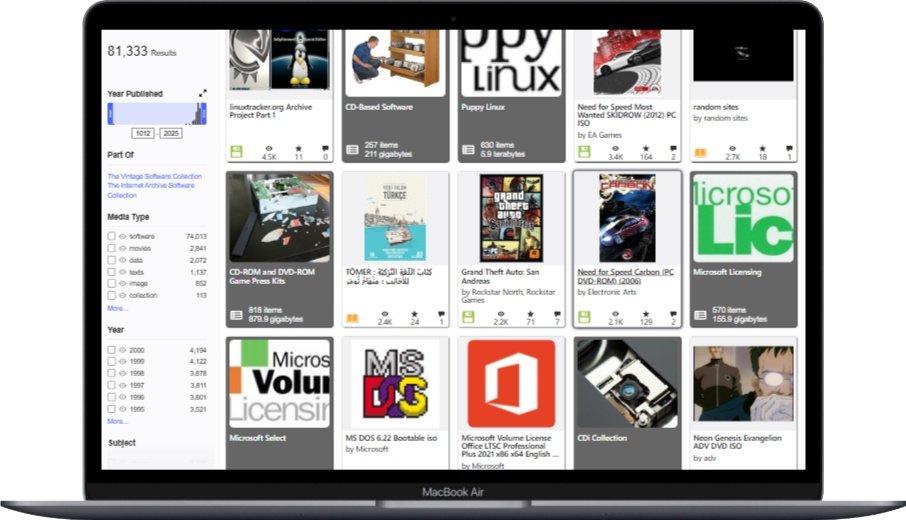
Some developers release their old games for free. Companies like id Software have given away classic games. Games like Commander Keen and Wolfenstein 3D are now freeware. Sites like GOG.com and Internet Archive sometimes offer these games. These official free releases are safe and legal to download.
Other ROM Sites
Emuparadise was once popular but has changed due to legal issues. It used to be a major ROM site like Romspedia. But it removed direct download links after legal pressure. The site now focuses on game information. Some content might still be available through workarounds. But it’s not the reliable ROM source it once was.
CoolROM is another long-standing ROM site. It offers a similar selection to Romspedia. The site has been around for many years. It has built a good reputation in the retro gaming community. But it faces the same legal and safety issues as Romspedia. Users should take the same precautions when using it.
LoveROMs and LoveRETRO faced legal action from Nintendo. These sites were popular alternatives to Romspedia. But Nintendo sued them for copyright infringement. The sites settled for a large amount of money. They removed most copyrighted content after the lawsuit. This shows the legal risks that ROM sites face.
Creating Your Own ROMs
Dumping your own ROMs is a legal alternative. This means creating ROM files from games you own. Special hardware can extract data from game cartridges. Devices like the Retrode connect cartridges to a computer. Software tools can create ISO files from game discs. This method is legal because you’re making copies of games you own.
The process of dumping ROMs varies by system. Cartridge-based games need special hardware. Disc-based games can often be ripped with standard computer drives. The complexity depends on the system. Online guides can help you learn how to dump ROMs. But it requires some technical knowledge.
Creating your own ROMs ensures file safety and legality. When you dump your own ROMs, you know the source is safe. There’s no risk of malware. You also have a legal right to use the files. This method requires more effort than downloading from Romspedia. But it solves both the safety and legal issues.
Safety Precautions When Using Romspedia
If you use Romspedia, take precautions to protect yourself. No method can eliminate all risks. But you can reduce your exposure to threats. Good security practices can protect your device and personal information. They can also reduce legal risks.
Antivirus and Malware Protection
Use reputable antivirus software when visiting Romspedia. Good antivirus programs detect and block malware. They scan files as you download them. They also monitor your system for suspicious activity. Popular options include Norton, McAfee, and Bitdefender. Free options like Avast and AVG also provide good protection.
Always scan downloaded ROMs before opening them. Most antivirus programs let you right-click files to scan them. This quick step can catch malware before it harms your system. For extra safety, use online scanners like VirusTotal. This service checks files against multiple antivirus engines.
Enable real-time protection in your antivirus software. This feature monitors your system continuously. It can block malware if it tries to run. It also watches for suspicious system changes. Real-time protection might slow your computer a little. But the security benefits are worth it.
Safe Browsing Practices
Learn to identify real download links on Romspedia. The site has many ads that look like download buttons. Real download links are usually clearly labeled. They lead directly to the file you want. Ads often use bright colors and urgent language. Take your time to find the correct link.
Use an ad-blocker when browsing Romspedia. Ad-blockers stop many types of ads. This reduces the risk of clicking on something harmful. They also block tracking scripts and pop-ups. uBlock Origin and AdBlock Plus are popular choices. Some sites might not work with ad-blockers. But they’re worth using for safety.
Don’t download extra software recommended by Romspedia. The site might suggest browser extensions or system tools. These could be unnecessary or harmful. Research any recommended software before installing it. Stick to downloading only the ROMs you want.
Legal Protection Measures
Understand your local copyright laws. Copyright laws vary by country. The penalties for infringement can be serious. They range from warnings to large fines. In extreme cases, legal action is possible. Knowing the laws in your area helps you understand the risks.
Consider using a VPN when accessing Romspedia. A VPN hides your IP address and encrypts your traffic. This makes it harder for others to track your online activities. It’s especially useful when visiting sites in legal gray areas. But remember, a VPN doesn’t make illegal activities legal.
Focus on older, less commercial games if you use Romspedia. Game companies are less likely to care about very old games. Games that are decades old and no longer sold pose lower legal risk. But this doesn’t make downloading them legal. It’s just a way to potentially reduce the chance of legal issues.
Conclusion
Romspedia offers a huge library of games but comes with risks. The site has thousands of ROMs for many gaming systems. This makes it appealing to retro gaming fans. But using the site involves safety and legal concerns. Users need to weigh these risks against the benefits.
Safety depends on taking the right precautions. Good antivirus software is essential. Safe browsing habits help too. Scanning downloaded files can prevent malware infections. But no precautions can eliminate all risks. Users must decide if they’re willing to accept these risks.
The legal issues with Romspedia are clear. Downloading copyrighted ROMs without permission is illegal. This is true in most countries. Arguments about fair use and abandonware don’t change this fact. Users must consider the legal consequences before using the site.
For those who choose to use Romspedia, caution is key. Multiple layers of protection can help. This includes antivirus software, ad-blockers, and VPNs. Understanding the legal landscape is also important. Alternatives like official re-releases or creating your own ROMs provide safer options.
The decision to use Romspedia is personal. It depends on your risk tolerance and respect for copyright law. The site offers convenience and a vast game library. But these benefits come with significant trade-offs. Make an informed choice based on a clear understanding of the risks and legal issues.
You May Also Like
 ROMs & Emulators
20+ Best Safe Sites To Download ROMs – 100% Safe and Working
 ROMs & Emulators
13 Best Free GBA Emulators (Gameboy Advance) For Android & Windows
 Cyber Security
Is CDKeys Safe and Legit to Buy Keys and Codes?
 Cyber Security
Is Eneba Legit and Safe?
 Converter
Is YT Saver Video Downloader Safe? Review Based on My Personal Experience
 ROMs & Emulators
Is Emulatorgames.net Safe and Legal to Download ROMs and Emulators?
 ROMs & Emulators
What is RetroArch Netplay? Your Guide to Playing Retro Games with Friends Online
 ROMs & Emulators
What Is RetroArch? A Complete Guide to Retro Gaming
 ROMs & Emulators

![Is Dlpsgame Safe for PS3, PS4, PS5? A Comprehensive Safety and Legality Analysis [2025 Update] 8](https://keyanalyzer.com/wp-content/uploads/2025/02/Is-Dlpsgame-Safe--211x150.jpg "Is Dlpsgame Safe for PS3, PS4, PS5? A Comprehensive Safety and Legality Analysis [2025 Update] 30")

