19 Best Email Service Providers for Personal and Business Use

Choosing an email provider usually comes down to trade-offs. Free services are convenient, business platforms offer more administration and collaboration tools, and privacy-focused providers may work differently when you exchange messages with people outside their network.

A freelancer who needs one custom-domain mailbox has very different needs from a company managing hundreds of employee accounts. A private email service and an encrypted email service are not necessarily the same thing, either.

This guide looks at email providers in three broad groups:

  • Business email and collaboration platforms
  • Privacy-focused and independent email providers
  • Free and consumer email services

Tools such as Roundcube, Thunderbird, TrashMail, and Mailock are covered separately. They can be useful for email management, temporary addresses, or secure message delivery, but they are not conventional mailbox providers.

Pricing note: Plans, storage limits, sending limits, trial periods, and regional availability can change. Check the provider’s current website before signing up.

Quick Recommendations

❮ Swipe table left/right ❯
If you need…Providers worth comparing
Business email with Google collaboration toolsGoogle Workspace
Business email with Microsoft Office and ExchangeMicrosoft 365
Affordable custom-domain emailZoho Mail, Namecheap Private Email, IONOS, Hostinger
Multiple domains and many mailboxesMigadu, Fastmail, Microsoft 365
Sales and productivity tools inside the inboxNeo Mail
Privacy-focused emailProton Mail, Tuta, Mailfence, StartMail, Posteo
Independent paid emailFastmail
Free general-purpose emailGmail, Outlook.com
Email for Apple usersiCloud Mail
Generous free mailbox storageGMX Mail
Secure delivery added to an existing mailboxMailock

How These Providers Were Evaluated

The comparison looks at practical factors that matter when choosing an email service:

  • Mailbox features
  • Custom-domain support
  • Multiple-domain support
  • Aliases and shared addresses
  • Mailbox and attachment limits
  • Account security
  • Privacy and advertising practices
  • Business administration
  • Web, mobile, and desktop access
  • Calendar and contact integration
  • Import and export options
  • Regional availability
  • Pricing transparency
  • Long-term suitability

Most factual details come from provider documentation, pricing pages, support materials, and security documentation. I avoid labels such as “most secure,” “fastest,” or “best for everyone” because those claims depend on the user’s budget, workflow, configuration, and threat model.

The order is not meant to be a universal ranking. Each provider appears here because it fits a particular use case, and the best option can change depending on what you need from your email service.

Email Provider Feature Comparison

The table below gives you a quick look at the features available on common plans from each provider. Storage, attachment limits, domain support, and alias policies can vary by plan, region, and account type, so use these figures as a comparison guide rather than fixed limits for every customer.

❮ Swipe table left/right ❯
ProviderMain Mailbox StorageAttachment LimitMultiple DomainsEmail Aliases
Google WorkspaceFrom 30 GB pooled storage per userUsually 25 MB for outgoing attachmentsYesYes
Microsoft 365Commonly 50–100 GB per mailboxDepends on plan and administrator settingsYesYes
Zoho MailCommonly 5–50 GB per userAround 30 MB; larger files can be shared as linksYes, on eligible plansYes
Neo MailAbout 15–100 GB, depending on plan30 MB total attachmentsDepends on account setupUp to 10 per mailbox
Namecheap Private Email5 GB on Starter; more on higher plans25 MB per attachmentYesYes, plan-dependent
MigaduAccount allowances vary by planNo single universal limit clearly appliesYesYes
IONOS Email2 GB or 50 GB, depending on planUp to 70 MBDepends on setupYes, plan-dependent
Hostinger Business EmailUp to 50 GB per mailbox25 MB per attachment; higher total message limitYes, depending on domain setupUp to 30 on eligible plans
Proton MailLimited free storage; more on paid plans25 MB outgoingYes, on eligible paid plansYes
FastmailCommonly 50 GB mailbox storage on current plansAbout 50 MB of attachments within a 70 MB messageYesYes
Tuta1 GB free; more on paid plans25 MB total message sizeYes, on eligible paid plansYes
Mailfence500 MB free; more on paid plans20 MB free; up to 50 MB on paid plansPlan-dependentYes
StartMail20 GB Personal; 30 GB Business25 MB total message sizeOne custom domain on Personal; more on BusinessUnlimited
Posteo4 GB, with additional storage availableUp to 100 MB total message sizeNo custom-domain hostingThree included, with upgrades available
Gmail15 GB shared across Gmail, Drive, and Photos25 MBNo custom domain on free GmailAddress variations only
Outlook.com15 GB free; more with eligible subscriptionsUsually 25 MBNo custom domain on the free serviceYes
iCloud Mail5 GB shared with other iCloud data20 MB, with larger files possible through Mail DropAvailable with eligible iCloud+ configurationsYes
Yahoo MailDepends on region and accountUsually around 25 MBNo custom domainsLimited or plan-dependent
GMX Mail65 GB on the international service50 MBNoYes

How to Read These Limits

An attachment limit does not always mean the same thing across email services. Some providers specify the maximum size of an individual file, while others limit the total size of the email. Attachments are also encoded before they are sent, which adds some overhead.

Because of that, a file that is very close to the stated limit may still fail to send.

For larger files, a cloud-storage link is usually a better option than attaching the file directly. It avoids many of the size restrictions imposed by email systems and can also make sharing easier.

Multiple domains means the provider can host email addresses from more than one custom domain under the same account or organization. The number of domains, mailboxes, and aliases available can vary by plan.

It is also worth separating an email alias from a mailbox. An alias usually delivers mail to an existing inbox, while a mailbox has its own storage and login. So a plan with 10 aliases does not necessarily give you 10 separate inboxes.

These figures are here to make the providers easier to compare. Before signing up, check the provider’s current pricing and documentation for the exact limits on the plan you are considering.

Top Business Email Service Providers

Business email needs to do more than put a company name after the @ symbol. Once a team grows beyond a few people, account management and security become just as important as the inbox itself.

A good business email service should make everyday tasks straightforward, including:

  • Adding and removing employees
  • Recovering company-owned accounts
  • Creating shared and departmental addresses
  • Setting up aliases and forwarding
  • Managing multiple domains
  • Enforcing authentication and security policies
  • Configuring SPF, DKIM, and DMARC
  • Importing and exporting company data

The providers below take different approaches to those requirements. Some focus on email and collaboration, while others keep things simpler and put more emphasis on cost or administration.

1. Google Workspace

Google Workspace business email

Google Workspace combines custom-domain Gmail with Google Drive, Docs, Sheets, Calendar, Meet, and centralized administration.

It makes the most sense for teams that already use Google services for day-to-day work. Employees can manage email, edit shared documents, schedule meetings, and join video calls from the same business account.

Google offers several Workspace editions, with storage, meeting features, security controls, and administrative tools varying by plan.

Best for: Teams that rely on Google Docs and Drive, remote organizations, and businesses that want a familiar Gmail-style inbox with built-in collaboration tools.

Reasons to consider it:

  • Custom-domain Gmail
  • Shared calendars and documents
  • Multiple-domain support
  • Email aliases, groups, and forwarding
  • Centralized user administration
  • Two-step verification and security controls
  • Large ecosystem of third-party integrations

Things to consider:

  • No permanent free business edition
  • Storage and some features depend on the plan
  • Larger organizations may need more involved administration
  • The full Workspace suite can be more than a small business needs for basic email
  • Moving away from Google’s ecosystem later can take planning, particularly when teams depend heavily on Drive, Docs, and other services

Look elsewhere if: You only need one or two basic custom-domain mailboxes and have little use for shared documents, meetings, cloud storage, or centralized administration.

2. Microsoft 365

Microsoft 365 and Outlook email

Microsoft 365 provides business email through Exchange Online. Depending on the subscription, a plan can also include Word, Excel, PowerPoint, OneDrive, Teams, SharePoint, and additional management and security features.

Exchange supports custom domains, shared mailboxes, calendars, aliases, distribution groups, and organizational address lists. Microsoft also offers Exchange Online separately, which can make more sense for businesses that mainly need hosted email rather than the full Microsoft 365 suite.

Best for: Organizations that already rely on Microsoft Office, Teams, Windows, or Exchange.

Reasons to consider it:

  • Exchange-based business email
  • Support for multiple verified domains
  • Shared mailboxes and calendars
  • Aliases and distribution groups
  • Integration with Office, Teams, and SharePoint
  • Broad compatibility with business software
  • Security, administration, and compliance controls on eligible plans

Things to consider:

  • Microsoft 365 plans can take some time to compare
  • Desktop Office apps are not included with every subscription
  • Security and compliance features vary by plan
  • Exchange administration can be more involved than basic email hosting
  • Message and sending limits can depend on both Microsoft and administrator settings

Look elsewhere if: Your organization does not use Microsoft’s ecosystem and only needs a small number of basic custom-domain mailboxes without shared resources or advanced administration.

3. Zoho Mail

Zoho Mail business email hosting

Zoho Mail provides custom-domain email along with calendars, contacts, tasks, and organization-level administration. You can use it as a standalone email service or connect it with Zoho CRM and other Zoho applications.

Zoho also advertises a free custom-domain email plan in some regions, although availability and included features depend on where the account is created. Some free-plan configurations may not include IMAP, POP, or ActiveSync access.

Best for: Freelancers, small businesses, existing Zoho customers, and teams looking for affordable custom-domain email with room to add other business tools later.

Reasons to consider it:

  • Custom-domain email
  • Multiple-domain support on eligible plans
  • Calendars, contacts, and tasks
  • Email aliases
  • Organization-level administration
  • Several paid plan options
  • Integration with Zoho CRM and other Zoho services

Things to consider:

  • Free-plan availability depends on region
  • Client access can be more limited on some free configurations
  • Advanced retention and archiving features may require a higher-tier plan
  • The administration tools take some time to learn
  • Its broader third-party ecosystem is smaller than Google’s or Microsoft’s

Look elsewhere if: Your team relies heavily on desktop email clients and you specifically want to use Zoho’s free tier. In that case, check the current IMAP, POP, and ActiveSync availability before signing up.

4. Neo Mail

19 Best Email Service Providers for Personal and Business Use 1

Neo Mail is a business email service aimed mainly at entrepreneurs, freelancers, and small teams. In addition to custom-domain email, it includes features designed to help with customer communication and day-to-day productivity.

Depending on the plan, Neo can include tools such as email templates, follow-up reminders, appointment scheduling, priority inbox features, read receipts, and AI-assisted writing. You can connect an existing domain, while some plans may also include a promotional co.site domain.

Neo’s attachment documentation lists a 30 MB combined attachment limit per email.

Best for: Consultants, freelancers, small sales teams, and businesses that handle customer follow-ups mainly through email.

Reasons to consider it:

  • Custom-domain business email
  • Up to 10 aliases per mailbox
  • Follow-up reminders
  • Appointment scheduling
  • Email templates
  • Read receipts
  • Different mailbox storage options

Things to consider:

  • Storage and available features depend on the plan
  • Organization-level restrictions may apply
  • Multiple-domain support should be checked against your specific plan
  • Read receipts are not guaranteed because recipients or email clients can block tracking
  • Review Neo’s current privacy and data-handling policies before using AI features with sensitive business information

Look elsewhere if: You only need straightforward email hosting or your organization requires extensive enterprise administration, compliance controls, or a larger collaboration suite.

5. Namecheap Private Email

19 Best Email Service Providers for Personal and Business Use 2

Namecheap Private Email is a dedicated custom-domain email service that sits separately from the basic mailboxes included with some Namecheap hosting plans. It provides webmail, aliases, spam protection, mobile access, and support for standard email clients.

The entry-level plan comes with less storage, while higher-tier plans provide more mailboxes and larger storage allocations. Namecheap also lets customers manage email for multiple domains, depending on the plan.

Best for: Existing Namecheap customers, domain owners, freelancers, and small businesses that need straightforward custom-domain email.

Reasons to consider it:

  • Custom-domain email
  • Multiple-domain support
  • Webmail and standard email-client access
  • Aliases on eligible plans
  • Spam protection
  • Convenient integration with Namecheap-managed domains

Things to consider:

  • Storage and mailbox allocations depend on the plan
  • Promotional pricing may differ from renewal pricing
  • Alias limits vary by plan
  • Collaboration features are more limited than those included with Google Workspace or Microsoft 365
  • Private Email and cPanel email should not normally be configured to handle the same domain at the same time

Look elsewhere if: Your team needs built-in document collaboration, advanced compliance and administration tools, or a full productivity suite alongside email.

6. Migadu

19 Best Email Service Providers for Personal and Business Use 3

Migadu takes a different approach to email pricing. Instead of primarily charging per mailbox, it organizes domains, mailboxes, and addresses under an account, with storage and sending limits applied at the account level.

That setup can make sense when you need a lot of email addresses without expecting every mailbox to have heavy usage. An agency with several client domains, a family managing multiple domains, or a small business with many departmental addresses may find this model more practical than paying separately for every mailbox.

Migadu also supports multiple domains under one account, which is one of its more useful features for organizations managing several domain names.

Best for: Agencies, technical users, families with multiple domains, and businesses that need many low-volume mailboxes or addresses.

Reasons to consider it:

  • Multiple domains under one account
  • Multiple mailboxes and email addresses
  • Domain aliases
  • Account-level pricing model
  • Standard email protocols
  • Useful for departmental and role-based addresses

Things to consider:

  • Sending and receiving limits are applied at the account level
  • Storage allowances work differently from traditional per-mailbox plans
  • Usage above a published allowance may be subject to restrictions or require a plan change
  • Support is primarily handled online rather than by phone
  • Attachment limits may require checking the current technical documentation

Look elsewhere if: You only need a few high-volume mailboxes or prefer straightforward per-user pricing, generous individual mailbox storage, phone support, or a larger enterprise administration and compliance suite.

The main reason to look at Migadu is its pricing model. When you have many addresses but relatively modest usage per address, counting mailboxes one by one is not always the most useful way to price an email service.

7. IONOS Email

19 Best Email Service Providers for Personal and Business Use 4


IONOS takes a fairly straightforward approach to business email. Its Mail Basic and Mail Business plans focus on custom-domain email rather than trying to bundle email with a full office suite.

According to IONOS’s size-limit documentation, Mail Basic includes 2 GB of storage, while Mail Business includes 50 GB. The same documentation lists a maximum attachment size of 70 MB.

Best for: Small businesses, domain owners, and existing IONOS customers who mainly need custom-domain email.

Reasons to consider it:

  • Custom-domain email addresses
  • Webmail and standard email-client support
  • Up to 50 GB of mailbox storage on Mail Business
  • 70 MB maximum attachment size
  • Spam and malware filtering
  • Integration with other IONOS services

Things to consider:

  • Promotional pricing and renewal rates can differ
  • Additional mailboxes may require separate subscriptions
  • Collaboration features are more limited than those in full office suites
  • It is designed for regular business email rather than bulk marketing campaigns

Look elsewhere if: Your team needs built-in document collaboration, advanced compliance and administration features, or a complete productivity platform alongside email.

8. Hostinger Business Email

Hostinger Business Email


Hostinger Business Email is aimed at website owners, freelancers, and small businesses. It is particularly convenient if your website and domain are already managed through Hostinger, since email can be handled from the same account.

For a personal blog or a website you manage on your own, Hostinger Mail can also be a practical option. This is especially useful for beginner bloggers who want a custom email address without having to deal with a separate email provider. From my experience, keeping the domain, hosting, and email in one dashboard makes the initial setup easier to manage.

Depending on the plan, Hostinger provides custom-domain mailboxes, aliases, forwarding, webmail, spam filtering, and access through standard email clients.

According to Hostinger’s email limits documentation, the maximum outbound attachment size is 25 MB, while the total outgoing message can be larger.

Best for: Existing Hostinger customers, personal bloggers, website owners, freelancers, and small businesses that want simple custom-domain email.

Reasons to consider it:

  • Custom-domain email
  • Up to 50 GB of storage per mailbox on eligible plans
  • Aliases and forwarding rules
  • Webmail and standard email-client support
  • Spam and malware protection
  • Website, domain, and email management under one account
  • Straightforward setup for personal websites and beginner blogs

Things to consider:

  • Promotional pricing may require a longer initial term
  • Renewal pricing can be higher
  • Email limits vary between Hostinger’s different mail products and hosting plans
  • Collaboration features are more limited than those in Google Workspace or Microsoft 365
  • Marketing newsletters generally require a dedicated email delivery service

Look elsewhere if: Your organization needs advanced employee administration, detailed compliance controls, or built-in document and collaboration tools.

For a beginner blogger, the appeal is mostly simplicity. You can run a site such as yourname.com and use an address such as hello@yourname.com without maintaining a separate email platform. For a personal site or small project, that can be enough.

For larger teams, the equation changes. Once you need shared mailboxes, complex user permissions, compliance features, or a broader productivity suite, a dedicated business platform may make more sense.

Privacy-Focused and Independent Providers

9. Proton Mail

19 Best Email Service Providers for Personal and Business Use 5


Proton Mail is a Switzerland-based email service focused on privacy and encrypted communication. It offers webmail, mobile apps, desktop access, and custom-domain support on eligible plans.

Messages sent between Proton Mail users are protected with end-to-end encryption by default. When you email someone using another provider, the message is not automatically end-to-end encrypted in the same way. Proton can instead use password-protected messages or compatible PGP encryption for supported workflows.

Proton’s attachment documentation lists a 25 MB outgoing attachment limit.

Best for: Privacy-conscious users, journalists, researchers, and teams that want stronger protection for sensitive email.

Reasons to consider it:

  • End-to-end encryption for messages between Proton users
  • Password-protected messages for external recipients
  • Open-source applications
  • Free plan available
  • Custom domains on eligible plans
  • Integration with other Proton services

Things to consider:

  • Messages sent to other providers do not automatically receive the same end-to-end encryption
  • Free accounts have storage and usage limits
  • Some desktop email-client setups require Proton Mail Bridge
  • Some email metadata cannot be protected in the same way as message content
  • Encrypted messages sent to external recipients may require an extra step

Look elsewhere if: You need standard IMAP access without additional software or want encrypted communication with external recipients to work exactly like ordinary email with no extra setup.

Proton Mail is most interesting when privacy is part of the reason you are choosing an email provider, rather than simply looking for the largest mailbox or the lowest price. The trade-off is that stronger privacy features can add a little friction when you communicate with people outside the Proton ecosystem.

10. Fastmail

19 Best Email Service Providers for Personal and Business Use 6


Fastmail is an independent paid email service that includes email, calendars, contacts, aliases, masked addresses, custom domains, and access through standard email clients.

Unlike advertising-supported free inboxes, Fastmail uses a paid subscription model and does not put ads inside the inbox. It also supports multiple custom domains on eligible plans, which can be useful for individuals, families, and small organizations managing more than one domain.

Fastmail’s account limits list a 70 MB maximum message size. Because email attachments are encoded before sending, that generally leaves room for attachments of roughly 50 MB, although the exact usable size can vary.

Best for: Individuals, families, small teams, and users who prefer a paid email service without advertising.

Reasons to consider it:

  • No ads in the inbox
  • Custom-domain email
  • Support for multiple domains
  • Aliases and masked email addresses
  • Standard email-client and protocol support
  • Calendar and contact synchronization

Things to consider:

  • There is no permanent free plan
  • Custom domains require an eligible paid plan
  • Fastmail is not designed as an end-to-end encrypted email service
  • It does not bundle a full office suite for documents and spreadsheets
  • Larger organizations may need more extensive administration or compliance features

Look elsewhere if: You want a free mailbox, require built-in end-to-end encryption, or need email bundled with a broader office and collaboration platform.

Fastmail makes the most sense when you want email to stay relatively simple: pay for the service, use your own domain if needed, and avoid an advertising-driven inbox. It is less suited to businesses looking for an all-in-one productivity suite.

11. Tuta

19 Best Email Service Providers for Personal and Business Use 7

Tuta is a privacy-focused email service that also includes encrypted calendars and contacts, with Tuta Drive adding encrypted cloud storage to the same ecosystem.

Messages sent between Tuta users can be protected with end-to-end encryption. When you send an encrypted message to someone outside Tuta, the recipient can open it through a secure link using a shared password.

Tuta offers a free plan, while paid plans add features such as custom domains and additional addresses. Its apps are available for web, desktop, Android, and iOS.

Tuta Mail and Privacy

Tuta is built around privacy rather than advertising. The company says it does not scan or track email content and uses end-to-end encryption to protect mailbox data, calendars, and contacts.

Another notable feature is post-quantum cryptography. Tuta says it has introduced quantum-resistant encryption for its services, although this is a different consideration from the basic question of whether an email is encrypted today.

Tuta Drive

Tuta has expanded beyond email with Tuta Drive, an end-to-end encrypted cloud-storage service for files, photos, videos, and documents.

There is one important caveat: Tuta Drive is currently in closed beta, according to Tuta’s website, so it should not yet be treated like a fully launched replacement for Google Drive or OneDrive.

Tuta says Drive is designed to provide:

  • End-to-end encrypted cloud storage
  • File and folder management
  • Cross-device synchronization
  • File sharing
  • Backup capabilities
  • Integration with Tuta Mail and Calendar

The combination could be useful for people who want email, calendars, and cloud storage from the same privacy-focused provider.

Best For

Best for: Privacy-conscious individuals, families, and small organizations that want email, calendars, contacts, and eventually cloud storage within one privacy-focused ecosystem.

Reasons to consider it:

  • Free plan available
  • End-to-end encrypted email between Tuta users
  • Encrypted calendar and contacts
  • Custom domains on eligible plans
  • Encrypted messages for external recipients through a password-based workflow
  • Desktop, Android, iOS, and web access
  • Tuta Drive for encrypted cloud storage, currently in closed beta
  • No advertising-based inbox

Things to consider:

  • External recipients need to use a password-based secure-message workflow
  • Traditional IMAP is not the main way Tuta handles email
  • You may need to use Tuta’s own apps and web interface
  • The free plan has limits on storage and available addresses
  • The third-party integration ecosystem is smaller than those of mainstream business platforms
  • Tuta Drive is not yet generally available because it remains in closed beta

Look elsewhere if: You rely heavily on conventional IMAP clients, need extensive third-party integrations, or want a mature cloud-storage platform that is already broadly available.

Tuta is most interesting when you want to reduce the number of separate services you use without giving up a privacy-focused approach. Mail, Calendar, and Drive are moving toward one integrated ecosystem, although Drive’s current beta status is worth keeping in mind before treating it as your primary cloud-storage service.

12. Mailfence

19 Best Email Service Providers for Personal and Business Use 8


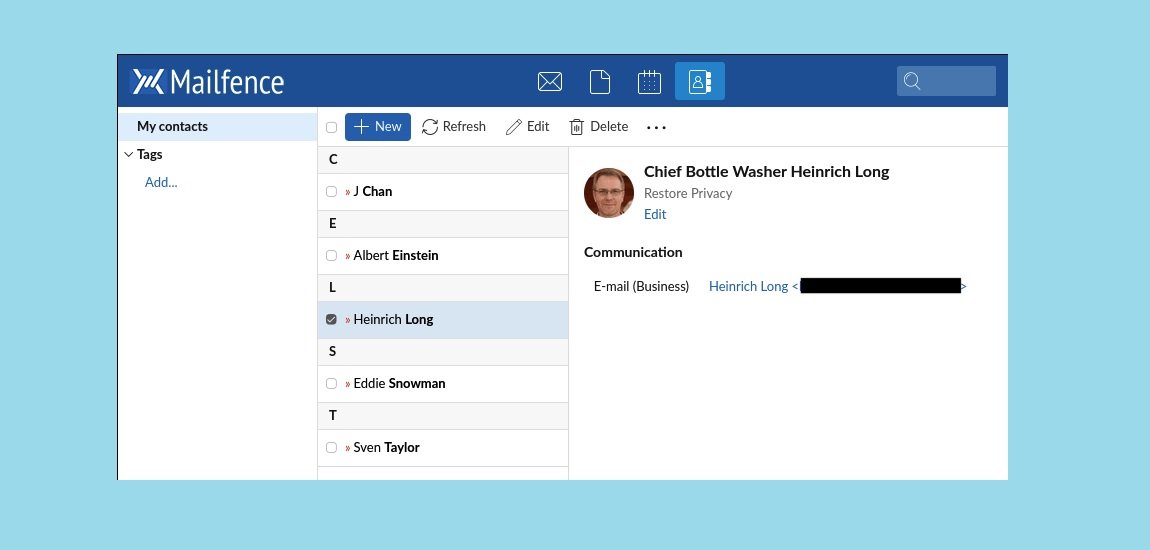
Mailfence is a Belgium-based private email service built around OpenPGP encryption, digital signatures, and user-controlled key management. It also includes calendars, contacts, document storage, and support for standard email protocols such as IMAP, POP, and SMTP.

One of Mailfence’s biggest differences from simpler privacy-focused email services is the amount of control it gives users over encryption keys. Its built-in OpenPGP keystore lets you generate, import, publish, and manage keys directly from the account without installing a separate browser plugin.

Mailfence also supports encrypted communication with people outside its platform. You can use OpenPGP when the recipient has a compatible setup, or use password-encrypted messages for recipients who do not use PGP. The latter uses a shared password and a secure message link, so there is an extra step for the recipient.

Mailfence Features and Plans

Mailfence offers a free plan with 500 MB for email and 500 MB for documents. Paid plans increase storage, alias allowances, and custom-domain support.

For example, the current plans listed by Mailfence include:

  • Free: 500 MB email + 500 MB documents
  • Entry: 5 GB email + 6 GB documents and 10 aliases
  • Pro: 30 GB email + 48 GB documents and 100 aliases
  • Ultra: 60 GB email + 165 GB documents and 200 aliases

Paid plans also add custom-domain support, with the listed plans providing 2, 7, or 10 custom domains, depending on the tier.

Best for: Users who want OpenPGP-based email, digital signatures, key management, and a broader private workspace with calendar and document features.

Reasons to consider it:

  • OpenPGP end-to-end encryption
  • Built-in OpenPGP key management
  • Digital signatures
  • Password-encrypted messages for external recipients
  • Calendar, contacts, and document storage
  • IMAP, POP, SMTP, and mobile access on eligible plans
  • Free plan available
  • Custom domains on paid plans
  • SPF, DKIM, and DMARC support on eligible plans
  • No advertising based on mailbox content

Things to consider:

  • OpenPGP gives you more control, but key management also requires more understanding
  • External encrypted messages can require a separate password-sharing step
  • The free plan has limited storage and fewer features
  • Custom domains and standard desktop protocols are tied to paid plans
  • The product includes several separate tools, so it may offer more functionality than someone looking for a basic private inbox needs

Look elsewhere if: You want encrypted email with almost no key-management decisions, or you need a large third-party business ecosystem similar to Google Workspace or Microsoft 365.

Mailfence is a good example of a service where privacy and user control are part of the product design rather than just a marketing label. The OpenPGP keystore, digital signatures, and support for standard mail protocols make it particularly interesting for users who want more control over how their messages are encrypted and authenticated.

At the same time, that control comes with some responsibility. You need to understand the basics of OpenPGP and keep track of your keys and passphrases. For users comfortable with that trade-off, Mailfence offers more flexibility than a privacy service that hides almost all of the underlying encryption workflow.

13. StartMail

19 Best Email Service Providers for Personal and Business Use 9

StartMail is a paid, privacy-focused email service based in the Netherlands. It is built for people who want more control over their inbox without giving up familiar email tools such as IMAP, custom domains, and support for desktop email apps.

One of StartMail’s strongest features is its unlimited email aliases. You can create disposable addresses for shopping, newsletters, sign-ups, or different business needs and delete them later. That can be useful when you want to avoid handing out your main email address everywhere.

StartMail also supports encrypted email in several ways. You can use PGP encryption when communicating with compatible recipients, while password-protected email provides a simpler option for people who do not use encryption themselves. StartMail also documents an end-to-end encryption option through IMAP using OpenPGP.

StartMail Pricing and Storage

The current pricing page lists two main plans:

  • Personal: $4.99/month when billed annually, with 20 GB of storage and one custom domain
  • Business: $6.99/month when billed annually, with 30 GB of storage and unlimited custom domains

Both plans include unlimited aliases, encryption features, no ads, and no tracking. Additional accounts are available through group subscriptions at a 25% discount.

Best for: Privacy-conscious individuals, families, freelancers, and small businesses that want custom-domain email, unlimited aliases, and traditional email-client support.

Reasons to consider it:

  • Unlimited email aliases
  • Custom-domain support
  • Unlimited custom domains on Business
  • IMAP and SMTP access
  • PGP encryption
  • Password-protected email for external recipients
  • End-to-end encryption through IMAP with OpenPGP
  • No ads or tracking
  • 20 GB Personal or 30 GB Business storage
  • 2FA and spam protection
  • Webmail, desktop, and mobile access

Things to consider:

  • There is no permanent free plan
  • Personal is limited to one custom domain
  • External recipients may need to use a password-based workflow for encrypted messages
  • PGP and encrypted IMAP require some understanding of the setup
  • It does not include a full document and collaboration suite like Google Workspace or Microsoft 365

Look elsewhere if: You need a free business mailbox, extensive office collaboration tools, or a large enterprise ecosystem with advanced administration and compliance features.

StartMail’s main appeal is the balance between privacy and familiar email workflows. You can continue using apps such as Outlook, Thunderbird, or Apple Mail while taking advantage of aliases, custom domains, PGP, and privacy-focused features.

For a personal website or small business, the unlimited aliases can also be surprisingly useful. You can create separate addresses for different services without having to manage a new inbox for every address. That keeps the main mailbox cleaner while making it easier to identify where unwanted mail is coming from.

14. Posteo

19 Best Email Service Providers for Personal and Business Use 10

Posteo is an independent email provider based in Berlin that takes a fairly different approach from mainstream mailbox services. It is funded by subscriptions rather than advertising and focuses heavily on privacy, minimal data collection, open-source software, and sustainable operation.

The standard account costs €1 per month and now includes 4 GB of email storage, which can be increased to as much as 75 GB for an additional fee. You also get three alias addresses by default, with more available as a paid add-on.

Posteo works with common email and synchronization standards, including IMAP and POP3 for email, CalDAV for calendars, and CardDAV for contacts. It also supports attachments of up to 100 MB for both sending and receiving, according to its current feature documentation.

Privacy and Encryption

Privacy is where Posteo really sets itself apart. The company says it does not collect personal information during signup, does not track users, and does not link payment information to individual email accounts.

Posteo also provides several layers of encryption rather than relying on one mechanism. Stored mail can be protected with its Crypto Mail Storage, while calendars and contacts can also be encrypted. For email itself, Posteo supports OpenPGP and S/MIME, including PGP in its webmail interface through Mailvelope.

Transport security is another part of the setup. Posteo documents TLS protection with Perfect Forward Secrecy for its services and offers a TLS-sending guarantee, which can prevent an email from being sent when the recipient’s server cannot accept an encrypted connection.

Sustainability and Practical Features

Posteo is also unusually open about its environmental approach. The company says its infrastructure and offices run on 100% green energy from Green Planet Energy and that it uses resource-efficient hardware and software.

There are some everyday conveniences as well. Posteo includes a webmail interface, calendars, contacts, filters, forwarding, automatic replies, and a migration service that can transfer mailboxes, folders, contacts, and calendar data from supported services.

Posteo also states that it is BSI-certified under TR-03108 v2 for secure email transport, giving users an additional piece of third-party assurance around its transport-security practices.

Best for: Individuals who want affordable, privacy-focused email with standard protocols and do not need a custom business domain.

Reasons to consider it:

  • €1/month subscription pricing
  • 4 GB starting mailbox storage
  • Storage expandable up to 75 GB
  • Three aliases included
  • IMAP and POP3 support
  • CalDAV and CardDAV synchronization
  • Attachments up to 100 MB
  • OpenPGP and S/MIME support
  • Encrypted mailbox, calendar, and contact storage
  • No advertising or user tracking
  • Signup without requiring personal details
  • Free personal email support
  • 100% green energy according to Posteo
  • Migration service for existing email accounts

Things to consider:

  • No custom-domain email
  • The service is designed primarily for personal use rather than centralized enterprise administration
  • Additional storage and aliases cost extra
  • Some encryption features require more technical understanding
  • End-to-end email encryption depends on the encryption method and recipient setup
  • The €1 base price does not mean every feature or storage expansion is included

Look elsewhere if: You need name@yourcompany.com, centralized employee administration, multiple business domains, or a full collaboration suite.

Posteo is one of those providers where the business model is part of the product. You are paying a small monthly fee instead of using an advertising-supported mailbox, and the service puts more emphasis on data minimization than most mainstream providers.

For personal email, that can be a very appealing trade-off. You get modern conveniences such as calendar and contact synchronization without giving up access through standard email clients. The main drawback is straightforward: Posteo is not built around custom-domain business email, so it becomes much less interesting once you need branded addresses for a company or organization.

Free and Consumer Email Providers

15. Gmail

19 Best Email Service Providers for Personal and Business Use 11


Gmail is Google’s free consumer email service and one of the most familiar choices for personal email. Beyond the inbox itself, Gmail connects closely with services such as Google Drive, Calendar, Meet, and Google Contacts.

A standard Google Account comes with 15 GB of storage shared across Gmail, Google Drive, and Google Photos. Gmail also supports attachments of up to 25 MB in a single outgoing message. For larger files, Google automatically offers the option to share a Google Drive link instead.

Gmail’s biggest practical strength is the everyday experience. Search is fast and flexible, spam filtering is built in, and features such as labels, categories, conversation view, filters, and multiple inbox options give you plenty of ways to organize a busy mailbox.

Google also says it does not use the content of Gmail messages to personalize advertising. The free Gmail experience can still include ads, however, so it is different from paid providers that position themselves as completely ad-free.

Best for: General personal email, students, Android users, and people who already rely on Google services.

Reasons to consider it:

  • 15 GB shared Google Account storage
  • Strong search and spam filtering
  • Useful labels, filters, and inbox organization
  • Web, Android, and iOS access
  • Integration with Drive, Calendar, Meet, and Contacts
  • Two-step verification and passkey support
  • Large ecosystem of compatible apps and services
  • Free consumer account

Things to consider:

  • The 15 GB allowance is shared with Drive and Photos
  • Free Gmail does not provide a custom domain
  • Ads can appear in the free Gmail experience
  • Your email is tied closely to the wider Google Account ecosystem
  • Moving away from Google can take more work when you depend on multiple Google services
  • Gmail is not designed as a default end-to-end encrypted mailbox for ordinary external email

Look elsewhere if: You want a paid, ad-free mailbox, need a custom domain without moving to a business productivity plan, or specifically want a privacy-focused email service with end-to-end encryption as a central feature.

Gmail makes the most sense when convenience and integration matter more than having an independent email provider. A personal Gmail address works well for everyday communication, school, shopping, and account registration, especially when you already use Android, Google Drive, or other Google services.

The trade-off is that Gmail is part of a much larger Google Account. That is convenient while you stay in the ecosystem, but it also means your email, files, photos, calendar, and other services are managed under the same account.

16. Outlook Mail

19 Best Email Service Providers for Personal and Business Use 12

Outlook.com is Microsoft’s free consumer email service. It is different from Microsoft 365 business email, even though both use the Outlook name and share parts of the same ecosystem.

A free Outlook.com account gives you a personal mailbox and access to services such as Microsoft Calendar, Contacts, OneDrive, and web versions of Microsoft apps. The exact storage available to your account can depend on the current Microsoft plan and whether you add a paid subscription.

For everyday use, Outlook.com offers practical organization tools such as Focused Inbox, folders, rules, search, and junk-mail filtering. It also works across the web, mobile devices, and compatible email applications.

Best for: Windows users, people who already have a Microsoft account, and anyone who prefers Outlook’s interface and Microsoft ecosystem.

Reasons to consider it:

  • Free personal email account
  • Integration with Microsoft Calendar, Contacts, and OneDrive
  • Web and mobile access
  • Focused Inbox
  • Rules, folders, and search tools
  • Works with common email applications
  • Easy connection with other Microsoft services

Things to consider:

  • Outlook.com and Microsoft 365 business email are different products
  • Ads may appear in the free version
  • Mailbox storage and OneDrive storage are not necessarily the same quota
  • Some additional features require Microsoft 365
  • Free Outlook.com does not provide business-domain administration
  • Moving away can be less convenient when you rely heavily on other Microsoft services

Look elsewhere if: You need custom-domain business email, a privacy-first provider, or a mailbox that is less tied to a larger software ecosystem.

Outlook.com is a practical middle ground for personal email, especially when you already use Windows, OneDrive, Microsoft 365 apps, or an existing Microsoft account. It offers enough organization tools for everyday communication without requiring a paid subscription.

The main thing to watch is the product distinction. Outlook.com is the consumer service; Exchange Online and Microsoft 365 handle business email and administration. That difference matters when you need company domains, employee accounts, shared mailboxes, or centralized controls.

17. iCloud Mail

19 Best Email Service Providers for Personal and Business Use 13

iCloud Mail is Apple’s personal email service, built into the wider iCloud ecosystem. It works closely with Mail, Calendar, Contacts, iCloud Drive, and other Apple services, so it feels most natural when you already use an iPhone, iPad, or Mac.

A free Apple Account includes 5 GB of iCloud storage, shared across services such as Mail, iCloud Drive, Photos, and device backups. That shared allowance is worth keeping in mind because email is competing for the same space as everything else stored in iCloud.

Apple also supports custom email domains through eligible iCloud+ plans. You can use your own domain while keeping the mailbox integrated with the Apple Mail experience.

For larger files, iCloud Mail has Mail Drop, which lets you send large attachments through temporary download links instead of putting the entire file directly into the email message.

Best for: Individuals and families who already use Apple devices and want their email integrated with the iCloud ecosystem.

Reasons to consider it:

  • Built into iPhone, iPad, and Mac
  • Seamless synchronization across Apple devices
  • No display advertising in the mailbox
  • Custom domains on eligible iCloud+ plans
  • Email aliases and privacy-oriented features
  • Mail Drop for sending large files
  • Integration with iCloud Drive, Calendar, and Contacts
  • Simple setup for existing Apple Account users

Things to consider:

  • The free 5 GB storage is shared across iCloud services
  • Photos and device backups can consume the allowance quickly
  • The experience is most tightly integrated with Apple devices
  • Business administration is limited compared with Google Workspace or Microsoft 365
  • Custom domains and some privacy features require iCloud+
  • It is not designed as a full business email and collaboration platform

Look elsewhere if: You need centralized employee administration, large shared storage, advanced business controls, or a dedicated business email platform.

For Apple users, iCloud Mail is less about choosing an independent email provider and more about keeping everything in one place. Your mail, calendar, contacts, files, and device backups can work together without much setup.

The main trade-off is the 5 GB shared storage limit on the free tier. If your iCloud account already contains years of photos and device backups, that space can disappear faster than expected. For someone deeply invested in the Apple ecosystem, though, the convenience can outweigh that limitation.


18. Yahoo Mail

Yahoo Mail personal email service

Yahoo Mail is one of the longest-running consumer email services still used for everyday personal communication. It offers webmail, mobile apps, search, inbox organization, spam filtering, and the basic features most people expect from a traditional email provider.

One thing to watch when reading older Yahoo Mail comparisons is the 1 TB storage claim. That number appears frequently in older articles, but it should not be treated as a universal storage allowance for every current Yahoo account. Available storage can vary depending on the region, account, or subscription.

Yahoo Mail is therefore easiest to recommend when you already use Yahoo or simply want a familiar personal mailbox. It is less compelling when you need custom-domain hosting, centralized business administration, or a privacy-first service.

Best for: Existing Yahoo users, people maintaining a long-standing email address, and anyone looking for conventional personal webmail.

Reasons to consider it:

  • Established consumer email service
  • Free account option
  • Web and mobile access
  • Search, folders, filters, and inbox organization
  • Spam filtering
  • Practical for maintaining an existing Yahoo address

Things to consider:

  • Advertising is part of the free service
  • Storage availability can vary by account and region
  • Custom-domain business email is not its main focus
  • Enterprise administration is more limited than Google Workspace or Microsoft 365
  • Inactive-account policies can affect accounts that are not used regularly
  • The broader productivity ecosystem is smaller than Google’s or Microsoft’s

Look elsewhere if: You need a business domain, centralized employee management, advanced collaboration tools, or a privacy-focused mailbox without advertising.

For someone who already has a Yahoo address, there may be little reason to move simply for the sake of switching providers. Yahoo Mail still handles the everyday basics well. The bigger question comes when your needs change: once you need a company domain, stronger administrative controls, or a more privacy-oriented service, a different provider may make more sense.

19. GMX Mail

19 Best Email Service Providers for Personal and Business Use 14


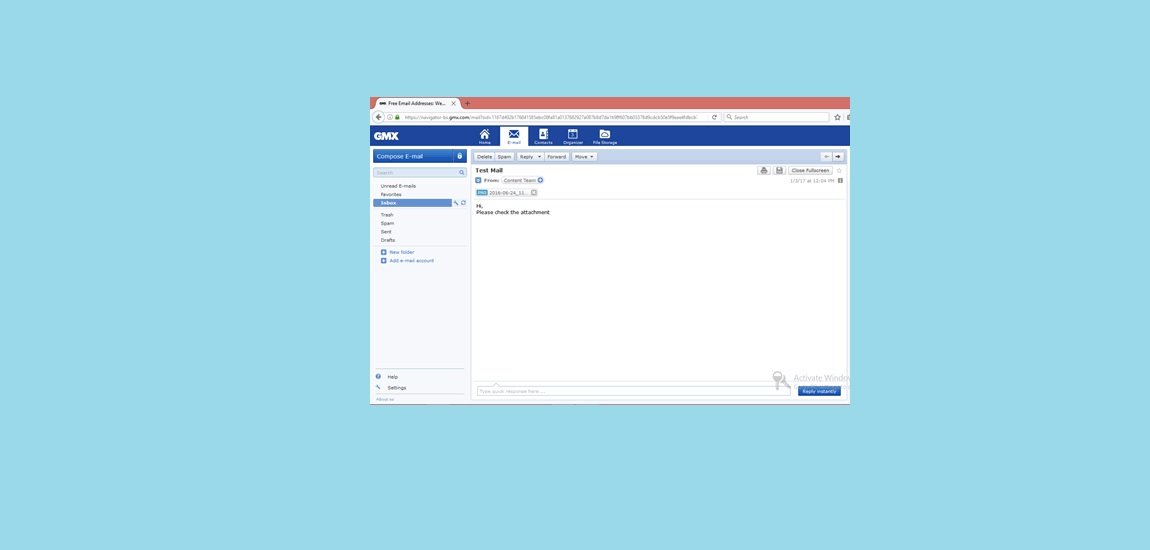
GMX Mail is a consumer email service that offers webmail, mobile apps, spam filtering, calendars, cloud storage, and email aliases. Its international service stands out mainly for the amount of mailbox storage it advertises compared with many other free email providers.

The current international GMX service advertises 65 GB of mailbox storage and supports attachments of up to 50 MB. Those numbers can make GMX interesting when storage space or larger attachments matter to you. However, GMX operates different regional services, so available features and limits can vary depending on the country or version you use.

GMX also includes practical extras such as a calendar, cloud storage, spam protection, and alias addresses. That makes it more than just a basic inbox, although it remains primarily a consumer email service rather than a business collaboration platform.

Best for: Personal users who want a large free mailbox and a relatively generous attachment limit.

Reasons to consider it:

  • 65 GB advertised mailbox storage on the international service
  • Up to 50 MB attachments
  • Free personal email accounts
  • Web and mobile access
  • Spam and email filtering
  • Calendar features
  • Cloud storage
  • Email aliases

Things to consider:

  • Advertising is included with the free service
  • Features and storage can differ between regional GMX services
  • It is not designed for centralized business administration
  • Free-user support may be more limited
  • A 50 MB attachment can still be rejected by the recipient’s email provider
  • It is not positioned as a privacy-first or end-to-end encrypted email service

Look elsewhere if: You need custom-domain email, centralized employee administration, end-to-end encrypted communication, or an ad-free mailbox.

GMX is most interesting when storage is your main concern. If you mainly send normal text emails and rarely run out of space, the 65 GB allowance may not matter much. But for people who keep large numbers of messages or occasionally send bigger attachments, GMX gives you more room than many free alternatives.

The main catch is that the large storage figure should not be viewed in isolation. Regional availability, advertising, privacy features, and recipient-side attachment limits still matter when deciding whether GMX is the right mailbox for you.

Useful Email Tools That Are Not Mailbox Providers

The following products are useful, but they should not be counted as direct alternatives to Gmail, Microsoft 365, Proton Mail, or another mailbox provider.

Mailock: Secure Email Delivery

19 Best Email Service Providers for Personal and Business Use 15

Mailock is a secure-email platform from Beyond Encryption designed to protect sensitive messages without replacing your existing email system. It works alongside your current email setup and offers integrations for services such as Microsoft Outlook and Microsoft 365.

Instead of encrypting an entire mailbox, Mailock focuses on protecting individual messages and attachments. The company says it uses AES-256 message-level encryption and lets senders choose from different recipient authentication methods before protected content can be opened.

One feature that makes Mailock different from ordinary email providers is its Message Tracker. It can record when a secure email is delivered and opened, which can be useful when sending confidential information that needs an access record. Senders can also revoke access after a message has been sent, including when the recipient uses a different email provider.

Mailock is available in three main tiers: Free for individual light users, Pro for professionals and teams, and Enterprise for organizations sending sensitive email at higher volumes. Its Enterprise offering uses policy-driven encryption through a secure gateway.

Best for: Financial services, legal teams, professional services, and organizations that regularly send sensitive information by email.

Reasons to consider it:

  • AES-256 encryption for messages and attachments
  • Recipient authentication options
  • Delivery and open tracking
  • Ability to revoke access to protected messages
  • Works with existing email infrastructure
  • Outlook and Microsoft 365 integrations
  • Free, Pro, and Enterprise options
  • Useful for compliance-focused workflows
  • UK-based support
  • Security certifications including ISO 27001 and Cyber Essentials Plus

Things to consider:

  • Mailock is not a conventional mailbox provider
  • Your existing email service still handles normal mailboxes, domains, storage, and standard email settings
  • Recipient authentication can add an extra step before a message is opened
  • Advanced features and higher-volume use are aimed at paid plans
  • Organizations should evaluate Mailock alongside their existing email security and compliance controls

Look elsewhere if: You need a new mailbox provider, custom-domain email hosting, or a complete email and collaboration suite.

Mailock makes the most sense when you already have an email system that works and simply need more control over sensitive messages. Encryption, recipient verification, access tracking, and message revocation address problems that a normal mailbox does not necessarily solve on its own.

That makes Mailock particularly interesting for organizations that need to send confidential documents while keeping the recipient experience relatively familiar. Rather than asking customers or clients to move to another email platform, the sender can protect the message within the existing workflow.

TrashMail: Disposable Aliases

TrashMail email alias service

TrashMail is a free disposable email service designed for short-term use. It lets you create a temporary email address without using your main mailbox, which can be handy when a website asks for an address for registration, notifications, or another one-time purpose.

The service is aimed at reducing unwanted mail reaching your primary inbox. TrashMail describes its temporary addresses as useful for registrations and other situations where you would rather not expose your regular email address. It also allows you to create multiple disposable addresses for different purposes.

There is no need to treat a disposable address as a replacement for your normal email account, though. Temporary email is best used when you do not expect to need the address for a long time.

Best for: Temporary registrations, one-time sign-ups, testing websites, and situations where you want to avoid giving a service your primary email address.

Reasons to consider it:

  • Free temporary email addresses
  • Useful for short-term registrations
  • Helps keep your primary inbox separate from disposable sign-ups
  • Multiple temporary addresses can be used for different purposes
  • No need to create a conventional long-term mailbox

Things to consider:

  • It is intended for temporary use rather than permanent communication
  • The service should not be treated like a normal personal or business mailbox
  • Temporary addresses may be unsuitable for accounts you need to recover later
  • Avoid using disposable email for banking, password recovery, domain ownership, or other important accounts
  • Some websites block disposable email addresses during registration

Look elsewhere if: You need a permanent mailbox, reliable account recovery, business communication, or an email address you will continue using for years.

TrashMail is best understood as a privacy and inbox-management tool rather than a conventional email provider. For example, you might use a temporary address when a site requires an email just to download something or complete a short registration.

The advantage is simple: your primary address stays out of another mailing list. The trade-off is equally simple: because the address is temporary, it should never become the only way to access an important account.

Roundcube: Open-Source Webmail

Roundcube open-source webmail client

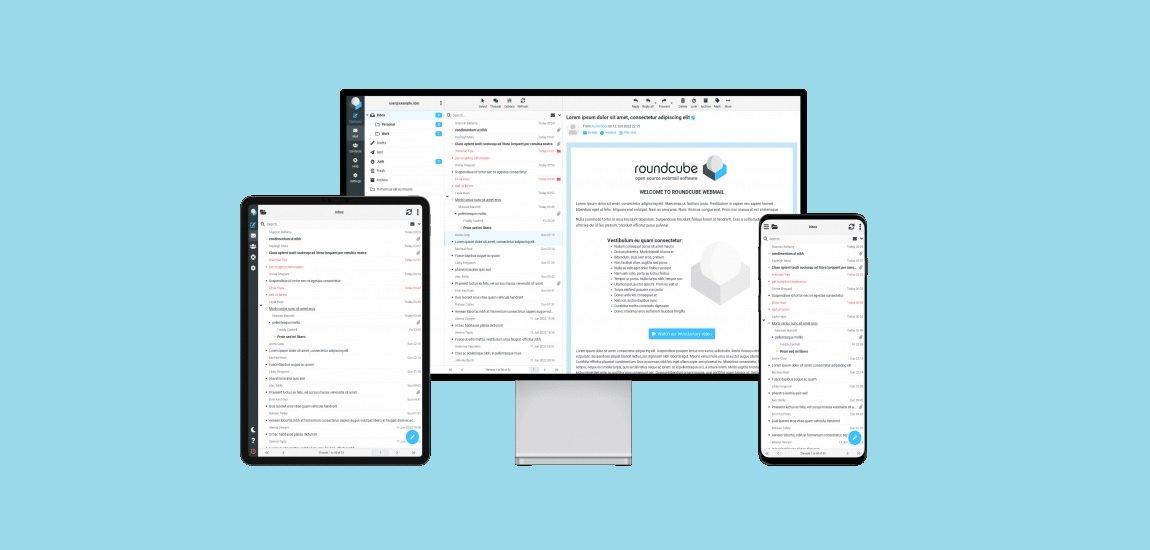
Roundcube is a free, open-source webmail application that lets you access an existing email account through a browser. It is best thought of as the interface for your mailbox, not the company that provides the mailbox itself.

Roundcube connects to an IMAP server to display and manage messages, while an SMTP server handles outgoing mail. Because of that setup, the storage limit, spam filtering, backups, account security, and email delivery performance depend largely on the hosting provider or administrator running those services.

The current Roundcube release shown on its website is version 1.7.3. It provides a desktop-style web interface with features such as threaded messages, drag-and-drop folders, multiple sender identities, address books, search, HTML email, attachment previews, and responsive support for different screen sizes.

Roundcube also supports PGP encryption, access-control lists, shared IMAP folders, OAuth/XOAuth authentication, and a plugin system that can add features such as calendars or two-factor authentication.

Best for: People who want browser-based access to an email account hosted by a web host, private server, organization, or other mail provider.

Reasons to consider it:

  • Free and open-source
  • Browser-based IMAP email client
  • Supports IMAP and external SMTP servers
  • Threaded conversations and powerful message search
  • Address books, groups, identities, and filters
  • Responsive interface for desktop and mobile browsers
  • PGP encryption support
  • Shared IMAP folders and ACL support
  • Plugin API for additional functionality
  • Available in more than 80 languages
  • Can be self-hosted

Things to consider:

  • Roundcube does not provide the underlying mailbox
  • Storage limits come from the connected mail server
  • Spam filtering and antivirus depend on the server environment
  • Deliverability depends on the email infrastructure and DNS configuration
  • Installing and maintaining a self-hosted instance requires technical knowledge
  • Some features, such as calendar or 2FA, may require additional plugins

Look elsewhere if: You want a company to provide the complete email service, including mailbox hosting, storage, spam filtering, backups, and ongoing server administration.

Roundcube is a good example of why an email application and an email provider are not the same thing. You may see Roundcube when logging into email supplied by a hosting company, university, business, or private server, but Roundcube itself is only providing the web interface.

For technically comfortable users, that separation is actually useful. The software is open source, can be deployed on your own infrastructure, and can be extended through plugins. For someone who simply wants an email account that works without managing servers, a conventional mailbox provider will usually be easier.

Mozilla Thunderbird: Email Application

Mozilla Thunderbird email application

Thunderbird is a free, open-source email application for managing existing email accounts from one place. It connects to mail services using protocols such as IMAP and SMTP, so you can use it with accounts from different providers.

Thunderbird is particularly useful when you manage several email addresses and do not want to open each provider’s webmail separately. You can organize messages into local folders, keep copies for offline access, create filters, and manage calendars and contacts within the application.

The important distinction is that Thunderbird does not host your email account. Your mailbox, storage quota, server-side spam filtering, backups, and delivery infrastructure still come from the email provider or mail server you connect to.

Best for: People managing multiple email accounts, users who prefer desktop email software, and anyone who wants local or offline access to their messages.

Reasons to consider it:

  • Free and open-source
  • Supports multiple email accounts
  • IMAP and SMTP support
  • Local folders and offline email storage
  • Email filters and message organization
  • Calendar and contact features
  • Useful across different email providers
  • Large ecosystem of extensions and customization options

Things to consider:

  • Thunderbird does not provide mailbox hosting
  • Storage limits depend on your email provider
  • Server-side spam filtering and backups remain outside Thunderbird
  • Some advanced provider features may not be available through a standard email client
  • Local mail storage needs to be backed up separately if it is important to you

Look elsewhere if: You need an email provider that gives you the mailbox, storage, domain, and server infrastructure rather than an application for accessing an existing account.

Thunderbird is a good choice when you want control over how you use email rather than where your email is hosted. For example, you can manage a personal Gmail account, a work mailbox, and a custom-domain address from the same desktop application.

That makes it especially handy for people who have accumulated several email accounts over the years. The trade-off is simple: Thunderbird can organize and access your mail, but it cannot replace the provider that actually stores and delivers it.

What Businesses Should Check Before Choosing a Provider

Choosing business email is not just about mailbox size or the monthly price. The more important questions are who controls the domain, how accounts are managed, what happens when an employee leaves, and how easily you can move your mail somewhere else.

Custom-domain ownership

Make sure the business owns the domain and controls its DNS records. The domain should not be registered under an employee, freelancer, or web developer’s personal account.

This matters because your domain is tied to your email identity. Losing access to the DNS settings can affect mail delivery, authentication, and the ability to move to another provider later.

Multiple-domain support

A company with several brands may need to host more than one domain under the same email service. Check whether your plan supports multiple domains and whether each additional domain creates another charge.

Migadu and Fastmail can be attractive for multi-domain setups. Google Workspace, Microsoft 365, Zoho Mail, and StartMail Business also support multiple domains, although their pricing and administration models work differently.

Aliases and shared addresses

An alias and a shared mailbox are not the same thing.

An alias usually adds another address to an existing mailbox. A shared mailbox or group address can provide a common identity for several people, depending on the provider.

For example, sales@company.com might be configured as:

  • A user alias
  • A shared mailbox
  • A distribution group
  • A forwarding address
  • A separately licensed mailbox

Before choosing a plan, check whether team members can send from the shared address, receive replies, and see messages sent by other members. Those details can make a bigger difference than the number of aliases advertised on the pricing page.

SPF, DKIM, and DMARC

If you use a custom domain, email authentication should be part of the setup.

  • SPF: Identifies servers authorized to send mail for your domain.
  • DKIM: Adds a cryptographic signature to outgoing messages.
  • DMARC: Tells receiving systems how to handle messages that fail authentication checks.
  • DMARC reports: Help administrators spot spoofing attempts and configuration problems.

These technologies strengthen domain authentication and can help protect against spoofing. They do not guarantee that legitimate messages will always reach the inbox.

Administration and account recovery

Business email needs controls that personal email often does not. An administrator should be able to manage users and recover company-owned accounts without depending on the employee who originally created them.

Look for tools to:

  • Create, suspend, and remove users
  • Reset passwords or assist with account recovery
  • Require multi-factor authentication
  • Manage aliases, groups, and shared addresses
  • Transfer or preserve business data when someone leaves
  • Review relevant account or security activity

The exact controls vary considerably between providers and plans.

Sending limits

A normal business mailbox is not a bulk-email platform. Providers limit sending to reduce abuse and protect their infrastructure.

For newsletters, promotional campaigns, password resets, automated notifications, invoices, or other high-volume messages, use a dedicated email marketing or transactional-delivery service instead of relying on an ordinary mailbox.

Migration and export

This is one of the easiest things to overlook when choosing an email provider.

Before subscribing, check whether you can:

  • Migrate mail through IMAP
  • Import and export contacts
  • Move calendar data
  • Export or download mailbox data
  • Transfer domains without unnecessary restrictions
  • Migrate multiple users efficiently

A provider is easier to work with long term when it also gives you a realistic way to leave.

Frequently Asked Questions

What is the best business email provider?

There is no single choice that fits every company.

Google Workspace makes sense for organizations already invested in Gmail, Google Drive, Docs, Meet, and Calendar. Microsoft 365 is a natural fit for teams working with Outlook, Exchange, Office, Teams, and Windows.

For businesses that mainly need custom-domain email without a large productivity suite, Zoho Mail, Namecheap Private Email, IONOS, and Hostinger are worth comparing. Migadu is particularly interesting when one account needs to handle multiple domains or many lower-volume addresses. Neo Mail adds tools aimed more at customer communication and productivity.

Which provider is best for multiple domains?

The answer depends on how many domains you have and how the provider charges.

Migadu stands out for organizations managing multiple domains and addresses under one account. Fastmail, Google Workspace, Microsoft 365, Zoho Mail, and StartMail Business also support multiple domains, but their account, user, and pricing structures differ.

Which provider offers the most aliases?

StartMail advertises unlimited aliases on its current plans. Fastmail also provides a large alias allowance, while Migadu’s account model can be useful when you need many addresses without treating every address as a separately licensed mailbox.

Other providers impose limits based on the plan, so compare aliases alongside shared addresses and actual mailboxes rather than looking at the alias number alone.

Is Mailock an email provider?

No. Mailock is better understood as a secure-email layer for an existing email environment. It protects messages and attachments and can add recipient verification, tracking, and access controls without becoming the underlying mailbox provider.

Is Posteo suitable for business email?

Posteo can be used for professional correspondence, but it does not support custom-domain email hosting. That makes it a better fit for personal or independent use than for organizations that need addresses such as name@company.com.

Is Migadu suitable for bulk email?

Not really. Migadu is designed around normal mailbox use and applies account-level sending limits. For newsletters, campaigns, or automated high-volume mail, use a dedicated delivery service.

Is Proton Mail always end-to-end encrypted?

Not for every type of recipient.

Messages exchanged between Proton users are automatically end-to-end encrypted. Communication with external recipients can use password-protected messages or compatible PGP encryption when additional protection is needed.

Is Roundcube an email provider?

No. Roundcube is open-source webmail software. It connects to an existing IMAP mailbox and provides the browser interface used to read and manage the messages.

The storage, mailbox, spam filtering, backups, and mail-server infrastructure come from the system or hosting provider running the underlying services.

Is Thunderbird an email provider?

No. Thunderbird is a desktop and mobile email application that connects to accounts hosted elsewhere.

It can bring several accounts together in one interface, but the actual mailbox, storage, and mail-server infrastructure remain with the providers you connect to it.

Are large attachment limits important?

They can be useful, but the number alone does not tell the whole story.

The recipient’s provider may impose a smaller message limit, and email encoding adds overhead to attachments. Because of that, a file that is accepted by your provider may still fail to reach the recipient.

For large documents and media files, a cloud-storage link is often the more practical option.

Final Recommendations

For companies that need email plus collaboration, start by comparing Google Workspace and Microsoft 365. The existing software your team already uses will often be a major factor.

For straightforward custom-domain email, look at Zoho Mail, Namecheap Private Email, IONOS, and Hostinger. Neo Mail is worth a closer look when scheduling, templates, follow-ups, and other customer-facing inbox tools are useful.

For multiple domains or many lower-volume addresses, Migadu deserves attention because its account-level approach is different from a simple per-user mailbox model.

For privacy-focused and independent email, compare Proton Mail, Tuta, Mailfence, StartMail, Fastmail, and Posteo based on the specific feature you care about. Their priorities are different: encryption, aliases, custom domains, open protocols, privacy, or a simpler paid-email model.

For ordinary personal email, Gmail and Outlook.com remain practical mainstream choices. iCloud Mail is particularly convenient for Apple users, while Yahoo Mail and GMX Mail can still make sense for specific personal needs.

Finally, keep the supporting tools separate from the mailbox providers. Mailock, TrashMail, Roundcube, and Thunderbird solve different problems: secure message delivery, disposable addresses, webmail access, and desktop email management.

That distinction makes the comparison much more useful. Instead of asking which provider is “best,” choose the service based on how your team communicates, how your domain is managed, how much administration you need, and how easy it would be to change providers later.