Inventory management software used to mean one thing: counting stock. Now it’s tied directly to cash flow, customer trust, and whether your business runs smoothly or falls apart behind the scenes. As a business grows, the gap between what your system says you have and what’s actually on the shelf gets bigger and that gap costs money.
A lot of small and medium-sized retailers still don’t have real inventory tracking set up, and even the ones that do often find their records don’t match reality. That mismatch shows up as stockouts, overstock, and shrinkage, the kind of losses that build up slowly and are easy to miss until you actually add them up.
You don’t need a six-figure ERP system to fix this. Free and open-source inventory tools have come a long way, and several now hold their own against paid platforms on features, security, and scalability. This guide covers the top free and open-source inventory management systems worth considering, with real pricing, hands-on notes, pros and cons, integrations, support quality, and the reasoning behind each pick — not just another listicle repeating the same five names.
What Is Inventory Management Software and Why Does Your Business Need It?

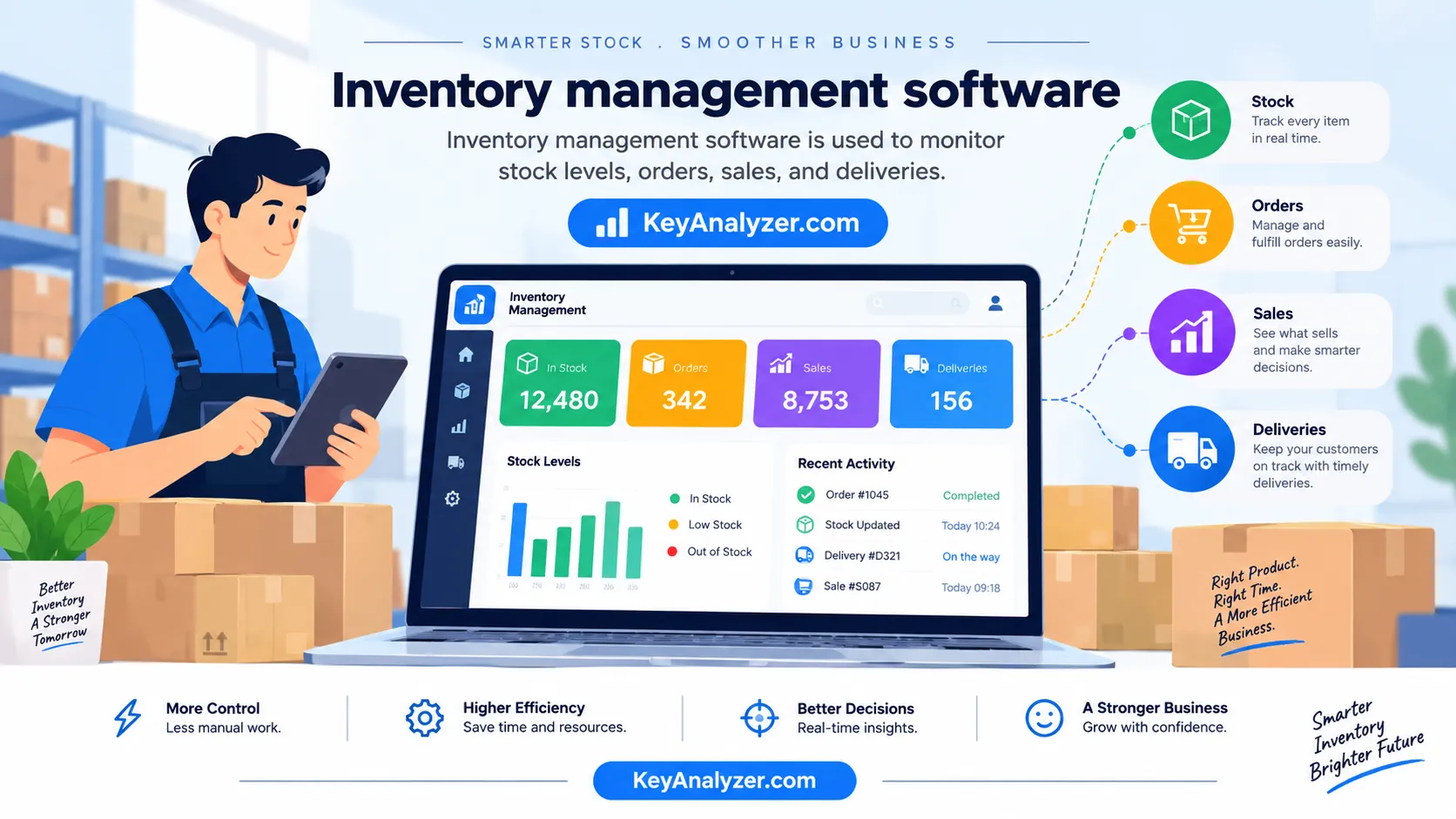
Inventory management software helps you track stock levels, orders, sales, and deliveries in real time. It tells you what you have, where it is, what it’s worth, and when to reorder — all without the spreadsheet juggling that eats up hours of manual reconciliation every week for most small businesses.
Skip it, and the math gets ugly fast:
- Stockouts cost retailers a meaningful chunk of total revenue every year.
- Overstocking ties up a large share of working capital that could otherwise go toward growth.
- Companies with poor inventory visibility can lose hundreds of thousands of dollars a year, sometimes more, depending on their size.
- Switching to modern inventory software typically pushes accuracy from the low 60% range up into the mid-90s and beyond within the first year of use.
In short, inventory software isn’t a “nice to have” — it’s the difference between a business that survives and one that scales.
Understanding the Core Functions of Inventory Management Systems
Modern inventory systems handle far more than counting boxes. Core functions include:
- Real-time stock tracking across unlimited locations
- Order management from cart to delivery
- Purchase order automation with reorder triggers
- Barcode / RFID / QR code scanning
- Lot, serial, and expiration tracking
- Demand forecasting powered by historical sales data
- Multi-channel sync (Shopify, Amazon, eBay, WooCommerce)
- Audit trails and user permissions
The more advanced systems now layer smart demand forecasting on top, using past sales patterns to flag upcoming stockouts well before they happen — giving you enough lead time to actually do something about it.
The Benefits of Using Free and Open Source Solutions
Going open source isn’t just about saving money, though it certainly does that. Ditching licensing fees for proprietary software can free up a meaningful chunk of budget that would otherwise go straight to a vendor every year.
But the deeper benefits go beyond cost:
- No vendor lock-in — you own your data and infrastructure, and no one can take that away or change the terms on you.
- Customization freedom — you can dig into the code and shape it around your exact workflow instead of working around someone else’s assumptions.
- Transparent security — with the code out in the open, vulnerabilities tend to get spotted and patched faster than they would in a closed system nobody outside the company can inspect.
- Community ecosystems — established projects like Odoo and Snipe-IT have large, active communities of contributors and users trading fixes, plugins, and advice.
- Future-proofing — you’re not stuck waiting on a vendor’s roadmap, pricing changes, or a sudden decision to shut the product down.
Types of Inventory Management Software
Before picking a tool, it helps to know what kind of inventory system fits your operation. There are five major categories:
1. Perpetual Inventory Systems
Stock levels update continuously in real time using POS or barcode scanners. Best for retail, e-commerce, and any business with high transaction volume, since you always know where things stand without waiting for a count.
2. Periodic Inventory Systems
Stock is counted at fixed intervals — weekly, monthly, or quarterly. Cheap and simple to run, but accuracy naturally slips in between counts since nothing updates automatically. Works fine for very small shops or seasonal businesses that don’t need constant visibility.
3. Barcode / RFID-Based Systems
These use scanning hardware to log every movement. RFID can read a whole batch of items at once instead of one at a time like barcode scanning, which cuts stocktake time dramatically for businesses handling large volumes.
4. ABC Analysis Systems
This approach sorts inventory into three tiers based on value: your top products that drive the bulk of revenue (A), a middle tier that matters but less urgently (B), and a long tail of low-impact items (C). It helps you focus management effort where it actually moves the needle.
5. Just-In-Time (JIT) & Vendor-Managed Inventory (VMI)
Stock arrives exactly when needed instead of sitting in a warehouse, which keeps holding costs low. Toyota is the classic example of a company built around this model, running with far leaner inventory costs than most manufacturers.
Most modern software — including Odoo, Zoho, and Unleashed — blends several of these models at once rather than sticking to just one.
Inventory Management Software as a Strategic Tool
Treating inventory software as “just stock counting” is the number one mistake business owners make. Used strategically, the system becomes a financial, marketing, and operational nerve center:
- Cash flow optimization — Trimming down how long inventory sits before it sells frees up cash that would otherwise be tied up on shelves.
- Margin protection — Real-time cost tracking helps pricing teams react quickly when supplier costs shift, instead of finding out months later.
- Customer experience — Accurate stock display cuts down on cart abandonment caused by items showing available when they’re actually out of stock.
- Supplier negotiation — A detailed purchase history gives you real leverage when it’s time to renegotiate pricing or terms.
- Strategic forecasting — Combined with sales history, inventory data can help you spot demand shifts before they hit.
More and more mid-market companies now treat inventory software as a top strategic priority — often ranking it right alongside or even ahead of CRM in many sectors.
How to Choose the Right Free and Open Source Inventory Management Software
Selection is where most businesses go wrong. Implementations tend to underperform expectations, and it’s almost always because the buyer matched a feature checklist instead of their actual workflow.
Key Features to Look For
The non-negotiables:
- Real-time multi-location tracking
- Barcode + mobile app scanning
- Automated reorder points with lead-time logic
- API/Webhook support (for connecting to Shopify, QuickBooks, etc.)
- Custom reporting & exportable dashboards
- Role-based user permissions
- Audit logs for compliance
- Lot/batch/serial tracking (essential for food, healthcare, electronics)
Scalability Considerations
Ask three questions before you commit:
- Will it scale? Can it handle a much larger volume of SKUs, users, and orders without slowing down or breaking?
- Can it cross borders? Multi-currency, multi-language, and multi-tax support matter the moment you sell internationally.
- Does it have an active roadmap? Check GitHub commits or release notes from recent months — abandoned projects are a graveyard.
Top Free and Open Source Inventory Management Software
After comparing a wide range of open source inventory management systems and free tools across features, real user reviews, community activity, and total cost of ownership, here are ten of the best free and open source inventory management software options worth considering along with a couple of strong non-open-source alternatives that round out the picture.
1. Odoo Inventory
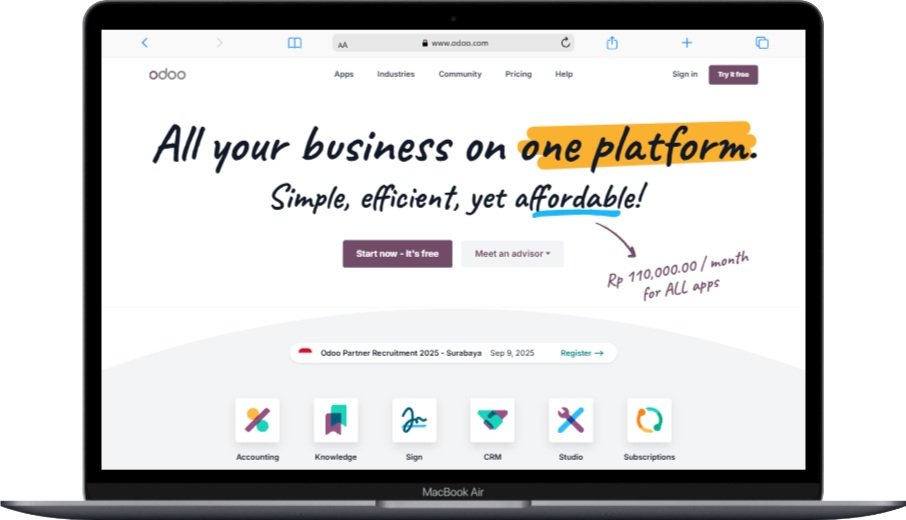
Odoo Inventory is widely considered the gold standard among open source ERP inventory tools, used by businesses of all sizes around the world. It’s built around a double-entry inventory model, similar to how accounting software works. Every stock movement has both a source and a destination, which keeps a clean, traceable record of everything moving through your warehouse.
Key Features
- Real-time multi-warehouse tracking as part of a broader open source warehouse management setup
- Automated push/pull replenishment rules
- Drop-shipping, cross-docking, and multi-step routing
- Barcode scanning and mobile app support (iOS/Android)
- Lot, serial, FIFO/LIFO, and expiration tracking — solid batch and lot tracking for regulated industries
- Native integration with Odoo Accounting, Sales, Manufacturing, and eCommerce
- Built-in demand forecasting tools in newer versions
- Customizable dashboards and a large library of pre-built reports
Pros
- One of the most feature-rich free options on the market
- Highly customizable thanks to open source code customization on the Community Edition
- A large ecosystem of third-party modules and apps
- Strong international support (multi-currency, multi-language)
Cons
- Steep learning curve for teams new to ERP systems
- Self-hosting requires comfort with Linux and PostgreSQL
- Many advanced apps sit behind paid tiers
Integrations
QuickBooks, Shopify, Amazon, eBay, WooCommerce, Stripe, PayPal, DHL, UPS, FedEx, Magento, Salesforce, Mailchimp, and hundreds more via the Odoo App Store — useful if API integration with your existing stack is a priority.
Customer Support
Active community forum, GitHub, and paid enterprise support plans for businesses that want a dedicated line of help.
Pricing
- Free: One App Free plan (Inventory only, unlimited users)
- Paid tiers: Per-user monthly pricing for the Standard and Custom/Enterprise plans (check Odoo’s site for current rates)
- Self-hosted Community Edition: free to run on your own infrastructure indefinitely — a genuine self-hosted inventory management option
Why We Recommend It
Odoo is one of the few free tools on this list that can realistically grow with a business from a handful of employees to a large operation. If you’re willing to invest time in the learning curve, it holds up well against paid inventory control software and general reviews across platforms like G2 tend to be favorable.
2. inFlow Inventory

inFlow is known as one of the most approachable stock management solution picks for small businesses, largely because of how simple it is to set up. You can be tracking inventory the same day you sign up, without the ramp-up time that comes with heavier ERP-class tools.
Key Features
- Real-time inventory tracking with low-stock alerts
- Sales and purchase order management
- Barcode scanning via a dedicated mobile app
- B2B portal so customers can self-serve order placement
- Multi-currency support
- Customizable invoices, quotes, and packing slips
- A solid library of built-in reports
Pros
- One of the cleanest interfaces in this category
- Responsive customer support with live chat
- A free B2B showroom feature that’s rare at this price point
- Generous trial period to test before committing
Cons
- The free tier is now a time-limited trial rather than a permanent free plan
- Less customization than fully open source inventory management systems like Odoo
- Not open-source software — closed codebase
Integrations
Shopify, WooCommerce, Amazon, QuickBooks Online, Xero, Zapier, Squarespace, Stripe, ShipStation, EasyPost.
Customer Support
Phone, email, and live chat support across most days of the week, with users frequently praising the support team’s responsiveness.
Pricing
Tiered monthly plans based on user count and number of locations, plus a free trial with no credit card required. Check inFlow’s site for current pricing, since plans are updated periodically.
Why We Recommend It
For businesses that want the lowest possible learning curve, inFlow remains one of the easiest inventory management software options to get running on day one — even though it’s no longer a permanently free product.
3. ABC Inventory

ABC Inventory by Almyta Systems is one of the last truly free inventory management software desktop programs still around, with no record limits, no user fees, and no expiration date. It runs on Windows and has quietly served small manufacturers and distributors for a long time.
Key Features
- Unlimited items, warehouses, and companies
- Purchase orders, sales orders, and RMAs
- Serial and lot tracking
- Basic light manufacturing support (BOMs and assemblies) — a lightweight take on open source MRP software
- Barcode label printing for open source barcode inventory workflows
- Asset depreciation tracking
- A large set of pre-built reports
Pros
- Genuinely free, with no upgrade pressure
- Works fully offline
- Surprisingly deep feature set for a free tool
- Stable, long-refined codebase
Cons
- Windows-only desktop application with a dated interface
- No native cloud sync or multi-workstation networking in the free version
- No mobile app
- Limited support options in the free tier
- Workstation-to-workstation sharing requires the paid Almyta Control System
Integrations
Mostly limited to CSV import/export and ODBC connections.
Customer Support
Knowledge base and community support for the free version; email support for the paid tier.
Pricing
- ABC Inventory: free, unlimited records, single-user mode
- Almyta Control System (paid): one-time fee per workstation
Why We Recommend It
If you need a zero-cost, single-PC open source inventory control software option with no internet dependency, ABC Inventory is hard to beat — especially for workshops, repair shops, and rural businesses with unreliable connectivity.
4. Zoho Inventory

Zoho Inventory’s free plan is one of the more generous options in the cloud-based segment, and it plugs directly into the wider Zoho ecosystem of business apps — handy if you’re already using Zoho Books or Zoho CRM.
Key Features
- Multi-channel order management (Amazon, Shopify, eBay, Etsy)
- Real-time inventory across warehouses
- Barcode scanning
- Composite items and kitting
- Shipping integrations with a wide range of carriers
- Workflow automation with custom triggers
- Mobile apps for iOS and Android
- Native sync with Zoho CRM, Books, and Analytics
Pros
- A genuine free-forever plan, not just a trial
- Clean, modern interface for a budget-tier tool
- Strong mobile experience
- Deep integration across the Zoho ecosystem
Cons
- Free tier is capped on monthly orders and limited to one user
- Some shipping integrations are region-restricted on the free plan
- Reporting on the free tier is fairly basic
Integrations
Shopify, Amazon, eBay, Etsy, WooCommerce, Stripe, PayPal, Square, FedEx, UPS, DHL, USPS, Zoho CRM, Zoho Books, Slack, Google Workspace, Office 365.
Customer Support
Email, live chat, and phone support even on the free plan, backed by a knowledge base and community forum.
Pricing
Free plan available with order and user limits, plus several paid tiers that scale up order volume, user seats, and features as your business grows.
Why We Recommend It
For smaller e-commerce sellers who don’t need heavy order volume yet, Zoho’s free plan is a strong entry point into free inventory management system territory, with a clear upgrade path if you outgrow it.
5. Snipe-IT

Snipe-IT is a free, open source asset management software platform built for tracking hardware, software licenses, accessories, and equipment through their full lifecycle. It’s primarily aimed at IT teams, but it can be adapted for general asset tracking in other business settings too. It’s used by organizations ranging from small businesses to large institutions.
Key Features
- Asset check-in / check-out workflows
- Maintenance and warranty tracking
- License management and software compliance tracking
- Barcode and QR code generation and printing
- LDAP, Active Directory, and SAML single sign-on support
- REST API for automation and third-party connections
- Customizable asset fields, categories, and status labels
- Asset auditing and history tracking
- Location and department management
- Email notifications and asset request workflows
Pros
- Free and open source under the AGPL license
- Modern, user-friendly web interface
- Highly customizable for different organizational needs
- Active development community with regular updates
- A capable REST API for automation
- Supports both self-hosted and cloud-hosted deployment
Cons
- Built primarily for IT asset tracking rather than retail inventory
- Self-hosting requires PHP and MySQL/MariaDB knowledge
- Reporting is more limited than some enterprise-grade platforms
- Initial setup can require some technical know-how
Integrations
LDAP, Active Directory, SAML SSO providers, Google Workspace, Microsoft Teams, Slack, Zapier, ServiceNow (via API), and other systems through the REST API.
Customer Support
Community forum, GitHub Issues, a Discord community, documentation, and priority email support for hosted plans.
Pricing
- Self-hosted: free, with unlimited users and assets
- Hosted plans: tiered pricing based on number of managed assets — check Snipe-IT’s site for current rates
Why We Recommend It
Snipe-IT is a strong pick for organizations that need to track IT equipment, fixed assets, software licenses, and employee-assigned devices. Its lifecycle management, check-in/check-out flow, barcode support, and integrations make it one of the most widely used IT asset management open source tools available.
6. Dewawi (Open Source & Web-Based Inventory Management System)

Dewawi is a free, open source store management software platform designed for small to medium-sized businesses that want a flexible, modular setup without licensing fees. It covers inventory, sales, purchasing, CRM, and project planning all in one place.
Key Features
- Web-based responsive design, accessible from desktop, tablet, or mobile
- Article and price management with detailed storage and filtering
- Customer and address management with contact import
- Sales and purchasing workflows (offers, orders, invoices, delivery notes)
- PDF generation for invoices, offers, orders, and delivery notes
- Warehouse management with stock tracking
- Project planning module for job-based tracking
- Statistics module for quick status analysis
- Daily automatic data backup
- Modular design that expands as your business grows
- GNU GPL v3 open-source license
Pros
- Completely free and open source with no feature restrictions
- Self-hosted on your own server, or available as a hosted option
- Active, community-driven development
- Modular architecture allows custom expansion
- Platform-independent — works on any device with a browser
Cons
- Interface is functional but less polished than commercial SaaS tools
- Self-hosting requires some server configuration knowledge
- Smaller community compared to larger open source projects
- Documentation leans heavily toward German, with limited English resources
Integrations
CSV import/export, PDF output, customizable modules, and an expandable REST API.
Customer Support
GitHub discussions, community forums, and direct support/consulting packages from the development team.
Pricing
- Free and open source to self-host indefinitely
- Cloud hosting and professional support available at additional cost
- Discounted pricing for newer business founders
Why We Recommend It
If you want a free inventory management software option that handles stock, sales, purchasing, and CRM under one roof, Dewawi is worth a look — particularly for small businesses and wholesalers who want full control over their own data and infrastructure.
7. GLPI

GLPI (Gestionnaire Libre de Parc Informatique) is a French-built, open source ERP and IT service management platform. It combines IT asset inventory, a configuration management database, and help desk ticketing in a single system, so organizations can manage both assets and support requests from one place. It’s used across businesses, schools, and public-sector organizations worldwide.
Key Features
- Full IT asset lifecycle management
- Integrated help desk and ticketing
- Software license and contract tracking
- Financial tracking (depreciation, leasing)
- Automatic network discovery via the FusionInventory agent
- Multi-entity and multi-tenant support
- A large plugin ecosystem
- REST API
Pros
- Free forever under the GPL open source license
- Combines IT service management and asset management in one product
- Extensive plugin library
- Supports a wide range of languages
Cons
- Interface feels dated next to newer tools like Snipe-IT
- Steeper learning curve than lighter asset trackers
- Self-hosting requires comfort with a LAMP stack
Integrations
Active Directory, LDAP, OCS Inventory, FusionInventory, Jira, Slack, Microsoft Teams, Zabbix, Nagios.
Customer Support
Community forum, GitHub, and paid commercial support through Teclib, the maintainer company.
Pricing
- Self-hosted: free
- GLPI Network (cloud + premium support): paid per-user monthly plans
Why We Recommend It
For IT departments that need asset management and ticketing combined, GLPI is one of the strongest value picks among open source WMS and ITSM-adjacent tools — heavier than Snipe-IT, but far more capable as a full IT service management solution.
8. OpenBoxes

OpenBoxes is a specialized open source inventory tracking software platform built specifically for healthcare and humanitarian supply chains. It’s used to run warehouses for global health organizations and ministries of health in multiple countries.
Key Features
- Lot, batch, and expiration tracking with first-expiry-first-out picking
- Multi-facility, multi-location management
- Cold-chain temperature logging support
- Cycle counts and inventory adjustments
- Emergency and outbreak stock allocation
- Comprehensive reporting and dashboards
- Donor reporting compliance features
Pros
- Purpose-built for healthcare and NGO supply chains
- AGPL open source license
- Strong expiration and lot control
- Trusted by major global health organizations
Cons
- Overkill for typical retail or small business inventory
- Implementation usually benefits from consultant support
- Smaller user community than Odoo or GLPI
Integrations
DHIS2, OpenLMIS, ERPNext, and a REST API for custom connections.
Customer Support
Community Slack, GitHub, and paid implementation partners.
Pricing
Free and open source, with paid implementation and consulting available through certified partners.
Why We Recommend It
For hospitals, clinics, NGOs, and pharmaceutical supply chains, OpenBoxes is one of the most mature open source inventory management systems built specifically for life-critical logistics. It’s not the right fit for general retail — but for its niche, it’s hard to match.
9. InvenTree

InvenTree is a modern, Python/Django-based open source inventory management system designed for electronics labs, engineering teams, makerspaces, and small manufacturing operations. It offers solid stock control, bill of materials management, supplier tracking, and part lifecycle tracking, and it has grown into a widely used project with an active contributor base on GitHub.
Key Features
- Bill of materials management
- Multi-level assemblies and sub-assemblies — useful for open source ERP manufacturing workflows
- Stock location hierarchies (warehouse → shelf → bin)
- Barcode and QR scanning via a mobile app
- Built-in label printer support
- REST API across the platform
- Supplier and manufacturer parts management tracking
- Plugin system for extending functionality
Pros
- Modern, clean web interface
- Excellent BOM and manufacturing support
- Strong API and plugin ecosystem
- Easy Docker-based deployment
- Actively developed with frequent updates
Cons
- Smaller community than Odoo
- Some advanced features are still maturing
- Documentation has occasional gaps
Integrations
LCSC, DigiKey, Mouser, Octopart, KiCad, Zapier, and a REST API.
Customer Support
An active Discord community, GitHub, and official documentation.
Pricing
- Self-hosted: free
- Third-party cloud hosting: paid monthly plans available if you’d rather not self-host
Why We Recommend It
InvenTree is a strong free option for makers, hardware startups, and light manufacturers who’ve outgrown spreadsheets but aren’t ready for the complexity of a full ERP like Odoo.
10. Unleashed

Unleashed isn’t free or open source, but it offers a full-featured free trial and earns a spot on this list for mid-market companies that have outgrown the free tiers of Zoho or inFlow and need a more robust warehouse management system.
Key Features
- Real-time stock across unlimited locations
- Production, assembly, and kitting support
- Batch and serial number tracking
- A wide range of B2B/B2C integrations
- AI-assisted demand forecasting
- Advanced reporting and BI module
- Multi-currency, multi-warehouse, multi-channel support
Pros
- Strong manufacturing and distribution features
- Excellent Xero/QuickBooks integration
- High accuracy at scale
- Trusted by a large number of businesses globally
Cons
- Not free — trial only, with no permanent free plan
- Pricing sits well above most free and open source alternatives
- Implementation can take several weeks
Integrations
Shopify, Magento, BigCommerce, Amazon, eBay, Xero, QuickBooks, Salesforce, HubSpot, ShipStation, Starshipit.
Customer Support
Chat, email, and phone support across most business days, with generally strong user ratings.
Pricing
Tiered monthly plans that scale by business size, plus a free trial with no credit card required — check Unleashed’s site for current pricing.
Why We Recommend It
Once a business outgrows free tools — typically once SKU counts and order volume climb significantly — Unleashed becomes a strong candidate for inventory control at scale. Use the free trial to test it thoroughly before committing to a paid plan.
Inventory Management Software Integration With AI
This is where a lot of the interesting movement is happening in inventory software right now. AI is shifting inventory from a reactive function, count what’s there, into something closer to predictive: know what you’ll need before you run out.
Here’s where AI is actually showing up in inventory software these days:
- Demand forecasting: instead of just looking at last month’s sales, these models pick up on patterns over time and give you a heads-up on stockouts before they happen, usually with better accuracy than the old spreadsheet-style forecasting most of us grew up with.
- Automated reorder optimization: rather than guessing at reorder quantities, the software factors in things like how unpredictable your lead times are, seasonal swings, and whether your suppliers actually deliver on time. Get that right and you stop tying up cash in stock you don’t need yet.
- Anomaly detection: if stock starts moving in a way that doesn’t add up, whether that’s theft, a miscount, or something shadier, the system flags it for you instead of you finding out during a frustrating year-end audit.
- Computer vision for cycle counts: point a phone camera at a shelf and let AI do the counting. It’s dramatically faster than walking the aisles with a clipboard, and the accuracy holds up surprisingly well.
- Natural language assistants: a few platforms, Odoo and Monday Inventory among them, now let you just type a normal question like “how many units of SKU-441 will we need next month?” instead of wrestling with a report builder.
Of the free and open source tools we’ve covered, Odoo and Unleashed are furthest along on AI, and InvenTree is catching up fast thanks to machine-learning forecasting plugins built by its community.
Top Inventory Software Commonly Used in Business (Beyond Our Free Top 10)
For context, here are some of the paid platforms that dominate larger enterprise deployments, useful benchmarks if you’re weighing an eventual upgrade path:
| Software | Best For |
|---|---|
| NetSuite Inventory | Mid-market & enterprise |
| SAP Business One | Manufacturing & distribution |
| Microsoft Dynamics 365 | Multi-channel retail |
| Fishbowl Inventory | QuickBooks-centric SMBs |
| Cin7 | Omnichannel retail |
| Brightpearl | Mid-market retailers |
| DEAR Systems / Cin7 Core | Wholesale & e-commerce |
Pricing and packaging change constantly, so it is hard to give an exact picture of what these companies charge. However, most of the free tools in our top ten list can be used as substitutes for the paid plans of these companies for small and medium-sized businesses.
Implementation Best Practices for Free Inventory Management Software
Picking the right software is only part of the equation, how you roll it out matters just as much, if not more.
Planning Your Implementation
Set measurable, time-bound objectives before you start, for example:
- “Reduce stockouts within the next two quarters”
- “Get inventory accuracy above 95% within 90 days”
- “Cut manual inventory time down to a couple hours a week”
Get the right people in the room early: someone from the warehouse, sales, purchasing, finance, and ideally a manager or exec who can back the project when it hits friction. Rollouts almost always go smoother when leadership is actually invested, not just aware it’s happening.
And be honest with yourself about the timeline. If you’re a small business, you can probably get a free tool running in a few weeks. If you’re bigger, with more moving parts and more people to get on board, give it more room to breathe; rushing it is usually what causes the headaches later.
Data Migration Strategies
The most common cause of a rocky implementation is messy data. Before migrating anything:
- Audit your existing SKUs, most businesses find a chunk of them are duplicates or no longer active.
- Standardize naming conventions, units of measure, and categories.
- Validate quantities with a physical count before going live.
- Pilot with one warehouse or product category before rolling out everywhere.
Training Your Team
- Role-based training beats generic, one size fits all training every time.
- A mix of classroom instruction, hands-on practice, and post-launch coaching tends to stick better than any single method alone.
- Give warehouse staff enough hands-on time to get comfortable, and give power users more in-depth training on reporting and admin features.
- Practicing with realistic sample data before go-live makes a noticeable difference in how quickly a team actually adopts the new system.
Frequently Asked Questions
Is free inventory management software suitable for large businesses?
Sometimes, but rarely as a sole solution. Free tools like Odoo Community Edition, Dewawi, and GLPI can scale to a large number of users with the right hosting setup, but enterprises typically end up needing paid support contracts, custom integrations, and compliance features (like SOX, HIPAA, or GxP) that free tiers usually don’t fully cover on their own.
Can open source inventory software be customized to fit specific business needs?
Yes, that’s one of the biggest advantages. With access to the source code, businesses can build custom modules, adjust workflows, and connect the software to proprietary internal systems in ways that closed platforms simply don’t allow.
Is technical support available for free and open source inventory management software?
Most projects offer a mix of:
- Community forums (free)
- Discord or Slack communities (free)
- GitHub issue trackers (free)
- Paid commercial support from certified partners, for businesses that want a dedicated support contract
Can free inventory management software handle multiple warehouses or locations?
Yes, in most cases. Odoo, Dewawi, Snipe-IT, GLPI, OpenBoxes, and InvenTree all support multiple locations on their free tiers. Zoho’s free plan is the exception, it’s limited to a single warehouse, with multi-location support unlocked on paid plans.
Is free inventory management software secure?
Generally, yes, and in some ways it can be more transparent than paid alternatives, simply because the code is open for anyone to inspect and vulnerabilities tend to get spotted and patched quickly by the community. That said, if you’re self-hosting, security depends heavily on you: keep servers patched, configure firewalls properly, and don’t treat “open source” as a substitute for good server hygiene.
Conclusion: Making the Right Choice for Your Business
Choosing the right inventory management software is one of the higher leverage decisions a growing business can make. A few things are worth keeping in mind:
- Businesses with mature inventory systems in place tend to see fewer stockouts, less capital tied up in excess stock, and meaningfully better inventory accuracy than the industry average.
- Free and open source tools can cover a large share of what pricier paid platforms offer, often at zero or near-zero cost.
- The biggest predictor of success isn’t which software you pick, it’s how well you actually implement and use it.
Our quick recommendations:
- Best overall: Odoo Inventory, unmatched depth and scalability
- Easiest to start: Zoho Inventory and Dewawi, genuine free tiers, great for e-commerce
- Best for IT assets: Snipe-IT
- Best for healthcare/NGOs: OpenBoxes
- Best for makers / electronics: InvenTree
- Best paid upgrade path: Unleashed
Whichever you choose, the best inventory software is the one your team actually uses every day. Start with the free tier, get comfortable with the basics, and scale up only when your business clearly needs more.
In a world where margins keep tightening and customer expectations keep rising, mastering inventory isn’t optional anymore, it’s the foundation everything else stands on.
You May Also Like
 Best Software
10 Best Inventory Control Software for Small Business in 2026
 Data Security & Privacy
19 Best Email Service Providers for Personal and Business Use
 Best Software
12 Best AI Chatbot Software To Increase Your Conversions In 2026
 Best Software
23 Best Free Avatar Creator Sites Online To Create Your Own Avatars
 SaaS
SaaS11 Best VoIP Call Center Solutions for Small Business 2026 (Comparison Guide)
 Best Software
6 Best Software to Record Mouse and Keyboard Actions and Automate Repetitive Tasks
 Best Software
Jira vs Hive: Which Project Management Tool is Right for Your Team?
 Android Apps
Agile Mobile Development: What It Is, How It Works, and Why Your Team Needs It
 Best Software


