A portable antivirus is a lightweight security scanner you run directly from a USB drive, CD, or folder without installing anything on your computer. Think of it as the emergency first-aid kit for your PC. You plug it in, launch the scan, and clean up threats. No setup wizard. No restart needed.
Let me paint a quick picture for you. Your Windows PC starts acting strangely. Pop-ups flood your screen. Your installed antivirus refuses to open. Something is wrong, and you suspect malware has disabled your main protection. This is exactly when a portable antivirus saves the day. You grab a USB stick loaded with a portable scanner, plug it into the infected machine, and let it do its job. It works independently of your compromised system security.
Portable antivirus tools play a critical role in your cybersecurity toolkit. According to AV-Comparatives, over 560,000 new malware samples surface every single day. Your primary antivirus catches most of them. But stubborn threats like rootkits, zero-day malware, and advanced trojans can slip through. A portable scanner gives you that second opinion — and sometimes, that second check is what saves your data. Whether you are an IT technician visiting client offices, a student on shared computers, or someone who simply wants extra safety, this guide walks you through the ten best options available right now.
If you care about broader online security tips for college students, pairing a portable scanner with safe browsing habits creates a much stronger defense.
How Does Portable Antivirus Software Work on Windows?
Portable antivirus software scans your system files, memory, and registry directly from a removable drive or downloaded executable without writing permanent files to your hard disk. You download the tool onto a clean USB stick, insert it into any Windows computer, and launch the scanner. The program reads its virus definitions either from a local database stored on the same drive or from a cloud server over the internet.
This matters because traditional antivirus programs must be installed. They embed themselves into your operating system. If malware already controls your system, it can block that installation process entirely. Portable scanners bypass this problem. They run independently. Some tools include millions of malware signatures stored locally, which means they work even without an internet connection. Others use cloud-based detection to stay current with the latest threat intelligence.
Here is a quick comparison showing how portable and installed antivirus software differ:
| Feature | Portable Antivirus | Installed Antivirus |
|---|---|---|
| Installation Required | No | Yes |
| Real-Time Protection | No (on-demand only) | Yes |
| Runs from USB Drive | Yes | No |
| System Resource Usage | Very low | Moderate to high |
| Automatic Updates | Manual or cloud-based | Automatic |
| Best For | Emergency scans, second opinions | Daily ongoing protection |
| Works on Infected PCs | Yes | May be blocked by malware |
You should understand one important thing: portable antivirus software is not a replacement for your main security suite. It is a complement. Think of it the way you think about having both a fire extinguisher and a smoke alarm in your home. You want both. For strengthening your overall data protection strategy, combine a portable scanner with a reliable installed antivirus.
What Are the 10 Best Portable Antivirus Programs for Windows in 2026?
The 10 best portable antivirus programs for Windows in 2026 we have tested and scanned are Emsisoft Emergency Kit, Microsoft Safety Scanner, Kaspersky Virus Removal Tool, Norton Power Eraser, Sophos Scan & Clean, ESET Online Scanner, HitmanPro, ClamWin Portable, Dr.Web CureIt!, and Comodo Cleaning Essentials. Each one brings unique strengths depending on your situation. Below, I break down every option with detailed features, pros, cons, and practical use cases.
1. Emsisoft Emergency Kit
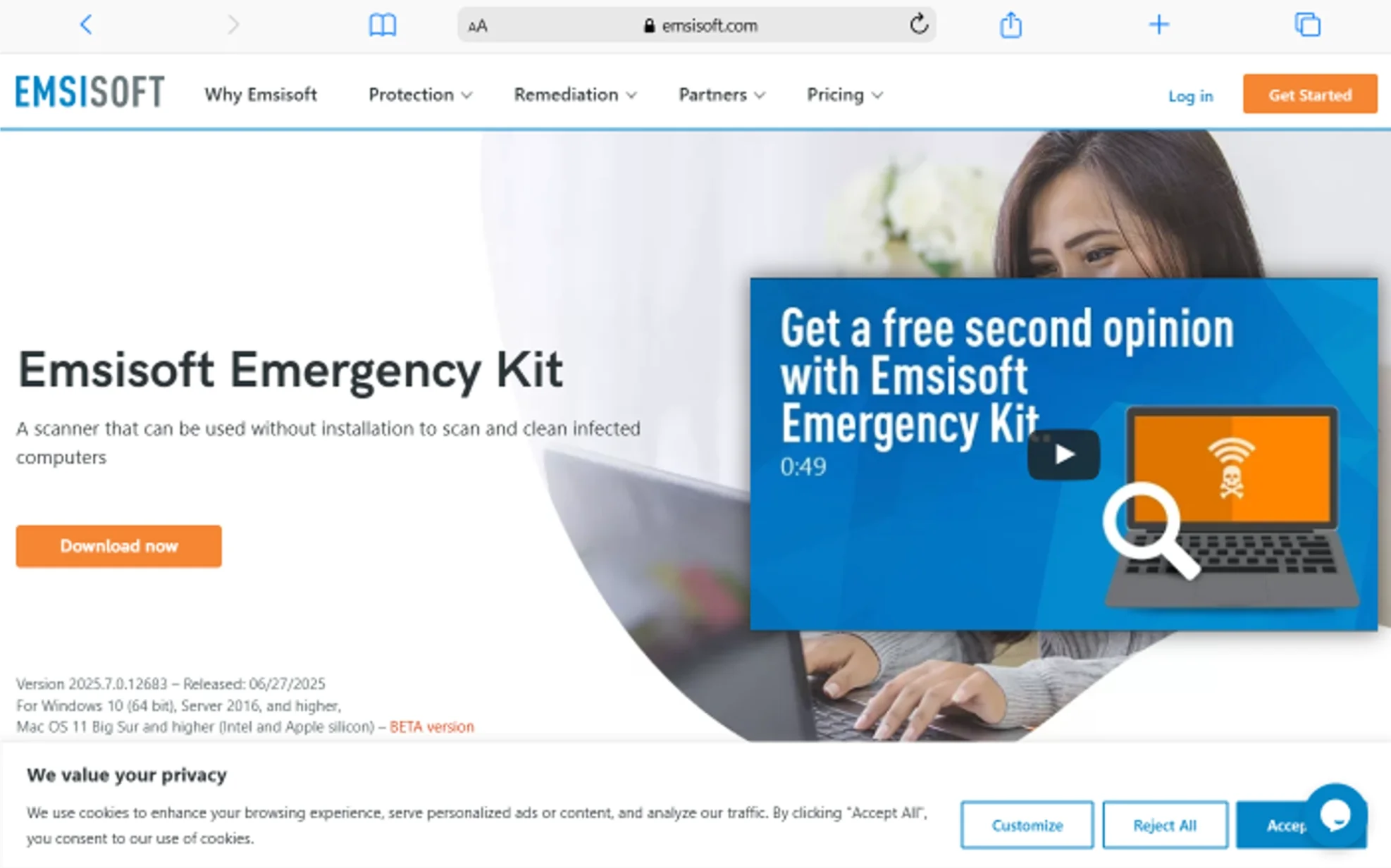
Emsisoft Emergency Kit is a free, fully portable dual-engine scanner that detects and removes viruses, trojans, spyware, adware, worms, keyloggers, and other malware — all without installation. It consistently ranks among the top portable antivirus tools worldwide, and for good reason.
What makes this tool special is its dual-engine approach. It pairs the Emsisoft detection engine with the Bitdefender engine. That means you get two separate scanning technologies working in tandem during a single scan. In our testing, both engines individually score above 99,9% detection rates. Combined, they reduce the chance of a missed threat to near zero.
Here is what you get with Emsisoft Emergency Kit:
- Dual-Engine Scanning: The combination of Emsisoft and Bitdefender engines delivers exceptional malware detection. Two engines catch what one might miss, especially with newly emerging threats and polymorphic viruses that change their signature constantly.
- Full Offline Operation: You can update the virus definitions while connected to the internet, then disconnect and scan an isolated machine. This is crucial when dealing with computers that cannot access the web because of infection or network restrictions.
- Command Line Scanner: Advanced users and IT professionals can run batch scans across multiple machines using scripts. This adds professional-grade flexibility to a free tool and makes it ideal for enterprise environments.
- Zero Installation Footprint: What we love about this portable tool is that we can extract the files to a USB drive or folder, double-click to launch, and scan. When all is done, we can unplug the drive. Nothing stays behind on the host computer.
Best for: IT professionals, technicians who service multiple computers, and anyone dealing with a heavily infected PC that blocks standard antivirus installation.
Price: Free for personal use. Pro version available for commercial use.
Supported OS: Windows 7, 8, 10, 11 (32-bit and 64-bit)
2. Microsoft Safety Scanner
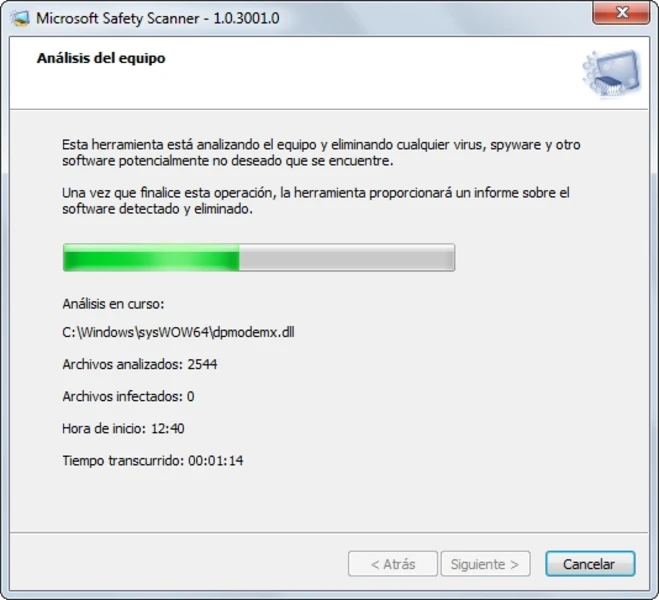
Microsoft Safety Scanner is a free, portable, on-demand scanning tool built by Microsoft that finds and removes viruses, spyware, and other malicious software from Windows computers. It uses the same detection engine as Microsoft Defender, which means you get enterprise-level scanning from a trusted source.
One thing you must know about this tool: it expires 10 days after you download it. Microsoft designs it this way to ensure you always use fresh virus definitions. After 10 days, you simply download a new copy. This approach guarantees your scan uses the most current threat data.
Key features of Microsoft Safety Scanner include:
- Three Scan Types: You can choose a Quick Scan (checks common malware locations), Full Scan (examines every file on your system), or Customized Scan (targets specific folders you select). This flexibility lets you match the scan depth to your situation.
- Same Engine as Microsoft Defender: Because it shares its core technology with Windows Defender, this tool benefits from Microsoft’s massive global threat intelligence network. Microsoft processes over 78 trillion security signals daily, feeding that data into detection updates.
- Works Alongside Other Antivirus: You can run it even if you already have Norton, Bitdefender, or another antivirus installed. It will not conflict with your existing protection.
- Lightweight Download: The file size is approximately 150–200 MB, making it quick to download and easy to store on a USB drive. The portable launcher (mssPortable) on PortableApps.com makes USB deployment even simpler.
Best for: Users who want a trusted, Microsoft-backed second-opinion scanner for occasional checkups.
Price: Completely free.
Supported OS: Windows 10, 11, Server 2016, 2019, 2022
If you already use Microsoft Windows Defender Antivirus as your primary protection, pairing it with the Safety Scanner during monthly checkups enhances your overall security posture.
3. Kaspersky Virus Removal Tool
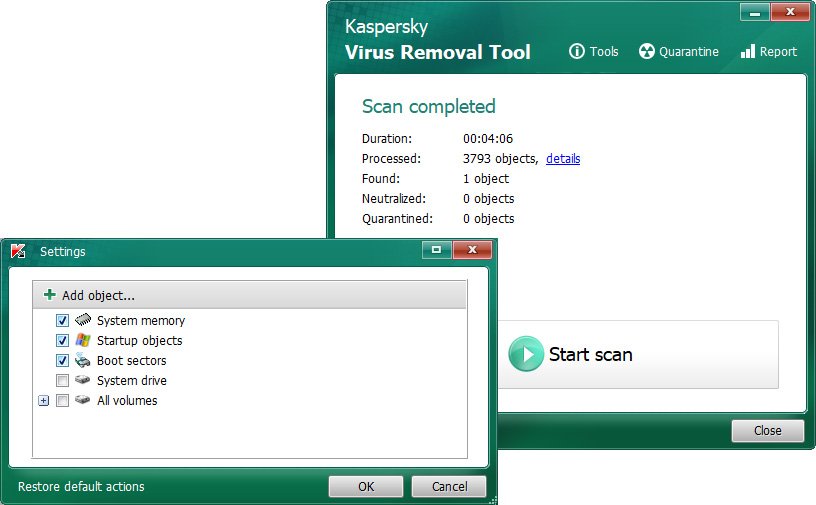
Kaspersky Virus Removal Tool is a free portable scanner powered by Kaspersky’s award-winning detection engine that scans and disinfects infected Windows computers without requiring installation. Kaspersky consistently ranks in the top three antivirus engines globally across multiple independent testing labs.
This tool is designed as a one-time cleanup solution. You download it, run it, remove threats, and delete it when done. It does not provide real-time protection or automatic updates. Every time you want to scan, you should download the latest version to ensure the current definitions.
“In my experience, Kaspersky Virus Removal Tool has been really awesome and has protected about 99% of my devices. I’ve used it several times, and it has worked very well for me. I even helped my friend when his phone got infected with malware ads. He couldn’t even open WhatsApp because annoying ads kept popping up everywhere, and there was no way to skip them.
We tried scanning the phone with some other antivirus apps, but none of them could detect the problem because the malware was hidden in the background and disguised as a normal app, so everything looked fine in the device security settings. But after installing Kaspersky Virus Removal Tool and running a scan, we finally found the unwanted app causing the issue. We removed it, and the phone went back to normal. My friend thanked me, and we were both really happy with the result.”
Here is what sets Kaspersky Virus Removal Tool apart:
- Industry-Leading Detection Engine: Kaspersky’s engine earned a Top-Rated Product award from AV-Comparatives in 2025. It detects viruses, trojans, worms, spyware, adware, and rootkits with exceptional accuracy.
- Disinfection Over Deletion: Unlike many portable scanners that simply delete infected files, this tool first attempts to disinfect them. This means your original files survive whenever possible, which reduces the risk of data loss.
- Simple One-Click Interface: There are no confusing settings or menus. You launch the tool, click “Start Scan,” and let it work. This simplicity makes it accessible even if you have zero technical experience.
- Cloud-Assisted Scanning: When connected to the internet, the tool queries Kaspersky’s cloud servers for the latest threat intelligence, improving detection of brand-new malware.
Important note for US users: Kaspersky software faced restrictions in the United States starting in 2024 due to government security concerns. As of early 2026, availability of Kaspersky products for new US customers may be limited. Check the official website for your region’s current status before downloading.
Best for: Users outside the US who want one of the most powerful detection engines available in a portable format.
Price: Free.
Supported OS: Windows 7, 8, 10, 11 (32-bit and 64-bit)
4. Norton Power Eraser
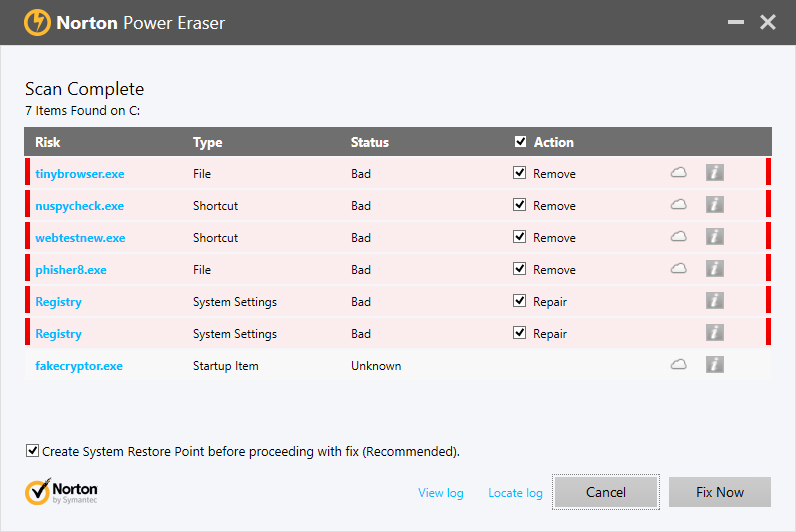
Norton Power Eraser is a free, aggressive portable virus removal tool from NortonLifeLock that targets deeply embedded crimeware and threats that standard antivirus scans often miss. It is specifically built to handle the toughest infections.
You should know that Norton announced Norton Power Eraser will reach end-of-life on April 30, 2026. The tool still functions and is available for download as of March 2026. However, if you are reading this article after that date, Norton recommends transitioning to their full Norton 360 product for ongoing protection.
What makes Norton Power Eraser valuable:
- Aggressive Scanning Technology: Norton Power Eraser uses more aggressive heuristic methods than typical antivirus tools. It probes deeper into your system to find crimeware, scareware, and potentially unwanted programs (PUPs) that hide from conventional scans.
- Rootkit Detection: The tool includes a dedicated rootkit scan that examines your system’s boot records. Rootkits are among the hardest malware types to detect because they embed themselves at the operating system level.
- Cloud-Based Norton Insight: It leverages Norton Insight, a cloud reputation database that rates every application on your system. Files with poor or unknown reputations get flagged for review, which helps catch zero-day threats.
- Tiny File Size: The executable is roughly 20 MB. You can store it on virtually any USB drive and launch it instantly. No installation, no waiting.
Caution: Because of its aggressive scanning approach, Norton Power Eraser may occasionally flag legitimate programs as threats. Always review scan results carefully before removing files.
Best for: Users dealing with deeply rooted infections that survived other scanner attempts.
Price: Free.
Supported OS: Windows 7, 8, 10, 11
To better understand how malware works and why aggressive tools like this matter, explore this guide on what is malware and how it affects your computer.
5. Sophos Scan & Clean
Sophos Scan & Clean is a free, no-install, second-opinion virus removal tool that uses enterprise-grade cloud technology to detect and remove advanced zero-day malware, rootkits, and trojans. Sophos is a name you will recognize if you work in enterprise IT security, and this tool brings that same power to individual users.
The standout feature here is the cloud connection. Every time you run Sophos Scan & Clean, it pulls the latest virus data directly from SophosLabs — their global network of threat researchers. You never need to re-download the tool just to get updated definitions.
Key capabilities include:
- Proprietary Cloud-Assisted Miniport Hook Bypass: This advanced technology defeats rootkit and bootkit hooks for any hard disk driver. In plain language, it can reach malware that hides by manipulating how your computer reads its own hard drive.
- Behavioral Scanning: Instead of relying only on known virus signatures, Sophos looks at how programs behave. It probes for reputation anomalies, suspicious origins, tampering signs, and boot survivability — all indicators of malicious intent.
- Registry and File Protection: After removing threats, it protects the cleaned registry keys and file locations to block re-infection attempts. Most portable scanners only remove threats; Sophos actively prevents them from coming back.
- Always Current: Because definitions come from the cloud in real time, the tool is always up to date. You will never run an outdated scan.
Best for: Users who want enterprise-level cloud-powered detection in a lightweight portable tool.
Price: Free.
Supported OS: Windows XP SP2 and later, including Windows 10 and 11
6. ESET Online Scanner
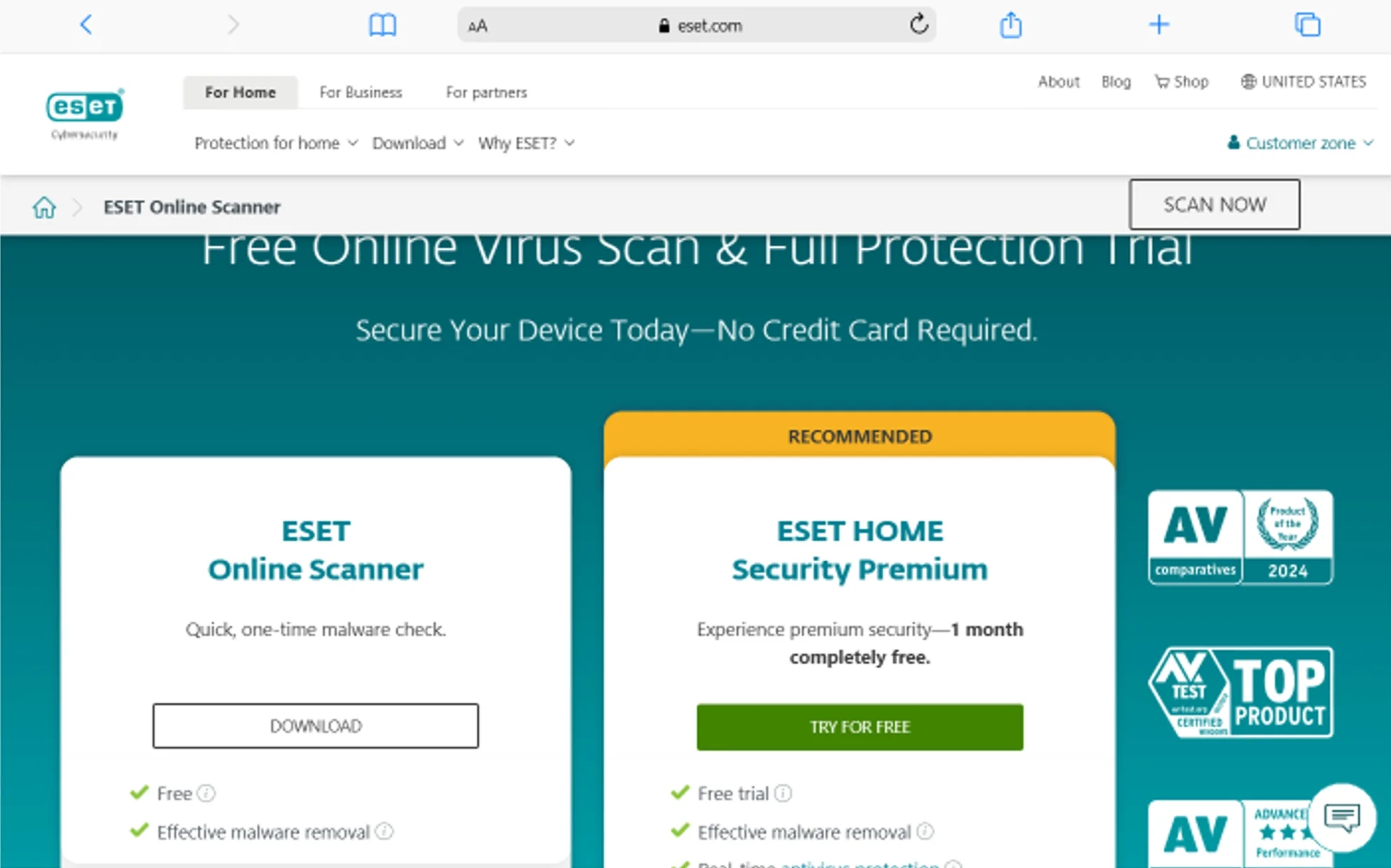
ESET Online Scanner is a free, one-click malware detection and removal tool that uses the same ThreatSense scanning technology found in ESET NOD32 Antivirus and ESET Smart Security. ESET, a Slovakia-based cybersecurity company founded in 1992, has built a reputation for creating lightweight yet powerful detection tools.
This scanner offers a unique periodic scanning feature. After your initial scan, it can automatically perform monthly system checks for free — without requiring a subscription. This makes it more than just a one-time emergency tool.
Here is what ESET Online Scanner delivers:
- ThreatSense Technology: ESET’s proprietary detection system combines signature-based scanning with advanced heuristics and machine learning. It identifies viruses, trojans, spyware, phishing threats, and other internet-borne dangers with high accuracy.
- Automatic Monthly Scans: After your first scan, ESET can schedule regular monthly checks at no cost. This turns a one-time tool into an ongoing second-opinion scanner running alongside your primary antivirus.
- Minimal System Impact: ESET products are famous for being lightweight. The Online Scanner follows this tradition, using very little CPU and RAM during scans. Your computer stays usable while the scan runs.
- Smart Cleaning Options: You choose whether to quarantine, delete, or ignore detected threats. The tool gives you full control over what happens to each flagged item.
Best for: Users who want a recurring second-opinion scanner with minimal setup effort.
Price: Free.
Supported OS: Windows 7, 8, 10, 11
7. HitmanPro
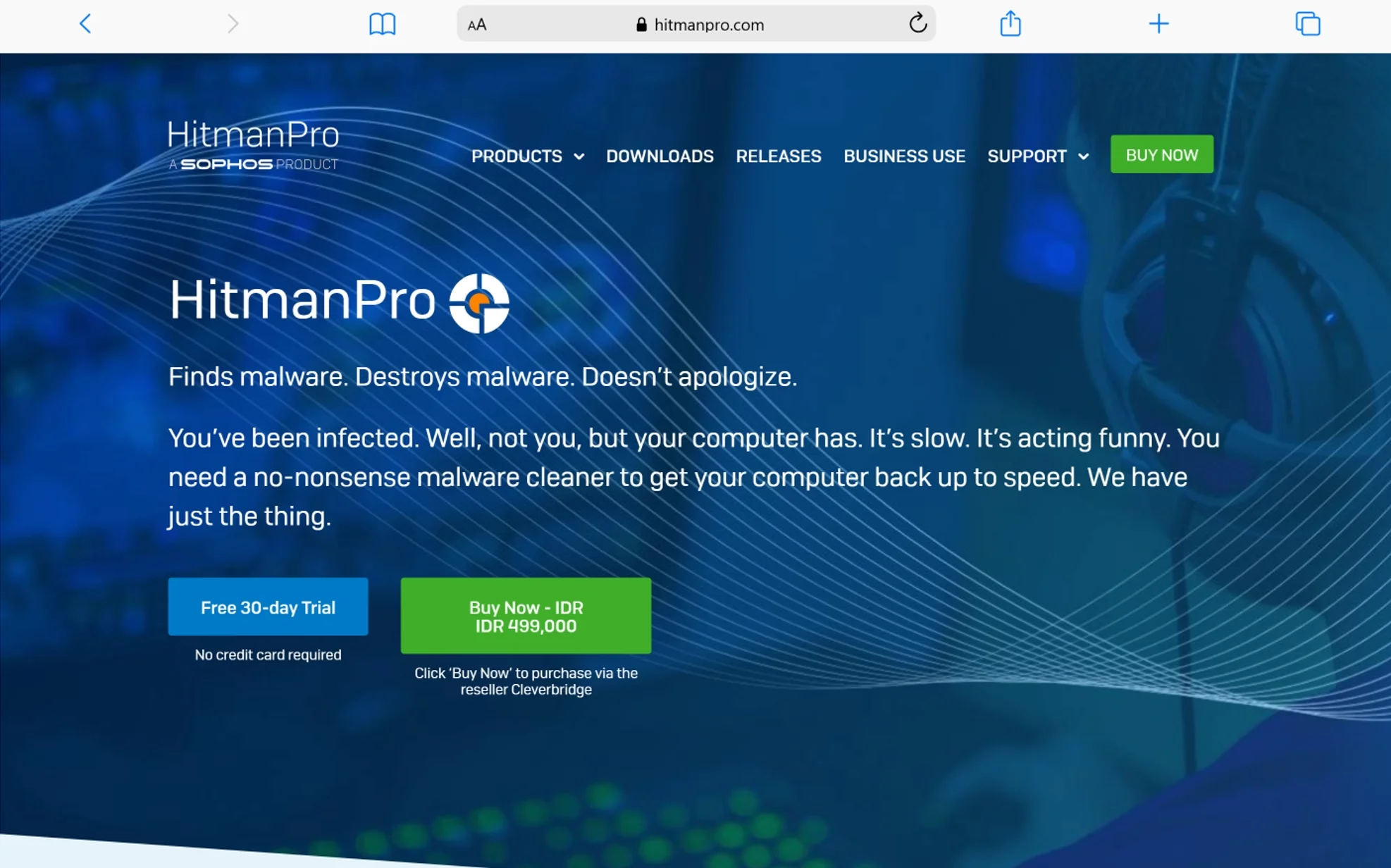
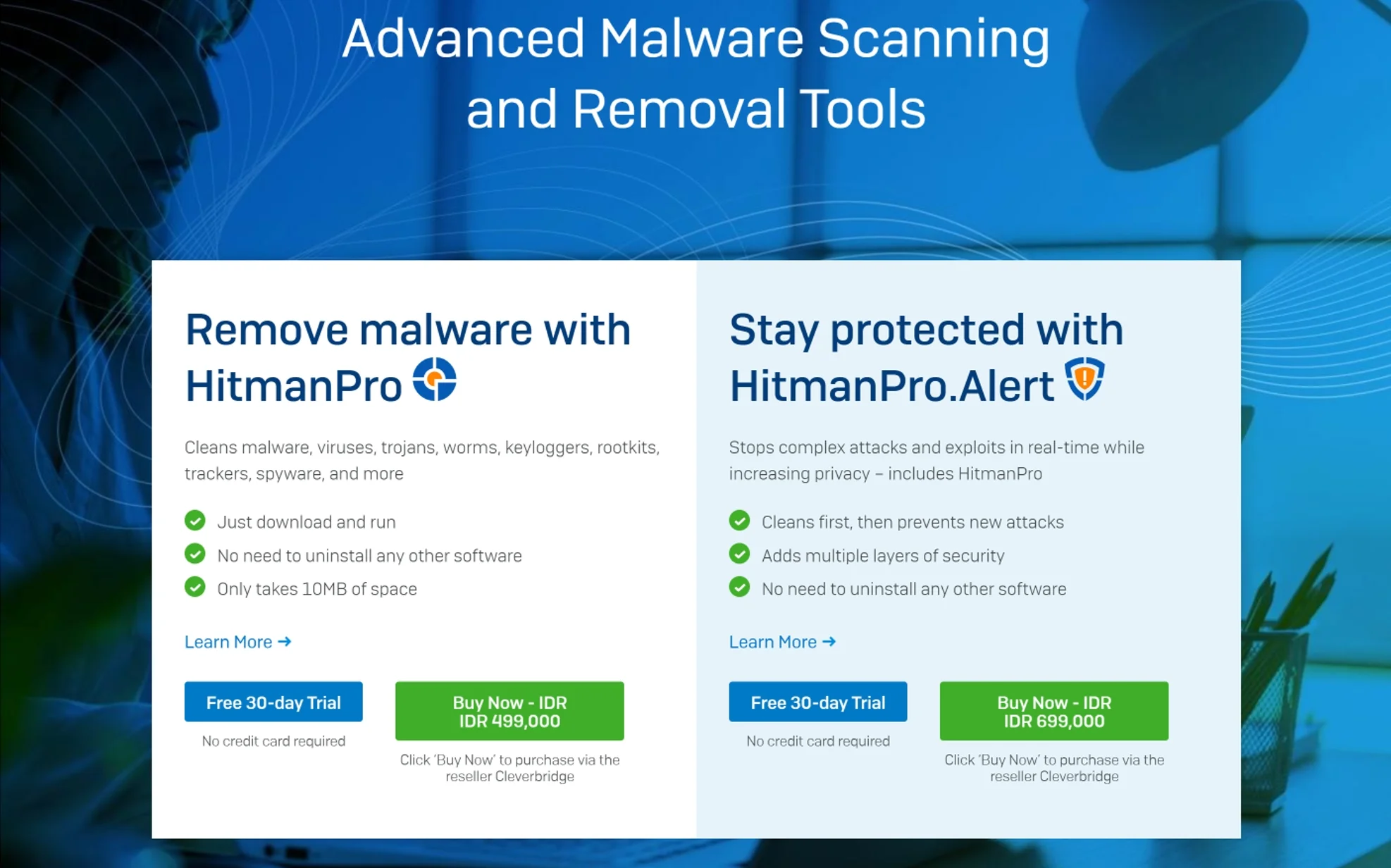
HitmanPro is a portable, cloud-based malware scanner from Sophos that uses multiple antivirus engines simultaneously to detect and remove viruses, trojans, rootkits, spyware, and other threats — all in a file just 12 MB in size. It loads in about two seconds and completes most scans within five minutes.
What makes HitmanPro genuinely different is its multi-engine approach. Instead of relying on a single detection engine, it leverages cloud-based scanning across several engines. This dramatically increases the detection rate compared to any single-engine scanner.
Core features of HitmanPro:
- Multi-Engine Cloud Scanning: HitmanPro queries multiple antivirus engines in the cloud during every scan. This means you benefit from the combined expertise of several security companies in a single, lightweight scan.
- Behavioral Deep Scan: Beyond signature matching, HitmanPro analyzes program behaviors, file structures, and boot-time activities. It catches zero-day threats that have never been cataloged in any virus database.
- Infected Resource Restoration: When malware corrupts Windows system files, HitmanPro replaces them with safe, original versions from its cloud repository. This repair capability goes beyond what most scanners offer.
- Kickstart Feature: HitmanPro.Kickstart creates a bootable USB drive that can bypass ransomware lock screens. If ransomware has locked your desktop entirely, this feature lets you boot the computer and run a scan from outside the infected OS.
Best for: Users facing ransomware, advanced persistent threats, or infections that have resisted multiple other tools.
Price: 30-day free trial. Annual license costs $24.95 per device.
Supported OS: Windows 7, 8, 10, 11
If you are worried about the larger threat landscape, understanding what is a cybersecurity attack helps you prepare before an infection happens.
8. ClamWin Portable
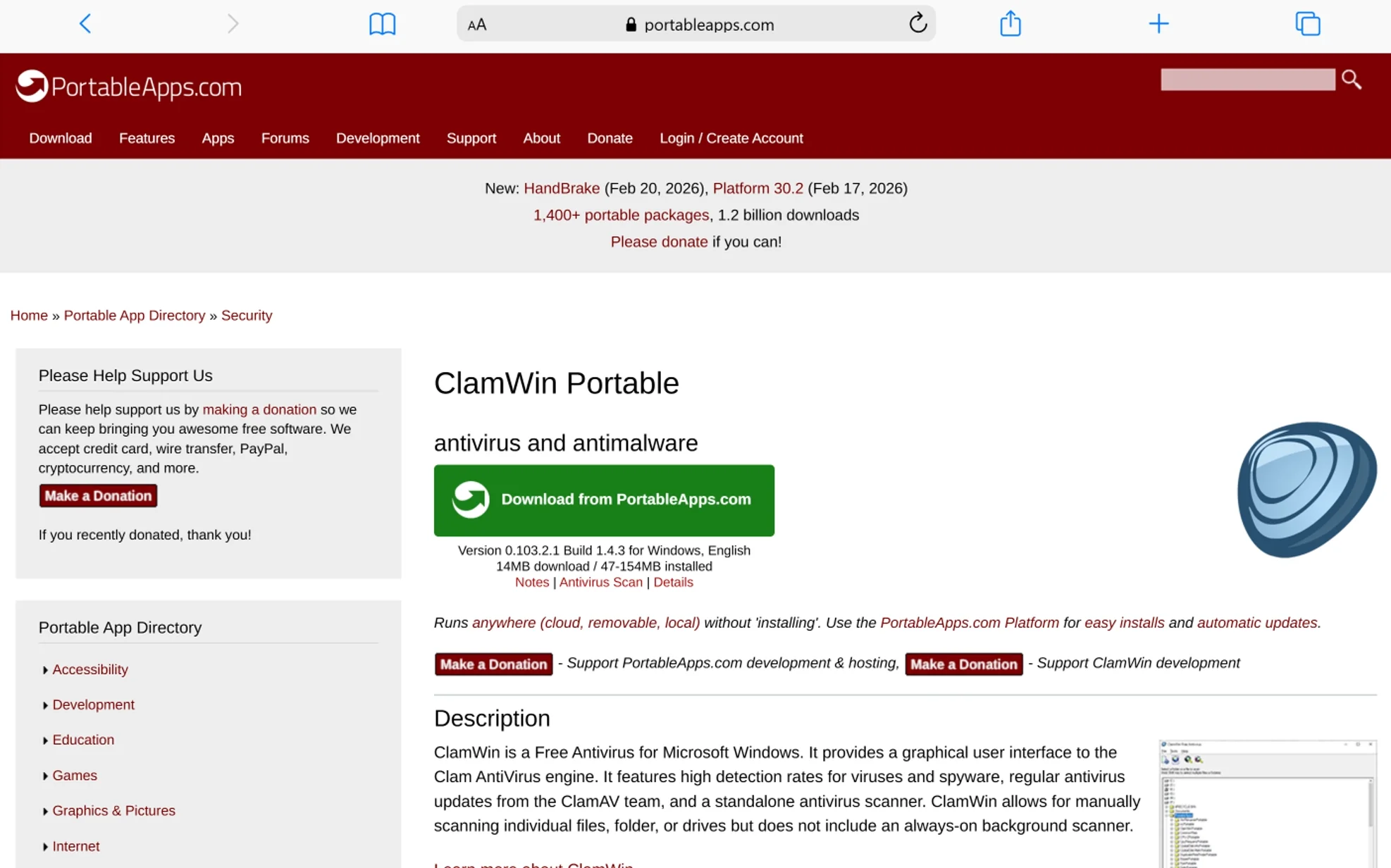
ClamWin Portable is a free, open-source antivirus scanner for Windows that runs directly from a USB drive using the well-respected ClamAV scanning engine. With over 22 million downloads, ClamWin has earned trust in the open-source community for transparency and reliability.
ClamWin is different from every other tool on this list in one key way: it is fully open-source. This means anyone can inspect its source code, verify it contains no hidden trackers, and confirm exactly how it works. For privacy-conscious users, this transparency is invaluable.
Here is what ClamWin Portable offers:
- Open-Source Transparency: The entire codebase is available for public review under the GNU General Public License (GPL). No hidden data collection. No proprietary black boxes. You know exactly what runs on your machine.
- ClamAV Detection Engine: ClamWin uses the ClamAV engine, which powers email gateway security at millions of organizations worldwide. While its desktop detection rates trail behind commercial engines, its strength lies in catching email-borne and macro-based threats.
- Scheduled Scanning: Even as a portable tool, ClamWin supports scan scheduling. You can set it to run at specific times, making it useful as a regular maintenance tool.
- Virus Database Updates: The ClamAV team releases regular signature updates. ClamWin pulls these updates automatically when connected to the internet.
Honest limitation: ClamWin does not include real-time protection or on-access scanning. Its detection rates in independent tests fall below commercial alternatives. It works best as a supplementary tool rather than your sole scanner.
Best for: Privacy-focused users, Linux enthusiasts familiar with ClamAV, and anyone who values open-source software.
Price: Free (open source).
Supported OS: Windows 7, 8, 10, 11
9. Dr.Web CureIt!
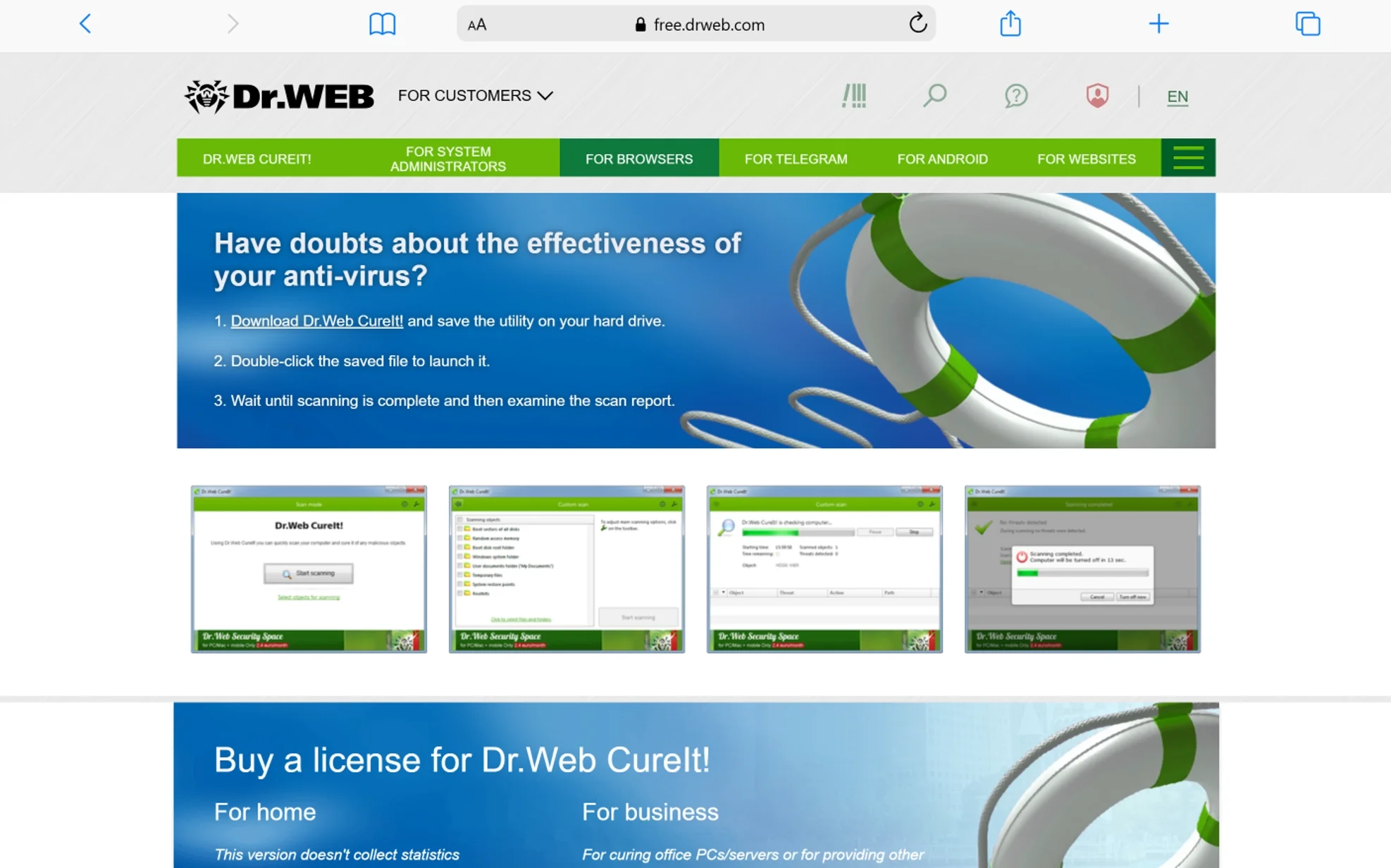
Dr.Web CureIt! is a free, portable antivirus utility from Russian security company Doctor Web that scans and cures infected computers without requiring installation. It has been a trusted emergency scanning tool for over a decade, particularly popular in European and Asian markets.
One unique aspect of Dr.Web CureIt! is its enhanced protection mode. When launched, the tool can lock your computer’s desktop to prevent malware from interfering with the scan. This forces all running malicious processes to stop while the scanner does its work.
Key features of Dr.Web CureIt!:
- Enhanced Protection Mode: This mode restricts all other activity on your computer during the scan. Malware cannot hide, terminate the scan, or interfere with the cleanup. It is the closest thing to a “safe mode scan” without actually rebooting into Safe Mode.
- Comprehensive Threat Coverage: Dr.Web CureIt! detects and neutralizes viruses, rootkits, trojans, spyware, adware, dialers, and other malicious objects. It covers threats that other scanners sometimes overlook, especially those targeting Eastern European banking systems.
- Hourly Database Updates: Doctor Web releases virus definition updates multiple times per hour. Each time you download a fresh copy of CureIt!, you receive the most current database available at that moment.
- No Conflicts with Installed Software: The tool runs completely independently from any antivirus you already have installed. It does not modify your registry or leave background processes running after the scan completes.
Best for: Users who need a thorough deep-clean tool that locks the system during scanning to prevent malware interference.
Price: Free for personal home use. Commercial license available.
Supported OS: Windows XP and later, including Windows 10 and 11
For tips on protecting your computer from malware attacks, prevention is always easier than cleanup.
10. Comodo Cleaning Essentials
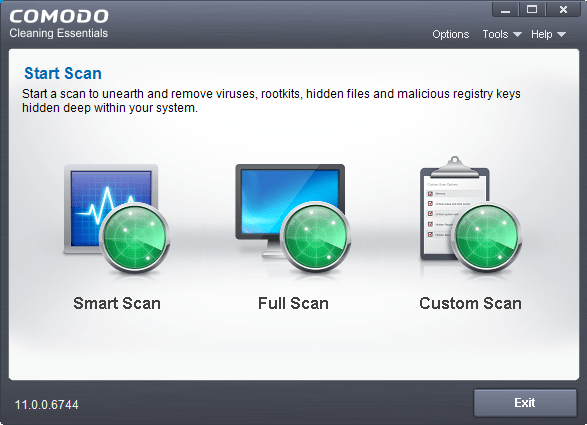
Comodo Cleaning Essentials (CCE) is a free, portable security toolkit designed to identify and remove malware, rootkits, hidden files, and malicious registry keys from infected Windows computers. It is one of the most feature-rich portable antivirus solutions available, going well beyond simple scanning.
What separates CCE from other tools on this list is the KillSwitch feature. KillSwitch is a built-in advanced task manager that lets you instantly identify and stop every untrusted process running on your system with a single click. This is something no other free portable antivirus offers.
Core features of Comodo Cleaning Essentials:
- Full Malware Scanner with Heuristics: The scanner uses advanced heuristic techniques to detect previously unknown viruses. It finds rootkits, hidden files, and malicious registry keys that many competitors miss entirely.
- KillSwitch Process Manager: This unique tool displays every running process on your computer and marks each as trusted or untrusted based on Comodo’s cloud reputation database. You can terminate all untrusted processes with one click — instantly stopping active malware.
- Forensic-Level System Analysis: CCE provides detailed statistics and graphs about internal processes and resource usage. IT professionals use this data to understand exactly how an infection is affecting a system.
- Cloud Integration: Real-time safety verdicts from Comodo’s cloud scanners analyze unknown processes on the fly. If a file has never been seen before, the cloud engine evaluates its safety in seconds.
Best for: IT professionals and advanced users who need deep forensic analysis alongside malware removal.
Price: Free.
Supported OS: Windows 7, 8, 10, 11 (32-bit and 64-bit versions available separately)
How Do These 10 Portable Antivirus Tools Compare Side by Side?
The comparison below highlights pricing, detection methods, offline capability, and ideal use cases for all ten tools. Use this table to quickly identify which scanner fits your specific needs.
| Tool | Price | Detection Method | Offline Capable | Best Use Case |
|---|---|---|---|---|
| Emsisoft Emergency Kit | Free | Dual-engine (Emsisoft + Bitdefender) | Yes | All-around best portable scanner |
| Microsoft Safety Scanner | Free | Microsoft Defender engine | Yes (10-day limit) | Trusted Microsoft-backed second opinion |
| Kaspersky Virus Removal Tool | Free | Kaspersky engine + cloud | Partial | Highest detection rate (non-US) |
| Norton Power Eraser | Free | Norton Insight + heuristics | No | Deeply rooted crimeware removal |
| Sophos Scan & Clean | Free | Cloud behavioral scanning | No | Enterprise-grade cloud detection |
| ESET Online Scanner | Free | ThreatSense technology | No | Recurring monthly second-opinion scans |
| HitmanPro | $24.95/yr | Multi-engine cloud | No | Ransomware and advanced threats |
| ClamWin Portable | Free | ClamAV (open source) | Yes | Privacy-focused open-source scanning |
| Dr.Web CureIt! | Free | Dr.Web engine | Yes | Locked-mode deep system cleaning |
| Comodo Cleaning Essentials | Free | Heuristics + cloud | Partial | Forensic analysis with KillSwitch |
If you are managing your computer’s health beyond just antivirus, tools for finding duplicate files on your PC and free PC cleaner software for Windows can help keep your system fast and organized.
Which Portable Antivirus Works Best Without an Internet Connection?
Emsisoft Emergency Kit, ClamWin Portable, and Dr.Web CureIt! work best without an internet connection because they store complete virus definition databases locally. This makes them ideal for scanning air-gapped machines, isolated networks, or computers where malware has disabled internet access.
Emsisoft Emergency Kit leads this category. Its local database includes millions of malware signatures from both the Emsisoft and Bitdefender engines. You update the definitions on a clean computer, copy everything to your USB drive, and then scan any offline machine with confidence.
Dr.Web CureIt! follows closely. Each download includes a complete snapshot of the Dr.Web virus database at that moment. Since Doctor Web updates definitions multiple times per hour, a freshly downloaded copy gives you very current protection — even when used offline moments later.
ClamWin Portable also stores its ClamAV definitions locally. However, its database is smaller and updated less frequently than commercial alternatives. It works offline but offers lower detection rates in that mode.
Tools like Norton Power Eraser, Sophos Scan & Clean, and HitmanPro depend heavily on cloud connectivity. Without the internet, their detection capability drops significantly. Keep this in mind when preparing your emergency USB toolkit.
How Should You Create a Portable Antivirus USB Drive?
Creating a portable antivirus USB drive takes about 10 minutes and requires a clean computer, a USB flash drive with at least 2 GB of space, and internet access to download the tools. Here is the step-by-step process.
- Start with a clean computer: Never create your emergency USB on an infected machine. The malware could embed itself in the tools you are saving, making the USB dangerous rather than helpful.
- Format your USB drive: Right-click the USB drive in File Explorer, select “Format,” choose FAT32 or NTFS file system, and click Start. This removes any existing data and ensures a clean starting point.
- Download multiple portable scanners: Do not rely on a single tool. Download at least two or three scanners from this list — for example, Emsisoft Emergency Kit for offline scanning and Sophos Scan & Clean for cloud-powered detection. Store them all on the same USB drive in separate folders.
- Update virus definitions before unplugging: Launch each tool from the USB drive while still connected to the internet. Let them update their definitions. Then safely eject the drive. Your USB is now ready for emergency use.
- Re-update monthly: Virus definitions become outdated fast. At minimum, connect your emergency USB to a clean computer once a month and update all the scanners. Microsoft Safety Scanner requires a fresh download every 10 days.
For optimal performance of the computer you use to prepare your USB, check these tips on how to increase your internet speed — faster downloads mean faster preparation.
What Is the Difference Between Portable Antivirus and Bootable Antivirus?
Portable antivirus runs inside your existing Windows session, while bootable antivirus boots your computer into a separate operating system (usually Linux) from a USB drive before Windows loads. Both serve different purposes, and understanding the difference helps you choose the right approach.
A portable antivirus works within Windows. You launch it like any other program. It scans files, memory, and registry entries while Windows runs normally. This approach is fast and convenient for most infections. However, advanced malware like rootkits and bootkits can hide from scanners that run inside Windows because they load before the operating system fully starts.
Bootable antivirus tools — such as Kaspersky Rescue Disk — bypass Windows entirely. They boot the computer into a minimal Linux environment, then scan the Windows partition from the outside. Because the malware never gets a chance to activate, it cannot hide. This makes bootable tools more effective against deeply embedded rootkits.
| Feature | Portable Antivirus | Bootable Antivirus |
|---|---|---|
| Runs Inside Windows | Yes | No |
| Requires Restart | No | Yes |
| Detects Rootkits | Limited | Excellent |
| Ease of Use | Very easy | Moderate (requires BIOS/USB boot setup) |
| Speed | Fast | Slower |
| Best Situation | General malware, second opinions | Severe rootkit or bootkit infections |
For most everyday infections, a portable antivirus is your best first step. If the portable scan finds nothing but your computer still behaves strangely, escalate to a bootable antivirus for deeper investigation.
How Can You Protect Your Computer from Malware Before It Happens?
The best protection combines a quality installed antivirus, regular portable scans, updated software, and smart browsing habits. Prevention always costs less time and stress than cleanup.
Here are actionable steps you can take right now:
- Keep Windows updated: Microsoft releases security patches monthly. These patches close vulnerabilities that malware exploits. Enable automatic updates in your Windows Settings to stay protected.
- Use a reputable installed antivirus: Windows Defender (built into Windows 10 and 11) provides solid baseline protection. If you want additional features, Bitdefender and Norton consistently earn top marks in independent testing.
- Run a portable scan monthly: Download a fresh copy of Microsoft Safety Scanner or run Emsisoft Emergency Kit once a month. This second-opinion scan catches threats your primary antivirus might have missed.
- Avoid suspicious downloads: Never download software from unknown websites. Stick to official sources and verified app stores. Pirated software is one of the most common malware delivery methods.
- Use a VPN on public Wi-Fi: Public networks expose your traffic to eavesdropping. A VPN encrypts your connection and reduces the risk of man-in-the-middle attacks. Learn more about [why you need a VPN on your phone](https://keyanalyzer.com/why-do-you-need-a-vpn-on-your-phone/).
- Back up your data: Ransomware becomes powerless when you have recent backups stored offline or in the cloud. Even if an infection destroys your files, you can restore everything from backup without paying a ransom.
Understanding how to protect your data online gives you a broader framework for staying safe in a world where threats evolve daily. And if you rely on email for work or personal communication, learning to protect yourself from phishing emails blocks one of the most common attack vectors.
Conclusion
Portable antivirus software is one of those tools you hope you never need, but when you do, nothing else can replace it. Whether your primary antivirus has been disabled by malware, you are servicing a friend’s infected laptop, or you simply want a second opinion on your system’s health, these ten tools cover every scenario.
Emsisoft Emergency Kit stands out as the most well-rounded option thanks to its dual-engine scanning, full offline capability, and free pricing. Microsoft Safety Scanner gives you the trust and reliability of Microsoft’s own detection engine. For aggressive cleanup of stubborn threats, Norton Power Eraser and Sophos Scan & Clean bring enterprise-level power. And if privacy matters most to you, ClamWin Portable offers full open-source transparency.
My recommendation: download at least two or three of these tools onto a USB drive today — before you actually need them. Update the virus definitions monthly. Store the drive somewhere safe. When an emergency hits, you will be ready.
Start building your portable antivirus toolkit now. Visit the official download pages linked above, pick the tools that match your needs, and take control of your computer’s security.
You May Also Like
 Network Security
How to Transfer Files Between Two Laptops Over Wi-Fi: What Actually Works
 Data Security & Privacy
Beyond the Perimeter: The Architecture of Production-Grade Data Security (2026)
 Computer Security
Is ssyoutube.com Safe to Download YouTube Videos?
 Cyber Security
How to Check if a Website Is Safe: 10 Proven Ways to Spot Scam Sites Before You Click
 Cyber Security
What is Ransomware? Guide to Preventing Cyber Attacks
 Computer Security
10 Best Free Virus And Malware Removal Softwares
 Online Services
Is Softonic Safe And Free of Malware and Viruses?
 Computer Security
Why You Should Use a VPN When Torrenting? The risks of torrenting without VPN
 Cyber Security