ServiceTitan pricing is custom, not public. If you want the short answer, that is it. You will not find a simple monthly price on the main pricing page. Instead, ServiceTitan uses a per-technician pricing model and asks you to request a quote based on your team size, plan, and feature needs.
That matters because when you search how much does ServiceTitan cost, how much is Service Titan, ServiceTitan cost, or Service Titan price, you are usually trying to solve one problem: Can your business afford it, and will it pay off? That is the real question. You are not only buying software. You are buying scheduling, dispatching, invoicing, reporting, memberships, payroll tools, mobile estimates, and workflow control in one system.
If you run an HVAC, plumbing, electrical, garage door, chimney sweep, septic, irrigation, or water treatment business, this can feel a little frustrating at first. You want a number. Instead, you get packages, features, and a demo request. So this article gives you the practical answer. You will learn what ServiceTitan includes, what affects the quote, where businesses overspend, and how to decide if it fits your shop.
What is ServiceTitan pricing?
ServiceTitan pricing is a quote-based software model built around per-technician plans. It is not a flat public subscription like many small business tools. You do not just click a plan, enter a card, and start using it the same day.
ServiceTitan shows three main package levels:
- Starter
- Essentials
- The Works
Each plan gives you a different level of access to field service management features. The deeper you go, the more tools you get for operations, reporting, payroll, memberships, and sales performance.
So when you ask, how much is ServiceTitan? the most accurate answer is this:
It depends on your technician count, your plan, your business size, and the add-ons you choose.
That may sound vague, but it is the truth. And if you have ever priced business software for your shop, you already know this happens a lot when the platform is built for growing contractors instead of solo operators.
Why is ServiceTitan pricing not public?
ServiceTitan pricing is not public because the platform is sold based on business needs, not one fixed package for everyone. A shop with 4 technicians does not use the platform the same way as a company with 40 technicians, a call center, a sales team, and a construction division.
That difference changes the value of the software. It also changes the quote.
Here is why the price is usually customized:
- Your technician count changes the cost
- Your plan level changes the cost
- Your feature set changes the cost
- Your reporting and payroll needs change the cost
- Your add-ons change the cost
- Your onboarding needs change the cost
In plain terms, ServiceTitan is selling a business operating system, not just a scheduling app.
If your business only needs calendar scheduling and invoice sending, a custom quote can feel heavy. But if your team needs dispatching, call booking, pricebook management, memberships, job costing, customer tracking, mobile estimates, and advanced reporting, then the quote-based model starts to make more sense.
What plans does ServiceTitan offer?
ServiceTitan offers three main plans: Starter, Essentials, and The Works. These plans are built in layers. The base plan covers the core workflow. The higher plans add more control, more automation, and more visibility.
Here is a clear view of the plan structure.
| Plan | Best fit for | Main visible features |
|---|---|---|
| Starter | Small to growing service teams that need the basics | Dispatching, Scheduling, Call Booking, Invoicing, Pricebook |
| Essentials | Teams that want stronger field and office control | Everything in Starter, plus Mobile Estimates and Payroll Management |
| The Works | Businesses that want deeper growth tools and reporting | Everything in Essentials, plus Configurable Payroll, Advanced Reporting, Commission Tracking, and Customizable Memberships |
This table is useful because it shows how the ServiceTitan price is tied to what your team actually needs.
If you only need basic workflows, Starter may be enough.
If your technicians build quotes in the field and your office needs stronger payroll tools, Essentials may be the better fit.
If you want growth tracking, sales visibility, membership management, and stronger reporting, The Works is the more likely path.
What does the Starter plan actually do for your business?
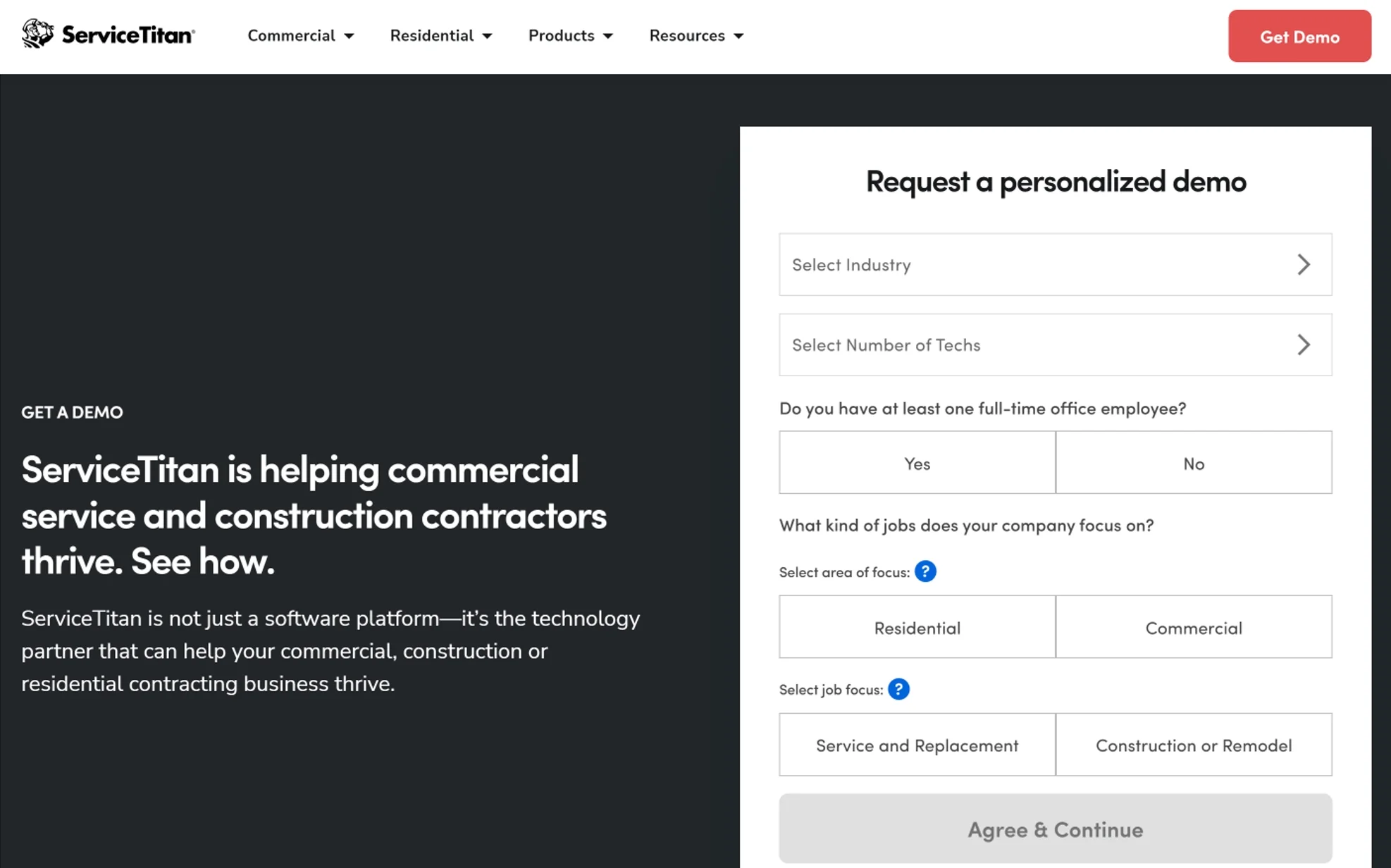
The Starter plan handles the core service workflow. It gives you the main tools many contractors need every day.
That includes:
- Dispatching
- Scheduling
- Call booking
- Invoicing
- Pricebook
This matters because your office and field team need one clean process. A customer calls. Your team books the job. A technician gets dispatched. The job gets completed. An invoice gets created. A pricebook keeps service pricing organized.
That is the operational backbone of a field service business.
If your shop is still using a mix of paper notes, spreadsheets, text messages, and separate invoicing tools, even the base structure can feel like a major step up. It brings order to work that often feels scattered.
The key question is not only whether Starter works. It is whether Starter gives enough of what your team needs after 60 or 90 days.
That is where many businesses learn a hard lesson. They buy for today, but their workflow problems show up tomorrow.
What does the Essentials plan change?
The Essentials plan adds more field selling and payroll control. That is a meaningful jump for service businesses trying to tighten operations.
The visible additions include:
- Mobile Estimates
- Payroll Management
Mobile estimates matter because your technicians are often the face of your business. If they can build clear estimates in the field, your close rate can improve. It also helps reduce delays between inspection, approval, and job execution.
Payroll management matters because labor is one of the biggest cost centers in your shop. If your office is still piecing together hours, commissions, and payroll details across disconnected tools, the process can become messy fast.
So if you are asking how much does ServiceTitan cost per month, the better follow-up question is this:
How much time and error does your business lose without these tools?
That is where the value starts to show up. The quote may look larger than a simple app. But the real comparison is not app versus app. It is manual process versus managed workflow.
What does The Works plan give you?
The Works gives you the broadest visible feature set in the main package lineup. It is built for companies that want more control over performance, pay structure, recurring revenue, and business visibility.
The visible added features include:
- Configurable Payroll
- Advanced Reporting
- Commission Tracking
- Customizable Memberships
This is where ServiceTitan starts to look less like a basic contractor app and more like a management platform.
Advanced reporting helps you see what is happening in your business. Not just revenue. You can focus on close rates, team performance, booking quality, service trends, and other key metrics that matter when your company grows.
Commission tracking helps when you have sales-driven workflows. If technicians or comfort advisors earn commission, you need a process that is clear, trackable, and less prone to conflict.
Customizable memberships matter because recurring revenue creates stability. Service businesses often have busy months and slow months. Membership programs can help smooth that out.
If you want growth tools, not just office tools, The Works is the plan that speaks to that need.
What features can raise your ServiceTitan cost?
The biggest cost drivers are team size, plan level, and added products. That is the short answer.
But in practice, here is what usually pushes the quote higher:
Core pricing drivers
- Number of technicians
- Starter, Essentials, or The Works
- Field estimate needs
- Payroll setup needs
- Reporting depth
- Commission workflows
- Membership workflows
Operational complexity drivers
- Multiple locations
- Residential and commercial divisions
- Construction workflows
- Inventory and purchase order processes
- Accounting integrations
- Custom reporting needs
Growth and automation drivers
- Marketing tools
- Call tracking tools
- Customer communication tools
- AI-powered workflow tools
- Pro Products
- Open API or integration needs
This matters because some businesses focus only on the starting software line item. That is not enough. You need to look at the whole setup.
If your business is simple, your quote is likely simpler.
If your business is layered, with service agreements, estimates, memberships, dispatch boards, payroll rules, phone workflows, and reporting needs, the quote will reflect that.
What are ServiceTitan Pro Products, and do they affect pricing?
Yes, Pro Products can affect your total ServiceTitan cost because they expand the platform beyond the main package. They are positioned as add-on products and automation tools.
Some of the Pro Products mentioned by ServiceTitan include:
- Marketing Pro
- Contact Center Pro
- Field Pro
- Dispatch Pro
- Scheduling Pro
- Fleet Pro
- Phones Pro
- Pricebook Pro
These tools matter because they solve different business problems.
For example:
- Marketing Pro helps target customer groups and measure campaign return
- Phones Pro supports call handling and booking efficiency
- Pricebook Pro supports pricing workflows
- Dispatch Pro and Scheduling Pro support operational efficiency
- Fleet Pro supports vehicle and fleet visibility
This is where many owners need to slow down and think clearly.
It is easy to hear “all-in-one” and assume everything is already included. But software platforms often have a base package plus add-ons. That is not unusual. It just means your ServiceTitan cost may grow after you add the tools that solve your real pain points.
What business types is ServiceTitan built for?
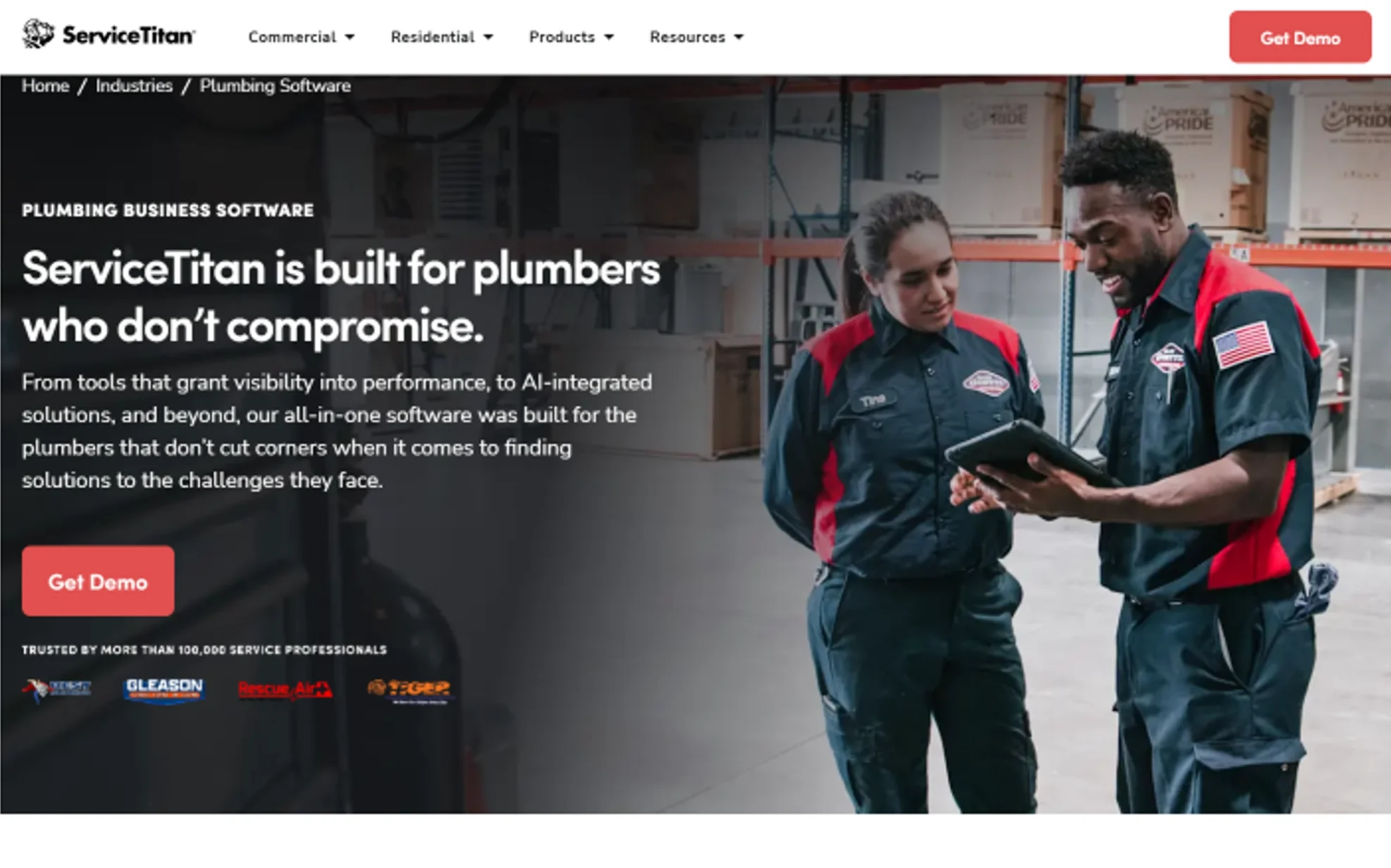
ServiceTitan is built for trade and field service businesses, especially established companies that want stronger operational control.
It is commonly used in businesses like:
- HVAC
- Plumbing
- Electrical
- Water treatment
- Garage door
- Irrigation
- Commercial septic
- Audio/visual
- Locksmith
- Chimney sweep
- Construction-related trades
This matters for pricing because software fit matters as much as price. A platform can look expensive if your business will only use 20% of it. The same platform can look reasonable if your team uses 80% of it every day.
That is why many small teams hesitate. They are not only asking, Can I pay for this? They are also asking, Will I actually use this much software?
That is a smart question.
Is ServiceTitan too expensive for small businesses?
Sometimes yes, sometimes no. It depends on your size, your process, and your growth plan.
If you are a very small shop, the quote may feel high compared with lightweight tools. That feeling is real. And it is often the first objection owners have when they see custom-quoted field service software.
But price alone is not the full picture.
Ask yourself these questions:
- Are you losing jobs because booking is weak?
- Are dispatch mistakes costing you time?
- Are invoices slow or inconsistent?
- Are estimates hard to build in the field?
- Are memberships unmanaged?
- Are you guessing instead of reporting?
- Are payroll and commission calculations creating friction?
If your answer is yes to several of those, then cheap software can become expensive in a different way. It costs you in delay, missed calls, missed upsells, poor tracking, and office confusion.
Still, not every business needs a platform this deep.
If you have a very small team, simple workflow, and low admin load, you may not need the full system yet. In that case, the problem is not that ServiceTitan is bad. The problem is that it may be more system than your business needs right now.
What hidden costs should you think about before buying?
The most common hidden cost is not the software line item. It is everything around the rollout.
When owners ask how much is ServiceTitan, they often focus only on the subscription quote. That is understandable. But implementation has its own cost in time, labor, and change management.
Here are the areas you should think about:
1. Setup time
You need time to set up:
- Pricebooks
- User roles
- Dispatch flow
- Membership structure
- Reporting views
- Payroll rules
- Customer records
If your data is messy now, setup takes longer.
2. Team training
Your office staff and technicians need to learn the system. If they do not, the software will not feel valuable. It will feel heavy.
Training is not a side task. It is part of the investment.
3. Process change
The software may expose weak habits in your business.
That can include:
- Poor call intake
- Weak estimate structure
- Inconsistent pricing
- Missing follow-up steps
- Unclear ownership between office and field
That can feel uncomfortable. But it is also where the improvement happens.
4. Add-ons
A base plan is one thing. A full operating stack is another. If your team later adds marketing tools, phone tools, reporting tools, or Pro Products, your total spend can change.
5. Internal time cost
Even a good rollout takes manager time. Someone has to own the system, answer team questions, clean up process issues, and keep adoption moving.
This is the part many buyers underestimate.
How can you tell if ServiceTitan is worth the price?
ServiceTitan is worth the price when your business uses the platform to fix real workflow problems and improve measurable outcomes.
Do not judge it by the subscription line alone. Judge it by what changes after adoption.
Look at these areas:
- Call booking quality
- Dispatch speed
- Invoice speed
- Estimate approval rate
- Membership sales
- Technician productivity
- Revenue per job
- Reporting accuracy
- Office workload
- Customer communication
If the system helps improve those, then the quote may be justified.
If your team buys it and only uses it for scheduling and invoices, then the value can fall short fast.
That is why good buyers do not ask only, What does it cost?
They also ask:
- What problem will it fix first?
- Which team will use it most?
- What process gets easier?
- What metric should improve in 90 days?
- What metric should improve in 6 months?
That is how you judge software like this in a real business setting.
What should you ask before you request ServiceTitan pricing?
You should ask practical cost and workflow questions before you agree to anything. That keeps the conversation grounded in your business, not only in a sales presentation.
Here is a useful checklist.
Ask about pricing structure
- Is pricing billed per technician?
- What plan fits your current team size?
- What is included in Starter, Essentials, and The Works?
- Which tools cost extra?
- Which Pro Products are separate?
Ask about onboarding
- What setup help do you get?
- How long does onboarding usually take?
- What training is included?
- Who owns the rollout on your side?
Ask about feature fit
- Do you need payroll management now?
- Do you need advanced reporting now?
- Do you need memberships now?
- Do you need call tracking now?
- Do you need construction workflows now?
Ask about growth
- Can the plan grow with more technicians?
- How does pricing change as your team grows?
- Can you add features later without reworking the whole system?
These questions help because they turn the pricing talk into a business decision, not a guessing game.
How should you estimate your real ServiceTitan budget?
You should estimate your real ServiceTitan budget by looking at software cost, setup effort, team training, and future add-ons together.
Use this simple framework.
Step 1: Define your current size
List:
- Number of technicians
- Number of office staff
- Number of locations
- Residential only or residential plus commercial
- Construction division or not
Step 2: Define your must-have tools
Separate needs into two groups.
Need now:
- Scheduling
- Dispatching
- Call booking
- Invoicing
- Pricebook
Need soon:
- Mobile estimates
- Payroll
- Advanced reporting
- Commission tracking
- Memberships
- Marketing
- Phone tools
Step 3: Define your pain points
Write down the top three issues hurting your business now.
Examples:
- Missed calls
- Dispatch confusion
- Slow invoicing
- Weak follow-up
- Poor price consistency
- No visibility into technician performance
Step 4: Estimate adoption effort
Ask:
- Who will lead setup?
- Who will train the team?
- Who will manage reporting?
- Who will own process updates?
Step 5: Think in total operating value
Do not stop at monthly spend. Ask what your business gains if it improves:
- Job booking
- Average ticket
- Close rate
- Membership retention
- Reporting accuracy
- Time saved in the office
That gives you a more honest budget view.
What are the pros and cons of ServiceTitan pricing?
The biggest strength of ServiceTitan pricing is that it can match a growing business. The biggest weakness is that the cost is not simple upfront.
Here is a balanced view.
Pros
- It scales with business size
- It aligns pricing with feature depth
- It supports trade-specific workflows
- It can replace multiple separate tools
- It offers room for growth
Cons
- There is no public flat monthly rate
- The buying process is slower
- Small teams may find it expensive
- Add-ons can increase total spend
- The full cost is easier to see after a detailed quote
That mix is why ServiceTitan creates strong reactions. Businesses that need structure often see the value. Businesses that want a light, simple tool may feel the platform is too deep or too costly.
Both reactions can be reasonable.
FAQ About ServiceTitan Pricing
Is ServiceTitan pricing public?
No. ServiceTitan does not show a public flat monthly price on the main pricing page. It uses a custom quote model and asks you to request pricing based on your business needs.
Does ServiceTitan charge per technician?
Yes. ServiceTitan states that its pricing is designed on a per-technician basis. That means the number of technicians in your business can affect the quote.
Does ServiceTitan have different plans?
Yes. ServiceTitan shows three main packages: Starter, Essentials, and The Works. Each package includes a different level of features.
Can add-ons increase your ServiceTitan cost?
Yes. ServiceTitan offers Pro Products and other advanced tools that can expand what the platform does for your business. If you add those, your total spend can increase.
Is ServiceTitan built for HVAC, plumbing, and electrical companies?
Yes. ServiceTitan is positioned for trade businesses such as HVAC, plumbing, electrical, water treatment, and other residential or commercial service companies.
Is ServiceTitan a good fit for very small businesses?
No, not always. It can work for smaller companies, but it often fits best when your business already has enough team size, admin load, and workflow complexity to use a broad system well.
Does ServiceTitan include invoicing and scheduling?
Yes. Even the visible base plan features include scheduling, dispatching, call booking, invoicing, and pricebook tools.
Can ServiceTitan help with memberships and recurring revenue?
Yes. The higher plan structure includes customizable memberships, which can support service agreements and recurring customer relationships.
Should you judge ServiceTitan only by monthly price?
No. The better way to judge it is by total business impact. You need to look at time saved, workflow control, revenue support, reporting visibility, and process improvement.
Conclusion: Should you worry more about ServiceTitan price or ServiceTitan fit?
You should worry more about ServiceTitan fit than the first number you want to see. The platform does not give you a clean public price because it is not selling a one-size-fits-all app. It is selling a system for running field service operations with more control.
That means the real question is not only how much does ServiceTitan cost. The better question is this: What does your business need the software to fix?
If your shop needs stronger dispatching, scheduling, call booking, pricebook control, mobile estimates, payroll support, reporting, commission tracking, and memberships, then ServiceTitan may match your needs well. If your business is still very small and simple, the system may feel larger than what you need right now.
That is why the smartest buying move is simple. Be clear about your workflow, your team size, your pain points, and your growth plan. When you do that, the ServiceTitan pricing conversation becomes easier to understand. And more important, it becomes useful for your business instead of confusing.
You May Also Like
 Best Software
Top 10 Free & Open Source Inventory Management Software in 2026
 Best Software
10 Best Inventory Control Software for Small Business in 2026
 Best Software
12 Best AI Chatbot Software To Increase Your Conversions In 2026
 Best Software
23 Best Free Avatar Creator Sites Online To Create Your Own Avatars
 SaaS
SaaS11 Best VoIP Call Center Solutions for Small Business 2026 (Comparison Guide)
 Best Software
6 Best Software to Record Mouse and Keyboard Actions and Automate Repetitive Tasks
 Best Software
Jira vs Hive: Which Project Management Tool is Right for Your Team?
 Best Software
8 Best Free Registry Cleaners Tools to Clean Junk and Registry on Windows PC
 Best Software


