AddROM is a free, web-based FRP bypass tool that provides downloadable APK files to help Android users remove the Factory Reset Protection lock from their devices after a factory reset.
Let me be straight with you. If you’ve ever done a factory reset on your Android phone and then stared at a Google account verification screen you couldn’t get past — you know exactly how maddening that situation is. You own the phone. You reset it yourself. Yet the device treats you like a stranger.
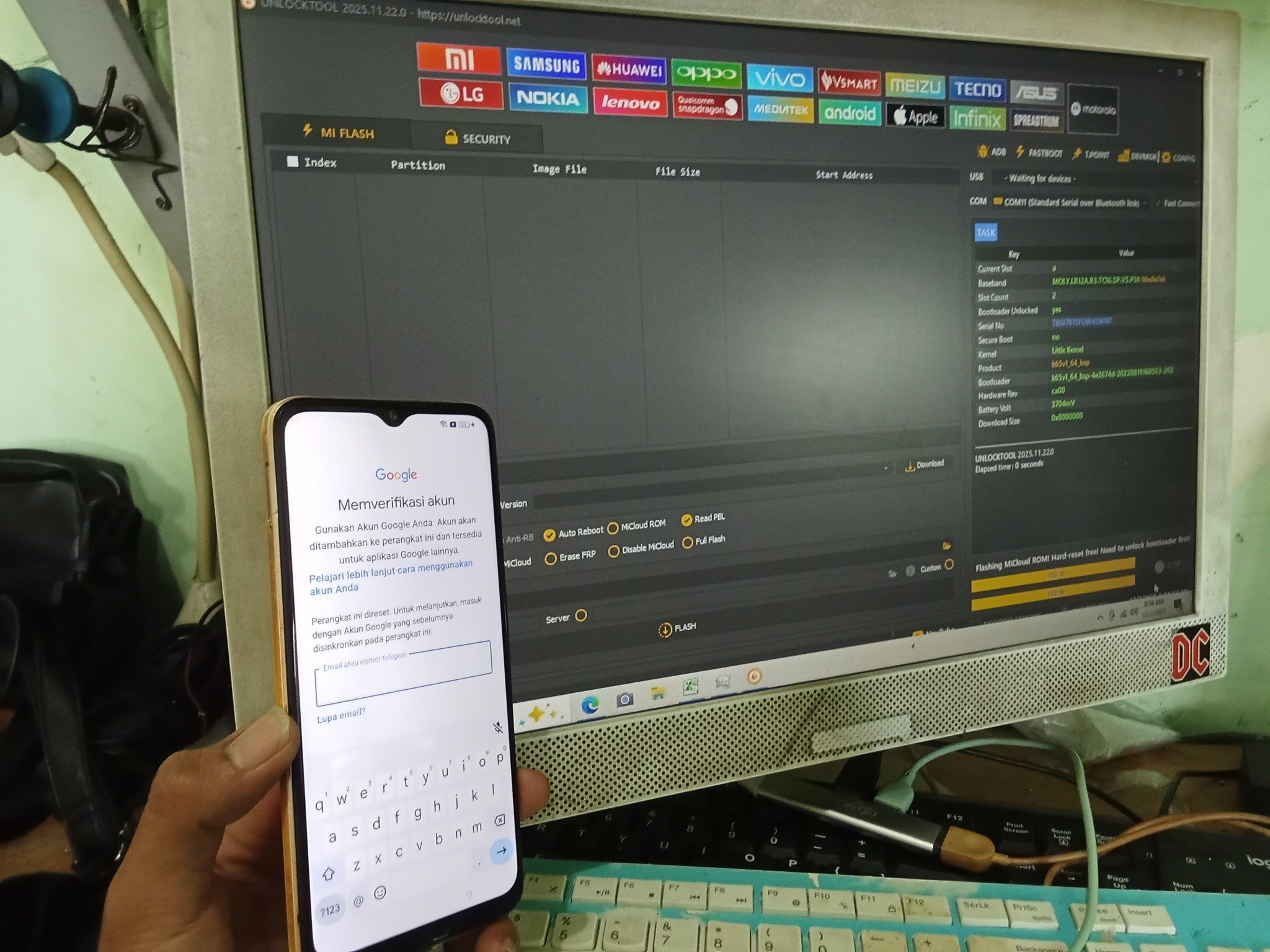
That lock screen you’re stuck on is called Factory Reset Protection, or FRP. Google introduced FRP in Android 5.1 Lollipop back in 2015, and it has been a core Android security feature ever since. Its job is simple: after any factory reset, the device demands you sign in with the Google account that was previously linked to it. This is meant to stop thieves from wiping a stolen phone and reselling it. In theory, it’s brilliant. In practice, when you forget your own credentials or buy a second-hand device that wasn’t properly cleared by the previous owner, it becomes your personal nightmare.
This is the exact problem AddROM was built to solve. It’s a name that shows up constantly in Android forums, YouTube tutorials, and tech support threads. Users from the US, UK, India, and all over the world have tried it. But here’s what most of those tutorials fail to address — is AddROM actually safe to use on your Android device, and what are the real risks involved? That’s what this guide is all about.
I’ve researched AddROM thoroughly. I’ve gone through user reviews, studied the technical process, analyzed the security implications, and compared it with available alternatives so that you can make an informed decision. Let’s break it all down, step by step.
What Is AddROM? Understanding the Tool Before You Use It
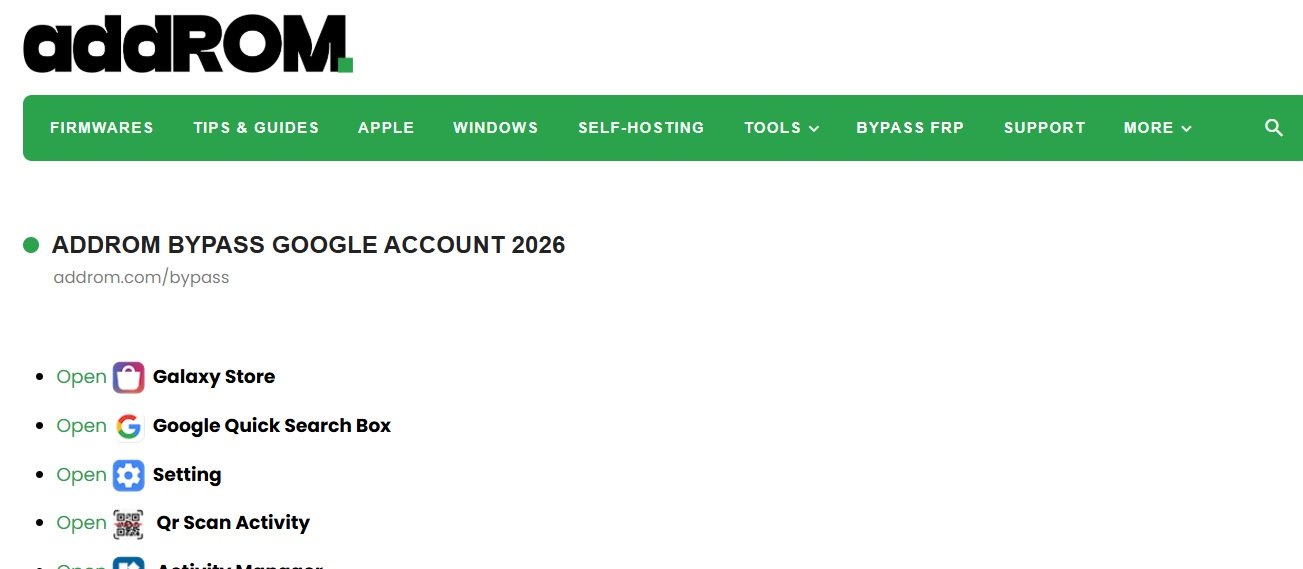
AddROM is a website — addrom.com — that hosts firmware files, Android ROMs, tech guides, and most famously, a collection of FRP bypass APK files for various Android versions and device brands.
The “bypass” section of the website is what draws millions of visitors. It provides free APK downloads, including the HushSMS APK, Google Account Manager APK, and dedicated FRP bypass APKs that work together to unlock a Google-locked Android device.
What makes AddROM stand out from many other bypass tools is that it is designed to work without a PC or laptop. You use a second Android phone to push a special WAP PUSH SMS message to the locked device. This opens a loophole in the phone’s browser, allowing you to download and install the bypass APK files directly on the locked phone. Once installed, you sign into a Google account using the bypass app’s browser — and you’re back in.
Here’s the key thing to understand about which Android versions AddROM supports:
- Android 5.0 Lollipop — Released October 2015. This was the first version to include FRP, and AddROM was built with this generation in mind. The bypass process works most reliably here.
- Android 6.0 Marshmallow — Released August 2015 (AOSP). AddROM supports this version, though success may vary depending on your device manufacturer’s security patches.
- Android 7.0 Nougat — Released August 2016. Supported by AddROM, but some device models — especially Samsung — have stronger FRP implementations that may resist the tool.
- Android 8.0 Oreo — Released August 2017. Still supported, but the process requires more precise steps, and some builds may block the WAP PUSH method entirely.
- Android 9.0 Pie — Released August 2018. This is the upper limit of AddROM’s verified compatibility. Devices running Pie can attempt the bypass, but results are inconsistent and depend heavily on the device’s OEM security layer.
If you’re running Android 10, 11, 12, 13, 14, 15, or 16, AddROM will not work for you. Google has significantly hardened FRP in every major version since Android 10. The WAP PUSH loophole is patched. The sideload pathways have been closed. The bypass APK injection technique simply does not function on modern firmware. This is one of the most critical limitations of AddROM — and it’s something many tutorial videos conveniently leave out.
How Does AddROM Bypass FRP? The Technical Process Explained
AddROM bypasses FRP by exploiting a loophole in older Android builds that allows a WAP PUSH SMS message to trigger a browser session on the locked device, creating a path to sideload APK files that override Google account verification.
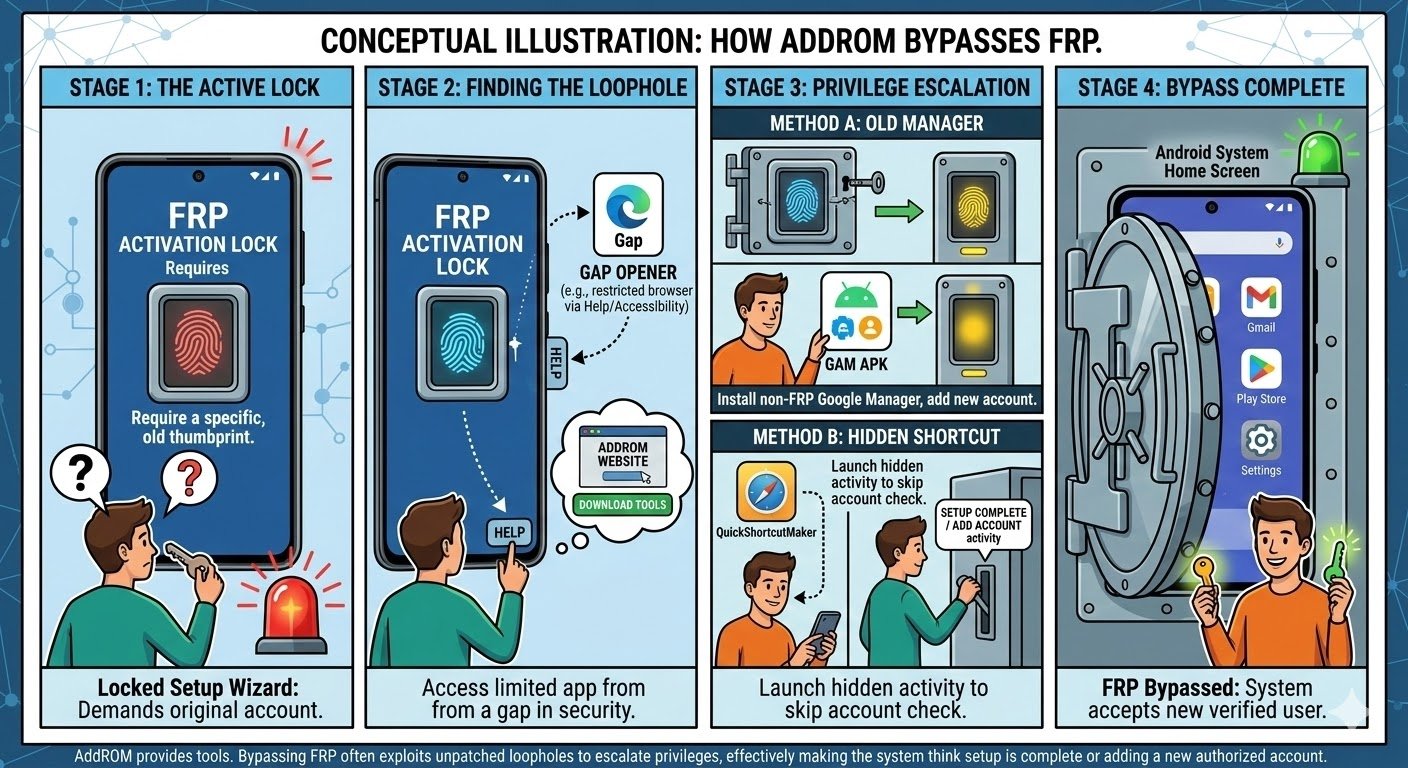
Here’s a plain-English walkthrough of the full process so you understand what you’re actually agreeing to when you use AddROM:
- Insert a SIM card in your locked phone. The locked phone needs an active SIM card with a phone number. The WAP PUSH message is delivered as an SMS, so without a working SIM, this whole process stops here.
- Download HushSMS on a second Android phone. HushSMS is a specialized messaging app that can send WAP PUSH SL (Service Loading) messages — a type of SMS that can automatically open a URL in the recipient phone’s browser. You download this APK from the AddROM website on your secondary device and install it.
- Send a WAP PUSH SL message to the locked phone. In HushSMS, you enter the locked phone’s number and type the URL
www.youtube.com/@addROMcomas the message. When you hit send, the locked phone receives this as a browser trigger and opens the AddROM YouTube channel — bypassing the lock screen’s restrictions on browsing. - Navigate to addrom.com/bypass from within the phone’s browser. From the YouTube page on your locked device, you tap the “Terms & Privacy Policies” link, which opens a browser window. From there, you manually type the AddROM bypass URL into the search bar and navigate to the FRP bypass APK download page.
- Download and install Google Account Manager (GAM) APK. The Google Account Manager APK is a specific version of Google’s own account management package that has known vulnerabilities allowing account sign-in to be triggered outside of the normal setup wizard. You download and install this directly on the locked phone.
- Download and install the FRP Bypass APK. This second APK is the one that actually triggers the bypass interface — a basic browser sign-in window that lets you add a Google account to the device without going through the FRP verification screen.
- Sign in with any Google account. Through the FRP bypass app’s “Browser sign-in” option, you authenticate with any Google account — not necessarily the original one linked to the device. This effectively overrides the FRP lock.
- Reboot the device. After successful sign-in, you restart the phone. In successful cases, the device boots past the FRP screen and goes directly to the home screen or setup wizard as a normal, unlocked Android phone.
The process sounds manageable on paper. But in reality, every single one of these steps carries a point of failure — whether that’s a carrier that blocks WAP PUSH messages, a phone that doesn’t respond to the YouTube browser trigger, an incompatible GAM APK version, or an Android build with patches that block sideloading during setup.
Is AddROM Safe to Bypass Android? The Honest Safety Assessment
AddROM from its official website (https://addrom.com) is considered relatively safe for its intended purpose on older, compatible Android devices — but it carries real, documented security risks that every user must understand before proceeding.
This is the question you’re really here for, so let me give it to you straight without sugarcoating anything.
The official AddROM website is a legitimate resource. It has been around for years, it maintains an active YouTube channel with tutorial videos, and millions of users have interacted with it. When you download from the official source, you’re not automatically downloading malware.
However, “safe” is a word that needs to come with several important asterisks when we’re talking about FRP bypass tools.
What Are the Real Security Risks of Using AddROM?
- Third-party APK sideloading opens your device to malware. Installing APK files from outside the Google Play Store always carries inherent risk. Even if the files on the official AddROM site are clean, the moment you enable “Install from unknown sources” on your Android phone, you create a window of vulnerability. If you accidentally download a copycat version of AddROM from a fake website — and there are dozens of them — those files may contain spyware, adware, ransomware, or trojans. Studies of third-party APK repositories consistently find that 8–10% of sideloaded APKs from non-Play-Store sources carry some form of malware payload. Always, always verify the URL is exactly addrom.com before downloading anything.
- Your privacy may be at risk from unknown data collection. When you use a third-party APK to sign into a Google account on a locked device, you are passing authentication tokens through a non-verified app. There is no public, third-party audit of the AddROM APK files confirming they do not log, store, or transmit your sign-in data. For most users bypassing their own device with a throwaway Google account, this risk is low. For users who sign in with a primary Google account containing emails, photos, banking apps, and contacts — the risk is considerably higher.
- Device bricking is a real possibility if steps go wrong. The FRP bypass process involves manipulating system-level behaviors — sideloading apps during the device setup phase, triggering account authentication outside of the normal OS flow. If the wrong APK version is installed, if the installation is interrupted, or if your specific device model has an incompatibility with the bypass process, you could end up in a boot loop, a crashed setup wizard, or in the worst case, a fully unresponsive device. At that point, recovery requires flashing stock firmware — a process that demands technical knowledge and carries its own risks.
- No customer support or accountability exists. AddROM has no official support team. There are no customer service lines, no ticketing system, no guarantee of any kind. If something goes wrong — your device gets damaged, the bypass fails midway, or your data is compromised — you are entirely on your own. This lack of accountability is one of the sharpest differences between AddROM and professional unlocking tools.
- Compatibility issues with newer Android versions can cause unpredictable failures. As mentioned, AddROM officially supports Android 5.0 through 9.0. On Android 9, compatibility is already shaky depending on your device’s OEM skin — MIUI, One UI, ColorOS, and HiOS all layer additional security on top of stock Android. On Android 10 and above, the tool doesn’t work at all. Users who attempt it on unsupported versions risk damaging their device’s setup process or triggering additional security lockouts.
- Clone websites can deliver dangerous lookalikes. This is the single most dangerous risk associated with AddROM. Because the tool is free and popular, hundreds of clone sites have appeared using names like “addrom.pro,” “addrom-bypass.com,” and similar domains. ScamAdviser rates addrom.pro as having a very low trust score. These fake sites serve up APK files that look identical to the real ones but contain malicious payloads. If you’re not downloading from the exact URL
addrom.com, you are taking a serious gamble with your device and personal data.
AddROM Pros and Cons: A Clear Breakdown
| Feature | AddROM | Notes |
|---|---|---|
| Cost | Free | No purchase required |
| PC Required | No | Works phone-to-phone |
| Android Version Support | Android 5.0–9.0 only | Does NOT support Android 10+ |
| Official Support | None | No customer service team |
| Malware Risk | Medium–High (if wrong source) | Clone sites are dangerous |
| Data Privacy | Unverified | No public APK audit |
| Device Bricking Risk | Moderate | Depends on device and steps |
| Success Rate | Variable | Works well on older devices |
| Legal When Used Correctly | Yes | Only on your own device |
Is AddROM Legal to Use for Android FRP Bypass?
AddROM is legal to use only when you are bypassing FRP on a device you personally own. The moment you use it on someone else’s device — even with good intentions — you enter legally ambiguous or outright illegal territory.
Here’s the framework you need to understand:
In the United States, laws like the Computer Fraud and Abuse Act (CFAA) prohibit unauthorized access to computer systems and devices. An Android phone is legally considered a computer system. Bypassing its FRP lock without ownership is categorized under unauthorized access, and legal consequences can include civil liability and criminal charges.
The legality breaks down into four common real-world situations:
- You own the device and forgot your Google credentials. This is the most common scenario. You are the rightful owner. Bypassing FRP on your own device is legal, and this is exactly the use case AddROM is designed for. Google itself encourages account recovery first, but if that fails and you own the device, using a bypass tool is within your rights.
- You purchased a second-hand device that is still FRP-locked. This is a gray area. If the previous owner neglected to remove their Google account before selling, and you have a purchase receipt proving ownership, you have a strong legal position. However, bypassing without proof of purchase can be seen as unauthorized access. Always get proof of sale when buying second-hand devices.
- You are a repair technician bypassing FRP on a customer’s device. This is legal only when you have explicit written or verifiable consent from the device’s owner. Repair shops should always document customer authorization before performing any FRP bypass.
- You are attempting to bypass FRP on a stolen or lost device. This is illegal regardless of your intent. If a device was reported stolen, bypassing its FRP constitutes unauthorized access and can be prosecuted under CFAA statutes. Law enforcement agencies actively track IMEI numbers of stolen devices.
The bottom line on legality: Verify ownership first. Every time. No exceptions.
AddROM vs. Safer Alternatives: Which Should You Actually Use?
If your Android device runs Android 10 or newer — or if you want a more reliable, safer experience — professional FRP bypass tools provide better results with lower risk than AddROM.
Let’s look at the honest comparison:
| Tool | Android Version Support | PC Required | Safety Level | Support Available | Cost |
|---|---|---|---|---|---|
| AddROM | 5.0–9.0 only | No | Medium risk | None | Free |
| Tenorshare 4uKey for Android | 5.0–14.0 | Yes | High safety | Yes (24/7) | Paid |
| WooTechy iDelock Android | 5.0–14.0+ | Yes | High safety | Yes (24/7) | Paid |
| MobiKin Android Lock Wiper | 5.1–14.0+ | Yes | High safety | Yes | Paid |
| Dr.Fone Screen Unlock Android | Up to Android 16 | Yes | High safety | Yes | Paid |
| Samsung FRP Online Service | One UI 5.0–7.0 | No | High safety | Yes | Paid |
If you are running an older phone on Android 8 or 9 and you are comfortable following technical steps carefully, AddROM from the official website can work. But if your device runs Android 10 or newer, or if you want certainty and protection, the paid professional tools are the right answer. They have customer support, verified security audits, and success rates reported at 95–99% across thousands of device models.
What Should You Try Before AddROM?
Before you even attempt AddROM, try these official steps first:
- Google Account Recovery via account.google.com/signin/recovery. Google has a built-in account recovery system that can verify your identity through a trusted phone number, backup email address, or recovery code. This is always your first and safest option. It costs nothing and involves no third-party tools whatsoever.
- Contact your carrier for account verification. Some US carriers — including AT&T, Verizon, and T-Mobile — can verify device ownership through IMEI and account records and help unlock devices through official channels. This applies particularly if the device was purchased directly through the carrier.
- Visit an authorized service center. If the phone was purchased from an authorized retailer, bringing your proof of purchase to a Samsung, Google, or other OEM service center can result in an official FRP removal. This keeps your warranty intact and carries no security risk.
- Contact the previous owner for a second-hand device. If you bought a used phone that still has someone else’s Google account linked, the safest and simplest solution is to have the original owner log in remotely and remove their account. Most previous owners will cooperate if contacted politely.
What Happens to Your Android Security After FRP Bypass?
Bypassing FRP removes the Google account verification layer, which means the device no longer has its anti-theft protection active until a new Google account is signed in and FRP is re-enabled.
This is something that most bypass guides don’t talk about — and you deserve to know it.
After a successful FRP bypass, your device is essentially in a neutral state from a Google security standpoint. FRP is a deterrent for thieves precisely because it makes the device useless without the original account. Once bypassed, that deterrent is gone.
Here’s what you need to do immediately after a successful bypass to restore your device’s security posture:
- Sign in with your current, primary Google account. Do this during or immediately after the initial device setup. This re-links the device to your account and re-enables FRP protection going forward.
- Enable a screen lock with PIN, pattern, or biometric authentication. Go to Settings → Security → Screen Lock and set up a strong lock screen. Without this, FRP protection doesn’t activate on subsequent resets.
- Enable Google Find My Device. Go to Settings → Google → Find My Device and turn it on. This allows you to remotely locate, lock, or wipe the device if it’s ever lost or stolen.
- Review app permissions after sideloading. If you used AddROM’s APK files, go to Settings → Apps and check the permissions granted to any installed bypass APKs. Uninstall the HushSMS, Google Account Manager (old version), and FRP bypass APKs after the process is complete — you no longer need them and they should not remain on the device.
- Run a security scan. Use Google Play Protect (Settings → Google → Security → Google Play Protect → Scan) to check for any potentially harmful applications that may have been installed during the bypass process.
Common AddROM Problems and How to Troubleshoot Them
Even when using AddROM on a supported device, things go wrong. Here are the most frequently reported issues and what to do about each one:
- WAP PUSH message not received on locked device. This is the most common failure point. Some carriers in the US and other regions block WAP PUSH SL messages as spam by default. If the locked phone doesn’t receive the message, try a different carrier SIM card in the locked phone, or use a prepaid SIM from a carrier known to support WAP PUSH delivery.
- YouTube page doesn’t open on locked phone after WAP PUSH. Some Android versions handle WAP PUSH differently and may not automatically open the browser. Try sending the WAP PUSH message multiple times. On some devices, you may need to tap a notification banner to open the link.
- APK download fails from within the locked phone’s browser. The connection may be too slow, or the browser may not support direct APK downloads. Try connecting the locked phone to a strong Wi-Fi network before starting the process. If the phone doesn’t have a saved Wi-Fi network, you may need to use the SIM data connection.
- FRP bypass APK installed but “Browser sign-in” option not appearing. This usually means you’ve downloaded an incompatible version of the FRP bypass APK for your device model or Android version. Return to addrom.com/bypass and look for the APK version specifically listed for your device brand and Android build number.
- Device keeps restarting after bypass APK sign-in. This can indicate a conflict between the bypassed account authentication and the device’s existing system state. Try clearing the cache partition (hold Power + Volume Down during restart to enter recovery mode) and then restart normally.
- Process completed but FRP screen still appears on reboot. In some cases, particularly on Samsung devices with Knox security, the bypass sign-in doesn’t fully override FRP. In this situation, AddROM has reached its compatibility limit and a PC-based tool like Dr.Fone or Tenorshare 4uKey is your next best option.
The Verdict: Should You Use AddROM to Bypass Android FRP?
AddROM is a conditionally safe and legitimate tool for bypassing FRP on older Android devices (5.0–9.0), provided you download exclusively from the official site, own the device you’re unlocking, and fully understand the security risks involved.
Here’s my honest summary after going through everything:
If you have an older Android phone — say, a Samsung Galaxy from 2017–2019, an older Huawei, Motorola, or LG device — and you’re stuck on the FRP screen after forgetting your Google credentials, AddROM is worth trying. It’s free, it doesn’t require a PC, and when used correctly on supported hardware, it works.
But if your phone runs Android 10 or newer, AddROM will waste your time. It simply doesn’t have the capability to bypass the stronger FRP implementations Google has built into modern Android versions. In that case, you need a professional tool.
And regardless of which device you have — please, please make sure you are downloading from addrom.com and nowhere else. The clone sites are dangerous. The impersonators are everywhere. The official website is the only source you should trust.
Frequently Asked Questions About AddROM and Android FRP Bypass
Is AddROM safe to download and install on my Android phone?
Yes, AddROM is safe to download when you access it from the official website at addrom.com. The official site hosts the legitimate APK files used for FRP bypass. However, downloading from clone websites or unofficial mirrors is not safe and can expose your device to malware, spyware, and data theft. Always verify the URL before downloading any file.
Does AddROM work on Android 12, 13, 14, or 15?
No, AddROM does not work on Android 10 or any version above it. AddROM’s bypass method relies on WAP PUSH messaging and APK sideloading techniques that have been fully patched in Android 10 and later. Google has closed these loopholes through successive security updates. For Android 10 and newer, you need a dedicated professional FRP bypass tool that uses PC-based firmware patching methods.
Can AddROM damage my phone permanently?
Yes, there is a risk of permanent damage if the process is performed incorrectly on an incompatible device. If the wrong APK version is installed, if the installation is interrupted mid-process, or if the device encounters a conflict during the bypass, you could end up in a boot loop or an unresponsive state requiring a full firmware flash. The risk is moderate but real — particularly on Samsung devices with Knox security layers.
Do I need to root my phone to use AddROM?
No, AddROM does not require root access on your Android device. The bypass process works by exploiting the FRP loophole through APK sideloading during the initial device setup phase — before the system has fully booted into its locked state. Root access is neither needed nor recommended for this process. Attempting to root a device to facilitate FRP bypass introduces significantly greater risk of bricking.
Is it legal to use AddROM on a phone I bought second-hand?
Yes, it can be legal — but only if you can prove you are the device’s owner. If you purchased the device from a private seller or retailer and the previous owner failed to remove their Google account, you have a legitimate reason to bypass FRP. Keep your proof of purchase. If the device was reported stolen and shows up on a stolen device registry, using bypass tools on it is illegal under US law regardless of how you came to possess it.
Will bypassing FRP with AddROM void my phone’s warranty?
No, using AddROM’s APK-based FRP bypass method does not void your warranty in most cases because it does not involve rooting the device, flashing custom firmware, or modifying system partitions. However, if the bypass process causes damage to your device — boot loops, crashes, or corrupted setup states — that damage may not be covered under manufacturer warranty since it resulted from a non-standard procedure. Check your specific manufacturer’s terms before proceeding.
What is the best alternative to AddROM for newer Android phones?
Yes, there are several reliable alternatives. For Android 10 and newer, professional PC-based tools like Dr.Fone Screen Unlock, Tenorshare 4uKey for Android, and WooTechy iDelock provide safe, tested, and customer-supported FRP bypass with success rates of 95–99%. These tools support the latest Android versions up to Android 16 and cover major brands including Samsung, Xiaomi, Huawei, OPPO, Vivo, and Motorola. They cost money, but the investment in a legitimate tool is far safer than risking your data or device on an incompatible bypass method.
Final Thoughts: Make the Right Decision for Your Device
Getting locked out of your own Android phone is genuinely one of the most frustrating tech experiences out there. I get it. And I understand the appeal of a free, no-PC-required solution like AddROM.
But the smartest move you can make is going in with full knowledge — knowing exactly what AddROM can and cannot do, knowing the risks, knowing the legal boundaries, and knowing when you need a more capable tool.
For older devices on Android 5.0 through 9.0? AddROM from the official site is a reasonable first attempt. For anything running Android 10 and above? Skip AddROM and go directly to a professional solution that actually supports your firmware.
Most importantly — always try Google’s official account recovery at account.google.com/signin/recovery before you try anything else. It’s free, it’s safe, and it works more often than people expect.
Your device. Your data. Your decision — but make it an informed one.
Sources and references: Android Central – Factory Reset Protection | HardReset.info – Is FRP Bypass Legal | GetEasyUnlock – Is It Safe to Use FRP Bypass Tools | Solidsmack – FRP Bypass Without PC | AddROM Official Website | MobiKin – AddROM FRP Bypass Analysis
You May Also Like
 Android Apps
Agile Mobile Development: What It Is, How It Works, and Why Your Team Needs It
 Android Apps
How Are Apps Made? The Complete Step-by-Step Process Behind Every App on Your Phone
 Android Apps
6 Best Apps to Track Phone Without Them Knowing
 Android Apps
3 Best Wellness Apps To Prioritise Your Well-Being
 Android Apps
How to Fix “Unsupported Format Error” When Opening Photos on Android
 Android Apps
Hire the Best Android App Developers at Jafton – 2023
 Android Apps
5 Best Random Video Chat Apps to Chat With Strangers
 Android Apps
How Can I Track My Husband’s Phone Location?
 Android Apps


