When choosing between a Socks Proxy and an HTTP Proxy, the better option depends entirely on your specific needs. Socks Proxy is better for general internet traffic, gaming, and applications that require high anonymity, while HTTP Proxy is superior for web browsing, content filtering, and caching. The right choice comes down to understanding what type of internet activities you need to perform and how much control you want over your data flow.
Both proxy servers serve as intermediaries between your device and the internet, but they work differently and excel in different situations. Socks Proxy works at a lower level, handling all types of traffic, while HTTP Proxy works specifically for web traffic. Understanding these differences will help you choose the right proxy type for your needs. For a deeper understanding of proxy security, you might want to explore endpoint protection to see how proxies fit into overall security strategies.
What is a Socks Proxy?
A Socks Proxy is a networking tool that sends different types of internet traffic through a proxy server. Socks Proxy stands for “Socket Secure” and works with many types of internet connections. This means it can handle web traffic, email, file transfers, and other types of internet communications without changing them.
How Does Socks Proxy Work?
Socks Proxy creates a connection between your computer and the proxy server, then builds a tunnel to the website or service you want to reach. The proxy server then sends data between your computer and the destination without looking at what the data contains. This approach provides good privacy and security because the proxy server cannot see what you’re sending or receiving.
Types of Socks Proxy
There are two main versions of Socks Proxy:
- SOCKS4: The first version that supports connections and basic login
- SOCKS5: A newer version that adds support for more connections and better security
SOCKS5 is usually better today because it has more security features and works with more applications. Many modern programs and services have built-in support for SOCKS5 proxies, making them easier to set up. Understanding the different proxy ports can also help with setup – learn more about proxy server ports.
What is an HTTP Proxy?
An HTTP Proxy is a special server that handles web traffic following the HTTP rules. HTTP Proxy works at the web level, specifically designed to manage web requests. Unlike Socks Proxy, HTTP Proxy can look at and change web traffic, making it good for blocking content, saving copies of websites, and controlling access.
How Does HTTP Proxy Work?
HTTP Proxy catches web requests from your computer and sends them to websites. The proxy can change, block, or save copies of responses before sending them back to your computer. This makes HTTP Proxy especially useful for groups that need to control internet access, make websites load faster through saving copies, or watch web usage.
Types of HTTP Proxy
HTTP Proxy comes in several types:
- Forward Proxy: Used by people to get to the internet through a controlled gateway
- Reverse Proxy: Used by websites to share visitor requests across multiple servers
- Transparent Proxy: Works without you having to set it up, often used by Internet Service Providers
Forward Proxy is the most common type for regular users wanting privacy or access control, while reverse proxy is usually used by large companies for sharing work and security. For enterprise-level solutions, you might consider advanced options like Zscaler proxy for secure internet access.
Key Differences Between Socks Proxy and HTTP Proxy
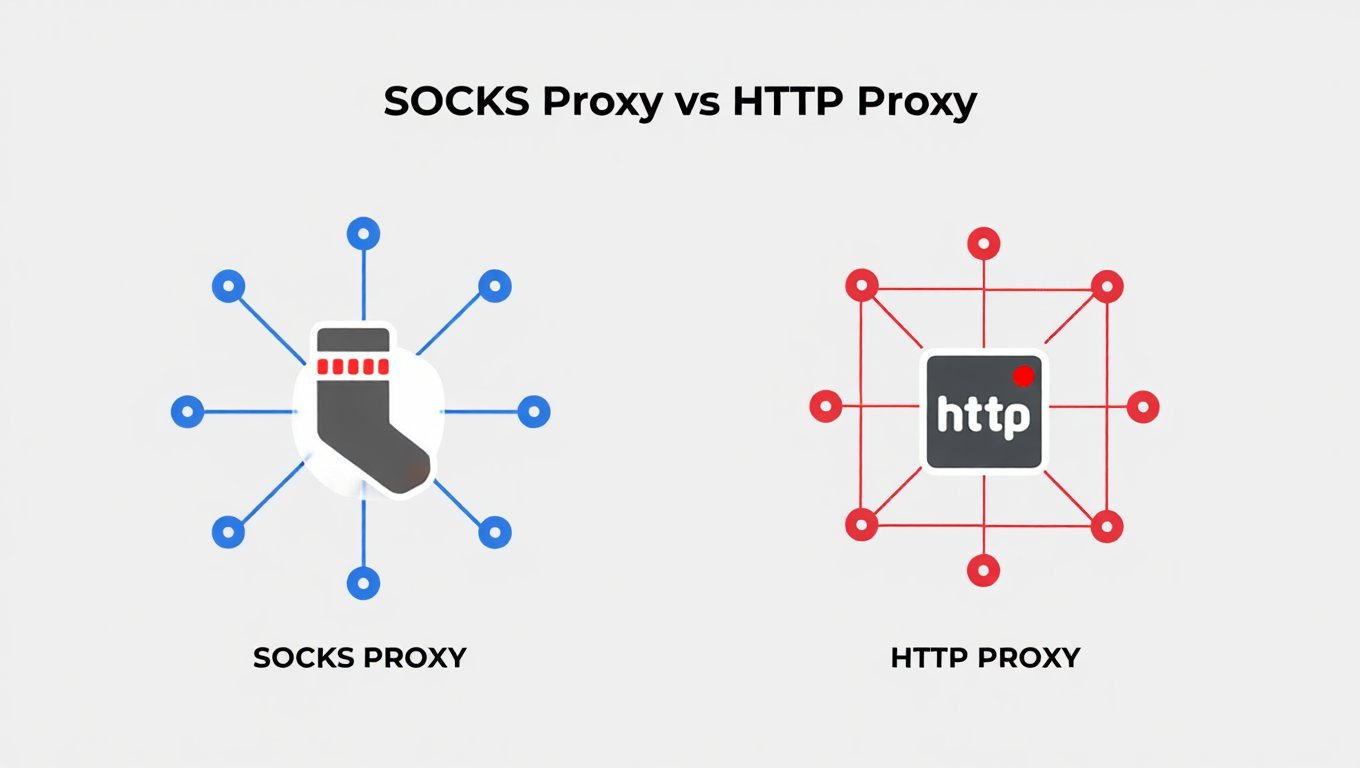
Protocol Support
Socks Proxy works with many types of connections, including web, email, file transfers, and others, making it more flexible. HTTP Proxy, on the other hand, is limited to web traffic and cannot handle other types of internet communications.
Performance
HTTP Proxy usually works better for web browsing because it saves copies of websites and can compress them. Socks Proxy, while flexible, might be a bit slower because it doesn’t specifically speed up web traffic.
Security Features
HTTP Proxy provides better security for web traffic by blocking bad websites and scanning for problems. Socks Proxy offers stronger privacy because it doesn’t look at what your traffic contains, making it good for activities where privacy matters.
Setup Difficulty
HTTP Proxy is usually easier to set up for web programs and browsers. Socks Proxy requires more technical knowledge to set up correctly, especially for programs that aren’t web-related.
Best Uses
Socks Proxy is great for gaming, file sharing, and programs that need high privacy. HTTP Proxy is better for web browsing, blocking content, and groups that need to control internet access. Many people also wonder about the difference between VPNs and proxies – you can learn more about VPN vs proxy differences to understand all your options.
Benefits of Using Socks Proxy
Better Privacy
Socks Proxy gives you better privacy because it doesn’t look at or save what your traffic contains. This makes it perfect for activities where privacy is important, like accessing sensitive information or getting around blocks.
Works with Many Types of Traffic
Socks Proxy can handle different kinds of internet traffic including web, email, file transfers, and gaming. This flexibility makes it one solution for many internet activities without needing different proxy types.
Better for Gaming and File Sharing
Socks Proxy has less delay for gaming and peer-to-peer file sharing programs. Unlike HTTP Proxy, it doesn’t add extra steps that can affect real-time communications.
Can Change Your IP Address
Socks Proxy works well with services that change your IP address for better privacy. This feature is especially useful for web scraping and data mining that need to avoid getting blocked by websites.
Works with All Programs
Socks Proxy can be set up for your whole computer, affecting all programs that use internet. This means you don’t have to set up each program separately.
Benefits of Using HTTP Proxy
Makes Web Browsing Faster
HTTP Proxy speeds up web browsing by saving copies of websites, compressing them, and blocking content. These features make websites load faster and use less internet data.
Can Block Bad Content
HTTP Proxy can block bad websites and filter inappropriate content. This makes it a great choice for groups and parents who want to control internet access.
Can Control and Monitor Access
HTTP Proxy lets managers watch and control web use across a group. This is important for following internet rules and security practices.
Saves Bandwidth with Caching
HTTP Proxy keeps frequently visited websites locally, making them load faster and use less internet data. This is especially helpful for groups with many people visiting the same websites.
Easy to Add to Current Systems
HTTP Proxy fits easily with current web systems and security tools. This makes it a practical choice for businesses already using web blocking and security.
Socks Proxy vs HTTP Proxy: Detailed Comparison Table
| Feature | Socks Proxy | HTTP Proxy |
|---|---|---|
| Types of Traffic | Many types (web, email, file transfers, etc.) | Only web traffic |
| Privacy Level | High (doesn’t look at traffic) | Medium (can save and analyze traffic) |
| Speed | Good for general traffic, great for gaming | Great for web browsing with saved copies |
| Setup | More complex, needs technical knowledge | Simpler, browser-friendly setup |
| Security | Strong privacy, no content checking | Content blocking, problem scanning |
| Best Uses | Gaming, file sharing, general internet | Web browsing, content blocking, groups |
| Content Saving | Limited or none | Advanced saving abilities |
| IP Address Changing | Great support | Limited support |
| Cost | Usually more expensive for good service | Often cheaper for basic needs |
When to Choose Socks Proxy?
For Gaming and Real-time Programs
Choose Socks Proxy for gaming, video streaming, and other real-time internet activities. Its ability to work with many types of connections ensures minimal delay and best performance for time-sensitive internet activities.
For Maximum Privacy
Pick Socks Proxy when you need the highest level of privacy. Since it doesn’t look at what your traffic contains, it gives better protection for sensitive communications.
For Web Scraping and Data Collection
Use Socks Proxy for collecting data from websites. Its ability to work with IP address changing helps avoid detection and blocking by target websites. If you’re worried about safety when scraping, check out this guide on is using a proxy safe for web scraping.
For File Sharing
Select Socks Proxy for peer-to-peer file sharing programs. It handles torrent traffic better than HTTP Proxy without adding extra steps.
For Non-web Programs
Choose Socks Proxy when you need proxy support for programs that aren’t web-related, like email programs, file transfer software, or gaming platforms that don’t work well with HTTP Proxy.
When to Choose HTTP Proxy?
For Web Browsing
Pick HTTP Proxy when your main activity is web browsing. Its saving copies and optimization features make websites load faster and use less internet data.
For Content Blocking and Security
Choose HTTP Proxy for groups that need to block content and security controls. Its ability to look at and filter web traffic makes it perfect for following internet rules.
For Affordable Solutions
Select HTTP Proxy when cost is a concern. Basic HTTP Proxy services are often cheaper than good Socks Proxy options.
For Easy Setup
Use HTTP Proxy when you need simple setup with current web systems. Most web browsers and programs have built-in support for HTTP Proxy setup.
For Groups with Many Users
Pick HTTP Proxy in places with many users who need controlled internet access. Its central management makes it practical for business and school settings.
Security Considerations
Socks Proxy Security
Socks Proxy offers good privacy but may have limited security features. The proxy server cannot see what your traffic contains, but it can still save information about your connection.
SOCKS5 provides better security than SOCKS4 through login options and encryption. Users should always choose SOCKS5 when available for better protection.
HTTP Proxy Security
HTTP Proxy can provide better security through content checking and filtering. Groups can use it to block bad websites and prevent access to harmful content.
HTTP Proxy may create security risks if not set up correctly. Bad proxy servers can intercept and change web traffic, making security checks important. When using public Wi-Fi, you should also consider why you should use a VPN on public Wi-Fi for added protection.
Best Security Practices
Always use trusted proxy providers to ensure security and reliability. Free proxy services often lack proper security measures and may risk your privacy.
Use encryption when possible, especially when using public proxy servers. HTTPS connections add extra protection for sensitive data.
Cost Comparison
Socks Proxy Pricing
Socks Proxy services are usually more expensive because they work with more types of traffic and are in higher demand. Good providers charge higher prices for reliable SOCKS5 proxy services.
Services that change your IP address with Socks Proxy cost the most. These services are especially valuable for web scraping and data collection.
HTTP Proxy Pricing
HTTP Proxy services are usually cheaper for basic needs. Many providers offer free HTTP Proxy options, though these often have limits and security concerns.
Business-level HTTP Proxy solutions can be expensive because of advanced features and support. Groups needing full blocking and watching often invest in premium services.
Performance Benchmarks
Speed Tests
HTTP Proxy usually performs better for web browsing because of saved copies and optimization. Users often see faster page loads and less internet data usage.
Socks Proxy offers better performance for non-web programs and real-time communications. Its ability to work with many types of connections ensures minimal delay for gaming and file sharing.
Reliability
HTTP Proxy services often have more uptime for web-related activities. Many providers specialize in web traffic optimization and ensure consistent performance.
Socks Proxy reliability depends on the provider and use case. Users should test different services to find the most reliable option for their specific needs.
Setup and Configuration
Socks Proxy Setup
Setting up Socks Proxy requires setting up individual programs or system-wide proxy settings. The process changes depending on the operating system and programs being used.
SOCKS5 proxy setup involves giving the proxy address, port, and login information. Users should check compatibility with their specific programs before setting it up.
HTTP Proxy Setup
HTTP Proxy setup is usually simple through browser settings. Most modern browsers have built-in proxy setup options that need only basic information.
System-wide HTTP Proxy setup is available on most operating systems. This setup affects all web traffic and gives consistent proxy coverage across programs.
Common Use Cases
Socks Proxy Uses
Web Scraping and Data Collection: Socks Proxy is great for large-scale data collection with IP address changing.
Gaming and Streaming: Low delay makes Socks Proxy perfect for real-time online activities.
File Sharing: Efficient handling of torrent traffic without connection restrictions.
Social Media Management: Managing multiple accounts without triggering rate limits.
HTTP Proxy Uses
Content Blocking: Groups can block inappropriate or bad websites.
Bandwidth Saving: Saved copies reduce internet data usage and improve performance.
Access Control: Restrict internet access based on user roles or departments.
Security Watching: Track and analyze web use across a group.
Understanding Proxy Types
Public Proxy Basics
A public proxy is a server that anyone can use to send their internet traffic. Public proxies are available for free but often come with security risks and reliability problems. If you’re new to proxies, you might want to learn about what a public proxy is and how to use it.
Free Proxy Websites
Many websites offer free proxy services for unblocking content. These free proxies can be useful for temporary needs but should not be used for sensitive activities. You can find lists of free proxy websites here.
Proxy Safety for YouTube
Some proxies work better than others for specific platforms like YouTube. CroxyProxy is one option that many people use for YouTube access, but safety considerations apply. Learn more about is CroxyProxy safe to use for YouTube.
FAQ Section
Is Socks Proxy safer than HTTP Proxy?
Yes, Socks Proxy offers better privacy because it doesn’t look at traffic content. However, HTTP Proxy provides better content blocking and security checking abilities.
Can I use Socks Proxy for web browsing?
Yes, Socks Proxy can handle web traffic, but it doesn’t offer the same optimization features as HTTP Proxy. You might experience slower browsing without saved copies and compression benefits.
Is HTTP Proxy better for groups?
Yes, HTTP Proxy is superior for group use because of content blocking, access control, and watching abilities. These features help follow internet rules and security practices.
Do I need technical knowledge to use Socks Proxy?
Yes, Socks Proxy usually needs more technical knowledge for proper setup. Users should understand proxy settings and network rules to implement Socks Proxy effectively.
Is HTTP Proxy cheaper than Socks Proxy?
Yes, basic HTTP Proxy services are often cheaper than good Socks Proxy options. However, business-level HTTP Proxy solutions can be expensive because of advanced features.
Can Socks Proxy handle gaming traffic better?
Yes, Socks Proxy has less delay for gaming and real-time programs. Its ability to work with many types of connections ensures best performance for time-sensitive internet activities.
Is HTTP Proxy easier to set up?
Yes, HTTP Proxy is usually easier to set up for web programs and browsers. Most modern operating systems and browsers have built-in support for HTTP Proxy settings.
Does Socks Proxy support IP address changing?
Yes, Socks Proxy works well with services that change your IP address for better privacy. This feature is especially useful for web scraping and avoiding detection.
Is HTTP Proxy better for content blocking?
Yes, HTTP Proxy can look at and filter web traffic based on content, website addresses, and categories. This makes it perfect for groups needing to control internet access.
Can I use both proxy types at the same time?
Yes, it’s possible to use both Socks Proxy and HTTP Proxy at the same time for different programs. This approach lets users use the good points of each proxy type based on their specific needs.
Conclusion
The choice between Socks Proxy and HTTP Proxy depends on your specific needs and uses. Socks Proxy is great at providing privacy, working with many types of connections, and making gaming and real-time programs work better. HTTP Proxy, on the other hand, offers better web browsing performance, content blocking, and group control features.
For people wanting maximum privacy and flexibility across different internet activities, Socks Proxy is the better choice. Its ability to work with many types of connections ensures compatibility with various programs while keeping strong privacy protections.
For groups and users focused on web browsing optimization, content blocking, and access control, HTTP Proxy gives more practical benefits. Its saved copies and security features make it perfect for business environments and parental control situations.
Understanding the differences between these proxy types helps you make a good choice based on your specific needs. Whether you prioritize privacy, speed, content control, or cost, there’s a proxy solution that fits your requirements perfectly.
Remember that both proxy types are useful tools for improving internet privacy, security, and access. The key is to choose the one that matches your main internet activities and security concerns. For full protection, consider using both proxy types strategically to use their good points across different programs and situations.
You May Also Like
 VPN
VPNCloudflare WARP as a Free VPN Alternative: Review After Months of Daily Use
 Proxies
10 Best Public DNS Servers for Faster Browsing and Lower Gaming Latency in 2026
 Data Security & Privacy
Two-Factor Authentication (2FA): How It Works, Which Method to Use, and How to Stay Safe
 Data Security & Privacy
Is a Password Manager Safe? How to Use One Securely
 Proxies
Residential Proxies vs. ISP Proxies: What Actually Sets Them Apart
 Proxies
REST APIs Explained: Everything You Need to Know to Build and Use Them
 Proxies
Is CroxyProxy Safe to Use for YouTube? Privacy, Security, and Risks
 Proxies
Top 10 Free Proxy Websites in 2026: My Complete Testing Guide
 Computer Security


