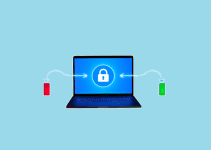
The 3-2-1 backup strategy is a simple data protection rule that requires keeping three copies of important data on two different storage types with one copy stored offsite. This backup method protects against hardware failures, natural disasters, cyber attacks, and human errors that can destroy your valuable information.
Data loss costs businesses an average of $4.88 million per incident, according to IBM’s 2024 Cost of a Data Breach Report. Yet many businesses still lack proper backup strategies. Research from Infrascale shows that 35% of companies experience data loss during regular operations. The 3-2-1 backup rule provides a proven framework that significantly reduces these risks through multiple layers of protection.
This guide explains everything you need to know about implementing the 3-2-1 backup strategy. You’ll learn how to set up each component, choose the right storage media, automate backup processes, and test recovery procedures. We’ll also cover advanced variations like the 3-2-1-1-0 rule and how cloud storage fits into modern backup strategies.
What Is the 3-2-1 Backup Strategy?
The 3-2-1 backup strategy is a data protection framework that ensures redundancy and resilience through multiple backup copies stored in different locations and media types. This rule has become the gold standard for backup strategies because it addresses the most common causes of data loss.
Breaking Down the 3-2-1 Rule Components
The “3” in 3-2-1 means keeping three total copies of your data – the original production copy plus two backup copies. This redundancy protects against single points of failure and gives you multiple options for data recovery.
The “2” requires storing backups on two different types of storage media. For example, you might use local hard drives for one backup and cloud storage for another. Different media types protect against various failure modes and ensure one storage method can work if another fails.
The “1” mandates keeping one backup copy stored offsite, away from your primary location. This offsite storage protects against local disasters like fires, floods, theft, or building damage that could destroy all local copies simultaneously.
Understanding what is data encryption and why is it important helps you secure all three backup copies against unauthorized access.
Why the 3-2-1 Strategy Works
The 3-2-1 strategy works because it addresses multiple failure scenarios that could otherwise cause complete data loss. According to Backblaze’s 2024 State of Backup report, organizations following the 3-2-1 rule experience significantly fewer complete data loss incidents.
Multiple copies provide redundancy, so single hardware failures don’t result in data loss. Different storage media protect against technology-specific failures, while offsite storage ensures regional disasters can’t destroy all copies.
The strategy also protects against human errors, accidental deletions, and cyber attacks. Even if ransomware encrypts your primary systems and local backups, the offsite copy remains safe and available for recovery.
Common Misconceptions About 3-2-1 Backups
Many people think the 3-2-1 rule only applies to large businesses, but small businesses and individuals benefit equally from this strategy. The principles scale down to personal data protection using affordable storage options.
Another misconception is that cloud storage alone satisfies the 3-2-1 rule. While cloud storage can serve as the offsite component, you still need local backups for faster recovery and protection against internet connectivity issues.
Some believe that RAID arrays or file synchronization services count as backups, but these don’t protect against deletion, corruption, or ransomware attacks that affect all synchronized copies simultaneously.

How Do You Choose Storage Media for 3-2-1 Backups?
Choosing the right storage media for your 3-2-1 backups requires understanding different storage technologies, their strengths, weaknesses, and cost considerations. The goal is to select two different media types that complement each other’s capabilities.
Local Storage Options
External hard drives provide fast backup and recovery speeds at relatively low costs. Modern external drives offer large capacities and work well for daily or weekly backup schedules. However, they’re susceptible to physical damage and theft if stored onsite.
Network Attached Storage (NAS) devices allow centralized backup for multiple computers and provide RAID redundancy. These systems can automate backup schedules and provide version control, but they’re more expensive than simple external drives.
Tape storage offers excellent long-term data retention and air-gap security when stored offline. While slower than disk storage, tape provides reliable archival storage and protection against cyber attacks that target network-connected systems.
For organizations considering different storage approaches, understanding best free cloud storage options helps balance local and remote storage needs.
Cloud Storage Solutions
Cloud storage services provide automatic offsite storage without managing physical media. Major providers offer high durability, automatic replication, and various storage classes for different recovery time requirements.
Cloud storage eliminates the need to transport physical media offsite and provides access from multiple locations during disasters. However, large data sets can be expensive to store and slow to restore over internet connections.
Hybrid cloud approaches combine local storage for fast recovery with cloud storage for offsite protection. This approach provides both speed and geographic redundancy while managing costs effectively.
Organizations evaluating cloud options should research Google Drive alternatives to find services that best meet their backup requirements.
Selecting Compatible Media Types
The two different storage media should use different underlying technologies to avoid common failure modes. For example, combining solid-state drives with traditional hard drives provides protection against specific hardware failure types.
Consider access speeds and recovery requirements when selecting media types. Fast local storage enables quick daily operations, while slower offsite storage can handle disaster recovery scenarios where speed is less critical.
Compatibility with your existing systems and backup software influences media selection. Ensure your chosen storage types work well with your backup applications and don’t require extensive additional infrastructure.
What Are the Steps to Implement 3-2-1 Backup Strategy?
Implementing a 3-2-1 backup strategy requires careful planning, proper tool selection, and systematic execution. Follow these steps to build a robust backup system that protects your data effectively.
Planning Your Backup Infrastructure
Start by inventorying all data that needs protection, including documents, databases, applications, and system configurations. Prioritize data based on business criticality and recovery time requirements.
Calculate storage requirements for each backup copy, considering data growth over time. Plan for at least 20% additional capacity to accommodate future needs and temporary storage during backup operations.
Document your backup architecture including storage locations, retention periods, and recovery procedures. This documentation helps team members understand the system and guides disaster recovery efforts.
Understanding ultimate guide to sending large files online can help when transferring initial backup copies to offsite locations.
Setting Up Automated Backup Processes
Backup automation reduces human error and ensures consistent data protection. Configure backup software to run on schedules that minimize impact on business operations while meeting recovery point objectives.
Set up monitoring and alerting for backup jobs to quickly identify failures or issues. Failed backups leave gaps in protection that could prove costly during data loss incidents.
Test automated processes thoroughly before relying on them for production data. Verify that backups complete successfully, files aren’t corrupted, and recovery procedures work as expected.
For businesses managing complex IT environments, learning about software development best practices helps ensure backup scripts and automation are reliable and maintainable.
Establishing Backup Schedules
Daily incremental backups capture recent changes while minimizing storage space and backup windows. Weekly or monthly full backups provide complete system images for disaster recovery scenarios.
Schedule backups during off-hours to minimize impact on business operations and network performance. Consider time zone differences when scheduling backups for distributed organizations.
Stagger backup schedules across different systems to avoid overwhelming network bandwidth or storage systems. Coordinate schedules to ensure all critical data gets backed up within acceptable timeframes.
Configuring Retention Policies
Retention policies determine how long backup copies are kept before deletion. Balance storage costs with recovery requirements and regulatory compliance needs when setting retention periods.
Follow the grandfather-father-son rotation scheme to maintain multiple recovery points while managing storage efficiently. Keep daily backups for several weeks, weekly backups for several months, and monthly backups for years.
Document retention policies clearly and ensure they meet legal and business requirements. Some industries have specific data retention mandates that influence backup retention policies.

How Do You Test and Validate 3-2-1 Backups?
Testing and validation ensure your 3-2-1 backup strategy will work when you need it most. Regular testing identifies problems before real emergencies occur and validates that your backup procedures meet recovery objectives.
Recovery Testing Procedures
Perform regular recovery tests by restoring files and systems from each backup copy. Test different recovery scenarios, including individual file restoration, complete system recovery, and disaster recovery procedures.
Document recovery times and procedures during testing to establish realistic recovery time expectations. This information helps set business continuity expectations and identify areas for improvement.
Test recovery from each storage media type and location to ensure all components of your 3-2-1 strategy work correctly. Don’t assume that successful local recovery means offsite recovery will work equally well.
Organizations implementing comprehensive testing should understand user acceptance testing UAT principles to validate that recovery procedures meet business requirements.
Backup Integrity Verification
Verify backup integrity through checksums, hash comparisons, or built-in verification features in backup software. These checks ensure backup files aren’t corrupted and can be successfully restored.
Automated integrity checking should run regularly without manual intervention. Set up alerts to notify administrators when integrity checks fail or detect corruption.
Test restored data functionality, not just file existence. Ensure databases start correctly, applications run properly, and files open without errors after restoration.
Performance Monitoring
Monitor backup performance metrics including backup completion times, data transfer rates, and storage utilization. Performance degradation can indicate problems that need attention.
Track backup success rates and identify patterns in backup failures. Recurring issues may indicate infrastructure problems, configuration errors, or capacity constraints.
Document baseline performance metrics to identify when backup systems need upgrades or maintenance. Proactive monitoring prevents backup failures during critical periods.
Understanding why monitoring your application is important applies equally to backup systems that protect your business data.

What Is the 3-2-1-1-0 Rule and When Should You Use It?
The 3-2-1-1-0 rule extends the traditional 3-2-1 strategy with additional protection against modern threats like ransomware and sophisticated cyber attacks. This enhanced approach adds immutable storage and air-gapped backups for maximum security.
Understanding Enhanced Backup Rules
The additional “1” in 3-2-1-1-0 represents one immutable or air-gapped backup copy that cannot be modified or deleted. This protection ensures data recovery even if attackers gain administrative access to your systems.
The “0” represents zero tolerance for backup errors, requiring automated integrity checking and regular restore testing. This component ensures backups are reliable when needed for recovery.
According to Veeam’s backup strategy guidelines, the 3-2-1-1-0 rule addresses modern threat landscapes where traditional backup approaches may be insufficient.
Implementing Immutable Backups
Immutable backups use write-once, read-many (WORM) technology that prevents data modification or deletion for specified retention periods. This protection works even if attackers compromise administrative accounts.
Cloud storage services often provide immutable storage features through object lock capabilities. These services automatically enforce retention policies and ignore deletion requests during protection periods.
On-premises immutable storage requires specialized hardware or software that can enforce write protection. Some backup solutions provide immutable storage features through integration with compatible storage systems.
Organizations concerned about data protection should explore is pcloud encryption worth it when evaluating cloud-based immutable storage options.
Air-Gapped Backup Implementation
Air-gapped backups have no network connectivity, making them unreachable by network-based attacks. These backups require physical media that’s disconnected from networks after backup completion.
Automated air-gapping solutions periodically connect storage devices for backup operations, then physically or logically disconnect them. This approach provides air-gap security with automated operation.
Virtual air-gapping uses network segmentation and strict access controls to create isolated backup environments. While not physically disconnected, these systems provide strong protection against most attack vectors.
How Do Cloud Services Fit Into 3-2-1 Backup Strategies?
Cloud services play a crucial role in modern 3-2-1 backup strategies by providing reliable offsite storage without the complexity of managing physical offsite locations. However, cloud integration requires careful planning to maximize benefits while controlling costs.
Cloud as Offsite Storage
Cloud storage naturally fulfills the offsite component of the 3-2-1 rule by storing data in geographically distributed data centers. This geographic distribution provides excellent protection against local disasters.
Cloud providers typically offer high durability guarantees through automatic replication across multiple facilities. This built-in redundancy provides additional protection beyond the basic 3-2-1 requirements.
Cloud storage scales automatically to accommodate growing data volumes without requiring infrastructure investments. This scalability makes cloud services attractive for businesses with unpredictable storage needs.
For businesses evaluating cloud options, comparing best photo backup for iPhone solutions can provide insights into consumer cloud backup quality and features.
Hybrid Backup Approaches
Hybrid backup strategies combine local and cloud storage to optimize both recovery speed and protection. Local backups enable fast daily operations, while cloud backups provide disaster recovery capabilities.
Tiered storage approaches automatically move older backups to cheaper cloud storage classes while keeping recent backups in faster, more expensive storage. This strategy balances performance with cost efficiency.
Bandwidth optimization techniques like deduplication and compression reduce the amount of data transferred to cloud storage. These optimizations can significantly reduce both backup times and storage costs.
Managing Cloud Backup Costs
Cloud storage costs can escalate quickly without proper management. Implement lifecycle policies that automatically move older backups to cheaper storage tiers or delete them according to retention policies.
Monitor cloud usage regularly and set up billing alerts to avoid unexpected charges. Understanding your data growth patterns helps predict future costs and budget appropriately.
Choose cloud storage classes that match your recovery requirements. Frequently accessed backups need faster storage, while archival backups can use slower, cheaper storage options.
Businesses concerned about cloud costs should research is iCloud storage worth it to understand how consumer cloud pricing compares to business solutions.

What Are Common 3-2-1 Backup Implementation Mistakes?
Understanding common implementation mistakes helps you avoid pitfalls that could compromise your backup strategy’s effectiveness. These mistakes often seem minor but can have serious consequences during data recovery situations.
Inadequate Testing and Recovery Procedures
Many organizations implement backup systems but never test recovery procedures until an actual emergency occurs. This approach often reveals problems when it’s too late to fix them easily.
Testing only file-level recovery while ignoring system-level recovery procedures leaves gaps in disaster recovery capabilities. Complete system recovery often involves different procedures and tools than individual file recovery.
Failing to document recovery procedures or keep documentation current means recovery efforts rely on individual knowledge rather than repeatable processes. This dependency creates risks when key personnel are unavailable during emergencies.
Storage Media and Location Issues
Using similar storage technologies for both backup copies reduces protection against technology-specific failures. For example, using two different brands of hard drives doesn’t provide true media diversity.
Storing both backup copies in the same physical location violates the offsite principle and leaves data vulnerable to local disasters. Geographic separation is essential for true 3-2-1 protection.
Neglecting physical security for backup media can result in theft or unauthorized access to sensitive data. Backup media needs the same physical security considerations as production systems.
Organizations should understand best free cloud storage limitations to avoid relying solely on free services for critical business data protection.
Automation and Monitoring Failures
Setting up backup automation but failing to monitor backup job success creates false confidence in data protection. Silent backup failures can leave systems unprotected for extended periods.
Inadequate alerting means backup failures go unnoticed until someone manually checks backup status. Timely failure notification is essential for maintaining continuous data protection.
Over-relying on automation without human oversight can miss subtle problems that automated systems don’t detect. Regular human review of backup systems helps identify issues that need attention.
Understanding automation in software testing principles can help organizations balance automation with appropriate human oversight in backup systems.
How Do You Scale 3-2-1 Backups for Different Business Sizes?
The 3-2-1 backup strategy scales effectively from individual users to large enterprises, but implementation approaches vary significantly based on data volumes, budgets, and complexity requirements.
Small Business Implementation
Small businesses can implement 3-2-1 backups using affordable tools and services without complex infrastructure investments. External hard drives and cloud storage services provide cost-effective media diversity.
Local backup to external drives or NAS devices provides fast recovery for daily operations. Cloud backup services handle the offsite component automatically without requiring physical media management.
Simple backup software or built-in operating system tools can automate backup processes without expensive enterprise solutions. Many small business backup needs can be met with consumer-grade tools used systematically.
Small businesses should research best payroll software for small business and similar business applications to understand how backup needs vary across different software types.
Enterprise-Scale Backup Systems
Large organizations require centralized backup management, policy enforcement, and detailed reporting capabilities. Enterprise backup software provides these features along with support for diverse operating systems and applications.
Dedicated backup infrastructure including backup servers, storage systems, and network capacity ensures backup operations don’t impact production systems. This separation is essential for large-scale operations.
Multiple backup sites provide redundancy for the offsite component, ensuring backup availability even if one offsite location becomes unavailable. Geographic distribution also improves recovery times for distributed organizations.

Cloud-First Backup Strategies
Cloud-native organizations can implement 3-2-1 strategies using multiple cloud regions and services. This approach eliminates on-premises backup infrastructure while maintaining geographic redundancy.
Multi-cloud strategies use different cloud providers for additional protection against provider-specific outages or service discontinuations. This approach requires more complex management but provides maximum cloud resilience.
Cloud backup services often provide built-in 3-2-1 compliance through automatic replication and geographic distribution. These services can simplify implementation while providing enterprise-grade protection.
Organizations considering cloud-first approaches should evaluate benefits of Azure cloud management to understand how different cloud platforms support backup requirements.
Frequently Asked Questions
Does the 3-2-1 backup rule protect against ransomware?
Yes, the 3-2-1 backup rule provides good protection against ransomware when properly implemented, especially if the offsite backup is air-gapped or immutable. However, modern ransomware variants may target backup systems, making the enhanced 3-2-1-1-0 rule more appropriate for high-risk environments.
Can cloud storage count as two different media types?
No, using different cloud storage services typically doesn’t satisfy the “two different media types” requirement because they often use similar underlying technologies. You should combine cloud storage with local storage using different technologies like hard drives, SSDs, or tape.
How often should you test 3-2-1 backup recovery?
Organizations should test backup recovery at least quarterly for critical data and annually for less critical information. Testing should include both individual file recovery and complete system restoration from each backup location and media type.
What is the minimum storage capacity needed for 3-2-1 backups?
Minimum storage capacity depends on your data volume, but you typically need at least 3-4 times your production data capacity to accommodate all backup copies plus growth. Factor in compression ratios and retention periods when calculating total storage needs.
Can RAID arrays replace one of the backup copies in 3-2-1?
No, RAID arrays provide redundancy for hardware failures but don’t protect against data corruption, deletion, or ransomware attacks. RAID should be considered part of your production storage system, not as a backup copy in the 3-2-1 strategy.
How long should backup retention periods be?
Backup retention periods vary based on business needs, regulatory requirements, and storage costs. Common approaches include keeping daily backups for 30 days, weekly backups for 12 weeks, and monthly backups for 12 months, but specific needs may require longer retention periods.
Does file synchronization software satisfy 3-2-1 requirements?
No, file synchronization services like Dropbox or OneDrive sync changes immediately, including deletions and corruption, which means they don’t protect against these issues. Synchronization services can supplement backup strategies but shouldn’t replace proper backup solutions.
What happens if one backup copy fails in a 3-2-1 system?
If one backup copy fails, you still have the original data plus one backup copy, which provides some protection but reduces your safety margin. You should restore the failed backup copy as quickly as possible to maintain full 3-2-1 protection.
The 3-2-1 backup strategy provides a proven framework for protecting data against the most common causes of data loss. When implemented correctly with appropriate testing and monitoring, this strategy significantly reduces the risk of permanent data loss and provides multiple recovery options for different scenarios. Regular review and updates ensure your backup strategy continues meeting your organization’s needs as data volumes and threat landscapes change.
You May Also Like
 Cloud Storage
Best Photo Backup for iPhone: 7 Reliable Ways to Protect Your Photos
 Cyber Security
Can Ransomware Infect iCloud? What Mac and iPhone Users Need to Know
 Data Security & Privacy
Two-Factor Authentication (2FA): How It Works, Which Method to Use, and How to Stay Safe
 Data Security & Privacy
Is a Password Manager Safe? How to Use One Securely
 Data Security & Privacy
19 Best Email Service Providers for Personal and Business Use
 WordPress
12 Best Cheap SSL Certificate Providers To Secure Your Website
 Data Security & Privacy
Is Password Protection the Same as Encryption? Differences in Data Security
 Data Security & Privacy
How Your Digital Footprint Can Make or Break Your Career Opportunities
 Data Security & Privacy