If you’re looking for a cloud storage solution that offers military-grade encryption, pCloud is definitely worth considering. Not only does pCloud encrypt your data with AES-256 encryption, but it also offers zero-knowledge privacy through its Crypto feature, meaning that your data is completely safe from prying eyes. After testing several cloud storage services, I’ve found that pCloud strikes a good balance between security and usability.
What is pCloud?
pCloud is a cloud storage service that offers both free and paid plans. The free plan gives you 10 GB of storage, which you can expand up to 20 GB through various activities like referring friends or backing up your social media accounts. The paid plans offer 500 GB for $199 (lifetime) or 2 TB for $399 (lifetime), which is excellent value compared to monthly subscription services.
pCloud stands out from many competitors with its lifetime payment options – you pay once and never worry about monthly or annual fees again. The service also offers a variety of features, including file sharing, data encryption, support for a variety of file formats, and a unique virtual drive feature that lets you access your files without taking up space on your device.
Key Features:
- Lifetime subscription options (no recurring fees)
- Virtual drive functionality (pCloud Drive)
- Client-side encryption option (pCloud Crypto)
- File versioning and recovery
- Cross-platform compatibility (Windows, Mac, Linux, iOS, Android)
Pros:
- One-time payment for lifetime access
- Swiss privacy protection
- User-friendly interface
- Optional zero-knowledge encryption
- Access files without taking up device storage
Cons:
- Higher upfront cost for lifetime plans
- Crypto feature requires additional purchase
- Limited collaboration features compared to competitors
- File versioning limited on free plan
Best For: Users who want to pay once for cloud storage and never worry about subscription fees again, especially those who value privacy and don’t need integrated office tools.
What is Encryption?
Encryption is a process of transforming readable data into an unreadable format. This unreadable format is known as “ciphertext,” and can only be decrypted by someone with the right key. Think of it like a special code that scrambles your information so that only authorized people can read it.
Encryption is used in many different situations, from protecting email communications to ensuring the safety of wireless transmissions. When it comes to cloud storage, encryption is crucial because it protects your files from hackers, government surveillance, and even the cloud storage provider themselves (in the case of zero-knowledge encryption).
There are two main types of encryption you’ll encounter with cloud storage:
- Server-side encryption: Your files are encrypted when they reach the provider’s servers. This protects your data at rest but means the provider could potentially access your files.
- Client-side encryption: Your files are encrypted on your device before being uploaded. This is also called zero-knowledge encryption, meaning not even the service provider can access your unencrypted files.
For most people, client-side encryption offers the best protection because it ensures your privacy is maintained even if the service is compromised.
How Does pCloud Work?
pCloud is a cloud storage service that offers users 10GB of free storage space with the option to upgrade to a premium account for additional storage. pCloud encrypts all user data with AES-256 encryption, which is the same encryption used by government agencies and financial institutions. This standard encryption is applied to all files both in transit (when being uploaded or downloaded) and at rest (when stored on pCloud’s servers).
What makes pCloud unique is its optional pCloud Crypto feature, which provides client-side encryption. This means your files are encrypted on your device before being uploaded to the cloud, ensuring that not even pCloud employees can access your content. Only you have the decryption key, giving you complete control over who sees your files.
pCloud also offers two-factor authentication for an extra layer of security. This means that even if someone gets your password, they won’t be able to access your account without a second verification code, typically sent to your phone.

What Are the Benefits of pCloud?
pCloud is a cloud storage service that offers security and privacy features to its users. One of the main benefits of pCloud is its optional encryption feature, which encrypts your files before they are uploaded to the cloud when you use pCloud Crypto. This means that your data is protected from prying eyes, even if someone were to gain access to your account.
pCloud also offers a number of other security features, such as two-factor authentication and a passcode lock, which makes it one of the most secure cloud storage services available. What I particularly appreciate is that pCloud is headquartered in Switzerland, which means your data is protected by strict Swiss privacy laws. Unlike companies based in the US, Swiss providers aren’t subject to the same data disclosure laws, giving you an extra layer of protection for your sensitive information.
Another significant benefit is pCloud’s virtual drive feature, which allows you to access all your files without actually storing them on your device’s hard drive. This was a game-changer for me as I have a laptop with limited storage but need access to large files regularly.
What Are the Drawbacks of pCloud?
While pCloud offers many benefits, it’s important to consider the drawbacks as well. First, it is a cloud-based service, so you are dependent on their servers. If they go down, so does your access to your files. However, in my experience, pCloud has excellent uptime and reliability.
Second, while pCloud does encrypt your files with standard AES-256 encryption, the zero-knowledge encryption (pCloud Crypto) is an optional feature that requires an additional purchase. This means that by default, your files are protected, but pCloud could potentially access them if required by law or if their systems were compromised.
Finally, while pCloud offers a free plan, the lifetime plans require a significant upfront investment. The 2TB plan costs $399, which might be too much for some users to pay at once, even though it’s a good long-term value.
How Much Does pCloud Cost?
pCloud is a cloud storage service that offers both paid and free plans. Based on their official website, here are the current pricing options:
Storage Plans:
- Free plan: 10 GB at $0 (expandable to 20 GB)
- Premium plan: 500 GB at $199 (one-time lifetime payment)
- Premium Plus plan: 2 TB at $399 (one-time lifetime payment)
pCloud Encryption (Crypto) Pricing:
- Annual plan: $150 per year
- Lifetime plan: $229 (one-time payment, currently with 34% discount)
- Monthly plans: Available (specific pricing not listed on website)
- 14-day free trial available
The company also offers a business plan for $9.99 per month per user, which includes 1TB of storage per user.
What makes pCloud’s pricing unique is the lifetime option. Instead of paying monthly or annually, you pay once and never worry about subscription fees again. When you break it down, the 2TB plan costs about $11.08 per month if you use it for three years, $6.65 per month for five years, and just $3.33 per month for ten years. Most of us keep our data much longer than that, making it a smart long-term investment.
Similarly, the lifetime Crypto plan at $229 breaks down to just $19.08 per month over one year, $3.82 per month over five years, and only $1.91 per month over ten years, making it an excellent value for long-term security.
pCloud Encryption Features
pCloud’s encryption service, called pCloud Crypto, offers several advanced security features that set it apart from basic encryption:
Client-Side Encryption
With pCloud Crypto, your files are encrypted on your device before they ever reach pCloud’s servers. This means that your data is protected from the moment it leaves your device, ensuring complete privacy throughout the entire storage process.
Zero-Knowledge Privacy
pCloud’s zero-knowledge architecture means that not even pCloud employees can access your encrypted files. You hold the only key to your data, giving you complete control over who can view your content. This is especially important for sensitive business documents, personal photos, and confidential information.
Multi-Layer Protection
pCloud’s encryption algorithms include multiple layers of protection and encryption keys. Additionally, you protect your files with a passphrase that only you know, making them completely invisible to others.
Unbreakable Encryption
pCloud is so confident in their encryption that they ran a challenge offering $100,000 to anyone who could hack their system. Over 2,860 participants from top universities including Berkeley, Boston, MIT, and 613 other organizations tried to break their encryption over 180 days. The result? Zero successful hacks.
Cross-Platform Accessibility
pCloud Crypto works across all your devices. You can access your encrypted files from your web browser at my.pCloud.com, on your Android or iOS mobile devices, or on your PC with pCloud Drive. This ensures that your encrypted files are always accessible when you need them.
Ease of Use
Despite its advanced security, pCloud Crypto is designed to be user-friendly. It appears as an encrypted folder on your system, and to encrypt your files, you simply need to place them in this protected folder. pCloud has made military-grade file security so intuitive that you don’t need to be an expert to start encrypting your files.
Is pCloud Encryption Worth It?
Is pCloud encryption worth it? That really depends on how important data security and privacy are to you. If you’re looking for a simple and effective way to protect your files, pCloud encryption is a great option. The standard AES-256 encryption included with all accounts provides strong protection for your data.
However, if you’re looking for the highest level of security possible, you may want to consider adding the pCloud Crypto feature for zero-knowledge encryption. This ensures that not even pCloud employees can access your files, giving you complete privacy. The additional cost of $229 for a lifetime license might seem steep, but for those storing sensitive documents or personal photos, the peace of mind is worth it.
When you consider the lifetime value, pCloud Crypto becomes even more attractive. At $229 for lifetime access, it breaks down to just $1.91 per month over ten years, which is incredibly affordable for enterprise-grade security that follows you wherever you go.
Alternatives to pCloud for Secure Cloud Storage
While pCloud offers solid security features, it’s not the only option available. After testing several services, I’ve found some excellent alternatives that might better suit your specific security needs:
Sync.com
If privacy is your top concern, Sync.com is worth considering. This Canadian-based service offers zero-knowledge encryption by default, meaning not even the company can access your files. Unlike pCloud where you pay extra for zero-knowledge encryption, Sync.com includes it with all accounts.
What I appreciate about Sync.com is its commitment to privacy without sacrificing functionality. The service offers end-to-end encryption for all files, both in transit and at rest. Despite this strong security, the interface remains clean and user-friendly, making it accessible even for those who aren’t tech-savvy.
Key Features:
- Zero-knowledge encryption by default (no extra cost)
- Canadian jurisdiction (strong privacy laws)
- File versioning and recovery
- Customizable sharing permissions
- No file size limits
Pros:
- Excellent privacy protection included with all plans
- User-friendly interface
- No file size limits
- Good file sharing features
- Competitive pricing
Cons:
- Limited third-party integrations
- No virtual drive option like pCloud
- Slightly higher prices than some competitors
- Fewer advanced features than mainstream services
Best For: Privacy-conscious users, those handling sensitive documents, and anyone who wants strong security without complexity.
Tresorit
Tresorit is a Swiss-based cloud storage service that takes security to the next level. Like pCloud, it benefits from Swiss privacy laws, but it goes further by offering zero-knowledge encryption as a standard feature. Tresorit is designed specifically for users who need the highest level of security for their files.
After testing Tresorit, I was impressed by its focus on security without making the service difficult to use. The encryption happens automatically in the background, so you don’t need to be a security expert to protect your files. Tresorit also offers advanced sharing controls, allowing you to set permissions and track who has accessed your files.
Key Features:
- Zero-knowledge encryption by default
- Swiss jurisdiction (strong privacy laws)
- Advanced sharing controls with activity tracking
- Secure file requests
- Digital signature functionality
Pros:
- Top-tier security features
- User-friendly despite advanced security
- Excellent sharing controls
- Swiss privacy protection
- Regular security audits
Cons:
- More expensive than competitors
- Limited free plan (3GB)
- No lifetime plans available
- Fewer third-party integrations
Best For: Security professionals, businesses handling sensitive data, and users who want the highest level of protection without complexity.
MEGA
MEGA is a cloud storage service known for its strong focus on privacy and security. Founded by Kim Dotcom, MEGA offers end-to-end encryption for all files, both in transit and at rest. What makes MEGA stand out is its generous free plan, which offers 20GB of storage with strong encryption included.
After using MEGA for several months, I found it to be a solid choice for users who want strong security without paying a premium. The service includes zero-knowledge encryption with all accounts, so you don’t need to pay extra for this feature like you do with pCloud. MEGA also offers chat and meeting features with end-to-end encryption, making it a more comprehensive secure communication platform.
Key Features:
- End-to-end encryption by default
- Generous free plan (20GB)
- Secure chat and meeting features
- File versioning
- Secure file sharing
Pros:
- Strong security included with all plans
- Generous free storage
- Additional secure communication features
- Competitive pricing for paid plans
- No-knowledge privacy architecture
Cons:
- Interface can feel less polished than competitors
- Slower upload speeds compared to some services
- Limited third-party integrations
- Privacy concerns due to company history
Best For: Users who want strong security with a generous free plan, those who need secure communication features, and privacy-conscious individuals on a budget.
Icedrive
Icedrive is a newer player in the cloud storage market, but it’s quickly gained attention for its modern interface and strong security features. After testing it for several weeks, I was impressed by its clean design and focus on user experience.
What stands out about Icedrive is its “Twofish” encryption, which is considered even more secure than the AES-256 encryption used by most competitors. The service also offers a unique “mount drive” feature similar to pCloud’s virtual drive, allowing you to access your files without taking up space on your device.
Key Features:
- Twofish encryption (more secure than AES-256)
- Mount drive feature (access files without using device space)
- Clean, modern interface
- File versioning
- 10GB free storage
Pros:
- Strong encryption security
- Generous free plan
- Modern, intuitive interface
- No file size limits
- Good value for money
Cons:
- Relatively new service (less established)
- Limited advanced features
- Fewer third-party integrations
- Mobile apps less polished than desktop version
Best For: Users who prioritize security and modern design, those who want a generous free plan, and early adopters looking for innovative features.
How to Choose the Right Secure Cloud Storage Service
After testing multiple secure cloud storage services, I’ve learned that the “best” option really depends on your specific needs. Here are some key factors to consider when making your decision:
Security Level: Consider how much security you actually need. If you’re just storing personal photos and documents, standard encryption like pCloud’s AES-256 might be sufficient. But if you’re handling sensitive business information or personal data you want to keep completely private, zero-knowledge encryption from services like Sync.com or Tresorit might be worth the extra cost.
Budget: Think about whether you prefer paying a one-time fee or monthly subscriptions. If you’re planning to use cloud storage long-term, pCloud’s lifetime plans can save you money. But if you’re unsure about committing, a monthly plan from other services might be better.
Storage Needs: Consider how much space you actually need. pCloud’s 2TB lifetime plan is excellent for heavy users, while the free plans from MEGA or Icedrive might be enough for casual users.
Additional Features: Look beyond just storage and encryption. Do you need secure communication features? MEGA includes encrypted chat and meetings. Do you need advanced sharing controls? Tresorit offers detailed permission settings and activity tracking.
Ease of Use: Security shouldn’t come at the cost of usability. All the services I’ve tested strike different balances between security and user-friendliness. pCloud and Icedrive offer modern, intuitive interfaces, while Tresorit provides advanced security without making the service difficult to use.
Final Verdict: Is pCloud Encryption Worth It?
After extensive testing and comparison with other services, I believe pCloud’s encryption offers good value for the right user. The standard AES-256 encryption included with all accounts provides strong protection for your data, comparable to what most financial institutions and government agencies use.
However, if you want the highest level of privacy, you’ll need to add the pCloud Crypto feature. Based on the official pCloud website, the Crypto feature costs $150 annually or $229 for a lifetime license (currently with a 34% discount). This gives you zero-knowledge encryption, ensuring that not even pCloud employees can access your files. While this extra cost might seem steep, it’s a one-time payment for lifetime protection, making it a good long-term investment.
What I appreciate most about pCloud is the combination of strong security features with the convenience of a virtual drive that doesn’t take up space on my devices. The Swiss privacy protection is also a significant advantage for those concerned about data security.
However, pCloud isn’t the best choice for everyone. If you want zero-knowledge encryption included by default, services like Sync.com or MEGA might be better options. If you need the highest level of security with advanced features, Tresorit is worth considering despite its higher price.
For most users who want reliable, secure cloud storage without ongoing subscription fees, pCloud is an excellent choice. It’s especially valuable for those who appreciate the balance between security and usability, and who prefer paying once rather than monthly subscriptions.
If you’re still unsure, I recommend starting with pCloud’s free 10GB plan and taking advantage of their 14-day free trial for the Crypto feature. This way, you can experience both the basic service and the advanced encryption firsthand to see if they meet your needs.
For more information on secure cloud storage options, check out our guide to the best free cloud storage services, which covers various options for protecting your data online.
Ultimately, the best cloud storage service is the one that fits your specific security needs and budget. pCloud offers a compelling option for those who want strong security with the convenience of a lifetime payment plan, but it’s worth exploring the alternatives to ensure you’re making the right choice for your situation.
You May Also Like
 Cloud Storage
Best Photo Backup for iPhone: 7 Reliable Ways to Protect Your Photos
 Cyber Security
Can Ransomware Infect iCloud? What Mac and iPhone Users Need to Know
 Data Security & Privacy
What Is a Cloud Security Scanner for AWS, Azure, and Google Cloud?
 Cloud Storage
The Ultimate Guide to Sending Large Files Online: Top 20 Services for Easy File Sharing
 Cloud Storage
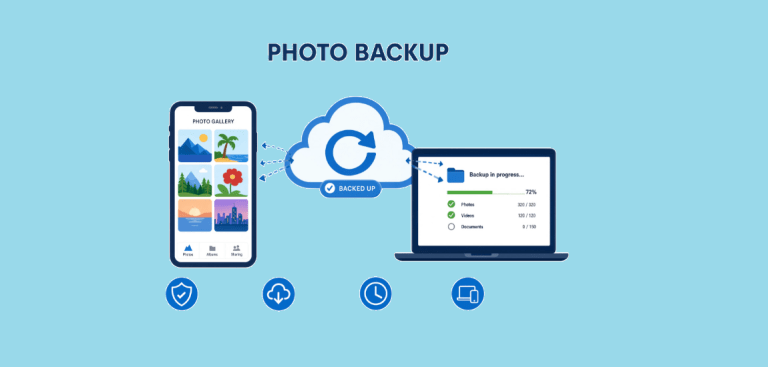
7 Best Photo Backup Solutions in 2026: Which Cloud Storage Should You Trust?
 Network Security
How to Transfer Files Between Two Laptops Over Wi-Fi: What Actually Works
 Data Security & Privacy
How to Protect Your Data With Google Cloud Platform: Complete Security Guide
 Cloud Storage
13 Best Free Cloud Storage Services to Back up & Keep Your Files Secure
 Cloud Storage