What is AlpineJS Used For? When you’re building modern web applications, you’ve likely come across various JavaScript frameworks that promise to make your life easier. Among these, AlpineJS has been gaining popularity as a minimalist yet powerful solution for adding interactivity to your websites.
In this post, we’ll dive deep into what AlpineJS is used for, when you should consider using it, and how it stacks up against other frameworks in the ecosystem. If you want to explore more about the broader landscape of JavaScript tools, check out our guide on top JavaScript frameworks to see how AlpineJS compares to other popular options.
What is AlpineJS?
AlpineJS is a rugged, minimal JavaScript framework that lets you add reactive behavior to your markup without the overhead of larger frameworks. Think of it as “Tailwind for JavaScript” – it provides you with the tools to build interactive components without having to write a lot of JavaScript code.
The framework was created by Caleb Porzio, who wanted to come up with a solution that could handle the reactive nature of frameworks like Vue or React but with a much smaller footprint. AlpineJS weighs in at around 7KB minified and gzipped, making it incredibly lightweight compared to its heavier counterparts.
What sets AlpineJS apart is its declarative syntax that feels natural when writing HTML. You don’t need to set up complex build processes or learn complicated concepts to get started. Instead, you can sprinkle in AlpineJS directives directly into your HTML markup, much like you would with Tailwind CSS classes.
The core philosophy behind AlpineJS is to keep things simple. It doesn’t try to be a full-fledged application framework but focuses on doing one thing well: adding interactivity to your existing markup. This approach makes it perfect for enhancing static websites, building simple interactive components, or adding dynamic behavior to server-rendered applications.
Key Features of AlpineJS
AlpineJS comes packed with several powerful features that make it stand out in the crowded JavaScript ecosystem. Let’s break down what makes this framework so special:
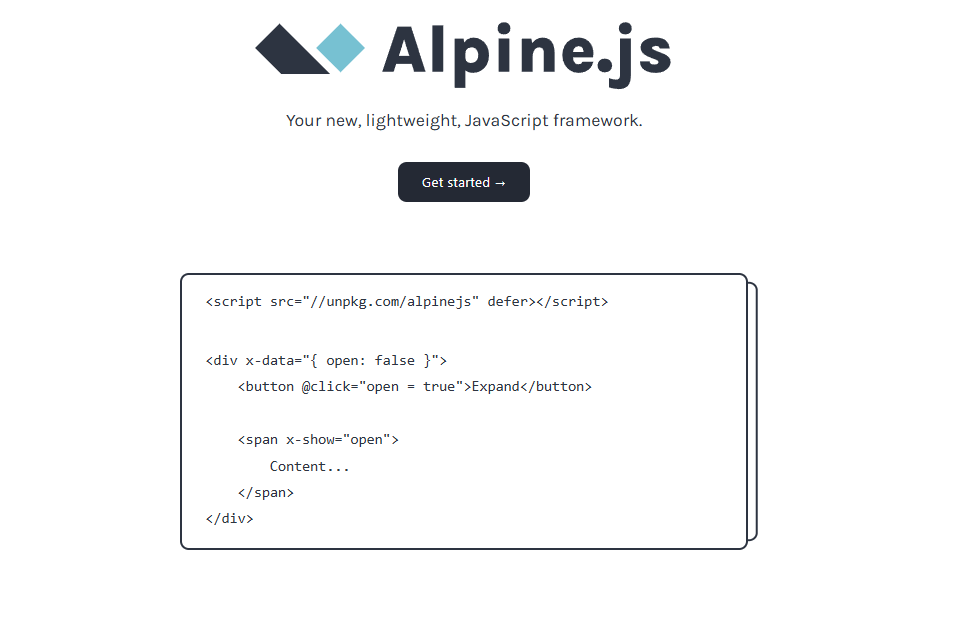
First, AlpineJS offers a declarative templating system that allows you to bind data directly to your HTML. You can use directives like x-data, x-bind, x-on, and x-for to create reactive interfaces with minimal code. This approach feels natural to developers who are comfortable with HTML but want to add dynamic behavior without jumping through hoops.
Second, the framework provides a robust reactivity system that automatically updates your UI when data changes. You don’t have to manually manipulate the DOM or worry about keeping your views in sync with your data. AlpineJS takes care of all this behind the scenes, allowing you to focus on building features rather than managing state.
Third, AlpineJS includes a powerful component system that lets you encapsulate functionality and reuse it across your application. You can create components using simple JavaScript objects or even extract them into separate files for better organization. This makes it easy to build maintainable applications without the complexity of larger frameworks.
Another standout feature is AlpineJS’s small learning curve. If you’ve worked with frameworks like Vue or React, you’ll find AlpineJS familiar yet simpler. Even if you’re new to JavaScript frameworks, AlpineJS’s intuitive syntax makes it easy to pick up and start building interactive components quickly. For those just starting with JavaScript, understanding fundamentals like the global object in JavaScript can help you grasp AlpineJS concepts more easily.
Lastly, AlpineJS works seamlessly with existing HTML and requires no build tools to get started. You can simply include it via a CDN and start adding interactivity to your pages immediately. This makes it perfect for enhancing static sites, adding dynamic features to CMS-based websites, or prototyping ideas without setting up a complex development environment.
When to Use AlpineJS
AlpineJS shines in specific scenarios where its lightweight nature and simplicity come to the forefront. Let’s explore some situations where you should consider reaching for AlpineJS:
Simple Interactive Components
When you need to build simple interactive components like dropdowns, modals, tabs, or accordions, AlpineJS is an excellent choice. Instead of writing vanilla JavaScript to handle the state and DOM manipulation, you can use AlpineJS’s declarative syntax to create these components with just a few lines of code.
For example, building a dropdown menu with AlpineJS is as simple as adding x-data="{ open: false }" to your container element and using x-show="open" and @click.away="open = false" to control its visibility. This approach is much cleaner and more maintainable than writing event listeners and DOM manipulation code by hand.
AlpineJS also makes it easy to handle form interactions, validate user input, and create dynamic UI elements that respond to user actions. You can add interactivity to your pages without the overhead of a larger framework, making it perfect for projects where you just need a sprinkle of JavaScript here and there.
Enhancing Static Websites
If you’re working with a static website built with a static site generator like Hugo, Jekyll, or Eleventy, AlpineJS is an excellent way to add dynamic behavior without sacrificing performance. You can enhance your static pages with interactive elements while keeping the fast load times and simplicity of a static site.
AlpineJS works particularly well with server-rendered applications, such as those built with Laravel, Rails, or Django. You can add client-side interactivity to your server-rendered pages without having to completely rethink your architecture or adopt a full-blown SPA framework.
For content-heavy websites like blogs, documentation sites, or marketing pages, AlpineJS allows you to add interactive features like search functionality, filtering, or dynamic content loading without compromising on page speed or SEO.
Working with Existing HTML
One of AlpineJS’s greatest strengths is its ability to work with existing HTML markup. If you’re maintaining a legacy codebase or working with a CMS where you don’t have full control over the HTML output, AlpineJS can be a lifesaver.
You can progressively enhance your existing pages by adding AlpineJS directives to specific elements without having to rewrite your entire frontend. This makes it perfect for adding interactivity to WordPress sites, Drupal installations, or any other system where you’re working with pre-existing markup.
AlpineJS also plays well with other JavaScript libraries and frameworks. You can use it alongside jQuery, React, Vue, or any other library without conflicts. This flexibility makes it an excellent choice for teams that need to gradually modernize their codebase or add new features to existing applications.
When NOT to Use AlpineJS
While AlpineJS is a fantastic tool for many use cases, it’s not the right choice for every project. It’s important to understand its limitations so you can make informed decisions about when to use it and when to reach for something else.
If you’re building a large-scale single-page application (SPA) with complex state management, routing, and data fetching, AlpineJS might not be the best fit. While it’s possible to build SPAs with AlpineJS, frameworks like React, Vue, or Angular are better suited for this type of application. They provide more robust tools for managing complex application state, handling routing, and structuring large codebases.
Another scenario where AlpineJS might not be the ideal choice is when you need advanced features like server-side rendering (SSR) or static site generation (SSG) with JavaScript frameworks. While you can use AlpineJS with these technologies, frameworks like Next.js (React), Nuxt.js (Vue), or SvelteKit are designed specifically for these use cases and provide better developer experiences and optimizations.
If your team requires extensive tooling, such as TypeScript support, advanced linting, or sophisticated build processes, AlpineJS might feel limited. While it’s possible to set up these tools with AlpineJS, it’s not as straightforward as with more established frameworks that have robust ecosystems and tooling support.
Finally, if you’re building an application that requires a lot of complex animations or transitions, you might find AlpineJS lacking compared to specialized animation libraries or frameworks with built-in animation systems. While AlpineJS provides basic transition utilities, it doesn’t offer the same level of control and features as dedicated animation solutions.
Getting Started with AlpineJS
Getting up and running with AlpineJS is incredibly straightforward, which is one of its biggest selling points. Let’s walk through how you can start using AlpineJS in your projects.
Installation
The simplest way to get started with AlpineJS is by including it via a CDN. Just add the following script tag to the bottom of your HTML file, right before the closing </body> tag:
<script defer src="https://cdn.jsdelivr.net/npm/alpinejs@3.x.x/dist/cdn.min.js"></script>
That’s it! You’re now ready to start using AlpineJS in your HTML. No build tools, no configuration, no complicated setup process.
If you prefer to use AlpineJS as a module in your project, you can install it via npm:
npm install alpinejs
Then import it into your JavaScript file:
import Alpine from 'alpinejs'

window.Alpine = Alpine
Alpine.start()
This approach is useful if you want to integrate AlpineJS into a build process or use it alongside other JavaScript modules.
Basic Syntax
AlpineJS uses a declarative syntax that you add directly to your HTML elements. The core of AlpineJS is its directives, which are special HTML attributes that tell AlpineJS how to behave. Let’s look at some of the most important directives:
x-data: Defines a component’s data state. You can think of it as the “brain” of your component.x-bind: Binds an attribute to a piece of data. You can use the shorthand:for brevity.x-on: Attaches event listeners to elements. The shorthand@is commonly used.x-show: Conditionally shows or hides an element based on a boolean expression.x-for: Creates a loop to render a list of items.x-text: Sets the text content of an element.x-html: Sets the inner HTML of an element.x-model: Creates two-way data binding on form elements.
These directives form the foundation of AlpineJS and allow you to create rich, interactive interfaces with minimal code. Understanding JavaScript fundamentals, like what ‘e’ represents in JavaScript can help you better understand event handling in AlpineJS.
Creating Your First Component
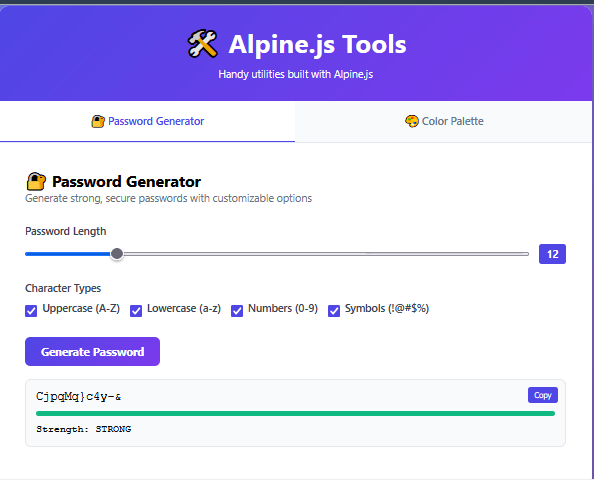
Let’s create a simple counter component to demonstrate how AlpineJS works in practice:
<div x-data="{ count: 0 }">
    <button @click="count--">Decrement</button>
    <span x-text="count"></span>
    <button @click="count++">Increment</button>
</div>
In this example, we’ve created a component with a count data property initialized to 0. We have two buttons that decrement and increment the count when clicked, and a span element that displays the current count. The x-text directive ensures that the span’s content is always in sync with the count property.
Let’s try something a bit more complex: a simple todo list:
<div x-data="{
    newTodo: '',
    todos: [
        { text: 'Learn AlpineJS', completed: false },
        { text: 'Build something cool', completed: false }
    ],

    addTodo() {
        if (this.newTodo.trim() === '') return;
        this.todos.push({ text: this.newTodo, completed: false });
        this.newTodo = '';
    },

    removeTodo(index) {
        this.todos.splice(index, 1);
    }
}">
    <form @submit.prevent="addTodo">
        <input type="text" x-model="newTodo" placeholder="Add a new todo">
        <button type="submit">Add</button>
    </form>

    <ul>
        <template x-for="(todo, index) in todos" :key="index">
            <li>
                <input type="checkbox" x-model="todo.completed">
                <span x-text="todo.text" :class="{ 'line-through': todo.completed }"></span>
                <button @click="removeTodo(index)">Remove</button>
            </li>
        </template>
    </ul>
</div>
This example demonstrates several AlpineJS concepts:
- Using
x-datato define not just data properties but also methods - Two-way data binding with
x-modelon the input field - Looping through an array with
x-for - Conditionally applying CSS classes with
x-bind(using the:shorthand) - Event handling with
@clickand form submission with@submit.prevent
As you can see, AlpineJS allows you to create interactive components with clean, readable code that’s closely tied to your HTML markup.
AlpineJS vs Other Frameworks
To better understand where AlpineJS fits in the JavaScript ecosystem, let’s compare it with some other popular frameworks and libraries. If you want a comprehensive comparison of various JavaScript frameworks, our top JavaScript frameworks article provides an in-depth analysis of the most popular options available today.
AlpineJS vs Vue
AlpineJS and Vue share many similarities in terms of syntax and concepts. In fact, AlpineJS was heavily inspired by Vue, and if you’re familiar with Vue, you’ll feel right at home with AlpineJS. Both frameworks use a declarative template syntax with directives and offer a reactivity system that automatically updates the UI when data changes.
The main difference between the two is their scope and complexity. Vue is a full-featured framework designed for building complex single-page applications, while AlpineJS focuses on enhancing existing markup with minimal JavaScript. Vue comes with a router, state management solution, and a rich ecosystem of plugins, while AlpineJS keeps things simple and lightweight.
If you’re building a small to medium-sized application or adding interactivity to existing pages, AlpineJS might be the better choice due to its simplicity and small footprint. However, for large-scale applications with complex routing and state management needs, Vue provides more comprehensive tools and a more structured approach.
AlpineJS vs React
React and AlpineJS take fundamentally different approaches to building user interfaces. React uses a virtual DOM and a component-based architecture where you write your UI using JSX, a syntax extension that allows you to write HTML-like code in JavaScript. AlpineJS, on the other hand, works directly with the DOM and uses HTML-based templates with special directives.
React has a larger ecosystem, more tooling support, and is better suited for complex applications with intricate state management requirements. It also has a larger community and more job opportunities. AlpineJS, however, is much simpler to learn and use, requires no build tools to get started, and has a significantly smaller bundle size.
If you’re building a complex application with many interacting components and need advanced features like code splitting, lazy loading, or server-side rendering, React is likely the better choice. But if you’re adding simple interactivity to existing pages or building small components, AlpineJS offers a more straightforward and lightweight solution.
AlpineJS vs jQuery
jQuery and AlpineJS serve different purposes in modern web development. jQuery is a general-purpose DOM manipulation library that was incredibly popular in the past but has seen declining usage with the rise of modern frameworks. AlpineJS, while also lightweight, focuses on providing reactive data binding and component-based architecture rather than just DOM manipulation.
jQuery uses an imperative approach where you select elements and manipulate them directly, while AlpineJS uses a declarative approach where you describe how your UI should behave based on your data state. This makes AlpineJS code more maintainable and easier to reason about, especially for complex interactions.
If you’re maintaining a legacy application that already uses jQuery heavily, it might make sense to stick with it for consistency. However, for new projects or when adding interactivity to modern websites, AlpineJS provides a more structured and maintainable approach with better performance and a more modern development experience.
Real-World Examples of AlpineJS
To better understand how AlpineJS is used in practice, let’s look at some real-world examples and use cases where it shines.
One common use case for AlpineJS is building interactive forms with validation. For example, you could create a registration form that validates user input in real-time and shows error messages without requiring a page refresh. With AlpineJS, you can define your form data, validation rules, and error messages in a single component, making the code easy to understand and maintain.
Another practical application is creating dynamic dashboards with filtering and sorting capabilities. Imagine you have a table of data and you want to allow users to filter by different criteria or sort by various columns. With AlpineJS, you can implement this functionality with just a few directives, without having to write complex JavaScript to handle the DOM manipulation and state management.
E-commerce websites often benefit from AlpineJS for features like product variant selection, quantity updates, and shopping cart management. Instead of reloading the page or making complex AJAX calls, you can use AlpineJS to handle these interactions on the client side, providing a smoother user experience.
Content management systems like WordPress or Drupal can be enhanced with AlpineJS to add interactive features to otherwise static pages. For example, you could create a dynamic FAQ section where questions expand to show answers when clicked, or a photo gallery with filtering capabilities, all without leaving the comfort of your existing CMS.
Finally, AlpineJS is excellent for building prototypes and proof-of-concepts quickly. Its low overhead and simple syntax allow you to experiment with ideas and iterate rapidly without getting bogged down by setup and configuration. This makes it a favorite tool among designers and developers who need to quickly bring their ideas to life.
Career Opportunities with AlpineJS
While AlpineJS might not be as widely adopted as React or Vue in large enterprise environments, it still offers valuable career opportunities, especially for developers who work with smaller projects, startups, or agencies that focus on rapid development and performance optimization.
Learning AlpineJS can make you more versatile as a developer, allowing you to choose the right tool for the job rather than always reaching for a heavy framework. This versatility is highly valued in the job market, where employers look for developers who can make informed technology choices based on project requirements.
If you’re interested in exploring career opportunities in JavaScript development more broadly, our article on what jobs you can get with JavaScript provides insights into various career paths available to JavaScript developers, including roles where AlpineJS skills would be valuable.
For those looking to become well-rounded developers, understanding how AlpineJS fits into the broader ecosystem of web development tools is essential. Our guide on full stack developer skills can help you understand how AlpineJS fits into the larger picture of web development skills that employers are looking for.
FAQ
Is AlpineJS suitable for large-scale applications?
No, AlpineJS is not ideal for large-scale applications with complex state management and routing requirements. It’s designed primarily for adding interactivity to existing markup and building simple components. For large applications, frameworks like React, Vue, or Angular are better suited as they provide more robust tools for managing complexity.
Can AlpineJS replace jQuery?
Yes, in many cases AlpineJS can replace jQuery, especially for DOM manipulation and event handling tasks. AlpineJS provides a more modern, declarative approach to building interactive UIs compared to jQuery’s imperative style. However, if you’re working with legacy code that heavily relies on jQuery plugins, it might be more practical to stick with jQuery for consistency.
Does AlpineJS work with server-side rendering?
Yes, AlpineJS works well with server-side rendering. In fact, it’s designed to enhance server-rendered pages by adding client-side interactivity. You can use AlpineJS with frameworks like Laravel, Rails, or Django to add dynamic behavior to your server-rendered applications without having to completely switch to a client-side framework.
Is AlpineJS difficult to learn?
No, AlpineJS is not difficult to learn, especially if you have some experience with HTML and basic JavaScript. Its syntax is intuitive and closely tied to HTML markup, making it accessible to developers of all skill levels. If you’ve worked with frameworks like Vue or React before, you’ll find AlpineJS familiar yet simpler.
Can AlpineJS be used with other JavaScript frameworks?
Yes, AlpineJS can be used alongside other JavaScript frameworks without conflicts. You can use it to enhance specific parts of your application while using other frameworks like React or Vue for more complex components. This makes AlpineJS an excellent choice for teams that want to gradually adopt modern JavaScript practices without completely rewriting their existing codebase.
Should I learn AlpineJS for my career?
Yes, learning AlpineJS can be beneficial for your career, especially if you work with smaller projects, startups, or agencies that value performance and rapid development. While it might not be as widely requested as React or Vue in job postings, having AlpineJS in your toolkit demonstrates versatility and the ability to choose the right tool for specific project requirements.
Conclusion
AlpineJS has carved out a unique niche in the JavaScript ecosystem as a minimalist framework for adding interactivity to web pages. Its lightweight nature, simple syntax, and focus on enhancing existing markup make it an excellent choice for a wide range of use cases, from simple interactive components to enhancing server-rendered applications.
Throughout this article, we’ve explored what AlpineJS is used for, its key features, and when you should consider using it. We’ve also compared it with other frameworks and looked at real-world examples where it shines. While it’s not the right tool for every project, AlpineJS fills an important gap between vanilla JavaScript and heavier frameworks like React or Vue.
If you’re looking to add interactivity to your websites without the complexity of larger frameworks, AlpineJS is definitely worth considering. Its low barrier to entry, small footprint, and intuitive syntax make it accessible to developers of all skill levels, while still providing enough power to handle complex interactions.
As web development continues to evolve, tools like AlpineJS remind us that sometimes, simpler is better. By focusing on doing one thing well—adding reactive behavior to markup—AlpineJS provides a valuable alternative to the increasingly complex JavaScript ecosystem. Whether you’re building a small personal project or enhancing a large enterprise application, AlpineJS deserves a place in your toolkit.
You May Also Like
 JavaScript
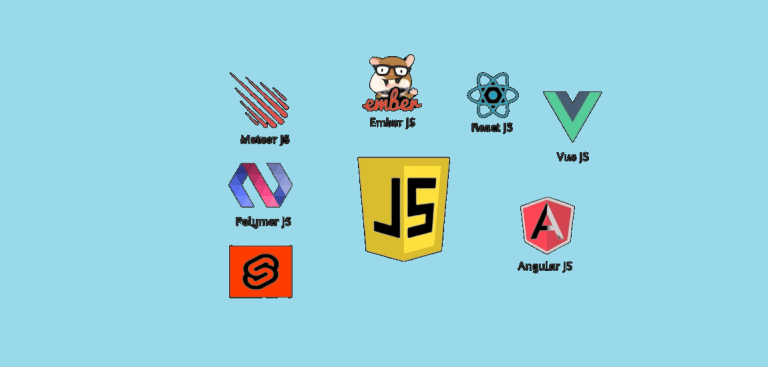
20 JavaScript Frameworks and Libraries for Modern Web Development
 WordPress
12 Best Cheap SSL Certificate Providers To Secure Your Website
 Proxies
REST APIs Explained: Everything You Need to Know to Build and Use Them
 JavaScript
The Top 8 PhantomJS Alternatives for Web Scraping and Testing
 WordPress
How to Use 1and1 Webmail? Here Are IONOS Webmail Login Guide
 JavaScript
TypeScript vs JavaScript: Understanding the Key Differences
 Web Development
What Is the Difference Between UI Testing and UX Testing?
 Web Development
Agile Testing Strategies: Boost Your Software Development Efficiency
 Web Development