Planning your outdoor space requires the right tools to visualize your ideas. Whether you’re a homeowner tackling a DIY project or a professional designer, free landscape design software helps you create stunning garden plans without breaking the budget. These digital tools streamline the design process, predict costs, and help you visualize your outdoor space transformation before you start digging.
Modern landscape design software offers powerful features like 3D modeling, plant databases, and AR visualization. You can design gardens, backyards, patios, and complete outdoor living spaces using drag-and-drop interfaces that require no technical expertise.
14 Best Free Landscape Design Tools for Outdoor Spaces
1. Planner 5D
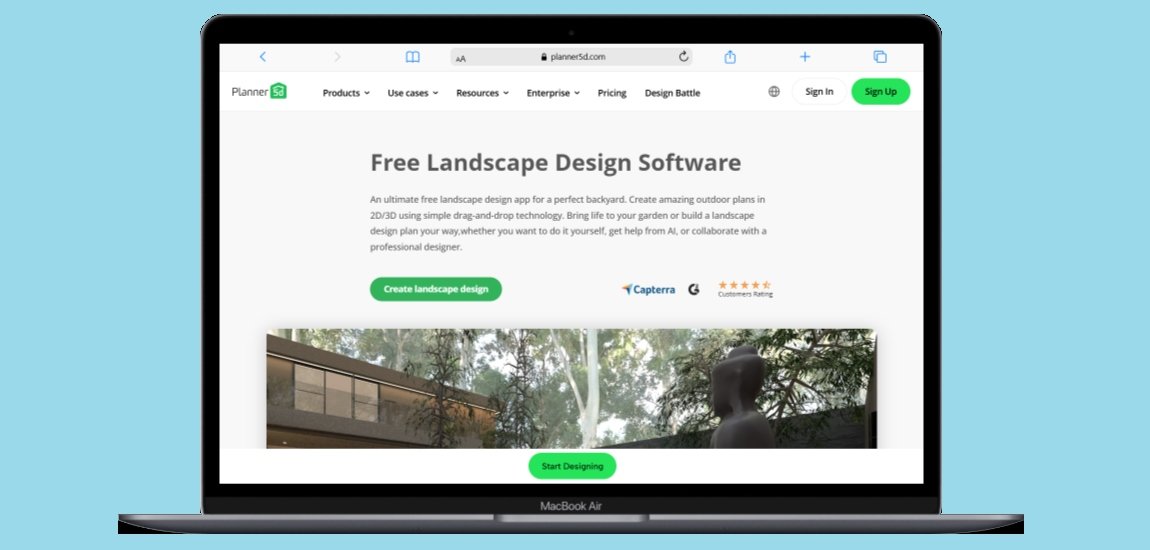
Planner 5D stands out as one of the most comprehensive free landscape design platforms available. This browser-based tool combines artificial intelligence with intuitive design features, making it perfect for both beginners and experienced designers.
The platform uses advanced AI technology to help users create professional landscape designs quickly. Simply upload a photo of your outdoor space or start from scratch with their extensive library of design elements. The software automatically suggests plant arrangements, hardscape options, and layout improvements based on your location and preferences.
Key Features:
- AI-powered design suggestions
- 2D and 3D visualization modes
- Extensive plant and material library
- Real-time rendering capabilities
- Cross-platform compatibility
Pros:
- User-friendly interface requiring zero experience
- Free version with unlimited projects
- AI assistance speeds up design process
- Works on all devices and browsers
- Large community sharing design ideas
Cons:
- Premium features require subscription ($4.99/month)
- Advanced 3D rendering limited in free version
- Some plant species may not be region-specific
Best For: Homeowners and DIY enthusiasts looking for professional results with minimal effort. Perfect for home design software users wanting to extend their skills outdoors.
2. iScape
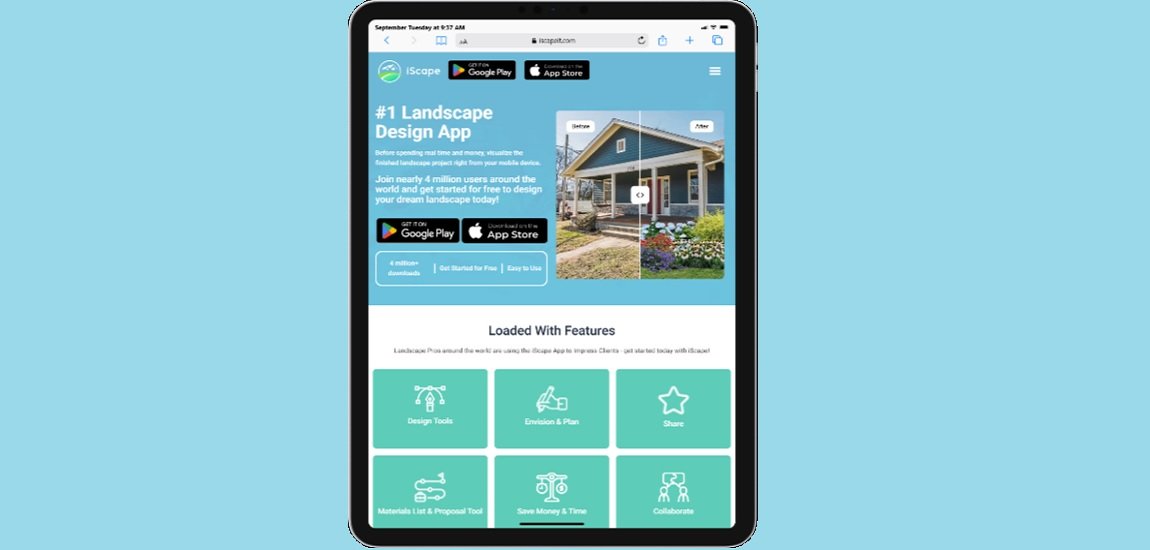
iScape revolutionizes mobile landscape design with its camera-based approach. This iOS and Android app allows users to design directly on photos of their actual outdoor spaces, providing realistic visualization of proposed changes.
With nearly 4 million downloads, iScape has become the go-to mobile solution for landscape visualization. The app uses your device’s camera to overlay design elements onto your existing space, showing exactly how plants, hardscapes, and outdoor furniture will look in your yard.
Key Features:
- Photo-based design overlay
- Extensive plant and material database
- Sharing and collaboration tools
- Professional contractor network integration
- Seasonal plant visualization
Pros:
- Realistic visualization using actual photos
- Mobile-first design for on-site planning
- Large plant database with growth projections
- Easy sharing with contractors and family
- Regular updates with new content
Cons:
- Limited to mobile devices only
- Some advanced features require a subscription
- Smaller plant library compared to desktop solutions
- Photo quality affects design accuracy
Best For: Mobile users who want to visualize changes using real photos of their property. Ideal for quick design iterations and contractor communication.
3. SketchUp Free

SketchUp Free offers professional-grade 3D modeling capabilities through your web browser. Originally developed for architects and engineers, this tool provides powerful landscape design features accessible to homeowners and professionals alike.
The web-based platform allows you to create detailed 3D models of outdoor spaces, complete with topographical features, structures, and vegetation. Advanced users can import custom models and create highly detailed landscape architectures that rival professional CAD software.
Key Features:
- Professional 3D modeling tools
- Web-based platform requiring no downloads
- Google Drive integration for file storage
- Extensive 3D Warehouse library
- Precise measurement and scaling tools
Pros:
- Industry-standard modeling capabilities
- Completely free with no project limits
- Large community with shared models
- Professional-quality output
- Integrates with Google ecosystem
Cons:
- Steep learning curve for beginners
- Limited landscape-specific templates
- Requires stable internet connection
- No built-in plant growth simulation
- Time-intensive for simple projects
Best For: Users with technical background or time to learn professional modeling. Perfect for detailed architectural landscape projects and construction project management integration.
4. Home Outside
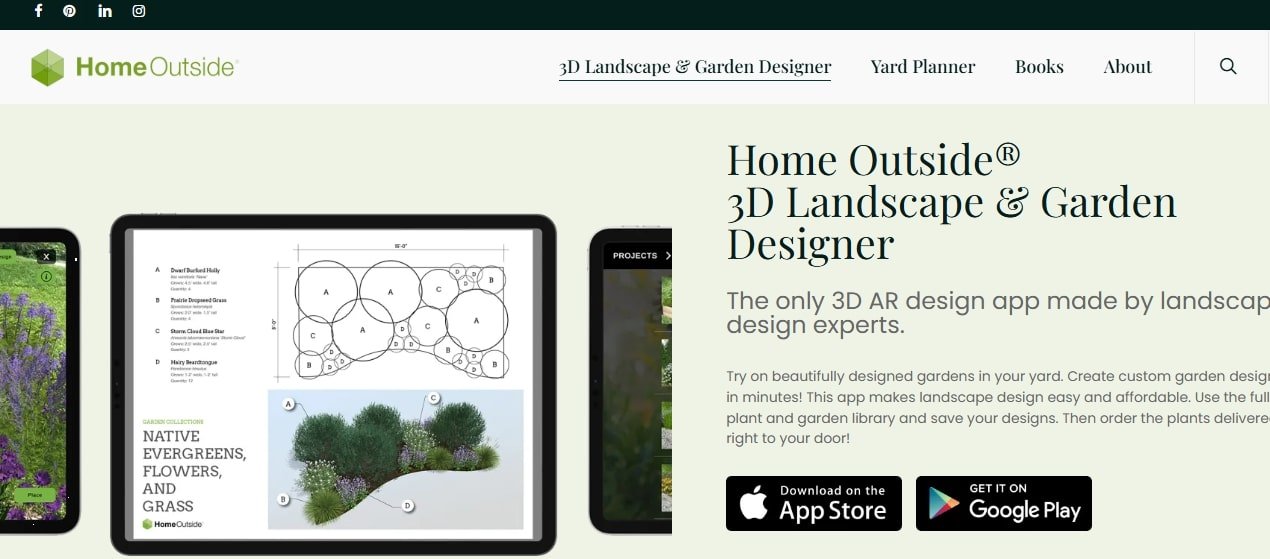
Home Outside leverages augmented reality (AR) technology to provide immersive landscape design experiences. This innovative app allows users to visualize garden designs in real-world environments using their mobile device cameras.
The platform combines 3D modeling with AR visualization, enabling users to walk through their designed spaces virtually. Professional landscape designers created the app’s templates, ensuring that design suggestions follow proven aesthetic and horticultural principles.
Key Features:
- Augmented reality visualization
- Expert-designed garden templates
- 3D plant modeling with seasonal changes
- Site-specific plant recommendations
- Professional design consultation options
Pros:
- Cutting-edge AR technology for realistic visualization
- Expert-curated design templates
- Seasonal plant visualization shows year-round appeal
- Region-specific plant databases
- Optional professional designer consultation
Cons:
- Requires newer mobile devices for AR features
- Limited customization in template designs
- Subscription required for full feature access
- Smaller user community compared to established platforms
Best For: Tech-savvy homeowners wanting the latest AR visualization technology. Ideal for those seeking professional design guidance with modern tools.
5. Simplyscapes
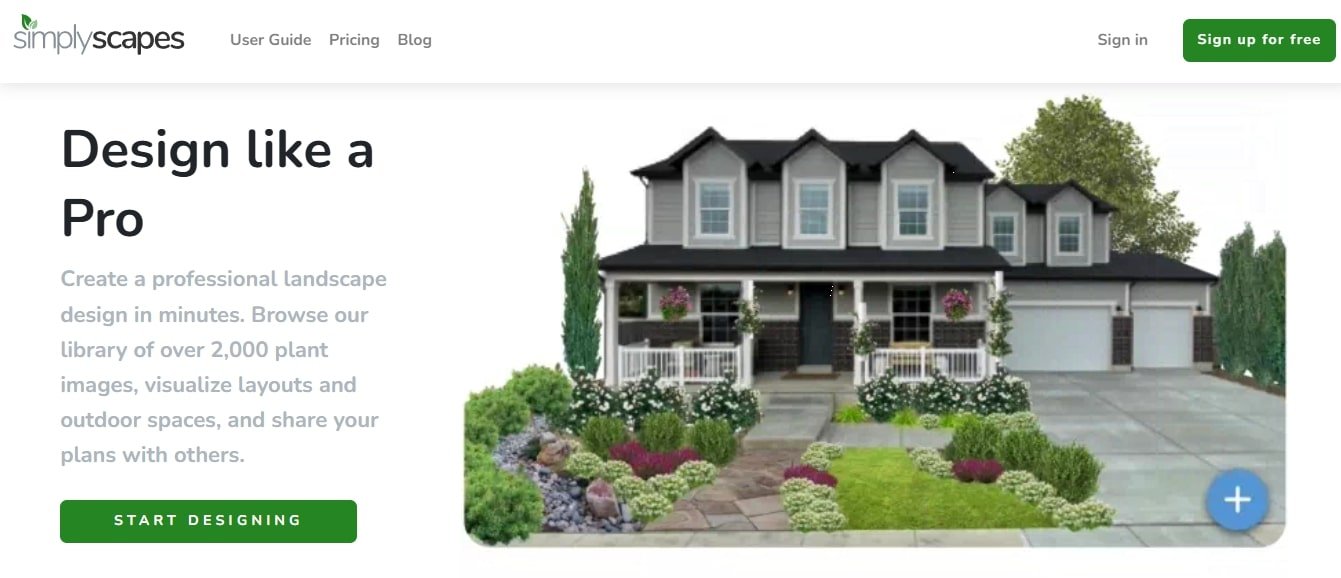
Simplyscapes focuses on photo-realistic landscape design using actual property photos. This web-based platform specializes in water-wise and sustainable landscaping solutions, making it perfect for environmentally conscious designers.
The software features over 2,000 plant images and allows users to create professional presentations for contractors or personal reference. Their emphasis on drought-resistant landscaping makes it particularly valuable for regions with water restrictions or climate-conscious homeowners.
Key Features:
- Photo-realistic design overlay
- 2,000+ plant image library
- Water-wise landscape specialization
- Professional presentation tools
- Climate-appropriate plant suggestions
Pros:
- Free basic version available
- Specializes in sustainable landscaping
- Professional-quality design outputs
- Focus on water conservation
- Easy sharing and presentation tools
Cons:
- Limited to photo-based design approach
- Smaller feature set compared to comprehensive tools
- Premium features require subscription
- Less community support and tutorials
Best For: Environmentally conscious designers focusing on sustainable landscaping. Perfect for drought-prone regions and water-wise garden planning.
6. Garden Planner by GrowVeg

Garden Planner specializes in vegetable garden design and crop rotation planning. This tool goes beyond aesthetic design to provide practical gardening advice, planting schedules, and harvest planning for productive outdoor spaces.
The software includes over 250 vegetables, herbs, fruits, and flowers with detailed growing information. It automatically calculates planting dates based on your location and provides succession planting recommendations to maximize harvest throughout the growing season.
Key Features:
- 250+ edible and ornamental plants
- Automatic planting date calculations
- Crop rotation planning tools
- Succession planting recommendations
- Growing guides and care instructions
Pros:
- Specialized for productive gardening
- Location-based planting calendars
- Crop rotation automation prevents soil depletion
- Free 7-day trial available
- Comprehensive growing guides included
Cons:
- Limited to vegetable and herb gardens
- Subscription required after trial period
- Less focus on aesthetic landscape design
- No 3D visualization capabilities
Best For: Vegetable gardeners and homesteaders focused on food production. Ideal for inventory management of garden plots and harvest planning.
7. DreamPlan Home Design

DreamPlan offers comprehensive home and landscape design capabilities in one integrated platform. This desktop software provides professional-level tools for designing both indoor and outdoor spaces with seamless integration between house and landscape elements.
The software excels at creating complete property designs that consider how indoor and outdoor spaces interact. Users can design entire properties from house plans to garden layouts, ensuring cohesive design throughout their entire living space.
Key Features:
- Integrated indoor and outdoor design
- 3D and 2D rendering capabilities
- Blueprint view mode
- Windows and Mac compatibility
- Professional design templates
Pros:
- Free for non-commercial use
- Comprehensive design capabilities
- Professional-quality output
- Cross-platform compatibility
- Integrates house and landscape design
Cons:
- Commercial use requires paid license
- Desktop installation required
- Learning curve for beginners
- Limited cloud storage options
- Fewer landscape-specific features
Best For: Homeowners planning complete property renovations. Perfect for home design software users expanding into landscape planning.
8. Plan-a-Garden by Better Homes & Gardens

Plan-a-Garden provides browser-based landscape design tools backed by Better Homes & Gardens’ gardening expertise. This free platform offers curated plant databases and design templates based on proven garden design principles.
The tool emphasizes practical garden design with plants and layouts tested by gardening professionals. Users benefit from Better Homes & Gardens’ extensive research and testing, ensuring that design recommendations will thrive in real-world conditions.
Key Features:
- Browser-based design platform
- Curated plant database
- Expert-tested design templates
- Seasonal planning tools
- Professional design advice integration
Pros:
- Completely free to use
- Backed by gardening expertise
- No software installation required
- Proven plant combinations
- Educational content included
Cons:
- Limited 3D visualization
- Basic design tools compared to comprehensive software
- No mobile app available
- Limited customization options
- Fewer advanced features
Best For: Beginning gardeners seeking expert advice. Ideal for users wanting proven plant combinations and design layouts.
9. Lands Design

Lands Design offers professional landscape architecture tools through a free beta program. This Rhino plugin provides advanced 3D modeling capabilities specifically designed for landscape architects and professional designers.
The software updates every 90 days with new features and improvements based on user feedback. Professional landscape architects can access advanced tools typically found only in expensive CAD software, making it an excellent option for serious designers and students.
Key Features:
- Professional landscape architecture tools
- 3D modeling and virtual tour creation
- Plant species database
- AutoCAD file support
- Regular feature updates
Pros:
- Professional-grade capabilities
- Free beta access with regular updates
- Advanced 3D modeling tools
- Compatible with professional CAD formats
- Virtual tour creation capabilities
Cons:
- Requires Rhino 3D software installation
- Steep learning curve
- Beta version may have stability issues
- Limited support compared to paid software
- Primarily designed for professionals
Best For: Professional landscape architects and advanced users. Perfect for students and professionals needing CAD-level capabilities.
10. GARDENA My Garden
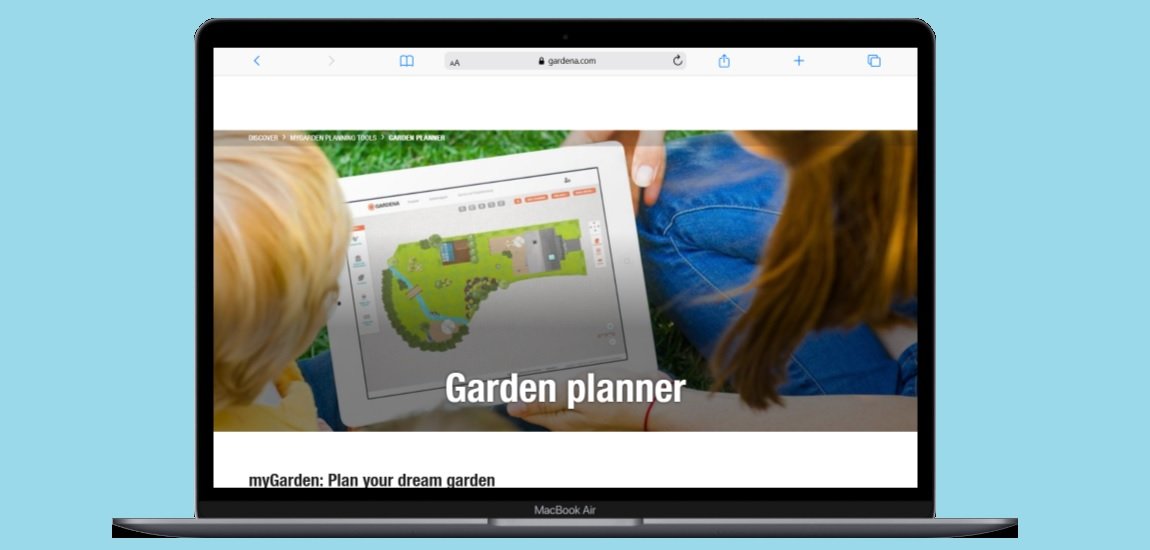
GARDENA My Garden combines landscape design with irrigation planning tools. This European-based platform specializes in creating gardens optimized for water efficiency and automated irrigation systems.
The tool helps users design landscapes that integrate seamlessly with GARDENA’s irrigation products, though the design capabilities work independently of purchasing their products. The platform emphasizes water-smart gardening and automated maintenance solutions.
Key Features:
- Irrigation system integration
- Water-efficient design templates
- Plant database with water requirements
- Automated maintenance planning
- European plant species focus
Pros:
- Free to use with no restrictions
- Specializes in water-efficient design
- Integrates irrigation planning
- European plant expertise
- Professional irrigation recommendations
Cons:
- Limited plant database for North American users
- Focuses primarily on European species
- Less comprehensive than general design tools
- Limited 3D visualization
- Irrigation-focused rather than aesthetic design
Best For: Users planning irrigation systems or water-efficient gardens. Ideal for regions with water restrictions or automated maintenance needs.
11. Yard Planner

Yard Planner offers simple drag-and-drop landscape design for mobile devices. This app features over 700 hand-drawn design elements that homeowners and professionals can use to create property plans and garden layouts quickly.
The app emphasizes simplicity and speed, making it perfect for quick concept drawings and basic landscape planning. The hand-drawn aesthetic provides a more artistic approach compared to photorealistic design tools.
Key Features:
- 700+ hand-drawn design elements
- Tap-and-drag interface
- Mobile-optimized design
- Property mapping tools
- Artistic rendering style
Pros:
- Simple and intuitive interface
- Artistic hand-drawn aesthetic
- Quick concept development
- Mobile-first design
- No learning curve required
Cons:
- Limited to basic design functions
- Hand-drawn style may not suit all users
- Fewer plants and materials than comprehensive tools
- No 3D visualization
- Limited advanced features
Best For: Users needing quick concept sketches and basic property planning. Perfect for initial brainstorming and simple layouts.
12. LiveHome 3D
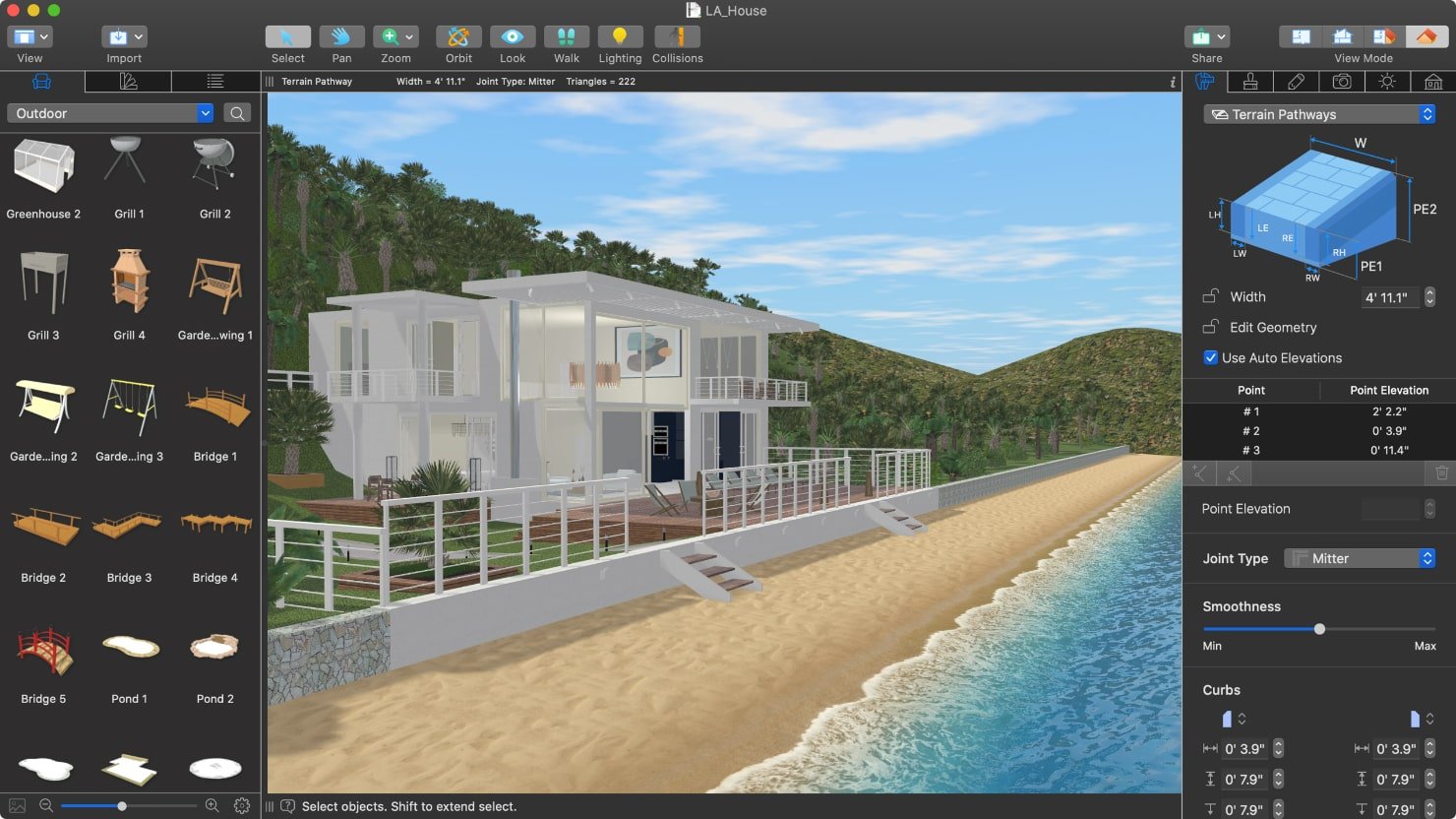
LiveHome 3D provides comprehensive home and landscape design tools across multiple platforms. This software offers true-to-life elevations and realistic landscape modeling for Windows, Mac, iPhone, iPad, and Android devices.
The platform excels at creating detailed 3D visualizations with realistic terrain modeling and elevation changes. Users can design complex landscapes with hills, valleys, and multi-level outdoor spaces that accurately represent challenging topography.
Key Features:
- Multi-platform compatibility
- True-to-life elevation modeling
- Realistic terrain tools
- Cross-device synchronization
- Professional rendering quality
Pros:
- Works on all major platforms
- Excellent elevation and terrain tools
- High-quality rendering capabilities
- Cloud synchronization across devices
- Professional output quality
Cons:
- Free version has limited features
- Premium features require subscription
- Complex interface for beginners
- Large file sizes for detailed projects
- Requires powerful devices for best performance
Best For: Users with challenging terrain or multi-level outdoor spaces. Ideal for properties with significant elevation changes and complex topography.
13. Realtime Landscaping Pro
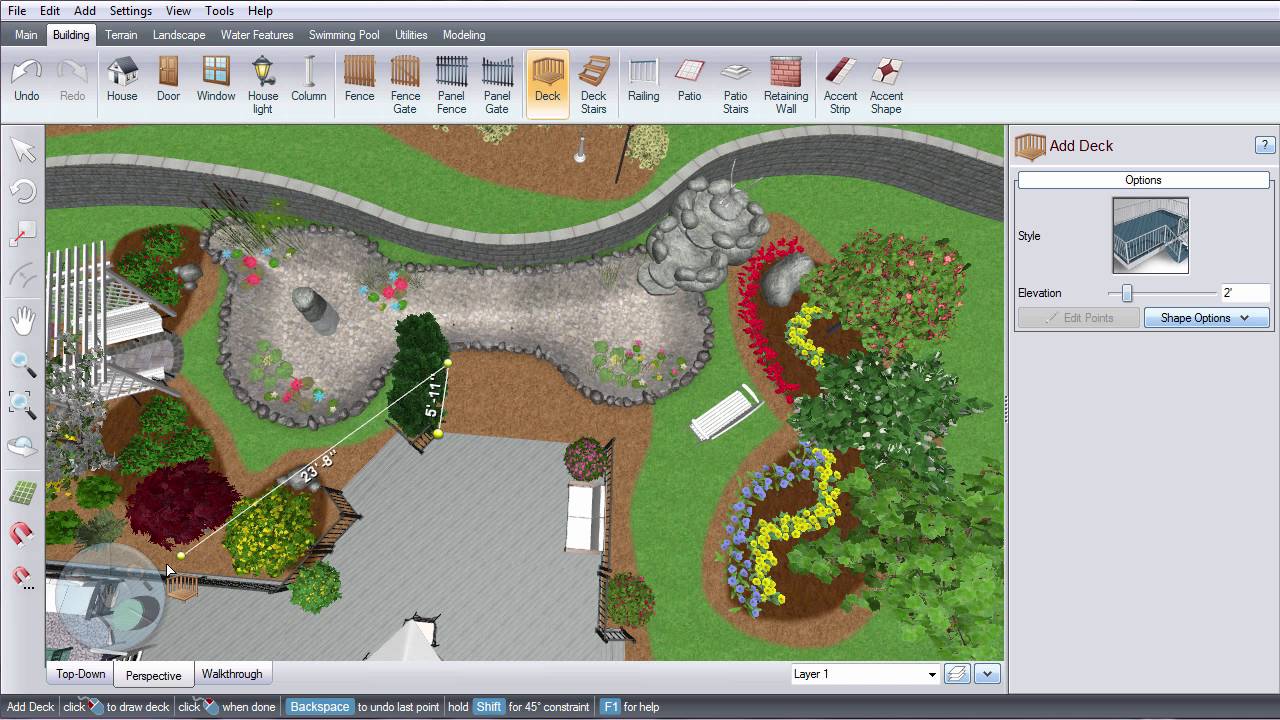
Realtime Landscaping Pro is a top-notch landscape design tool. It’s great for both pros and DIYers. It lets you see your designs in 3D as you make them. This makes it easy to create beautiful outdoor spaces.
Realtime Landscaping Pro shows landscapes in real detail, including lighting and seasons. You can design everything from terrains to patios. It even lets you add thousands of plants and objects. The images it creates are so good, you can see exactly what your project will look like.
Realtime Landscaping Pro is also great for making videos and 3D presentations. This is perfect for showing off your designs to clients. It also helps with budgeting by giving cost estimates and material lists. It’s a top choice for landscape design tech.
Key Features:
- Real-time 3D visualization and rendering
- Extensive plant and object library with growth simulation
- Terrain modeling and water feature design tools
- Walkthrough video creation capabilities
- Cost estimation and material list generation
Pros:
- Professional-quality rendering and visualization
- User-friendly interface suitable for all skill levels
- Comprehensive plant database with detailed information
- Excellent for client presentations and approvals
- Regular updates with new features and content
Cons:
- Free version has limited features compared to paid version
- Requires a powerful computer for optimal performance
- Learning curve for advanced features
- Limited collaboration tools in free version
Best For: Professional landscape designers, contractors, and homeowners who need high-quality visualization and presentation tools for their projects.
14. VizTerra
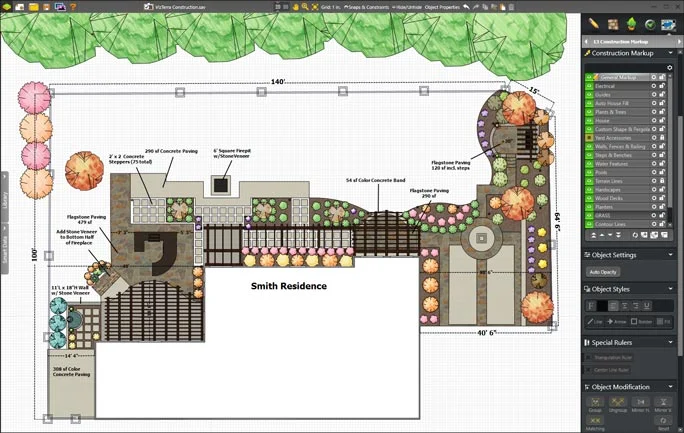
VizTerra is at the forefront of landscape design software. It offers top-notch 3D design and visualization tools for landscape architects, designers, and high-end contractors. This platform combines advanced CAD with stunning real-time rendering. It lets users create detailed, photorealistic designs quickly and accurately.
Vizterra landscape software is great at making detailed terrain models. It includes accurate elevation changes, drainage, and grading plans. Users can design complex hardscape features like patios, retaining walls, and outdoor kitchens. It also has a vast plant library with detailed info on growth habits and maintenance.
VizTerra’s real-time rendering engine creates stunning visuals that update instantly. This allows for quick design changes and feedback. It also has powerful presentation tools, including walkthrough videos and seasonal animations. This makes it easy for designers to show their vision to clients.
Key Features:
- Advanced terrain modeling and grading tools
- Real-time 3D rendering and visualization
- Extensive plant and hardscape libraries
- Professional CAD and drafting capabilities
- Presentation tools including walkthroughs and animations
Pros:
- Professional-grade design and visualization tools
- Real-time rendering for immediate feedback
- Comprehensive plant and material libraries
- Excellent for client presentations
- Regular updates with new features and content
Cons:
- Free version has limited features
- Steeper learning curve for beginners
- Requires powerful hardware for optimal performance
- Higher cost for full professional version
Best For: Professional landscape designers, architects, and contractors. They need advanced design tools and high-quality visualization for client presentations and project documentation.
FAQ: Free Landscape Design Software
What is the best free landscape design software for beginners?
Planner 5D stands out as the best option for beginners due to its AI-powered suggestions and intuitive interface. The platform requires no experience and provides professional results quickly. iScape is another excellent choice for mobile users who want to visualize changes using photos of their actual property.
Can free landscape design software replace professional designers?
While free software provides excellent visualization and planning tools, professional landscape architects bring expertise in horticulture, drainage, local codes, and long-term maintenance. Use free software for initial planning and visualization, but consider professional consultation for complex projects, drainage issues, or significant investments.
Do landscape design apps work offline?
Most modern landscape design tools require internet connections for accessing plant databases, weather information, and cloud storage. However, some desktop applications like DreamPlan and SketchUp offer offline capabilities once downloaded. Mobile apps typically need connectivity for full functionality.
How accurate are plant growth simulations in free software?
Plant growth simulations vary significantly between platforms. Garden Planner and iScape offer more accurate growth projections based on local climate data, while basic design tools provide general estimates. For accurate long-term planning, cross-reference software suggestions with local extension office recommendations.
Choosing the Right Landscape Design Software
Consider these factors when selecting landscape design software:
Design Complexity: Simple garden layouts work well with mobile apps like iScape or Yard Planner, while complex projects benefit from comprehensive tools like SketchUp Free or Planner 5D.
Technical Skills: Beginners should start with Planner 5D or Plan-a-Garden, while experienced users can leverage advanced tools like Lands Design or LiveHome 3D.
Platform Preference: Mobile users benefit from iScape or Home Outside, while desktop users have more options with SketchUp Free or DreamPlan.
Specific Needs: Vegetable gardens require Garden Planner, water-wise landscaping suits Simplyscapes, and AR visualization calls for Home Outside.
Budget Considerations: All listed tools offer free versions, though some limit advanced features. Evaluate upgrade costs if you need professional-quality outputs or advanced features.
Transform your outdoor space with confidence using these powerful free landscape design tools. Whether you’re planning a simple garden refresh or complete backyard transformation, the right software makes professional-quality design accessible to everyone. Start with user-friendly options like Planner 5D or iScape, then explore more advanced tools as your skills develop.
For additional home improvement planning, explore our guides on kitchen design software, floor plan software, and construction project management to coordinate your complete home renovation projects.
You May Also Like
 Best Software
Top 10 Free & Open Source Inventory Management Software in 2026: A Comprehensive Buyer’s Guide With Real-World Data
 SaaS
SaaS
11 Best VoIP Call Center Solutions for Small Business 2026 (Comparison Guide)
 Best Software
6 Best Software to Record Mouse and Keyboard Actions and Automate Repetitive Tasks
 Best Software
Jira vs Hive: Which Project Management Tool is Right for Your Team?
 Best Software
8 Best Free Registry Cleaners Tools to Clean Junk and Registry on Windows PC
 Best Software
12 Top Plumbing Management Software Solutions for 2026
 Best Software
ServiceTitan Pricing Explained: How Much Does ServiceTitan Cost for Your Business?
 Best Software
12 Best Construction Project Management Software For Your Businesses
 Best Software