I’ve spent my time testing avatar generators, uploading the same reference photos, running the same prompts through anime-style and photorealistic modes, and checking output resolution, watermarking, and file formats across each one. Here’s what actually held up.
A good avatar does more than fill a profile circle. On forums, it signals who you are before anyone reads a word you’ve written. On Discord or Roblox, it has to survive being shrunk to 64 pixels and still be recognizable. On LinkedIn, it needs to look like you’d actually show up looking that way. Different platforms punish different mistakes, so I judged each tool against the platform it’s best suited for rather than by a single “does it look nice” standard.
Most of these tools fall into two camps. Upload-a-selfie AI generators (Lensa-style tools, PFPMaker, and similar) render a stylized or photorealistic version of your actual face in under a minute — useful if you want an avatar that still looks like you. Build-from-scratch character makers (Picrew-style creators, VRoom, Roblox’s own avatar editor) work more like a digital dress-up doll: you pick facial features, hair, and outfits from preset options, which trades resemblance for full creative control and, often, anime or cartoon styles you can’t easily get from a photo upload.
Below, I’ve noted which category each tool falls into, what output resolution and file types you actually get, whether the free tier leaves a watermark, and where each one falls short — because most “free” avatar makers gate the actually good export behind a paywall, and it’s worth knowing that going in.
23 Best Free Avatar Creator Sites Online To Create Your Own Avatars in Just a Few Seconds
Here are the best free Avatar creator sites online for free to turn your Photo into Sketches, Manga, Anime, Cartoons, or create a new one from scratch with tons of customizations. The following avatar generator can help you to create a profile picture on any account and you can customize the size. Whether you need a cartoon avatar maker, 3D avatar creator, or digital persona generator, this list has everything you need. If you’re an iPhone user, you may like to read this post: photo backup for iPhone.
1. Avatarmaker

Creating your own avatar for an online game can be fun but time-consuming. Avatarmaker.com offers a free way to design your character. You can choose facial features, hair color, clothes, and more. This online character creator works well for anyone wanting a straightforward digital identity maker.
Avatarmaker.com was the first site to let users create avatars online for free. It’s easy to use, so you don’t need design skills. Just bring your imagination to customize hair, eyes, eyebrows, and nose.
To make an online avatar, visit Avatarmaker.com. Choose male or female, then start designing your avatar. Once you’re done, download and save it to your device.
Key Features:
- Simple drag-and-drop interface
- Extensive customization options for facial features
- Multiple clothing and accessory choices
- Gender selection for personalized avatars
- Free download without registration
Pros:
- Completely free to use
- No design skills required
- Quick and easy avatar creation
- Wide range of customization options
- Works on any device with internet access
Cons:
- Limited to cartoon-style avatars
- No 3D avatar options
- Basic graphics compared to newer tools
Best For: Newbies looking for a hassle-free avatar generation experience devoid of any skill acquisition.
2. Anichara

Anichara is one of the best sites for creating avatars online. It offers many features to make your profile pictures unique. I’ve used this tool and found it easy to create eye-catching anime-style avatars for social media. This anime avatar generator is ideal for fans of Japanese animation and manga.
Some great free services include Anime Avatar Maker, Portrait Maker, Anime Pretty Girl Maker, Dress-Up Games for Girls, Manga Caricature Creator, Cartoon Character Creator, Baby & Child Cartoon Character Maker, and Anime Handsome Boy Maker. You can customize your avatar without any editing skills. Use these avatars for social media profiles or WhatsApp.
Key Features:
- Multiple avatar creation tools in one platform
- Anime and manga-style character options
- Full-body avatar customization
- Specialized tools for different character types
- Social media optimized avatar sizes
Pros:
- Extensive variety of avatar styles
- No registration required
- Free to use all features
- High-quality anime-style graphics
- Regular updates with new options
Cons:
- Focuses mainly on anime style
- Can be overwhelming with so many options
- Limited realistic avatar options
Best For: Anime and manga fans who want to create detailed, stylized avatars that reflect their favorite art styles.
3. Framiq
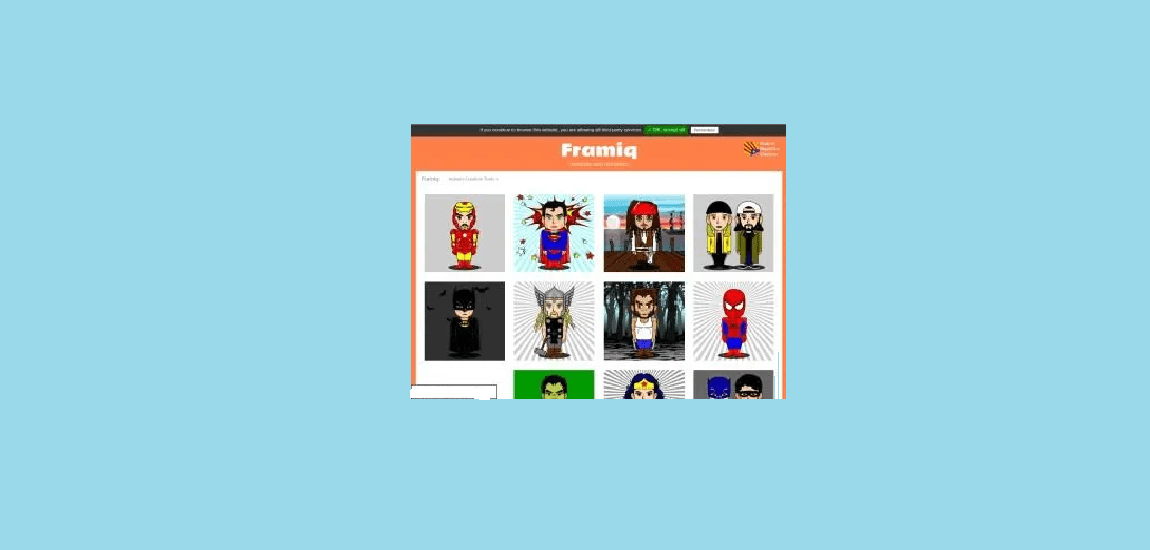
Framiq is a top site for making cartoon avatars easily. You can create avatars based on your favorite characters. It’s as simple as A, B, C. No graphic design skills are needed—just your imagination. I find this tool great for quickly making avatars for different online sites. This cartoon character creator offers many styles and customization options.
Available features include cool cartoons, manga, cute anime, kawaii, emo, realistic illustrations, and full-body avatars. You can also customize T-shirts, design stylish hoodies, and create avatars for various social media platforms. The interface is clean and user-friendly, making it ideal for both beginners and experienced users.
Key Features:
- Multiple art styles including cartoon and manga
- Full-body avatar creation
- Clothing and accessory customization
- Social media optimized outputs
- Easy-to-use interface
Pros:
- Variety of art styles to choose from
- Full-body avatar options
- No design skills needed
- Free to use
- Quick creation process
Cons:
- Limited advanced customization
- Some styles may look similar
- No 3D avatar options
Best For: Users who want variety in art styles and need full-body avatars for different online platforms.
4. Avataaars Generator

Avataaars Generator is a top choice for making free cartoon avatars. Its user-friendly drag-and-drop interface lets anyone design their avatar without any special skills. This profile picture maker works well for both professional and personal needs.
With this tool, you can easily click and adjust features on the avatar template. You can change skin tones, add beards, select eyewear, and try out different outfits. The mix-and-match options help you create a unique avatar in just minutes. I’ve made many avatars with this tool, and I’m always impressed by how quickly I can get the look I want.
When you’re happy with your avatar, Avataaars Generator lets you download it with one click. You can save your avatar as a PNG or SVG file for use on social media, forums, gaming networks, and more. There’s no need to register, and your creations stay private.
Key Features:
- Extensive customization options
- PNG and SVG export formats
- Random avatar generator
- No registration required
Pros:
- Extremely easy to use
- High-quality vector graphics
- Free with no watermarks
- Fast creation process
- Works on all devices
Cons:
- Limited to cartoon style
- No photo-to-avatar conversion
- Basic color options
Best For: Users who need quick, professional-looking cartoon avatars for business profiles, social media, or professional use.
5. Mango Animate Character Maker

Mango Animate Character Maker is a great tool for quickly making animated characters. It’s simple to use, so you don’t need any design or programming skills. Just import your PNG or PSD file, add bones, edit poses, and apply animations. This animated character creator is perfect for content creators and video producers.
You can also choose from a variety of pre-designed animated characters. Customizing facial expressions, body movements, outfits, and accessories is easy with just a click. Export your characters in MP4, MOV, PNG, or GIF formats to share on social media like Facebook, Instagram, YouTube, and WhatsApp.
Key Features:
- Animated character creation
- Bone rigging system
- Pre-designed character templates
- Multiple export formats
- Facial expression customization
Pros:
- Creates animated avatars
- Professional animation tools
- Multiple export options
- Free version available
- Good for video content
Cons:
- Learning curve for animation features
- Limited free version features
- Requires software download
Best For: Content creators who need animated characters for videos, presentations, or social media content.
6. Cartoonize

Cartoonize is the best place to create your own avatar. What we love is how smoothly it turns your real photos into cartoons. I’ve tested it with several pictures and am always amazed at how well it captures my features while giving me a fun look for online profiles. This photo to cartoon converter is perfect for turning real images into playful avatars.
Here are a few reasons this feature stands out: it’s free, you can use your own photos, and you can make them resemble your favorite cartoon characters. Plus, you can save them in the app for use on other social media platforms. It’s easy—just upload a photo, convert it, and download. There’s also a paid version for Windows that lets you convert images in bulk. Interested in this tool? Try it now!
Key Features:
- Photo-to-cartoon conversion
- Multiple cartoon styles
- Batch processing (paid version)
- Social media integration
- Desktop software available
Pros:
- Transforms real photos into cartoons
- Maintains facial recognition
- Free online version
- Multiple style options
- Quick processing time
Cons:
- Limited free version features
- Requires an internet connection
- Some styles may look similar
Best For: Users who want to turn their real photos into cartoon avatars while maintaining their recognizable features.
7. Superherotar

Superherotar brings the Marvel universe to life with an easy-to-use online avatar creator. Marvel fans can use Superherotar’s tools to make free superhero or villain avatars. These avatars reflect their own identity, combined with costumes, movements, and accessories from iconic characters. This superhero avatar maker is ideal for comic book lovers and gamers.
The site has an easy drag-and-drop interface. Users can mix and match character parts inspired by heroes like Spiderman, Captain America, and Iron Man, or villains like Thanos, Loki, and Ultron. You can change facial features, body types, skin tones, poses, backgrounds, and more. No art skills are needed!
Picture having Iron Man’s jackhammer hands, Captain Marvel’s shield skills, or Scarlet Witch’s telekinesis. Superherotar lets you quickly create your Marvel avatar. You can download your designs as images or GIFs. Use them in online games, community platforms, graphic design projects, or anywhere to showcase your Marvel fandom.
Key Features:
- Marvel superhero themed avatars
- Extensive character customization
- Hero and villain options
- Pose and background selection
- GIF export capability
Pros:
- Authentic Marvel character elements
- Huge variety of customization
- Free to use
- Fun for Marvel fans
- High-quality graphics
Cons:
- Limited to Marvel theme
- No original character creation
- May have copyright restrictions
Best For: Marvel fans who want to create superhero-themed avatars featuring their favorite characters and elements.
8. Doll Divine

Creating an online avatar is as easy as going to a website, typing in a description of yourself, and hitting the button to create your digital self. This website has a variety of features that make it easy to create the perfect image. There are many images one can use, but there are also many customizations that one can make. I’ve spent hours on this site exploring all the creative possibilities, and I always find something new to try. This fantasy character creator is perfect for role-playing games and creative expression.
This one is a great fantasy character creator. Doll Divine is one of the best tools available to create Anime avatars. If you are a Manga lover, this website has everything you need. Choose a boy or girl and start annotating them with a lot of manga-based hairstyles, scars, skin tones, and more than 20 backgrounds. If you are looking for the best anime character creator online I would strongly recommend Doll Divine.
Key Features:
- Fantasy and anime character creation
- Extensive customization options
- Multiple background choices
- Detailed facial feature control
- Scene creation tools
Pros:
- Huge variety of fantasy elements
- High-quality anime-style graphics
- Free to use
- Regular updates with new content
- Community sharing options
Cons:
- Focuses mainly on fantasy/anime
- Can be time-consuming
- Limited realistic options
Best For: Fantasy and anime enthusiasts who want highly detailed, stylized avatars with extensive customization options.
9. Freepik

For those who want pre-made avatar assets instead of creating avatars from scratch, Freepik offers a vast collection of illustrated and vector characters for free download and editing. Users can explore thousands of creative avatar templates. These range from retro pixel art to vibrant cartoons and CGI-style designs. This vector avatar maker is ideal for designers and professionals.
While sites like Avataaars Generator let you build avatars piece by piece, Freepik offers complete ready-made characters, creatures, and personas. This lets you download templates that match your vision right away. However, you will still need editing software like GIMP or Gravit Designer to customize colors, outfits, backgrounds, and other details.
Freepik’s strength is its vast selection. Whether you want an avatar of a wizard, alien, ninja, or robot, their archives probably have a good base option. Just check the licensing terms for your chosen assets, as some may restrict commercial use.
Key Features:
- Massive library of pre-made avatars
- Multiple file formats (vector, PNG)
- Various artistic styles
- Professional quality graphics
- Search and filter options
Pros:
- Huge selection of avatar options
- Professional quality designs
- Free resources available
- Multiple download formats
- Regular content updates
Cons:
- Requires attribution for free use
- Some assets require premium subscription
- Need editing software for customization
Best For: Designers and content creators who need professional avatar assets and don’t mind customizing pre-made templates.
10. Face Your Manga

FaceYourManga is a top choice for making free cartoon-style avatar portraits. It has an easy editor that helps both beginners and experts create custom avatars. The site offers a wide range of options, including face shapes, hairstyles, facial hair, accessories, outfits, and backgrounds. This manga avatar creator is ideal for fans of Japanese comics and animation.
Users can customize details like fuller faces, bob cuts, bun hairstyles, hats, dresses, and skin tones. Simple sliders and color pickers make it easy to adjust these features, helping you create a look that matches your style.
FaceYourManga also includes social features. You can explore public avatar galleries, join user voting contests, and participate in groups focused on styles like anime and 8-bit art. Community forums provide support for feedback and troubleshooting from fellow avatar fans.
Key Features:
- Manga-style avatar creation
- Extensive customization options
- Social features and community
- Public galleries and competitions
- Detailed facial feature control
Pros:
- High-quality manga-style graphics
- Huge customization options
- Free to use
- Community features
- Regular updates
Cons:
- Limited to manga style
- Can be overwhelming with options
- No photo conversion feature
Best For: Manga and anime fans who want detailed, stylized avatars with social sharing capabilities.
11. Marvelhq

For fans wanting to merge their identity with Marvel superheroes, MarvelHQ offers a detailed avatar creator for free. This easy-to-use editor lets you craft a Marvel avatar with features like facial traits, masks, and outfits from favorites like Spiderman, Iron Man, and Groot. This comic book character creator makes your superhero dreams come true.
You can easily adjust eyes, skin tone, body type, accessories, poses, colors, weapons, and backgrounds inspired by the Marvel universe. Simple dropdowns and sliders help you match every detail to your ideal Marvel avatar, no graphic design skills needed.
Whether you want Spiderman’s web-slinging skills, Black Panther’s vibranium suit, or Groot’s unique traits, MarvelHQ gives you the tools. The site also has community galleries, voting contests, and support forums to connect with the lively Marvel fandom around your creations.
Key Features:
- Official Marvel avatar creator
- Authentic superhero costumes and gear
- Character power customization
- Background and scene selection
- Community sharing features
Pros:
- Official Marvel branding
- Authentic character elements
- Free to use
- High-quality graphics
- Fun for Marvel fans
Cons:
- Limited to Marvel universe
- No original character creation
- May have usage restrictions
Best For: Marvel enthusiasts who want to create official-looking superhero avatars with authentic costumes and powers.
12. Character Creator
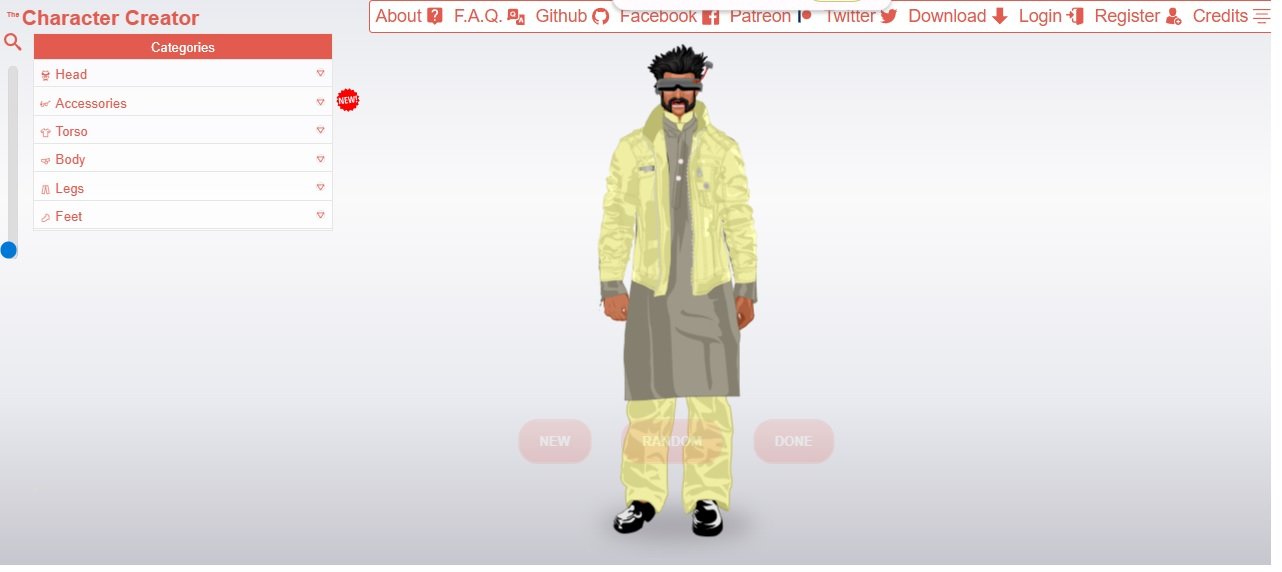
For those looking for a full-body avatar creator, CharacterCreator.org is a great alternative to popular tools like Picrew. It allows you to design free cartoon avatars with ease. You can customize everything, from clothing and hairstyles to accessories.
The site acts as a one-stop avatar workshop. You can adjust eye shapes, skin tones, and eyebrows. You can also choose outfits, eyewear, and background scenes. This full body character maker is perfect for gaming and virtual worlds.
CharacterCreator uses simple sliders, color palettes, and dropdown menus. This makes creating a unique avatar easy and fun, even for beginners with no artistic skills. Users can adjust curves, height, wrinkles, poses, props, and other details to fit their vision. Plus, brush tools let users paint directly on avatars for greater creative freedom.
When users are happy with their designs, they can export personalized avatars as PNG or SVG files. This makes it easy to use them on gaming platforms, community sites, and social media profiles. CharacterCreator breaks down barriers for beginners, helping them create unique avatars that match their identity and interests.
Key Features:
- Full-body avatar creation
- Detailed customization options
- Multiple export formats
- Painting tools for custom details
- Pose and background selection
Pros:
- Comprehensive customization options
- No Sign up needed
- Full-body avatar support
- Free to use
- Multiple export options
- Easy-to-use interface
Cons:
- Cartoon-style only
- Can be time-consuming
- Limited advanced features
Best For: Users who want full-body cartoon avatars with extensive customization options for gaming or social media.
13. Fotor Cartoon Avatar Maker
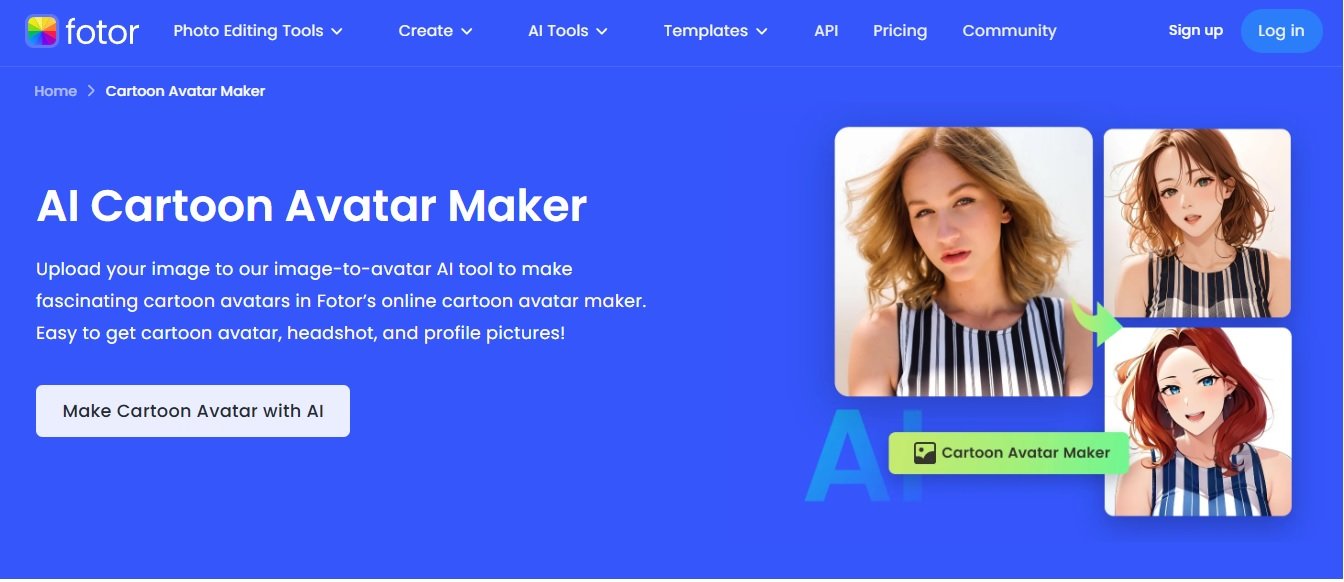
Want to turn your photos into fun cartoon avatars? I found the perfect tool! Fotor’s cartoon avatar maker is my favorite way to create cool cartoon versions of myself and my friends. It’s super easy to use, and it makes my pictures look like they came straight from a cartoon or anime.
What I love about Fotor is its simplicity. You upload your photo, pick a cartoon style, and boom—you get a new avatar! I’ve tried many other makers, but none make my photos look as good as Fotor. The cartoon versions actually resemble me, just more fun and colorful. You can choose styles like regular cartoons, anime, or that classic Disney look.
The best part of this tool is its flexibility. You can use it for almost anything. I’ve created avatars for my social media, turned my dog into a cute cartoon (he looks so adorable!), and made a fun version of my work photo for LinkedIn. My friends often ask how I get such cool profile pictures. I tell them it’s all thanks to Fotor. You don’t need any skills in photo editing or design—the website handles all the hard work for you.
Key Features:
- Turn your photos into cartoons with just a few clicks
- Lots of different cartoon styles to choose from
- Make avatars from your photos or just describe what you want
- Turn your pet photos into cute cartoon characters
- Make your work photos look more fun and creative
- Perfect sizes for Instagram, Twitter, and other social media
- See how your avatar looks before you save it
- Works great for both guys and girls
- Make multiple avatars at the same time
- Save your work and come back later
Pros:
- It’s completely free to use
- Your avatars don’t have any watermarks on them
- You can make avatars from photos or just describe what you want
- They keep adding new cartoon styles all the time
- The quality is good enough for work and professional use
- There’s a phone app so you can make avatars anywhere
- You don’t need any special skills or knowledge
- It’s really fast – most avatars take less than a minute
- The pictures look clear and good on any platform
Cons:
- Some of the fanciest cartoon styles cost money
- You need internet to use it
- You might run into limits if you make too many avatars
- It takes a little practice to get really good at describing what you want
- You should make an account if you want to save your work
Best For: Anyone who wants to make fun cartoon pictures of themselves! I especially recommend it if you want to spice up your social media profiles, make your Twitch or YouTube channel stand out, or just have fun turning your photos into cartoons. It’s also perfect if you want to make cute cartoon versions of your pets – I’ve done this with my dog and cat, and my friends love it!
My Tip: For the best results, use a clear photo where your face is easy to see and the background isn’t too busy. Good lighting helps a lot too! If you’re making an avatar by describing what you want, try to include details about your hair, eyes, smile, and what kind of style you like. The more details you give, the better your cartoon will turn out!
14. Befunky
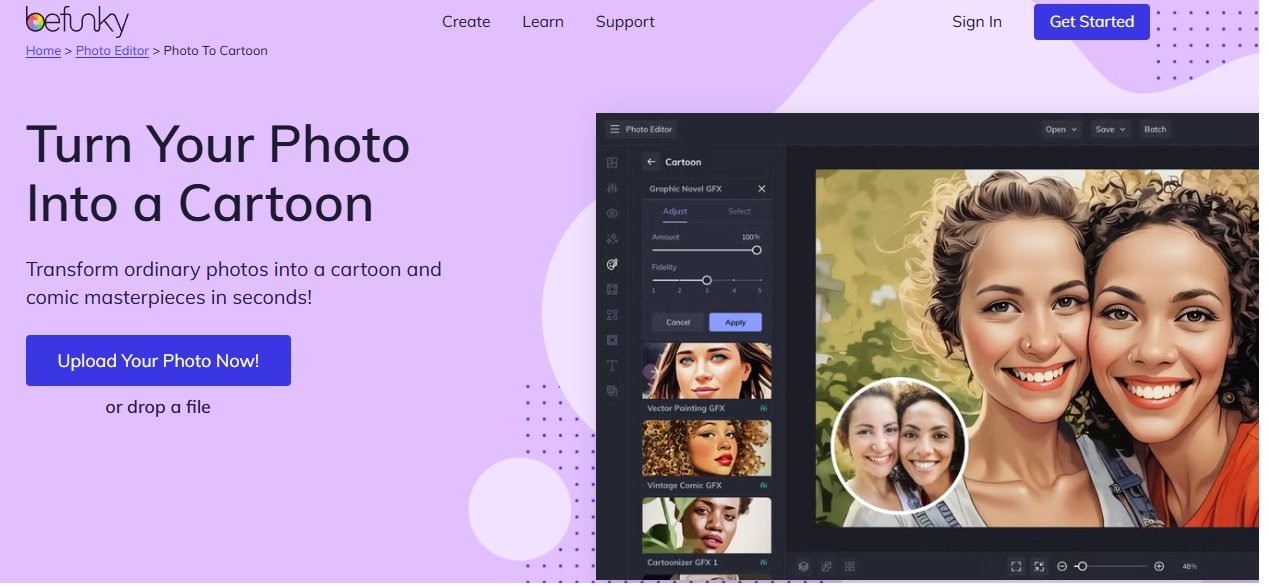
Want to make your avatar look more professional without having graphic design expertise? Befunky is the perfect tool for making amazing avatars. With its wide range of filters and effects, it transforms regular photos into standout digital identities. Their tagline, “Go From Photos to Cartoon in One Click,” really captures what the tool does! I’ve tested many avatar makers, and this one is super easy to use, even for beginners like me.
I’ve used Befunky for different projects over the years. I’m always impressed by its mix of simplicity and professional features. The tool provides several cartoon styles and artistic effects. It can turn any photo into a high-quality avatar in seconds. You can choose something subtle with a hint of cartoon flair or a bold, dramatic style. Befunky has options to fit your needs perfectly. In 2025, it features improved AI effects. These effects allow for more natural and customizable cartoon transformations.
Befunky stands out from other photo-to-cartoon converters because of its full editing suite. You can adjust colors, add filters, crop, resize, and enhance your photos. You can do this before or after applying the cartoon effect. This gives you total control over your final avatar, so it matches your vision. The platform also supports batch processing. This makes it easy to create multiple avatars or process several photos at once.
Key Features:
- One-click photo-to-cartoon conversion with multiple style options
- Advanced AI-powered cartoon effects for 2025
- Comprehensive photo editing suite for pre and post-processing
- Social media optimization with preset sizes for different platforms
- Batch processing capabilities for multiple avatars
- Customizable intensity sliders for cartoon effects
- Additional artistic effects beyond cartoon (sketch, oil painting, etc.)
Pros:
- Extremely user-friendly interface perfect for beginners
- Professional quality results that rival paid software
- Multiple cartoon and artistic style options
- Free version available with robust features
- Additional photo editing tools beyond avatar creation
- Regular updates with new effects and improvements
- No watermarks on free version exports
- Works directly in browser – no download required
Cons:
- Some advanced features require premium subscription
- Need to create an account for saving projects
- Limited customization compared to dedicated avatar makers
- Processing can be slower with complex effects
- Internet connection required for full functionality
Best For: Users who want quick, professional-looking cartoon avatars from their photos with minimal effort, but also appreciate having additional photo editing tools at their disposal. Perfect for social media enthusiasts, small business owners, and anyone who needs to create multiple avatars or cartoon-style images regularly.
15. Customanime.com
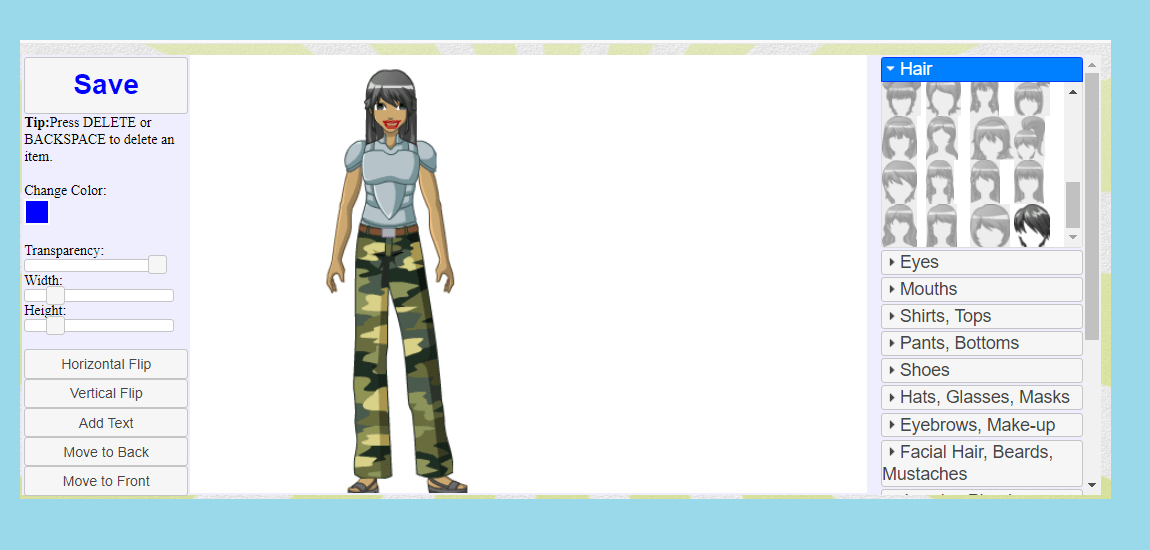
Every anime fan dreams of stepping into their favorite animated world. Now, you can get closer to that dream with Custom Anime’s unique avatar creator! I’ve spent hours on this site making different anime versions of myself. Each time, I find new customization options. This anime character maker online brings your favorite styles to life.
We’ve made an easy-to-use flash program that lets you create a custom avatar in classic anime style. Mix and match hairstyles, outfits, and accessories to show off your personality or create a new persona. Whether you want to cosplay a beloved character or design your ideal self, the possibilities are endless.
Customize big, expressive eyes, fun clothing in bright colors, and quirky accessories that no live-action show could match. Add cat ears, stylized school uniforms, ninja gear, or magical girl wands. If you can dream it, you can create it!
Key Features:
- Classic anime-style avatar creation
- Extensive accessory options
- Character pose selection
- Multiple outfit choices
- Social sharing capabilities
Pros:
- Authentic anime style
- Huge customization options
- Free to use
- Fun and engaging interface
- Regular content updates
Cons:
- Limited to anime style
- Requires Flash (browser dependent)
- No photo conversion feature
Best For: Anime fans who want to create detailed, stylized avatars that capture the essence of classic anime characters.
16. Avatoon.me

Tired of dull social media profiles? Avatoon lets you create a fun cartoon avatar of yourself. It’s easy and quick! With advanced AI technology, Avatoon delivers stunning animated identities in seconds. This AI avatar generator free tool gives you amazing results automatically.
Avatoon makes avatar building easy with its simple interface. There’s no lengthy account signup. You can dive right into customization. Just upload a selfie or a photo from your camera roll, Facebook, or Instagram. Let Avatoon work its magic for you.
Watch in awe as the AI scans your facial features, skin tone, and hairstyle. It creates a customizable cartoon persona that captures your look. You can fine-tune the eyes, nose, smile, and more before saving your masterpiece.
Key Features:
- AI-powered photo-to-avatar conversion
- Facial recognition technology
- Multiple cartoon styles
- Social media integration
- No registration required
Pros:
- Creates avatars from photos automatically
- High-quality results
- Free to use
- Quick processing
- No account needed
Cons:
- Limited customization options
- Internet required
- Some styles may look similar
Best For: Users who want quick, AI-generated cartoon avatars from their photos without manual customization.
17. Placeit

For content creators wanting a consistent brand on platforms like YouTube, Twitter, and Twitch, a unified avatar is key. It serves as the face of your channel and adds great value. However, creating high-quality avatar art often requires technical skills. That’s where this gaming avatar maker comes in.
Online avatar makers, like Placeit, make it easy to create stunning, customized portraits for your channel. You don’t need design skills to use them. Placeit’s avatar editor allows you to craft unique gaming or streaming avatars with various hair, outfits, facial features, and accessories that blend into original artwork.
Whether you want a fun-loving avatar with bright colors or a serious gamer look with dark tones, Placeit has you covered. You can easily adjust components and features with just a few tweaks, no advanced tools needed.
Key Features:
- Professional avatar templates
- Gaming and streaming focused designs
- Brand consistency tools
- Multiple export formats
- Commercial use license
Pros:
- Professional quality designs
- Gaming and streaming optimized
- Easy to use
- Commercial use allowed
- Regular template updates
Cons:
- Subscription-based for full access
- Limited free options
- Requires account
Best For: Content creators, streamers, and gamers who need professional avatars for branding across multiple platforms.
18. Avaturn
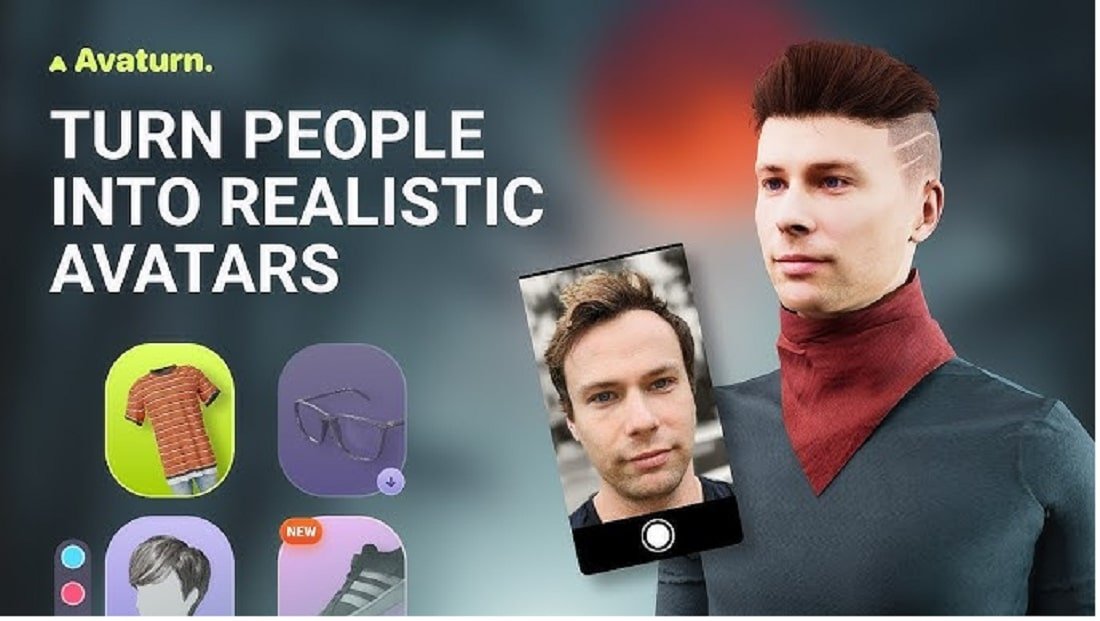
Avaturn is the next step in avatar creation, making realistic 3D avatars from just a selfie. I’ve recently tested this platform and am amazed at how it turns a simple photo into a fully customizable 3D avatar that looks lifelike. The technology is impressive, but the interface is easy for beginners. This realistic AI avatar creator produces stunning 3D results.
Avaturn is unique for its ability to create 3D avatars that work on different platforms and games. You receive a fully rigged 3D model, not just a flat image. The platform uses advanced facial recognition to accurately capture your features. You can then customize everything, from your hairstyle to your clothing, in real-time.
Key Features:
- Photo-to-3D avatar conversion
- Real-time customization
- Cross-platform compatibility
- Export to multiple 3D formats
- Facial animation support
Pros:
- Creates realistic 3D avatars
- Easy photo upload process
- High-quality results
- Free to use basic features
- Professional applications available
Cons:
- Requires good photo quality
- Learning curve for 3D customization
- Advanced features require payment
Best For: Users who want realistic 3D avatars for gaming, virtual reality, or professional applications.
19. Ready Player Me
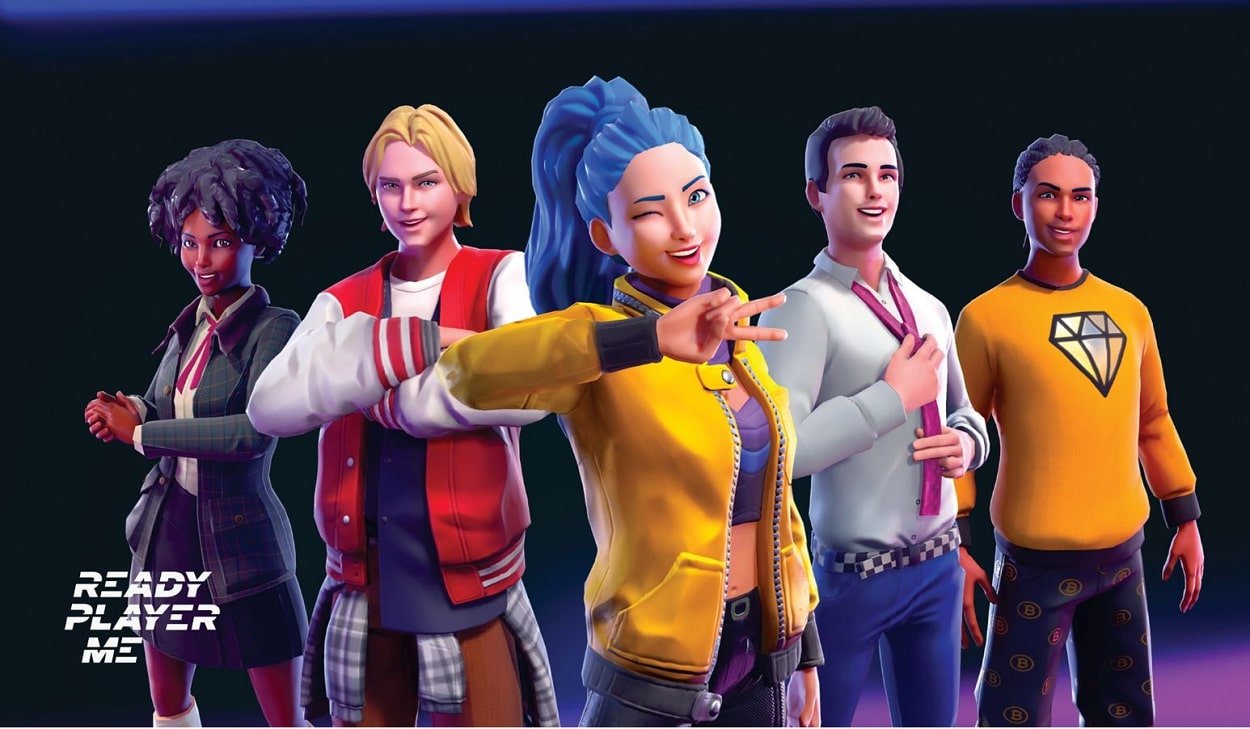
Ready Player Me Avatar has changed how we view digital identity on different platforms. As a gamer using various platforms and VR apps, I appreciate how this tool makes one avatar for everything. No need to create separate avatars for each game or app—just one avatar to rule them all! This cross-platform avatar creator is ideal for gamers and VR fans.
The process is easy: upload a photo, wait a few seconds, and get a 3D avatar. This avatar works in thousands of apps and games. What impresses me most is how the avatar stays consistent across platforms. It still looks natural in each setting. The customization options are vast. You can adjust everything from facial features to clothing style.
Key Features:
- Cross-platform avatar compatibility
- Photo-to-3D avatar creation
- Works with thousands of apps and games
- Extensive customization options
- SDK for developers
Pros:
- One avatar for multiple platforms
- Quick creation process
- Free to use
- High-quality 3D models
- Regular platform updates
Cons:
- Limited to realistic style
- Requires internet connection
- Some platforms may have compatibility issues
Best For: Gamers and VR users who want a consistent avatar across multiple platforms and applications.
20. Canva Avatar Maker
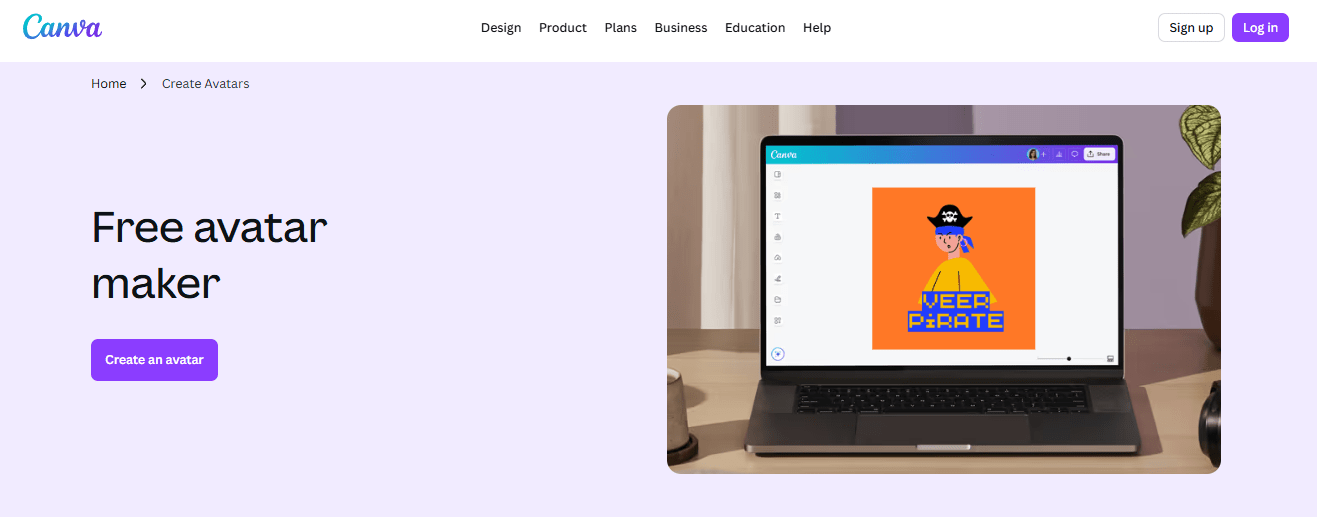
Canva’s avatar creation tool is a free online platform. You can make a digital character or avatar to represent yourself online. Start with templates and customize them to match your look. You can also create a character from scratch using simple design tools. The platform features AI-powered generators that make realistic avatars from your photos. Apps like Character Builder let you design every detail of your character. You can use this tool on your computer or through Canva’s mobile app, so you can create avatars anytime.
Once you create your avatar, you can use it in many different ways. People use their avatars as You can use profile pictures on social media, gaming platforms like Twitch, and YouTube channels. Businesses and content creators often use avatars in marketing, business cards, and slides to make their content more engaging. This tool lets you add backgrounds, borders, and other design elements to match your brand or style. You can download your avatar for online use or print designs, and it’s free to use and share.
Key Features:
- AI-powered avatar generation
- Integration with Canva design tools
- Massive template library
- Social media optimization
- Brand kit integration
Pros:
- User-friendly interface
- Professional quality results
- Free tier available
- Integration with other Canva features
- Commercial use allowed
Cons:
- Requires Canva account
- Some features require premium subscription
- Limited 3D options
Best For: Designers, marketers, and business users who want professional avatars integrated with their brand materials.
21. HeyGen
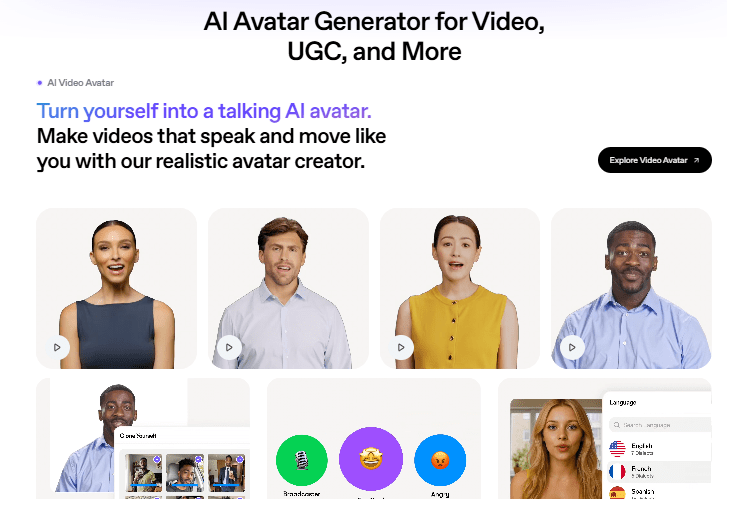
HeyGen takes avatar creation up a notch with AI-powered talking avatars. I was skeptical at first, but after trying it, I’m impressed by how natural the avatars look and sound when they speak. This isn’t just a static image; it brings your digital identity to life with voice and animation. This AI talking avatar generator is great for video content and presentations.
What makes HeyGen special is its ability to create avatars that actually talk. You can type text, and the avatar will deliver it with realistic lip movements and expressions. This opens up exciting possibilities for video content, presentations, and customer service. The quality of the AI-generated voices is surprisingly good, with various languages and accents available.
Key Features:
- AI-powered talking avatars
- Text-to-speech functionality
- Multiple languages and voices
- Natural lip synchronization
- Video export capabilities
Pros:
- Creates talking avatars
- High-quality AI voices
- Multiple language support
- Professional applications
- Easy to use interface
Cons:
- Limited free tier
- Requires subscription for full features
- Internet connection required
- Processing time for videos
Best For: Content creators, businesses, and educators who need talking avatars for videos, presentations, or customer service.
22. Synthesia
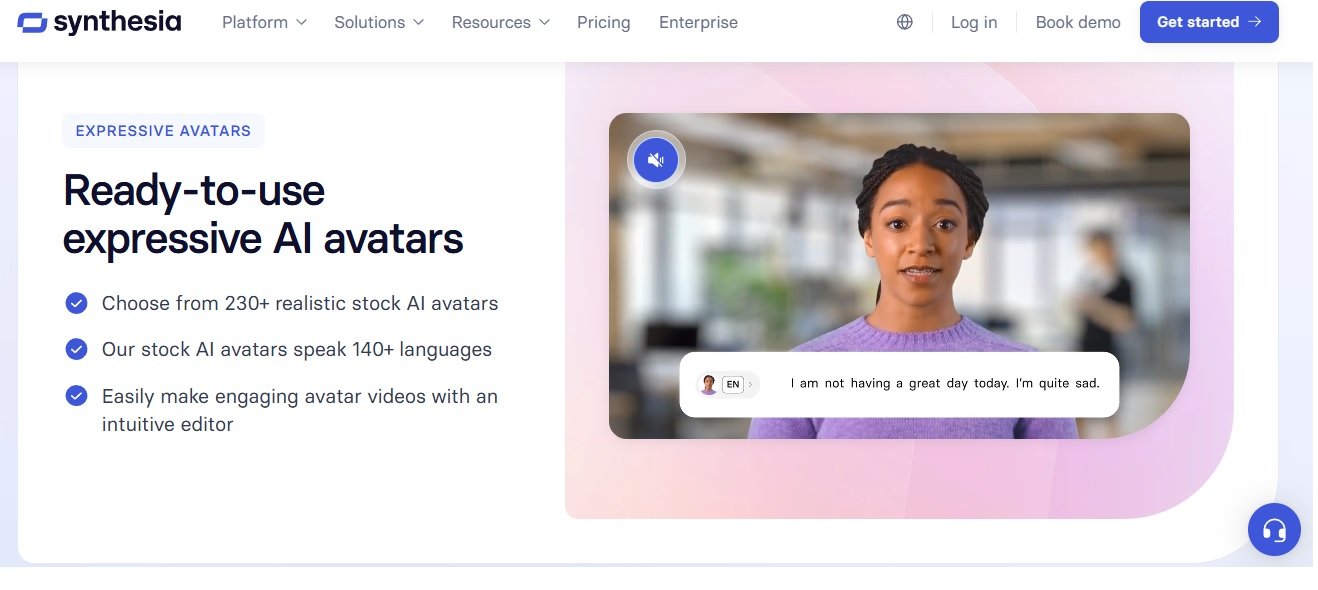
Synthesia is at the forefront of AI avatar technology, providing high-quality avatars for video content. As a training video creator, I find this tool a game-changer. I can now produce professional videos with AI avatars in just minutes, without hiring actors or spending hours filming. This platform offers Hollywood-level results.
The customization options are outstanding. You can select from many pre-made avatars or design your own to resemble specific individuals. The AI manages lip syncing, gestures, and expressions seamlessly. What truly impresses me is how the avatars keep eye contact and exhibit natural body language, making the videos feel real and engaging.
Key Features:
- Professional video avatars
- Custom avatar creation
- Natural gestures and expressions
- Multi-language support
- Studio-quality output
Pros:
- Hollywood-quality avatars
- Natural movements and expressions
- Professional video output
- Multiple language support
- Time and cost efficient
Cons:
- Premium pricing
- Steeper learning curve
- Requires subscription
- Limited customization in basic tier
Best For: Businesses, educators, and professional content creators who need high-quality video avatars for training, marketing, or communication.
23. Monica
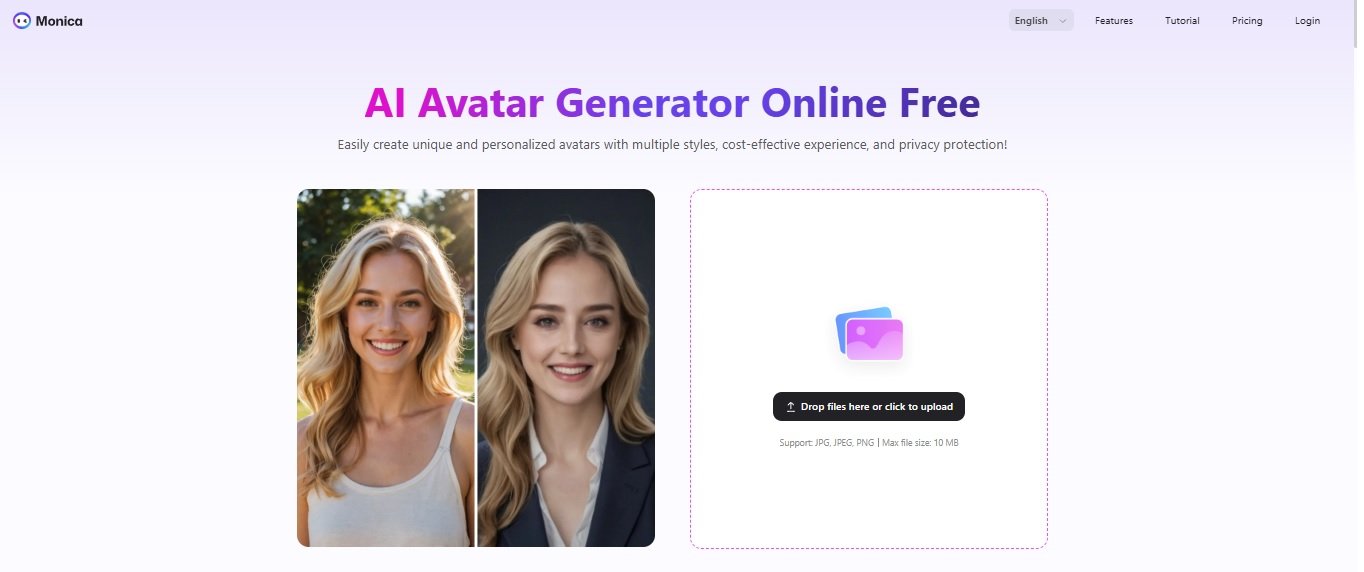
Monica’s AI Avatar Generator is a free online tool. It helps you make professional-looking avatars from your regular photos. Simply upload a clear picture of yourself. Then, choose from various styles, like professional headshots or artistic looks. The AI transforms your photo into a polished avatar in seconds. It’s perfect for LinkedIn profiles, social media, or academic sites. You can look professional without spending money on costly photo sessions.
What makes this tool special is its ease and safety. Your photos are encrypted and deleted within 48 hours, so your privacy is safe. Whether you’re a student, researcher, business pro, or content creator, you’ll receive high-quality avatars that match your brand or style. Also, the service is free to start, making it easy for anyone to boost their online presence.
Monica provides more than just photos. You can make avatars from text descriptions if you prefer not to upload pictures. Picture any look you want—like professional business attire or creative artistic styles—and the AI will create it. Thousands of users value how quick, reliable, and versatile this tool is for their avatar needs, whether for work, school, or personal branding.
Key Features:
- Privacy-focused avatar generation
- Multiple artistic styles
- Fast processing times
- No data storage
- Free to use
Pros:
- Completely free to use
- Privacy-focused approach
- Fast generation times
- Multiple style options
- No registration required
Cons:
- Limited advanced features
- Basic customization options
- Internet required
- Style quality varies
Best For: Privacy-conscious users who want free, quick avatar generation in various artistic styles without creating accounts.
FAQ: Avatar creator online
What is an avatar in social media?
An avatar is usually used for social media profiles that represent real people. Avatars are used to characterize a person’s picture without showing their real image. They serve as digital representations of users across various online platforms, from social media profile pictures to gaming identities.
What are avatars used for?
Avatars are generally used to represent a person’s profile photo on social media, forums, websites. Avatars are also often used as alter egos or image characters in cyberspace, usually in the form of personal icons in two-dimensional or three-dimensional images. They’re essential for online identity creation, virtual presence, and digital self-expression across various platforms including gaming avatars, VR identities, and professional profile pictures.
How do I create an avatar of myself?
To create your own avatar, you need an app or a tool. Some of the tools above are the best recommendations for creating an avatar without the need for graphic design skills. We usually refer to it as an avatar generator. You can use photo to avatar converters, AI avatar makers, or custom character creators depending on your preferences and needs.
Why are avatars popular?
The term avatar was first coined by Richard Garriot. Which is by creating UltimaIV: Quest of the Avatar in 1985, game designers have come up with a game concept that imagines the avatar as a representation of the player. Today, Avatar has become a popular way among gamers, social media users. Avatars are friends to communicate on online forums, games, social media. They enable digital self-expression, anonymous interaction, and creative identity building in virtual spaces.
What is the best avatar creator?
There are several best avatar creators that we recommend for you such as Avatarmaker, Anichara, Marvelhq, and Doll Divine. For 2025, we also recommend new tools like Avaturn, Ready Player Me, and HeyGen for more advanced features. The best avatar maker depends on your needs – whether you want cartoon avatars, realistic AI avatars, 3D characters, or anime-style profiles.
How can I create my own character online?
To create my own character online you can use our app we recommend Avatarmaker, Anichara, Marvelhq, and Divine Doll as tools to create online avatars. For more advanced options, try Avaturn or Ready Player Me for 3D avatars. These online character creators allow you to design everything from simple cartoon characters to complex 3D models without any technical skills.
What is an AI avatar maker?
An AI avatar maker is a tool that uses artificial intelligence to create digital representations of people. These tools can generate avatars from photos, text descriptions, or through interactive customization. AI-powered avatar creators like HeyGen and Synthesia can even create talking avatars with natural movements and expressions.
Can I create a 3D avatar for free?
Yes, many platforms offer free 3D avatar creation tools. Ready Player Me and Avaturn provide free basic features for creating 3D avatars from photos. These 3D character makers are perfect for gaming, virtual reality, and metaverse applications.
What is the difference between 2D and 3D avatars?
2D avatars are flat images like cartoons or drawings, while 3D avatars are three-dimensional models that can be viewed from different angles and often include animations. 3D avatars are more immersive and suitable for gaming and VR, while 2D avatars work well for social media profiles and forums.
How do I make an avatar for Roblox?
To create an avatar for Roblox, you can use Roblox’s built-in avatar editor or external tools like Ready Player Me that export to formats compatible with Roblox. Many gaming avatar makers now offer direct integration with popular gaming platforms.
Looking for more ways to enhance your digital images? Check out our guide to the best photo editing software for PC to take your avatar creation to the next level.
You May Also Like
 Best Software
Top 10 Free & Open Source Inventory Management Software in 2026
 Best Software
10 Best Inventory Control Software for Small Business in 2026
 Best Software
12 Best AI Chatbot Software To Increase Your Conversions In 2026
 SaaS
SaaS11 Best VoIP Call Center Solutions for Small Business 2026 (Comparison Guide)
 Best Software
6 Best Software to Record Mouse and Keyboard Actions and Automate Repetitive Tasks
 Best Software
Jira vs Hive: Which Project Management Tool is Right for Your Team?
 Best Software
8 Best Free Registry Cleaners Tools to Clean Junk and Registry on Windows PC
 Best Software
12 Top Plumbing Management Software Solutions for 2026
 Best Software