Digital signage software has become important for modern business communication and marketing strategies. As digital displays replace traditional paper-based advertising, businesses across industries are using cutting-edge digital signage technology to improve customer engagement and brand visibility. From major sporting events at venues like Luzhniki Stadium to iconic locations such as Piccadilly Lights with its 4K LED screen and live technology hub, digital displays are changing how organizations communicate with their audiences.
Why Digital Signage Matters for Your Business?
Digital signage captures attention and delivers messages effectively, making it an important tool for businesses of all sizes. In 2025, the industry is seeing remarkable advances with AI-powered content optimization, energy-efficient display technologies, and interactive customer experiences. These innovations make digital signage more engaging and cost-effective than ever before.
Whether you operate a restaurant, retail store, corporate office, or healthcare facility, implementing the right digital signage solution can transform how you connect with your target audience. The technology not only increases visibility but also creates lasting impressions that drive customer loyalty and business growth.
10 Best Digital Signage Software Solutions For 2025
The following guide presents the top digital signage software products available in 2025. Each solution has been evaluated based on features, pricing, ease of use, and suitability for different business needs.
1. Screenly OSE

Screenly OSE continues to be a leading open-source digital signage software package for Raspberry Pi in 2025. This solution stands out due to its strong community-driven development and regular updates. The open-source nature ensures constant improvement and reliability for digital display applications.
You can use Screenly OSE to create full HD videos and images on TV screens powered by a single Raspberry Pi. The combination of Raspberry Pi’s affordability and Screenly’s capabilities provides an excellent entry point for businesses seeking cost-effective digital signage solutions. The software automatically detects TV and monitor dimensions to render content in the highest available resolution, ensuring professional-quality displays.
Screenly OSE works well for various applications, including business metrics dashboards, digital menu boards in restaurants, and informational displays. The platform handles videos, web pages, and images efficiently, making it ideal for businesses looking to enhance their visual communication without significant investment.
Key Features:
- Open-source with active community support
- Automatic screen detection for optimal resolution
- Support for videos, images, and web pages
- Runs on affordable Raspberry Pi hardware
- Simple web-based interface
Pros:
- Completely free to use
- Large active community for support
- Low hardware costs
- Regular updates from community
- Flexible and customizable
Cons:
- Requires technical knowledge for setup
- Limited advanced features compared to paid solutions
- No official customer support
- Raspberry Pi required for operation
Best For: Small businesses, tech-savvy users, educational institutions, and budget-conscious organizations seeking customizable digital signage solutions.
2. Viewneo

Viewneo remains a top cloud-based digital signage software solution in 2025, suitable for businesses of all sizes. The platform has evolved to include enhanced features while maintaining its user-friendly interface. New customers can take advantage of a 30-day free trial to experience the full feature set without commitment.
In 2025, Viewneo has enhanced its offering with improved automatic file conversion, an AI-assisted content designer, expanded media and template library, advanced playlist management, deeper social media integration, and a more robust live tracker. The platform supports interactive content, HTML5, and Microsoft Office integration, making it versatile for various business applications.
Viewneo’s comprehensive feature set makes it suitable for welcome signs, customer data collection, assistance systems, and immersive brand experiences. The cloud-based nature eliminates concerns about disk space, maintenance, and technical management, allowing businesses to focus on content creation and customer engagement.
Key Features:
- Cloud-based management system
- 30-day free trial
- Automatic file conversion
- AI-assisted content designer
- Media and template library
- Playlist management
- Social media integration
- Live content tracking
- Interactive content support
- HTML5 and Microsoft Office integration
Pros:
- User-friendly interface
- Comprehensive feature set
- Reliable cloud-based system
- Excellent customer support
- Regular updates and improvements
- Scalable for businesses of all sizes
Cons:
- Subscription-based pricing can add up
- Learning curve for advanced features
- Internet connection required
- Some features require higher-tier plans
Best For: Medium to large businesses, retail stores, restaurants, corporate environments, and organizations needing comprehensive cloud-based digital signage with professional support.
3. Digitalsignage.com

Digitalsignage.com continues to offer advanced digital signage capabilities to everyone for free in 2025. This browser-based tool enables users to create impressive digital presentations easily, with enhanced features that meet modern digital signage requirements.
The platform allows you to create presentations and share them across unlimited remote screens without additional costs per screen. Digitalsignage.com maintains a robust free service with no hidden fees or catches, generating revenue from premium subscribers who need advanced features and priority support.
The free version includes essential features such as Signage Studio software and instant updates across all screens. Users can access hundreds of pre-made templates free of charge, saving both time and money. This makes Digitalsignage.com an excellent starting point for businesses new to digital signage, as everything is designed to be beginner-friendly with no coding required.
Key Features:
- Browser-based interface
- Unlimited screen support
- Free version with core features
- Signage Studio software
- Hundreds of free templates
- Instant updates across all screens
- Media cloud integration
- No coding required
Pros:
- Generous free tier
- Unlimited screen support
- Easy to use for beginners
- Large template library
- Cloud-based management
- No hidden fees
Cons:
- Premium features require subscription
- Interface can feel dated
- Limited advanced analytics
- Customer support limited for free users
Best For: Beginners, small businesses, budget-conscious organizations, and anyone new to digital signage wanting to test without financial commitment.
4. Chrome Sign Builder

Chrome Sign Builder remains a valuable tool in 2025, particularly for educational institutions and businesses already using Chrome OS devices. This free solution enables content scheduling on Chrome OS devices, helping eliminate blank screens between displays and creating impressive signage that can be updated instantly.
Restaurant menus, presentations, retail displays, and other applications can be updated daily with ease. While initial setup can be challenging, thorough documentation and community support help users get started. Once configured, the system operates smoothly with high user satisfaction.
After setup, users can create schedules and specify URLs for content display according to those schedules. Content can be changed anytime without reconfiguring schedules or settings, saving significant time and ensuring content remains current. Chrome Sign Builder is completely free, though device management using Google’s toolset costs approximately $1 per device.
Key Features:
- Free Chrome OS application
- Content scheduling capabilities
- URL-based content display
- Automatic content updates
- Community extensions and support
- Google device management integration
Pros:
- Completely free to use
- Simple scheduling system
- Good for Chrome OS environments
- Community support available
- Regular updates from Google
Cons:
- Initial setup can be challenging
- Limited to Chrome OS devices
- Basic feature set
- $1 per device for management
- Limited advanced features
Best For: Schools, businesses using Chrome OS, budget-conscious organizations, and users needing simple scheduled content display without complex features.
5. Embed Signage

Embed Signage continues to be one of the premium digital signage software solutions in 2025, with pricing reflecting its comprehensive features and reliability. While more expensive than some alternatives, many businesses find the investment worthwhile given the powerful capabilities and professional results.
Embed Signage can publish digital signage content to unlimited registered devices including Windows, Android, iOS, and more. The platform includes all features needed for enterprise-level digital signage operations: multimedia file support, layout builder, scheduling tools, and device management. This versatility makes it suitable for virtually any digital signage scenario.
The pricing structure in 2025 remains approximately $185 per registered device annually, with more flexible options for larger deployments. While more expensive than other solutions, users receive comprehensive features and reliability in return. The software is easy to learn and manage, though it lacks a mobile application, which seems odd in today’s mobile-first environment.
Key Features:
- Multi-platform support (Windows, Android, iOS)
- Unlimited device connections
- Multimedia file support
- Layout builder
- Advanced scheduling tools
- Comprehensive device management
- Enterprise-level security
Pros:
- Extremely powerful and feature-rich
- Reliable performance
- Multi-device compatibility
- Professional-grade tools
- Good customer support
- Regular updates
Cons:
- Expensive pricing model
- No mobile app available
- Steep learning curve
- Overkill for small businesses
- Annual commitment required
Best For: Large enterprises, organizations with complex digital signage needs, businesses requiring multi-platform support, and companies needing enterprise-level security and reliability.
6. Yodeck
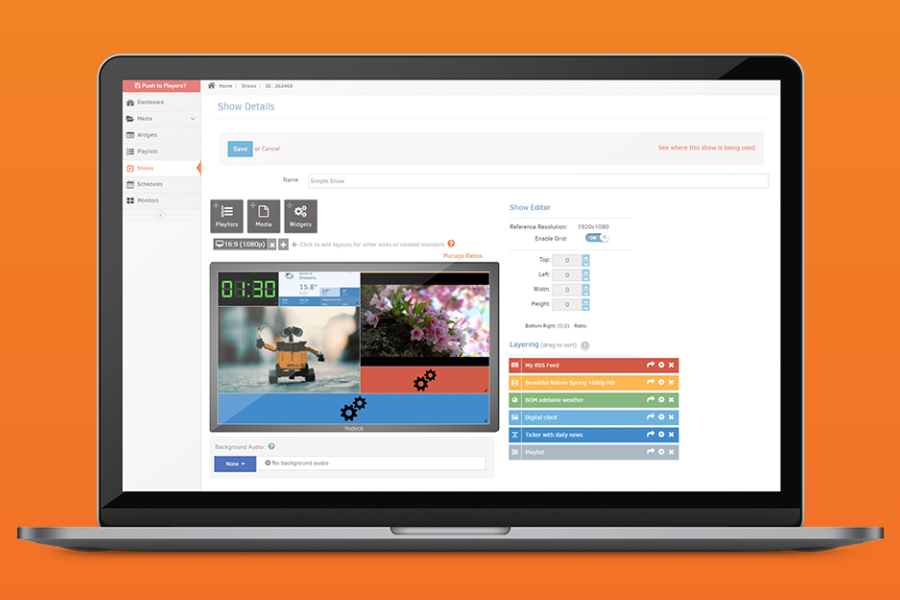
Yodeck has emerged as one of the most exciting digital signage solutions in 2025, combining powerful features with exceptional affordability. The platform’s “one screen forever free” policy makes it an ideal starting point for small businesses or those new to digital signage. Users can transform any screen or TV into a dynamic digital sign with just a few clicks.
Yodeck’s simplicity doesn’t compromise capability. Users can choose from hundreds of free templates, customize them to match their brand, and push content to screens in minutes. The cloud-based system enables management from anywhere, which is valuable for making quick updates on the go. The platform supports everything from basic images and videos to complex content like live weather feeds, social media updates, and interactive elements.
Yodeck scales beautifully for growing businesses, allowing users to add more screens as needed while maintaining consistent management across all locations. The platform offers free tech support to all customers, which is rare in the industry, and continuously adds new features based on user feedback. Integration with Raspberry Pi devices keeps hardware costs low, while compatibility with other media players provides flexibility for existing equipment.
Key Features:
- One screen forever free
- Cloud-based management
- Hundreds of free templates
- Drag-and-drop interface
- Raspberry Pi integration
- Social media and weather apps
- Scheduling and playlist management
- Multi-location support
Pros:
- Extremely affordable (free for one screen)
- Easy to use with minimal learning curve
- Excellent customer support
- Regular feature updates
- Works with existing hardware
- Scales well for growing businesses
Cons:
- Advanced features require paid plans
- Limited customization compared to enterprise solutions
- Some integrations require higher-tier plans
- Raspberry Pi recommended for best experience
Best For: Small businesses, restaurants, schools, retail stores, and organizations looking for affordable yet powerful digital signage that can grow with their needs.
7. OptiSigns

OptiSigns has quickly become a leading digital signage platform in 2025, known for its incredible versatility and user-friendly approach. The platform packs powerful features into an interface accessible even to complete beginners. A 14-day free trial lets users experience full capabilities without commitment.
The platform excels with its massive library of over 140 app integrations, enabling display of everything from weather forecasts and social media feeds to business metrics and YouTube videos. The drag-and-drop content management system is intuitive, making it easy to create engaging displays without design experience. OptiSigns offers its own hardware options, including the popular OptiSigns Player, but the software works with virtually any existing device – from smart TVs to tablets and computers.
OptiSigns focuses on making digital signage accessible to everyone with flexible pricing plans and helpful US-based customer support. The platform handles everything from simple welcome screens to complex video walls flawlessly. Remote screen management from a single dashboard saves countless hours, while scheduling features ensure content stays fresh and relevant.
Key Features:
- 14-day free trial
- 140+ app integrations
- Drag-and-drop content management
- Multi-device compatibility
- Remote screen management
- Video wall support
- Scheduling and playlist creation
- Template library
- Social media integration
Pros:
- Extremely user-friendly interface
- Massive app integration library
- Works with existing hardware
- Excellent customer support
- Flexible pricing plans
- Regular feature updates
- Reliable performance
Cons:
- Some advanced features require higher-tier plans
- Mobile app could be more robust
- Limited offline capabilities
- Custom branding options restricted on lower plans
Best For: Businesses of all sizes, marketing teams, retail stores, restaurants, hotels, and organizations needing easy-to-use yet powerful digital signage with extensive integration options.
8. NoviSign
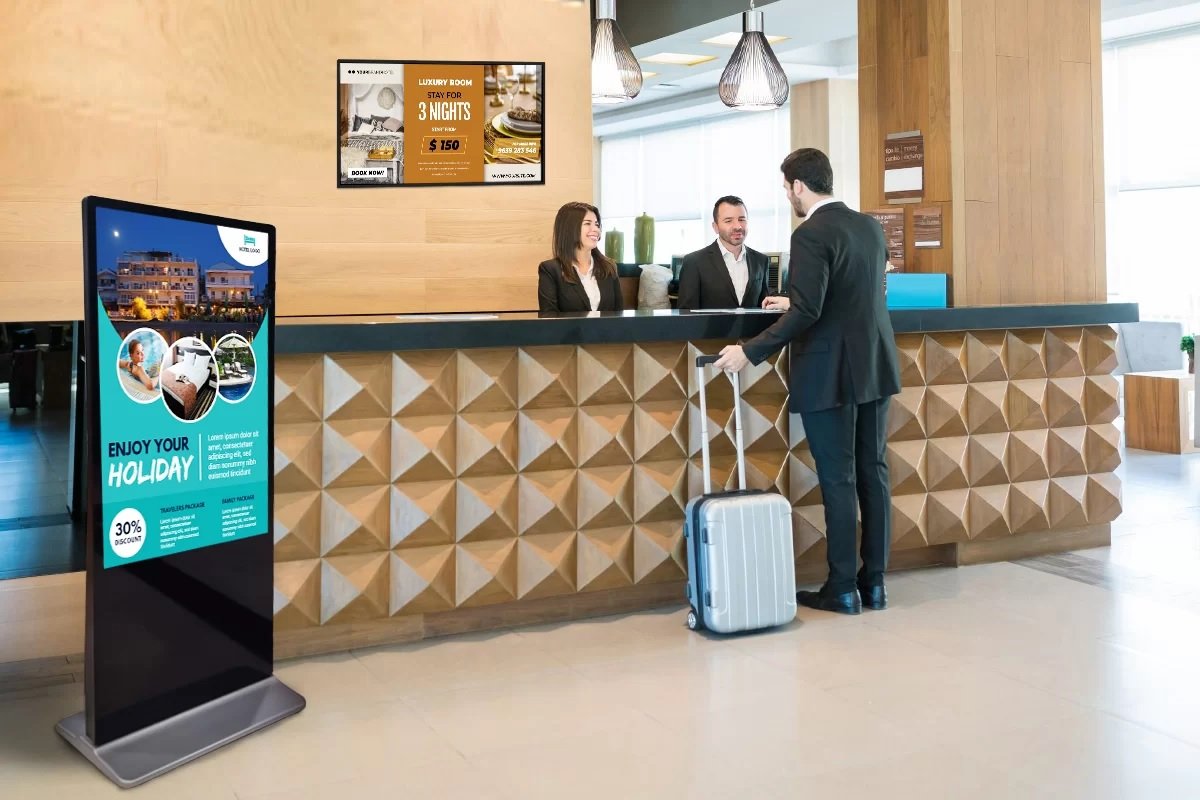
NoviSign has established itself as a digital signage leader in 2025, combining simplicity with power. The user-friendly interface makes it easy to design, schedule, and distribute content to any screen from anywhere, even for users with no technical background. Professional-looking digital signs can be created within minutes of starting.
NoviSign’s SOC 2 Type II certification demonstrates commitment to security and reliability – important factors for business environments. The platform excels at creating dynamic digital bulletin boards displaying everything from company updates and event calendars to weather reports and scrolling tickers. The drag-and-drop widget system is useful for adding various content types, including live TV feeds, news updates, and social media content.
The platform’s versatility across different industries makes it suitable for retail, healthcare, education, or corporate communications. It performs exceptionally well in scenarios ranging from digital menu boards in restaurants to corporate communication displays in office environments. The knowledgeable and responsive customer support team is important when managing digital signage across multiple locations.
Key Features:
- SOC 2 Type II certified security
- Drag-and-drop widget system
- Real-time content updates
- Multi-industry templates
- Live TV and news integration
- Weather and social media feeds
- Scrolling ticker capabilities
- Event calendar display
- Multi-location management
Pros:
- Extremely easy to use
- Enterprise-grade security
- Reliable performance
- Excellent customer support
- Versatile across industries
- Regular updates and improvements
- Trusted by 20,000+ businesses
Cons:
- Higher price point than some competitors
- Limited customization on basic plans
- Some features require technical knowledge
- Mobile app functionality could be improved
Best For: Healthcare facilities, corporate offices, educational institutions, retail businesses, and organizations prioritizing security and ease-of-use in their digital signage solution.
9. ScreenCloud
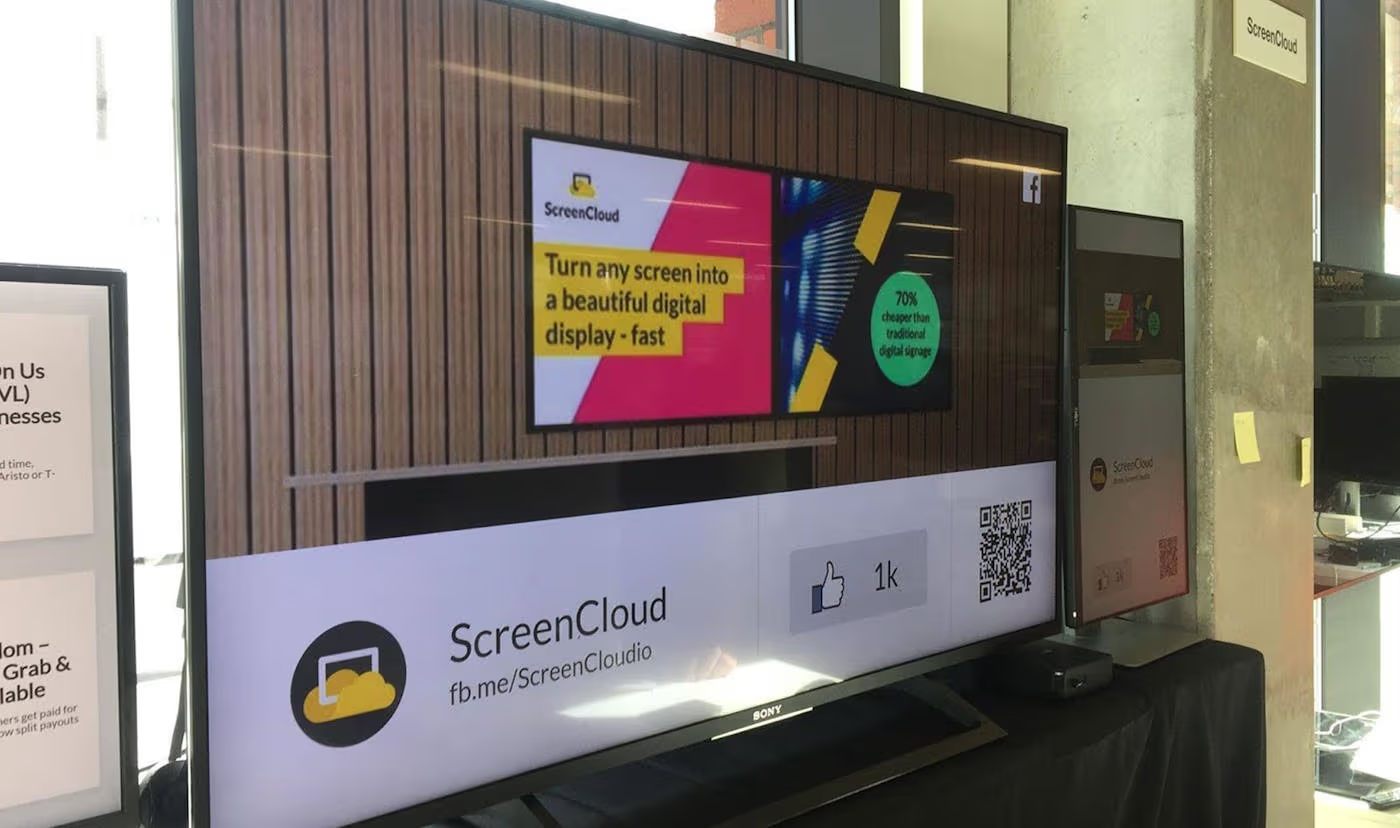
ScreenCloud has become a top recommendation for digital signage in 2025, offering both power and simplicity. The platform’s “digital signage made easy” philosophy is evident in its user-friendly approach. Users can get their first screen up and running within minutes of signing up.
The platform stands out with its “plug-and-play” philosophy, supporting virtually any screen or TV already owned. Whether using a smart TV, computer, tablet, or dedicated hardware, ScreenCloud works seamlessly across all devices. Content creation tools are impressive – users can upload their own content, use built-in templates, or integrate with over 100 apps and services to display everything from social media feeds and weather updates to business metrics and news headlines.
ScreenCloud focuses on making digital signage accessible to businesses of all sizes with flexible pricing plans and helpful customer support. The platform handles everything from simple welcome screens to complex video walls flawlessly. Trusted by over 10,000 organizations worldwide, ScreenCloud delivers reliable and effective digital signage without technical headaches.
Key Features:
- Works with any screen or TV
- 100+ app integrations
- Cloud-based management
- Template library
- Video wall support
- Multi-location management
- Real-time updates
- User-friendly interface
- Flexible pricing plans
Pros:
- Extremely easy to set up and use
- Works with existing hardware
- Comprehensive app integration
- Reliable cloud-based system
- Excellent customer support
- Scalable for growing businesses
- Regular feature updates
Cons:
- Some advanced features require higher-tier plans
- Limited offline capabilities
- Custom branding options restricted on entry-level plans
- Mobile app could be more robust
Best For: Businesses of all sizes, retail stores, restaurants, corporate offices, educational institutions, and organizations needing flexible, easy-to-use digital signage that can grow with their needs.
10. Amazon Signage Stick
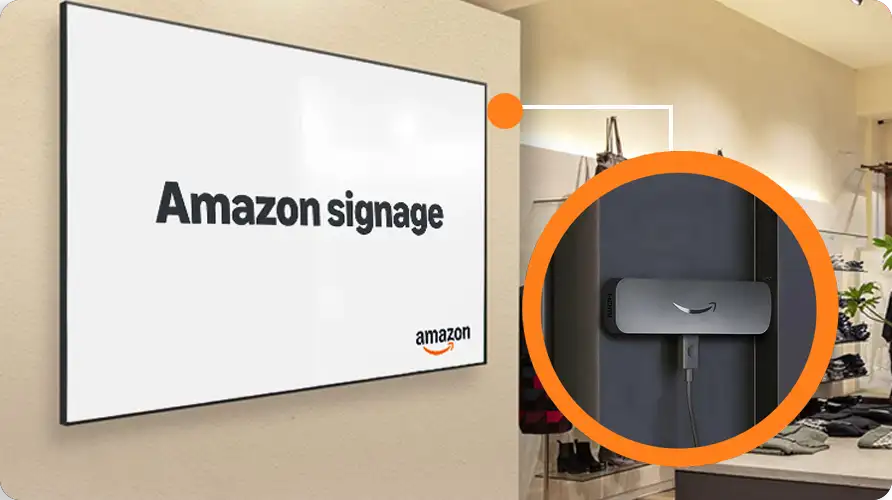
Amazon entered the digital signage arena in 2025 with the Signage Stick, leveraging expertise in user-friendly devices to create an accessible solution. The plug-and-play nature means professional digital signage can be running in minutes, not hours or days.
The Signage Stick is a small device that plugs directly into a TV or monitor’s HDMI port, transforming it into a powerful digital signage display. Amazon engineered this device specifically for digital signage use – it auto-launches content management software in kiosk mode, ensuring reliable, unattended operation. With 4K video streaming capabilities, Wi-Fi 6E connectivity, and quad-core processing power, it delivers smooth, high-quality content playback rivaling more expensive solutions. The device features secure boot loading and data encryption for business environments.
The Amazon Signage Stick offers flexibility and ecosystem integration. It works out-of-the-box with multiple leading content management systems (CMS), giving users freedom to choose the software that best fits their needs. A companion mobile app makes setting up multiple devices incredibly simple, and the ability to monitor and manage all Signage Sticks from a single dashboard is valuable for businesses with multiple displays. While a separate CMS subscription is required, the total cost of ownership can be competitive compared to all-in-one solutions.
Key Features:
- Plug-and-play setup
- 4K video streaming capability
- Wi-Fi 6E connectivity
- Quad-core processing
- Secure boot and encryption
- Mobile app for management
- Works with multiple CMS platforms
- Kiosk mode operation
- Remote monitoring capabilities
Pros:
- Extremely easy to set up and use
- High-quality 4K playback
- Secure and reliable operation
- Works with multiple CMS options
- Mobile app for convenient management
- Amazon’s build quality and reliability
- Competitive pricing
- Good for multiple locations
Cons:
- Requires separate CMS subscription
- Limited to Amazon ecosystem
- Fewer advanced features than dedicated solutions
- Dependent on internet connection
- Mobile app could be more feature-rich
Best For: Small to medium businesses, retail stores, restaurants, hotels, and organizations looking for simple, reliable hardware that works with various content management systems.
Digital Signage Trends for 2025 and Beyond
As we move through 2025, several exciting trends are shaping the digital signage landscape. AI-powered content optimization represents the most significant development, allowing businesses to deliver personalized, context-aware messages that adapt to audience demographics, weather conditions, and time of day. This level of personalization, once limited to large corporations with huge budgets, is now accessible to businesses of all sizes.
Energy efficiency is another major trend gaining momentum. New display technologies consume significantly less power while delivering brighter, more vibrant images. This reduces operational costs and aligns with growing environmental concerns among consumers and businesses. Customers increasingly appreciate businesses demonstrating environmental responsibility, making energy-efficient digital signage a smart choice both financially and ethically.
Interactive and immersive experiences are becoming standard expectations rather than premium features. Touch screens, gesture recognition, and augmented reality elements are being incorporated into digital signage solutions, creating engaging experiences that capture and hold attention. Interactive displays attract more views and increase dwell time and engagement rates significantly compared to static displays.
Cloud-based management continues to evolve, offering more sophisticated remote monitoring, content management, and analytics capabilities. The ability to manage digital signage networks from anywhere, combined with detailed performance metrics, helps businesses optimize content strategies and demonstrate clearer ROI. These trends will continue evolving, making digital signage increasingly important for business communication and marketing.
Choosing the Right Digital Signage Solution for Your Business
Selecting the right digital signage solution depends heavily on specific business needs, budget, and technical expertise. For small businesses or those just starting with digital signage, free or low-cost options like Yodeck or Digitalsignage.com provide excellent entry points without significant financial commitment while still delivering professional results.
Medium-sized businesses or those with more complex needs should consider solutions like OptiSigns, NoviSign, or ScreenCloud, which offer excellent balance between features, ease-of-use, and cost. These platforms work well for businesses needing reliable performance across multiple locations but not requiring enterprise-level customization or support.
Large enterprises or organizations with specific security, compliance, or integration requirements should consider more robust solutions like Embed Signage or enterprise tiers of other platforms. These options provide the advanced features, security certifications, and support structures necessary for complex digital signage networks.
Regardless of which solution you choose, take advantage of free trials whenever available. Hands-on experience is invaluable when evaluating digital signage software. Consider the total cost of ownership, including hardware requirements, subscription fees, and additional costs for features or support needed.
Finally, think about scalability. Digital signage needs may grow over time, so choosing a solution that can grow with your business will save the hassle of migrating to a new platform later. Whether starting with a single screen or planning to deploy hundreds across multiple locations, there’s a digital signage solution perfect for your needs.
You May Also Like
 Best Software
23 Best Free Avatar Creator Sites Online To Create Your Own Avatars
 Best Software
Top 10 Free & Open Source Inventory Management Software in 2026: A Comprehensive Buyer’s Guide With Real-World Data
 SaaS
SaaS
11 Best VoIP Call Center Solutions for Small Business 2026 (Comparison Guide)
 Best Software
6 Best Software to Record Mouse and Keyboard Actions and Automate Repetitive Tasks
 Best Software
Jira vs Hive: Which Project Management Tool is Right for Your Team?
 Best Software
8 Best Free Registry Cleaners Tools to Clean Junk and Registry on Windows PC
 Best Software
12 Top Plumbing Management Software Solutions for 2026
 Best Software
ServiceTitan Pricing Explained: How Much Does ServiceTitan Cost for Your Business?
 Best Software