Searching for the best keyword ideas — especially long-tail keywords — starts with using a reliable keyword generator tool. There are plenty of free options out there; one of my personal favorites is Ahrefs. The advantage of using a keyword generator is that you can uncover keyword ideas much faster than manual research, with dedicated support for long-tail search queries, multiple languages, and various search engines — from Google to YouTube to Amazon.
Thorough keyword research takes real time and patience. I previously covered the 6 Best Free SEO Tools for Keyword Research, where I shared the tools I rely on most for finding high-potential keywords. Today, I want to go deeper — specifically into the best free keyword generator tools available right now, complete with the latest updates and real-world features I’ve personally tested. Let’s get into it.
11 Best Keyword Generator Tools (Free Keyword Research Tools)
1. Dojo Toolbox
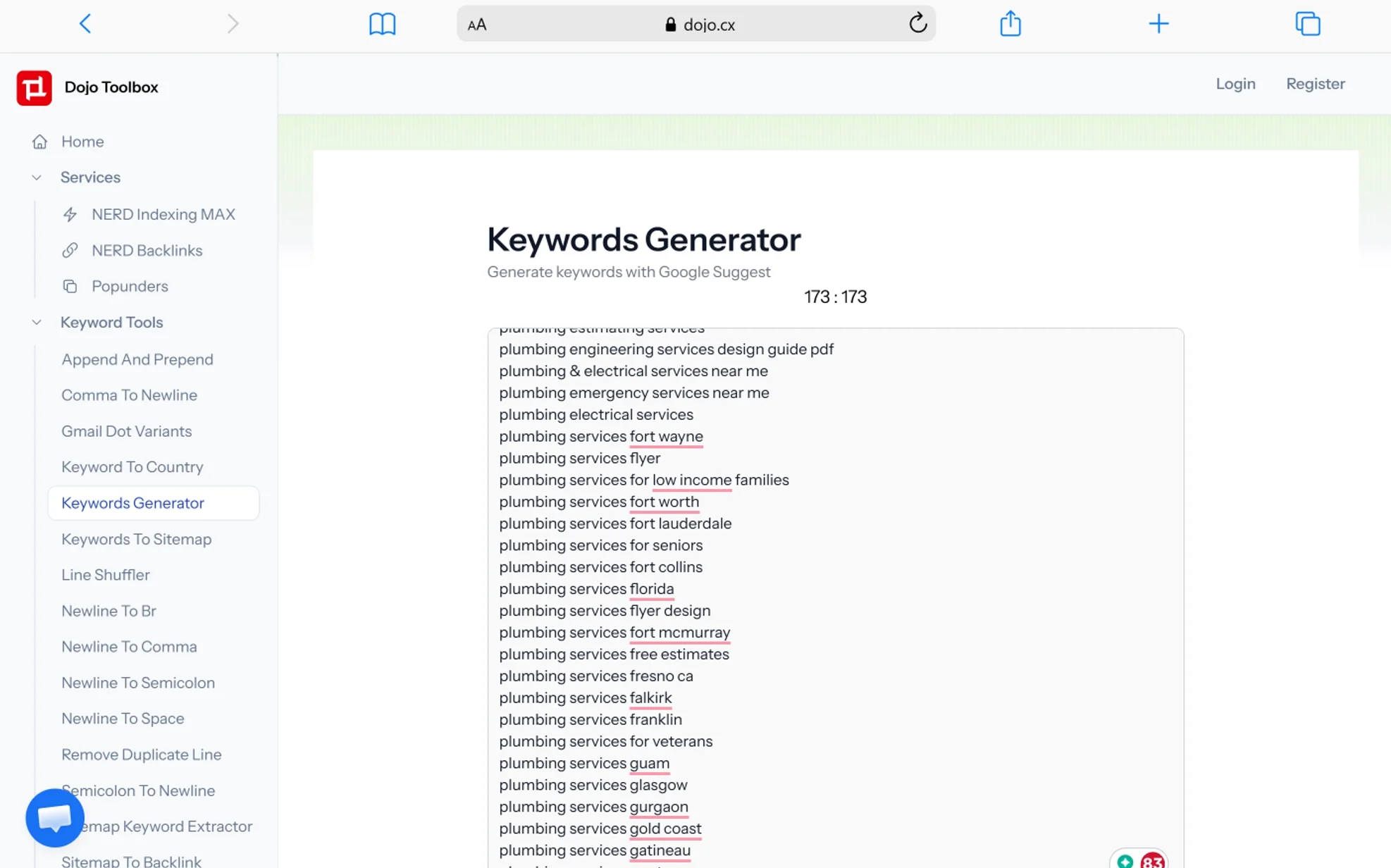
Dojo Toolbox is one of those tools I keep coming back to when I need a fast, no-fuss way to pull keyword suggestions. It pulls directly from Google Suggest — the same autocomplete system that feeds real-time search behavior — which means the keyword ideas it generates reflect actual phrases people are typing right now. No registration required, no cluttered dashboard to navigate through. You just enter a seed keyword and get a clean list of related queries almost immediately.
What I appreciate most about Dojo Toolbox is that it doesn’t try to do everything. It focuses on one job — keyword idea generation — and does it well. The tool is particularly useful during the early brainstorming phase of content planning, when you need to quickly map out a list of potential blog topics or article angles before diving into deeper analysis with a paid platform. For anyone working on niche site SEO, local SEO, or content marketing on a tight budget, this tool removes a real bottleneck from the research process.
The platform also keeps things accessible for solo bloggers and lean marketing teams who can’t justify monthly subscriptions for enterprise-level tools. There’s something to be said for a keyword generator that works every time you open it — no credit limits, no paywalls blocking basic functionality, no mandatory account creation. If you want to quickly generate keyword clusters, explore modifier combinations like “best,” “how to,” or “near me,” or just discover related search terms you hadn’t thought of, Dojo Toolbox handles all of that without friction. Click here to try the free keyword generator by Dojo.
2. Keywordtool.io
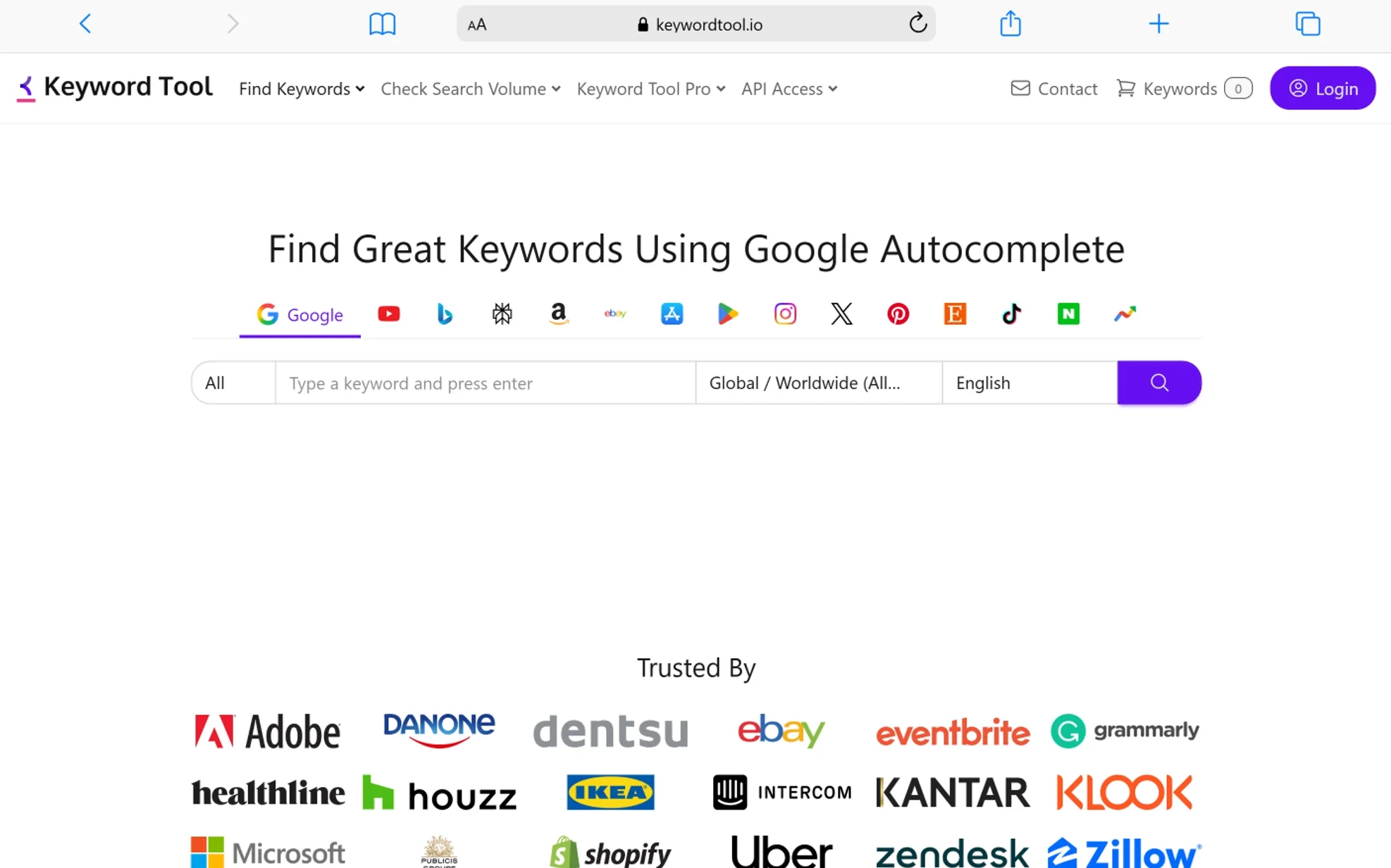
Keywordtool.io is one of the most thorough multi-platform keyword generators I’ve used. What sets it apart from most free tools is its ability to generate keyword ideas not just from Google, but also from YouTube, Bing, Amazon, Instagram, Twitter, App Store, and — more recently — TikTok, LinkedIn, and Pinterest. That cross-platform coverage is genuinely useful when you’re building a content strategy that spans multiple channels, not just organic search.
The tool generates more than 1,000 long-tail keyword suggestions for a single seed keyword, pulling from actual autocomplete and search suggestion data across each platform. This means the phrases you get aren’t artificially manufactured — they come from real user searches. When I’m planning content for a blog that also has a YouTube channel or an Amazon product listing, being able to switch between platforms in one place saves a lot of time compared to jumping between separate tools.
In the free version, you get a solid list of keyword suggestions, which is enough for topic brainstorming and early-stage research. The premium version unlocks search volume data, CPC figures, competition scores, and advanced trend filters — the kind of metrics you’d normally only get inside Ahrefs or Semrush. For bloggers doing international SEO or targeting specific regional markets, the multi-language and multi-country support means you’re not stuck researching in English only.
One thing I personally like is how clean the interface is. You’re not staring at a wall of numbers and color-coded warnings before you’ve even started. You enter your keyword, pick your platform and language, and the suggestions load quickly. It’s a practical starting point whether you’re doing YouTube SEO, researching Amazon product keywords, or planning blog content around conversational search phrases.
3. LSIGraph

Best Keyword Generator For Keyword Research
LSIGraph is one of the more interesting tools in my research stack because it was built around a specific SEO concept — Latent Semantic Indexing (LSI) — which focuses on the contextual and semantic relationships between words rather than just individual keyword matches. Even as search engines have moved toward entity-based ranking and natural language processing (NLP), the core idea behind LSIGraph remains highly relevant: covering a topic comprehensively, not just targeting a single phrase.
When I use LSIGraph, I’m usually trying to solve a specific problem — figuring out which semantically related terms and co-occurring phrases I should weave into a piece of content to make it more topically complete. The tool analyzes top-ranking pages for your target keyword and surfaces the related terms and entities those pages tend to use. That kind of analysis is directly useful for building topical authority, which is increasingly how search engines evaluate content quality.
The platform has expanded well beyond a basic LSI keyword finder. It now includes content scoring, AI-assisted content optimization recommendations, and insights into topic clusters and content gaps. If you’re writing a long-form guide or a cornerstone article, the semantic keyword map LSIGraph generates helps you structure content so it covers the subject broadly enough to compete with established pages.
Free access gets you a sample of keyword suggestions, which is often enough to improve a single article. The full suite — including AI content optimization, competitive content gap analysis, and advanced semantic mapping — sits behind a paid plan. For content creators serious about semantic SEO, on-page optimization, and entity-based content strategy, LSIGraph is one of the more targeted tools available for that specific use case.
4. HigherVisibility Bulk Keyword Generator

Perfect SEO keyword tool for small businesses
The HigherVisibility Bulk Keyword Generator is one of those tools that doesn’t get talked about enough, especially among local business owners and service-based companies trying to build organic visibility without a dedicated SEO team. I’ve pointed several small business clients toward this tool specifically because of how it generates keyword ideas — you select a business type and a location, and the tool automatically builds out a keyword list based on those two inputs.
It’s a genuinely different approach from most keyword generators, which expect you to already know what seed keywords to start with. HigherVisibility’s tool is structured more like a guided process: you tell it what kind of business you run — a plumber, a dentist, a landscaper, a restaurant — and it builds keyword suggestions around local search intent, service-specific queries, and geographic modifiers. That structure is directly relevant to the way local consumers actually search.
Where this shines most is for businesses that are new to local SEO and don’t yet have a well-developed keyword strategy. Rather than staring at a blank search box and guessing what phrases might drive traffic, the tool gives you a workable starting list that includes geo-targeted keywords, service category terms, and purchase-intent phrases that real local customers use. From there, you can filter, expand, and prioritize based on your market.
No sign-up is required, and the tool is completely free to use. For solopreneurs and local businesses managing their own digital marketing, that accessibility matters. It’s not a replacement for a full keyword research platform — it won’t give you search volume, competition scores, or trend data — but as a fast way to generate a targeted list of keyword ideas for a local niche, it does the job clearly and without unnecessary complexity.
5. WordStream Free Keyword Tool
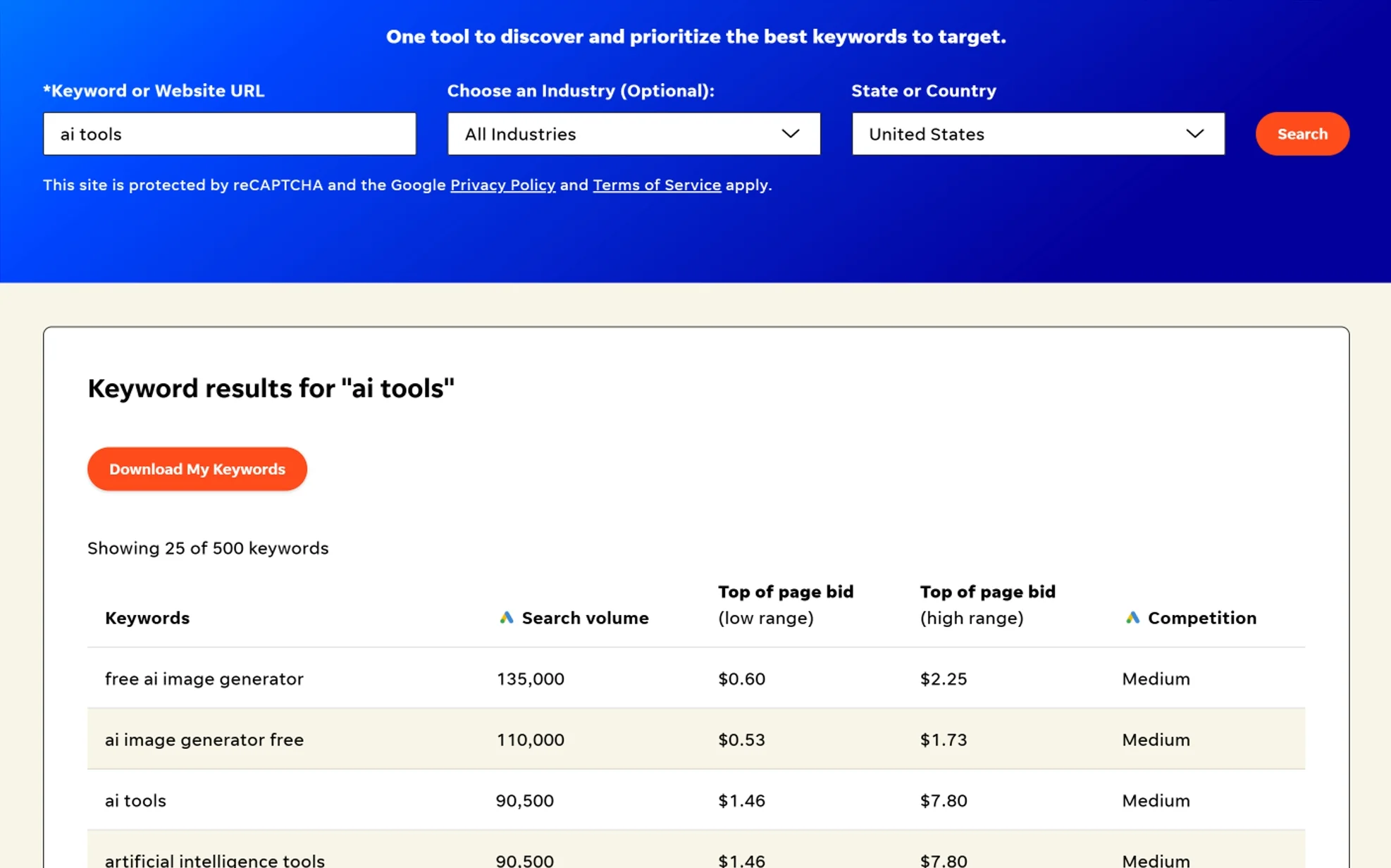
As someone who regularly works in SEO, I’m always testing different keyword research tools, and the WordStream Free Keyword Tool has become one of my go-to resources when I need quick long-tail keyword ideas. One thing I appreciate is how simple the interface is. You just enter a seed keyword, choose your industry and location if needed, and the tool quickly generates a list of related keywords. For bloggers or niche site owners who want fast inspiration without logging into a complex SEO platform, it’s a very practical starting point.
From my experience using it for blog content planning, the tool is especially helpful for discovering long-tail keywords that you might not initially think of. When I searched for a broad term related to one of my blog topics, WordStream returned variations with modifiers like “best,” “for beginners,” and location-specific phrases. These kinds of keywords are often easier to rank for and are perfect for writing targeted blog posts that match specific search intent.
Another feature I find useful is the additional keyword data the tool provides. Along with keyword suggestions, it shows estimated search volume, competition level, and CPC data — useful both for organic content strategy and PPC campaign planning. Even though it’s not as deep as premium tools like Ahrefs or Semrush, it still gives enough context to quickly judge whether a keyword might be worth targeting. When I’m brainstorming content ideas, this quick snapshot helps me filter out overly competitive terms and focus on more realistic ranking opportunities.
In my workflow, I often use WordStream as an idea generator before moving to deeper analysis in other tools. I’ll collect a batch of keyword ideas from WordStream, then export or note them and evaluate them further for keyword difficulty, SERP intent, and content gaps. This combination works well because WordStream is fast and free, making it ideal for the early research phase of content creation.
Overall, the WordStream keyword tool is a reliable and beginner-friendly option for bloggers and marketers who want quick long-tail keyword suggestions. While it doesn’t replace full SEO suites, it does an excellent job of generating practical keyword ideas that can spark new blog topics and help build a stronger content calendar.
6. Wordtracker
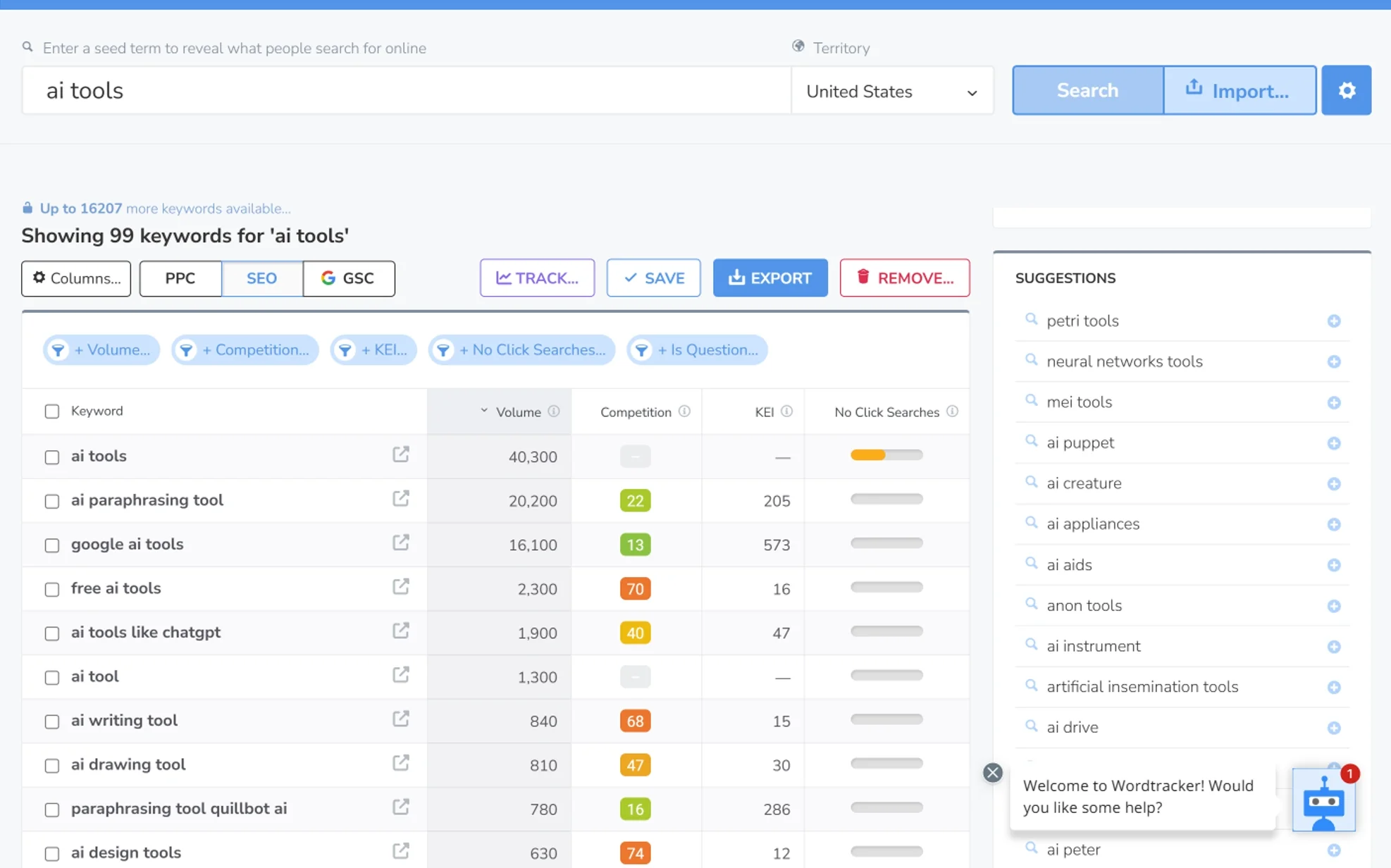
If you spend a lot of time doing keyword research like I do, you’ve probably felt the frustration of tools that dump hundreds of generic, high-competition suggestions at you with no real signal about which ones are actually worth pursuing. When I started testing Wordtracker, I was mainly looking for something that could help me go deeper on long-tail search queries for blog content — not just surface-level volume data, but real insight into how specific the queries are and what intent they carry.
What stands out immediately is how Wordtracker leans toward niche and long-tail phrases over broad, contested keywords. When I entered a general topic, the tool didn’t just return the obvious head terms everyone’s targeting. It pulled up variations that looked much closer to actual search behavior — problem-based phrasing, specific modifier combinations, and comparison queries. As someone who writes SEO blog posts regularly, those are the kinds of keywords I want because they usually signal clear purchase or informational intent, which makes writing content that satisfies the query a much more defined task.
The competition and opportunity metrics Wordtracker provides are also genuinely useful for prioritizing a content backlog. Rather than having to cross-reference multiple tools to decide whether a keyword is realistically attainable, you get a quick snapshot of how competitive the landscape is for that query. In my workflow, that means I can move faster from research to writing without spending hours second-guessing keyword difficulty.
I’ve also used Wordtracker when building out content topic clusters and supporting pillar pages. Starting from a primary keyword, the tool often surfaces related question phrases, comparison queries, and modifier-heavy variations that map naturally to supporting blog posts. That kind of structured keyword discovery is directly useful for building topical authority across a content site.
Like any keyword tool, Wordtracker works best when paired with your own judgment about SERP intent and competitive positioning. I treat it as a keyword discovery engine — I surface candidate keywords here, then validate them by checking the actual search results and analyzing what type of content is currently ranking. For bloggers trying to find realistic ranking opportunities that larger sites sometimes overlook, it’s a solid and focused research tool.
7. Ubersuggest

Ubersuggest Keyword Generator
When I first started using Ubersuggest by Neil Patel, I was mainly looking for a simple keyword generator to help me find keywords for my first post. After spending more time with the platform, I realized it packs considerably more into a free or low-cost plan than most people expect. It’s grown into a fairly complete research hub that I still use regularly during the content planning phase of blog projects.
The feature I probably use the most is Keyword Ideas. After entering a seed keyword, Ubersuggest generates a list of related search terms with useful data attached — search volume, SEO difficulty, and cost-per-click. In my workflow, this helps me quickly spot long-tail keywords that could realistically turn into individual blog posts. I scan the list for phrases that sound like genuine search queries rather than broad category terms, and many of my article ideas start exactly there.
The Content Ideas section is another feature I check regularly. It shows pages that are already ranking for the keyword, along with estimated traffic, backlinks, and social shares. Before I write anything, I use this section to understand what content format is performing well — long-form guides, list posts, comparison articles — so I can plan something that fits the intent of what’s already getting traction in the SERPs.
I’ve also used the Domain Overview quite a bit when analyzing competitors. You enter a domain and Ubersuggest shows its estimated organic traffic, top-ranking keywords, and best-performing pages. It’s a quick way to find content gap opportunities and discover topics that a competitor is driving real traffic from. The SEO Site Audit tool is a helpful addition too — it scans for technical issues like missing meta descriptions, slow page speed, and broken links. Not as deep as dedicated technical SEO platforms, but useful for catching obvious on-page problems.
The Backlink Data feature rounds out the toolkit. It shows which sites are linking to a given page, which I use mainly to research link acquisition opportunities when planning outreach for a new piece of content.
Ubersuggest’s pricing starts around $29/month, with a lifetime deal option that makes the overall cost very reasonable compared to tools like Ahrefs or Semrush, which start at $99/month or more. For bloggers and content creators who want one platform that covers keyword research, competitor analysis, backlink data, and site audits without a steep learning curve, Ubersuggest still delivers strong value at that price point.
8. Ahrefs Keyword Generator
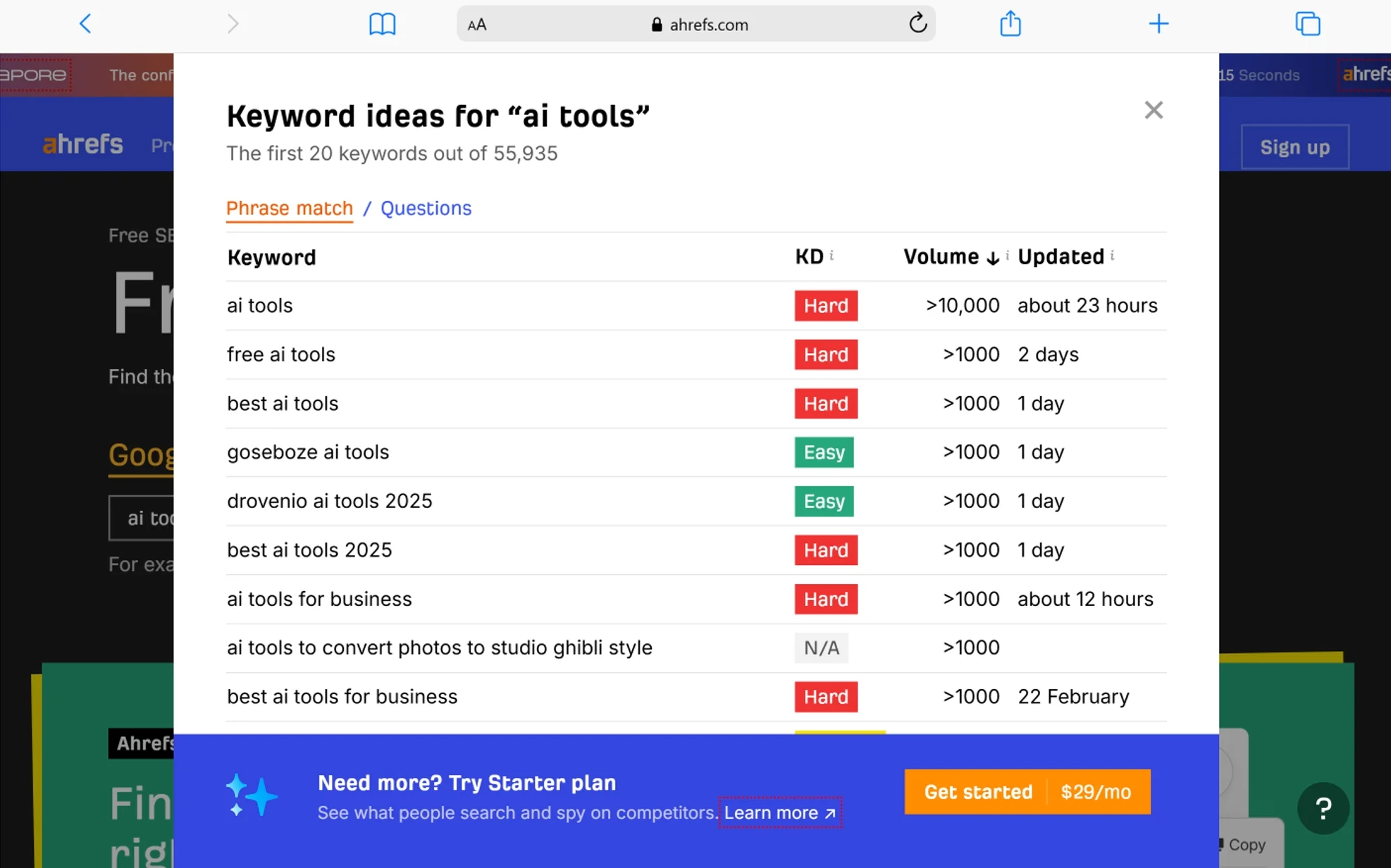
When I’m looking for fresh keyword ideas for blog content, the Ahrefs Keyword Generator is one of the first places I go. I started using it because I wanted a fast way to pull long-tail keyword ideas without having to open the full Ahrefs platform and burn through my credits. For quick brainstorming sessions, it covers a lot of ground with very little setup.
The tool is straightforward to use. You enter a seed keyword, choose a search engine — Google, YouTube, Bing, or Amazon — and within seconds you get a list of keyword ideas. In the early stages of content planning, this is exactly what I need. A broad topic turns into dozens of specific, searchable phrases that I can evaluate for potential.
What I personally like most is that Ahrefs’ Keyword Generator tends to surface naturally phrased, long-tail queries rather than just short keyword fragments. The suggestions regularly include phrases with modifiers like “best,” “how to,” “for beginners,” and “near me” — the kind of variations that reflect real user intent and translate directly into focused blog post topics. Many of my best-performing articles started as suggestions pulled from this tool.
The free version also gives you a limited preview of search volume and keyword difficulty (KD) scores for the top suggestions — enough to make a quick judgment call on whether a keyword is worth pursuing. If a keyword shows up with a low KD score and reasonable search demand, I’ll add it to my shortlist for deeper analysis inside the full Ahrefs suite or another tool.
The multi-country and multi-language support is also worth mentioning. If you’re doing SEO across different regional markets or working with clients in other countries, being able to switch the target country in the keyword generator saves real research time.
Ahrefs’ full Keywords Explorer — powered by a database of over 28.7 billion keywords — goes much deeper than the free generator. It includes clustering, SERP analysis, traffic potential estimates, and historical data. But as a free, fast-access tool for daily keyword brainstorming, the free Keyword Generator consistently earns its spot in my regular research workflow.
9. Semrush Keyword Magic Tool
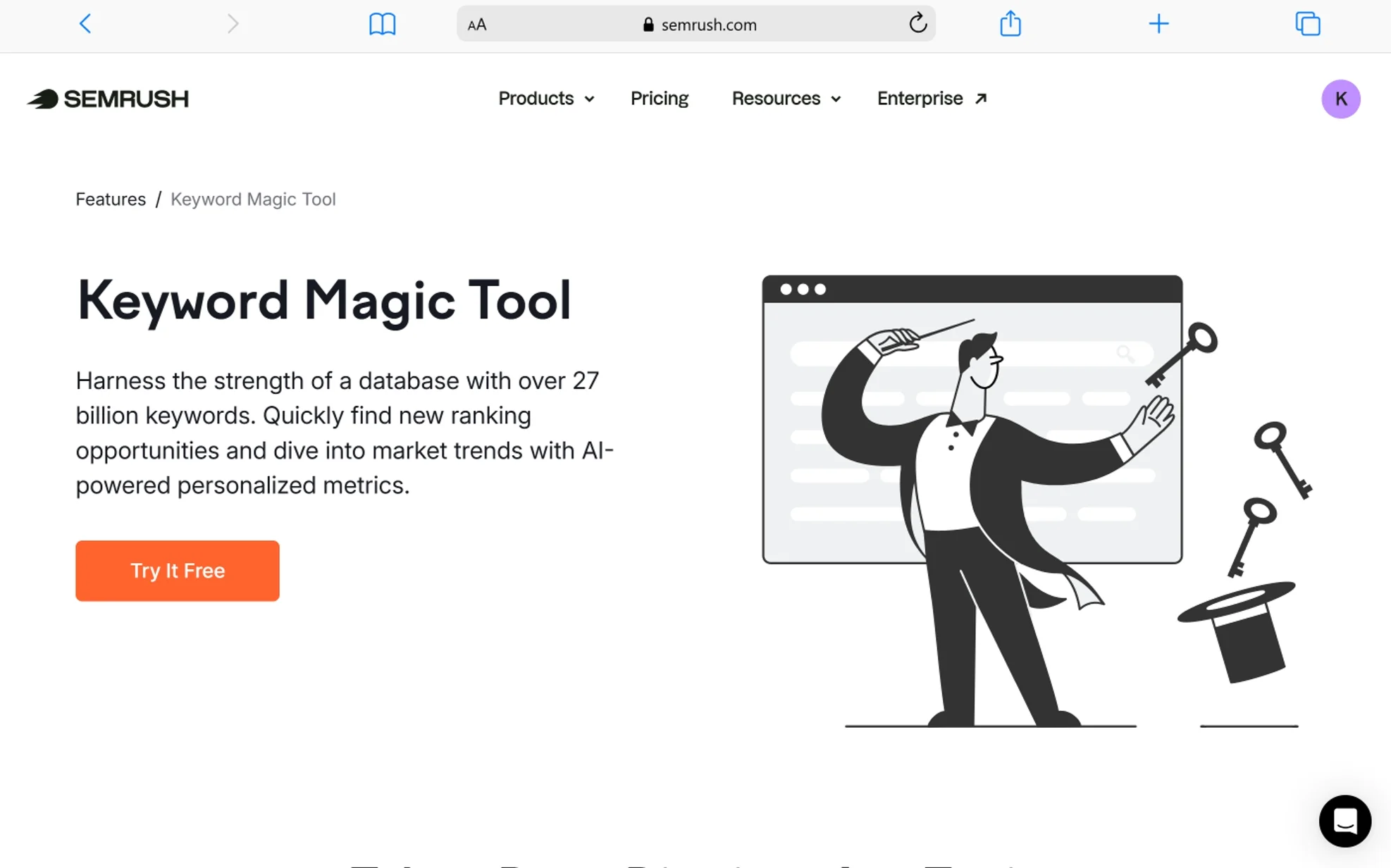
Out of everything I’ve tested for keyword research at scale, the Semrush Keyword Magic Tool is the most comprehensive option I’ve come across — and I say that as someone who regularly uses Ahrefs, LowFruits, and several other tools depending on the task. The sheer depth of data available here is hard to match.
The keyword database behind Keyword Magic Tool contains over 27.8 billion keywords across 142 geo databases, and for a single seed keyword, the tool can generate up to 20 million keyword ideas. In practice, you’ll never need anywhere near that many — but knowing the database is that large means gaps in coverage are rarely an issue, even for obscure niches or non-English markets.
What I find most useful day-to-day is the intent classification. Every keyword in the results is tagged with one of four intent types — informational, navigational, commercial, or transactional. When I’m planning a content calendar, this lets me sort my keyword list by what stage of the buyer journey each query represents and match my content format accordingly. That kind of structured planning is much harder to do when you’re working with a tool that just gives you raw keyword lists.
The Personal Keyword Difficulty (PKD) score is a feature I’ve started relying on more recently. Unlike a standard keyword difficulty metric that applies the same score to every domain, PKD is calculated specifically for your website based on its authority and backlink profile. That means a keyword might show a general difficulty score of 60, but your PKD might be significantly lower or higher depending on how your site compares to the current top-ranking pages. This kind of domain-specific targeting is genuinely more actionable than generic difficulty scores.
Other metrics I check regularly include search volume trends over 12 months, SERP feature availability (featured snippets, People Also Ask, local packs), CPC data for ad budget planning, and the keyword clustering function that groups related queries into topic-based subtopics. The keyword clustering feature alone saves hours when building out a content architecture or pillar-and-cluster strategy.
Semrush offers a free plan with limited daily searches — enough to test the tool and occasionally run focused research sessions. The full functionality requires a paid subscription, which starts at around $139.95/month. That’s a meaningful cost, but for agencies, established content sites, and businesses running active SEO campaigns across multiple properties, the breadth of what Semrush covers makes it one of the most cost-efficient all-in-one platforms available.
If you’re doing serious competitive keyword analysis, building topic clusters at scale, or trying to understand where specific SERP features are winnable, the Keyword Magic Tool is one of the most capable research instruments I’ve used for those tasks.
10. LowFruits.io

LowFruits.io is a tool I wish I’d found earlier in my blogging career. The concept behind it is simple but genuinely valuable: instead of just showing you keyword difficulty scores, it actually digs into the search engine results pages (SERPs) and identifies keywords where low-authority websites are currently ranking. Those are the keywords where a newer or smaller site has a real shot at competing — what the tool calls “weak spots.”
The way the Weak Spots feature works is practical. LowFruits analyzes the Domain Authority (DA) of the sites currently ranking on page one for a given keyword. When it detects a low-DA site — a forum, a Reddit thread, a Quora answer, or a thin content page — ranking among the top results, it flags that keyword with a visual indicator. Hovering over the flag shows you the specific site, its DA score, its ranking position, and a direct link to the page. That kind of visibility into SERP composition is much more useful than a single difficulty number, because you can see why a keyword might be rankable, not just that it theoretically is.
The Keyword Finder pulls long-tail suggestions directly from Google Autocomplete, which keeps results rooted in real user behavior. You can also import your own keyword list and have LowFruits run the SERP analysis on it — a feature I use frequently when I’ve already done preliminary research elsewhere and want to quickly triage which keywords are actually worth writing about.
The Domain Explorer is another feature I’ve found useful for niche research. It contains a database of over 150,000 low-DA websites, which you can browse to find weak domains ranking in your niche — and then dig into the keywords those domains are ranking for to find content opportunities your competitors have left uncontested.
Pricing is flexible. The Pay-As-You-Go option costs $25 for 2,000 credits, with each SERP analyzed consuming one credit. Subscription plans start at $21/month for 3,000 monthly credits on the Standard plan, or $62/month for 10,000 credits on the Premium plan. Subscriptions also unlock the rank tracker (up to 100 keywords on Standard, 500 on Premium), unlimited report downloads, and the Competitor Keyword Extraction feature.
LowFruits doesn’t try to be an all-in-one SEO suite — and that’s a deliberate choice I actually respect. It doesn’t offer backlink analysis, site audits, or PPC data. What it does, it does well: helping you find low-competition, long-tail keyword opportunities that are actually attainable based on what’s already ranking, not just based on a difficulty score that doesn’t account for the actual quality of competition. For bloggers, niche site builders, and content creators focused on organic traffic growth, it’s become one of my most-used research tools.
11. Keyword Chef
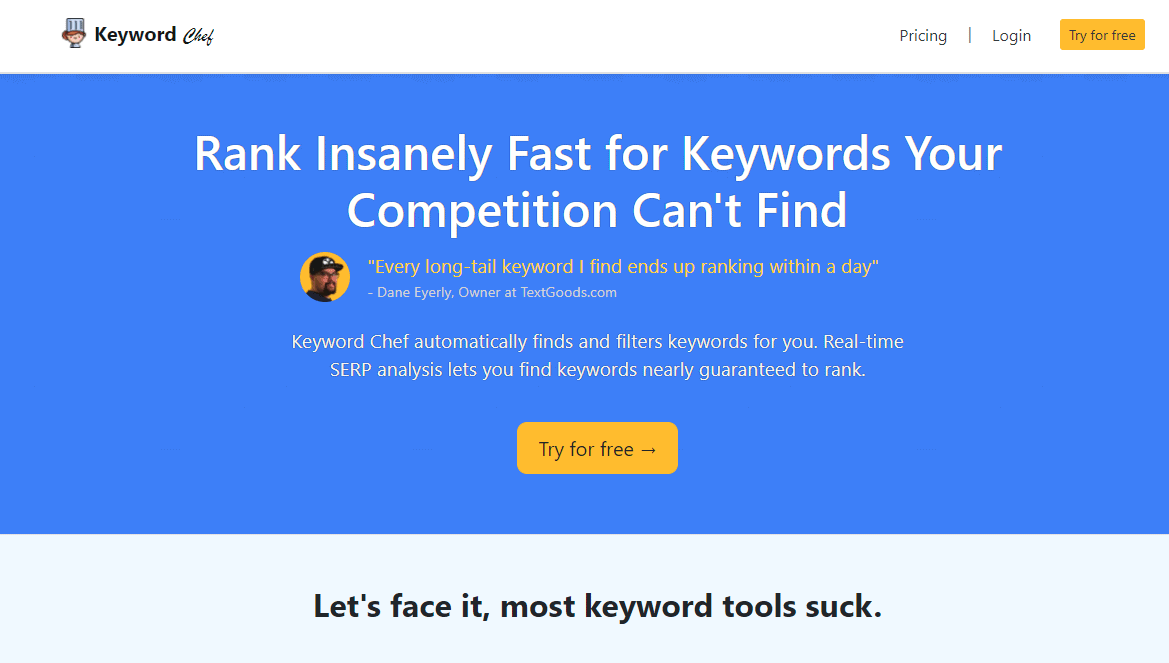
Keyword Chef takes a different approach to keyword research than most tools I’ve used, and once you understand the logic behind it, the approach makes a lot of sense — especially if you’re building content on a site that doesn’t yet have significant domain authority.
The core idea is this: not all keywords with decent search volume are worth chasing, because many are dominated by high-authority sites that are essentially unmovable in the SERPs. Keyword Chef’s built-in SERP analysis specifically looks for keywords where forums, Q&A platforms, and community-driven content (think Quora, Reddit, or niche discussion boards) are ranking on page one. When those kinds of pages appear in the top 10, it’s a signal that Google hasn’t found a highly authoritative, purpose-built resource for that query yet — and that a well-written, focused article from a smaller site has a genuine shot at ranking.
The tool assigns each keyword a SERP score that reflects how many non-authoritative results appear in the top 10. A higher SERP score means more weak results in the rankings — and therefore a better opportunity for you to step in with stronger content.
The Discover panel is where most of the work happens. You enter a keyword or phrase and select the type of queries you want to find. The tool then generates long-tail keyword ideas and runs SERP scoring in the background, saving you the manual work of checking each keyword’s search results one by one.
One feature that genuinely surprised me is the wildcard search. Instead of searching for a standard phrase, you insert an asterisk (*) as a placeholder — for example, “how to clean * without chemicals” — and the tool fills in the blank with variations people are actually searching for. This surfaces keyword ideas that don’t show up in traditional autocomplete-based generators, because the query structure is too unusual for standard tools to catch. For building out long-tail keyword clusters around specific topics, it’s one of the more creative research methods I’ve tested.
Pricing is completely pay-as-you-go — no monthly subscription required. Starting at $20 for 1,200 credits, you buy credits when you need them and they don’t expire under a rolling billing cycle. For bloggers and niche publishers who do concentrated keyword research in batches rather than continuously, this model is notably more economical than paying a monthly fee for a tool you might only use intensively once or twice a month.
The interface is minimal and clean — no overwhelming dashboards, no learning curve. You can be up and running within a few minutes of creating an account. If your goal is specifically to find low-competition, long-tail keywords that have a realistic path to ranking on a newer or smaller site, Keyword Chef is one of the most direct tools I’ve used for exactly that purpose.
Keyword Generator Tools Comparison
Here’s a quick comparison of all 11 tools based on the criteria that matter most during keyword research:
| Tool | Best For | Free Access | Search Volume Data | Multi-Platform | Long-Tail Focus | Pricing |
|---|---|---|---|---|---|---|
| Dojo Toolbox | Quick brainstorming | ✅ Fully free | ❌ | ❌ Google only | ✅ | Free |
| Keywordtool.io | Multi-platform keyword research | ✅ Limited free | Paid only | ✅ 10+ platforms | ✅ | Free / Paid |
| LSIGraph | Semantic SEO, topic clusters | ✅ Limited free | Paid only | ❌ | ✅ LSI focus | Free / Paid |
| HigherVisibility | Local business keyword research | ✅ Fully free | ❌ | ❌ | ✅ Local focus | Free |
| WordStream | Fast keyword ideas + CPC data | ✅ Limited free | ✅ Estimated | ❌ | ✅ | Free / Paid |
| Wordtracker | Niche & long-tail discovery | ✅ Limited free | ✅ | ❌ | ✅ | Free / Paid |
| Ubersuggest | All-in-one beginner SEO | ✅ Limited free | ✅ | ❌ | ✅ | From $29/mo |
| Ahrefs Keyword Generator | Fast free keyword ideation | ✅ Limited free | ✅ Limited | ✅ Google, YouTube, Bing, Amazon | ✅ | Free / Paid |
| Semrush Keyword Magic | Enterprise keyword research at scale | ✅ Limited free | ✅ Full data | ❌ | ✅ | From $139.95/mo |
| LowFruits.io | Low-competition SERP analysis | ✅ 3 free searches/week | ✅ | ❌ | ✅ SERP weak spots | From $21/mo or PAYG |
| Keyword Chef | Low-competition keyword hunting | ❌ Credit-based | ✅ | ❌ | ✅ Wildcard + SERP score | PAYG from $20 |
Frequently Asked Questions
What is a keyword generator tool?
A keyword generator tool is an SEO tool that helps you discover new keyword ideas based on a seed keyword. When you enter a topic or phrase, the tool generates related keywords — including long-tail keywords, question-based queries, and modifier variations — that people are actively searching for on platforms like Google, YouTube, Amazon, or Bing. These suggestions help bloggers, content marketers, and SEO professionals plan content that connects with real user search intent.
Why should you use a keyword generator for keyword research?
Using a keyword generator speeds up the research process significantly. Instead of manually guessing search terms, the tool automatically surfaces dozens or even hundreds of keyword ideas based on actual search data. This helps you identify long-tail opportunities, uncover new blog topics, map out content clusters, and understand how your audience phrases its searches — all of which feeds into a stronger organic content strategy.
Are free keyword generator tools good for SEO?
Yes — many free keyword generator tools are genuinely useful for SEO, particularly for bloggers, niche site owners, and small businesses. Free tools like Dojo Toolbox, HigherVisibility, and the Ahrefs Keyword Generator can surface quality keyword ideas without any cost. While premium platforms provide more detailed data — keyword difficulty, trend history, SERP analysis, competitor intelligence — free tools remain highly effective for keyword discovery and topic brainstorming.
What are long-tail keywords and why are they important?
Long-tail keywords are specific, multi-word search phrases — usually three or more words — that reflect a particular user need or question. They tend to have lower search volume than broad head terms, but also significantly lower keyword competition and much clearer search intent. Content built around long-tail keywords often ranks faster and converts better because it directly answers what the searcher is looking for.
Which keyword generator is best for beginners?
Several tools are beginner-friendly and easy to start using without prior SEO experience. I’d recommend starting with Dojo Toolbox, Keywordtool.io, WordStream, Wordtracker, or Ubersuggest. Each of these has a clean interface, generates keyword ideas quickly, and doesn’t require advanced technical knowledge. Ubersuggest is particularly well-suited for beginners who also want competitor data and a basic site audit in one place.
What makes LowFruits different from other keyword tools?
Most keyword tools show you a difficulty score, but LowFruits actually analyzes the composition of the SERP for each keyword — checking whether low-authority sites like forums, Quora threads, or thin content pages are ranking on page one. This “weak spot” detection tells you why a keyword might be rankable, not just that it has a low number attached to it. For smaller sites and newer blogs trying to identify realistic ranking opportunities, that’s a fundamentally more useful data point.
How does Keyword Chef’s wildcard search work?
Keyword Chef lets you insert an asterisk (*) into a search phrase as a placeholder, and the tool fills in that gap with real variations people are searching for. For example, entering “best * for beginners” would return all the different things people search for in that pattern. This approach uncovers keyword variations that standard autocomplete-based tools miss because the phrase structure doesn’t fit typical keyword suggestion logic.
How many keyword generator tools should you use?
Using at least two or three keyword generators during research tends to produce better results than relying on one. Different tools pull data from different sources and surface different keyword ideas, so combining a few — for example, using Ahrefs for volume-based discovery, LowFruits for SERP weak spot analysis, and LSIGraph for semantic coverage — gives you a more complete picture of the keyword landscape around a topic.
Conclusion
Keyword research is still one of the highest-leverage activities in content marketing and SEO. Get it right and your content connects with the right audience; get it wrong and you spend weeks writing articles that don’t rank or attract the wrong visitors. These keyword generator tools each take a slightly different approach to solving that problem, which is why I keep several of them in my regular workflow rather than relying on just one.
From my experience, Ahrefs Keyword Generator and Keywordtool.io are the fastest options for generating large batches of keyword ideas across multiple platforms. LSIGraph fills a specific gap for semantic content optimization — making sure a piece of content covers a topic with enough depth to compete with well-established pages. HigherVisibility remains my first recommendation for local businesses that need geo-targeted keyword ideas without any technical setup.
For finding genuinely attainable low-competition keywords, both LowFruits.io and Keyword Chef have changed the way I approach content planning. LowFruits gives you a clear visual picture of SERP weakness — you can literally see the low-DA sites ranking for a keyword and make an informed decision based on real competition data. Keyword Chef does something similar with its SERP score system, and its wildcard search function regularly surfaces keyword angles I wouldn’t have found elsewhere.
For those who want everything in one platform — research, competitor analysis, content gap identification, and rank tracking — Semrush Keyword Magic Tool and Ubersuggest are the most capable all-in-one options at their respective price points.
In practice, I rarely rely on a single tool for any serious research project. The combination I use most often is: a broad generator for initial ideas, LowFruits or Keyword Chef for competition filtering, and Semrush or Ahrefs for validation and deeper SERP analysis. That layered approach takes a little more time upfront, but consistently produces a stronger, more targeted keyword list that actually translates into organic traffic.
The right keyword generator ultimately depends on your site’s current authority, your content goals, and your budget. But whichever tools you choose, using them consistently — and combining their outputs with your own judgment about search intent and content quality — is what turns keyword research into real, compounding results.
You May Also Like
 SEO Tools
8 Best Free Online Word Cloud Generator & Tag Cloud Creator
 SEO Tools
50+ Best Free SEO Tools That SEO Experts Actually Use In 2026
 SEO Tools
7 Best SERP Checkers to Monitor & Track Your Keyword Rankings
 SEO Tools
How to Use Ahrefs for Free: 11 Free SEO Tools
 SEO Tools
8 Best Rank Tracker Tools: Free & Paid Options Tested and Compared
 SEO Tools
11 Best Keyword Clustering Tools: Free & Paid Options Tested and Compared
 SEO Tools
How to Block AhrefsBot From Crawling Your Website
 SEO Tools
8 Best On-Page SEO Checkers to Improve Your SEO
 Online Services