Word cloud generator helps you to create word art online. Word cloud nice for graphic design and method explained in the presentation. You might be interested in Word cloud art that is uploaded on social media like Instagram or Facebook? It turns out that making word cloud easy, it doesn’t require design expertise. By using the Word cloud generator, you can generate the word cloud as you wish.
The word cloud also becomes one of the marketing references. You can market your product with the word cloud art. Or you can collect positive words that are always remembered in the tag cloud or word cloud.
In this article, I am interested in sharing information about the best free word cloud generator to create tag cloud online for your project. Let’s look at the following list!
7 Best Free Online Word Cloud Generator & Tag Cloud Creator
1. Wordart.com

Wordart.com is the best free word cloud generator that helps you easily generate amazing and unique word cloud art. You don’t need special expertise in design. Because this is only 1 click away, you can create professional-quality results. It’s fun playing with word cloud art, experimenting with plenty of options and seeing the results after each visualization!
You can really get creative by tweaking all the different options and seeing how your word cloud takes shape with each change. It’s incredibly fun and addicting to experiment with placing words in different layouts and visualizing text in new ways. Within minutes, you have a visually striking graphic that you can share or print. Whether you’re making something for yourself, a gift, or a work project, Wordart gives you endless possibilities to showcase text in unique and eye-catching designs.
2. Wordclouds.com

Wordclouds is the best free online tool for generating beautiful tag clouds and word clouds with ease. All you need to do is simply copy and paste text into the generator and within seconds, you’ll have a stunning visualization of your words.
Unlike other word cloud makers that can be complicated to use, Wordclouds focuses on keeping the process very simple. Just supply your text and let the generator work its magic. I’m consistently impressed with the high-quality, aesthetically pleasing designs it produces. With a few clicks, you can seamlessly transform blocks of text into eye-catching visual representations.
It’s also great that no sign-ups or registrations are required to get started. The tool is ready for you to quickly churn out colorful, professionally designed clouds that capture the essence of your content. Whether you need it for work, education or leisure, Wordclouds reliably delivers excellent results without complications.
If you’re looking for an effortless way to create attractive cloud words and tags, this generator is easily the top choice. I love how rapidly it turns plain text into beautifully organized visualizations that are a pleasure to look at. It’s certainly proven to be invaluable for showcasing key topics, themes and ideas.
3. Jasondavies

If you need an easy-to-use, free word cloud generator, I highly recommend checking out Jasondavies. This website offers a great selection of online visualization tools at no cost.
Their word cloud generator stands out as one of the best free options available. It allows you to upload or paste in text and instantly generate stunning cloud layouts without any watermarks or other limitations. You can customize colors, fonts and orientations to get precisely the visualization you want.
Beyond word clouds, Jasondavies provides many other helpful tools for free like a geographic clipping tool, word trees to show connections between concepts, and plant generators that depict hierarchies. It’s a fantastic resource for data exploration and representation across different subject areas.
As someone who has used numerous cloud generators, I appreciate how smooth and simple the process is on Jasondavies. Yet the results are always high quality and very shareable. You won’t find cluttered ads or pressure to upgrade either.
If you need a no-fuss way to turn text into elegantly designed word clouds without spending a dime, Jasondavies’ generator is a no-brainer choice. The variety of complementary visualization tools make it a toolbox worth bookmarking too.
4. Worditout.com
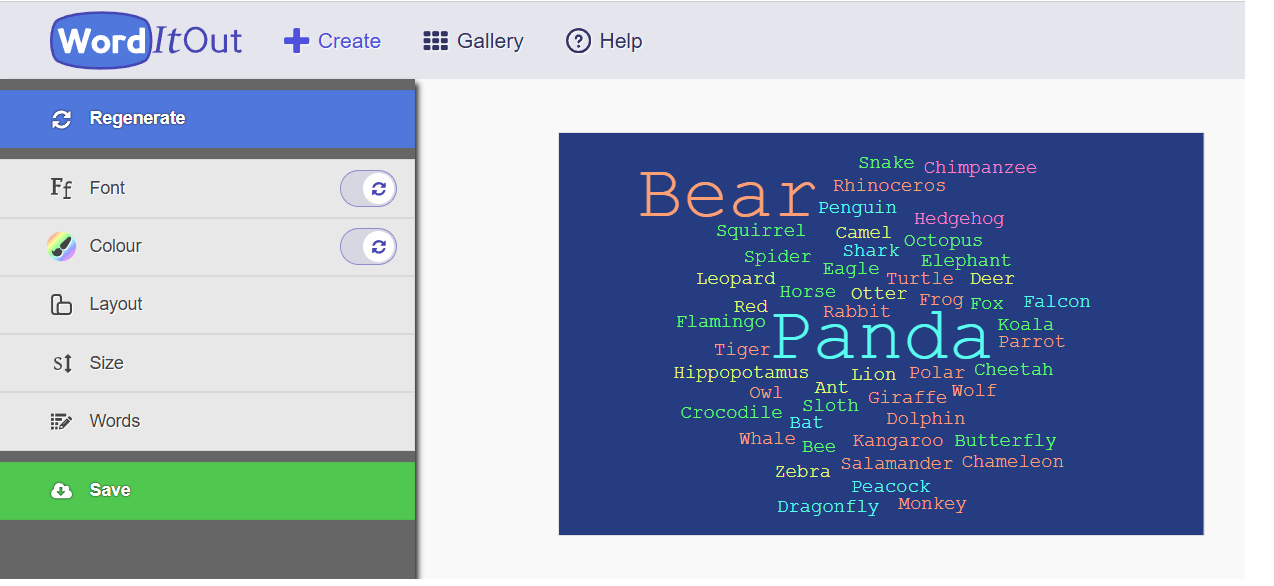
WordItOut is a tremendously useful random word cloud generator for anyone looking to transform text into visually striking graphic designs. As a free online tool, it empowers users across industries to easily create beautiful word art and innovative visual representations.
For marketing professionals, WordItOut opens up new possibilities to creatively showcase aspects of your business, products or services in a more captivating way. The customized word clouds can be used across digital platforms to draw attention and effectively summarize key messages. With the ability to directly print designs onto promotional items too, it gives you impactful ways to engage customers offline.
Designers also have a lot to gain from WordItOut as an effortless method of transforming written works into stylish infographics. From proposals and reports to creative portfolios, word clouds allow for emphasizing important elements through their visual hierarchy. Professionals can strengthen communications and make a lasting impression.
Best of all, no design skills are needed to get started. WordItOut empowers anyone to liberally experiment with layouts, fonts, colors and more to discover what resonates most visually. The unlimited customization ensures everyone can generate results tailored to their specific goals or aesthetic.
Overall, WordItOut provides a fun and simple platform to unlock creativity through language. It delivers an innovative new medium for showcasing text in a visually stimulating way across all types of projects.
5. Canva Free Online Word Cloud Generator
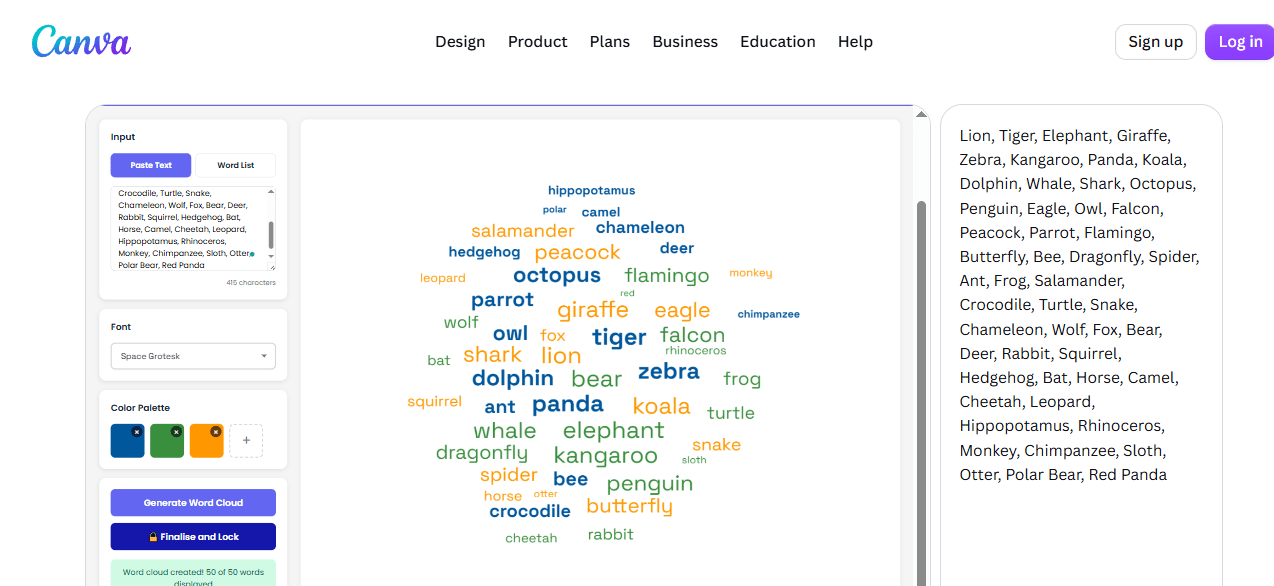
Canva’s word cloud generator is a great pick if you want a quick, no-fuss way to turn text into a visual, especially if you’re already designing in Canva. You simply paste in your text, and the tool automatically sizes each word based on how often it appears, so your key themes and ideas pop out at a glance.
What I like about Canva’s approach is how easily the result plugs into the rest of your workflow. Once your word cloud is generated, you can drop it straight into a Canva design, whether that’s a presentation, social media post, poster, or report, and keep customizing it with Canva’s usual library of fonts, colors, and layout tools. That makes it especially handy for anyone who wants a word cloud that actually matches their brand or project’s look, rather than a generic image dropped in from somewhere else.
Canva has also leaned into AI with this tool. Using Canva Code, you can type a text prompt describing the words, themes, colors, or style you want, and Canva will generate an interactive word cloud widget for you, no coding required. If the first result isn’t quite right, you just re-prompt it with more detail to refine the design.
It’s free to use, and no sign-up is required just to generate a word cloud. Keep in mind that some advanced touches, like transparent backgrounds or premium fonts, are reserved for Canva Pro. But for most everyday needs, teachers making a classroom visual, marketers summarizing feedback, or anyone wanting a polished graphic for social media, the free version is more than enough to get a great-looking result.
6. Wooclap Free Word Cloud Generator
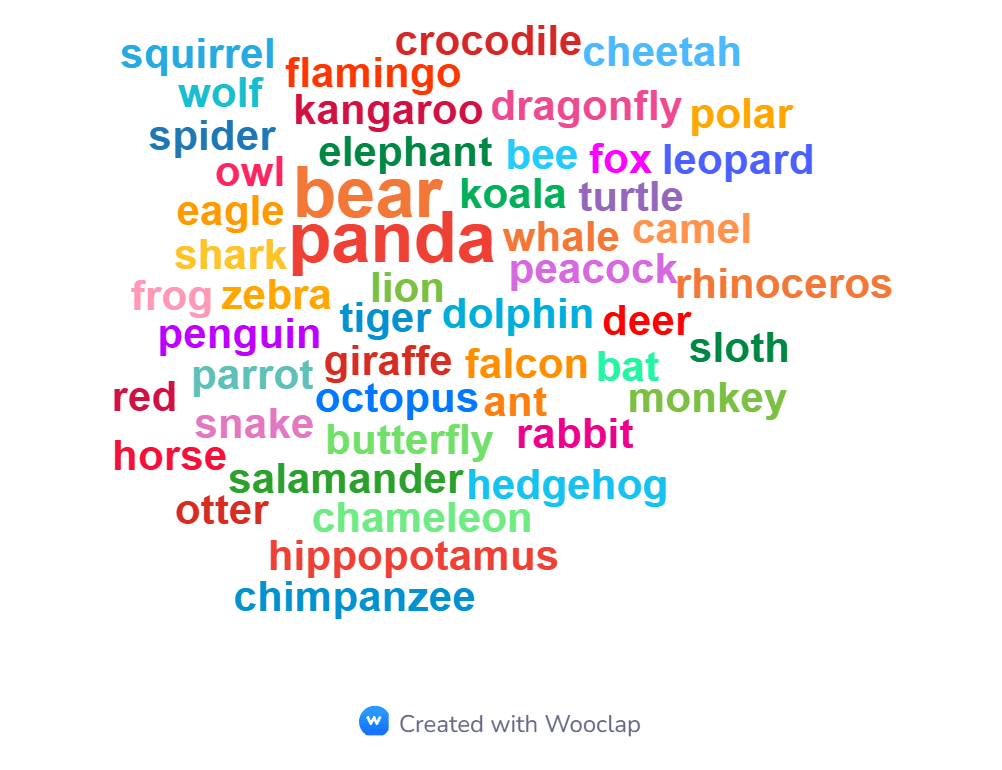
I checked out Wooclap’s word cloud generator, and honestly it’s pretty simple to use. You just paste or type your text, or upload a file, and it turns your words into a visual cloud in one click. There’s no sign-up needed, no credit card, and it takes about two minutes to get a result. You can control how many words show up (up to 99), and there’s an option to hide common filler words like “the” and “and” so the cloud focuses on the words that actually matter.
What I liked is that it’s genuinely free and easy for anyone, teachers, students, or people running meetings, to jump in without creating an account. You can download your word cloud as PNG, JPG, or PDF, and there’s also a CSV option if you want the raw word data instead of an image. Worth noting, there’s no SVG export listed, so if you need a vector file for printing or scaling up, this isn’t the right tool for that. Wooclap’s own page claims the tool is free “without ads” and doesn’t mention any watermark, but when I actually downloaded a word cloud, there was a watermark on the image, which was a bit disappointing. So in practice, the free version isn’t as clean as the marketing suggests, and that’s worth keeping in mind if you need a watermark-free image for something official like a presentation or report.
That said, it’s fairly basic in other ways too. There’s no option to customize the font or colors, so if you’re looking for something more stylish or branded, this tool won’t give you that flexibility. It’s best suited for quick, functional use, like summarizing a text, running an icebreaker activity, or getting a fast visual read on survey answers, rather than for polished, watermark-free, design-heavy output.
7. Wordcloud.kr
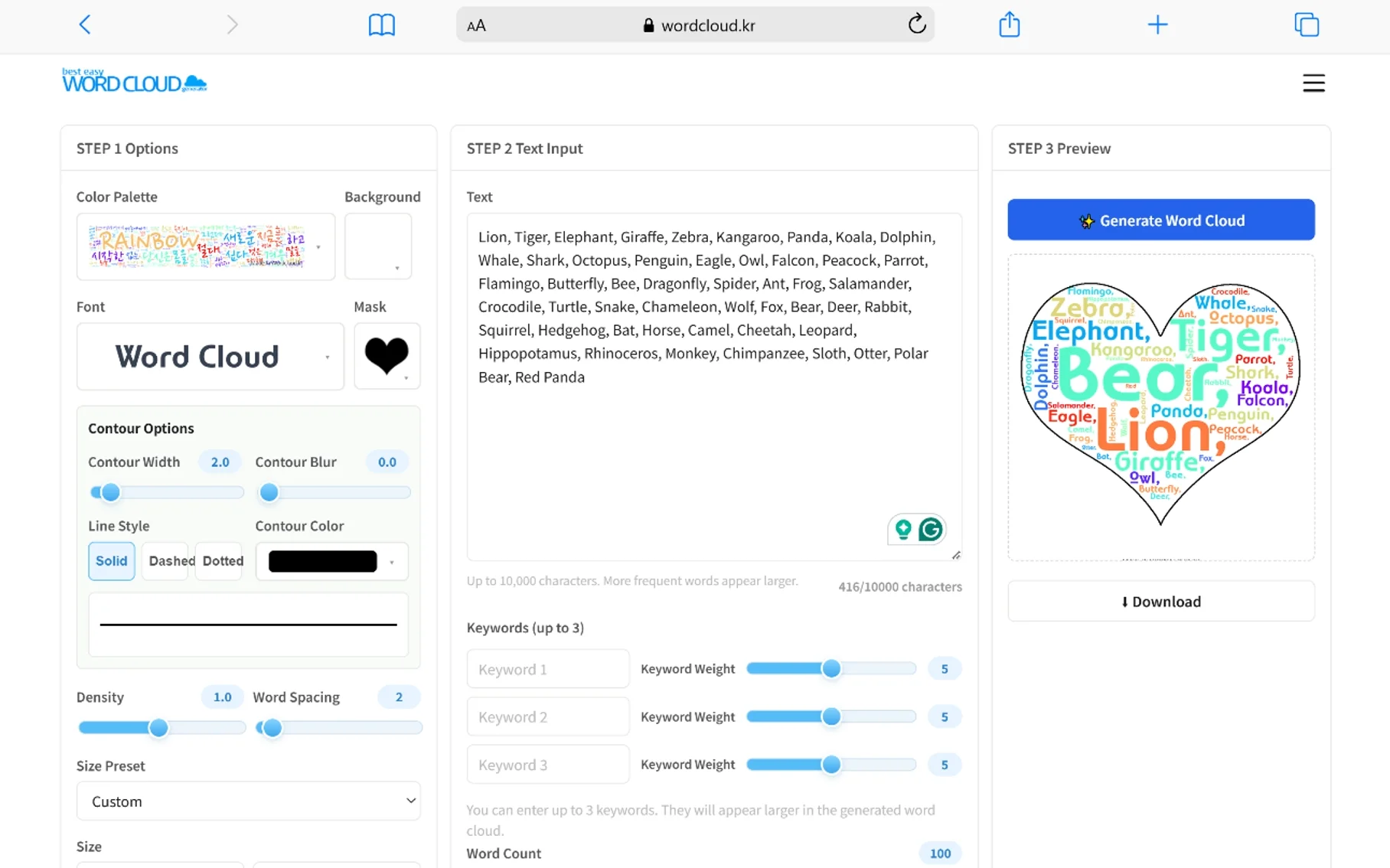
If you’re looking for an easy yet powerful way to create stunning word clouds or tag clouds online, I highly recommend using wordcloud.kr. As one of the best free word cloud generators available, it makes the process incredibly simple while still giving users full creative control.
Unlike some other online tools that are limited, wordcloud.kr allows you to fully customize every aspect of your word cloud design. You can choose from various font types and colors, set the background, determine maximum word counts and even select different mask shapes beyond the standard cloud format. It even has Korean and English settings.
The interface is clean and intuitive to use for people of all experience levels. Simply paste or write your text, pick your design options, and hit generate – within moments you’ll have a visually striking graphic that highlights your most frequent terms.
Best of all, the word clouds can be freely downloaded in high-quality PNG format for both online and printed sharing. There are also gallery features to browse community uploads.
If you want a hassle-free way to add impact to your written works or visual summaries, wordcloud.kr is undoubtedly the top choice. It delivers beautiful results without compromise through its highly customizable and easy-to-use interface. I’d recommend it to anyone looking to transform text into eye-catching word art.
8. Polleverywhere Word Cloud
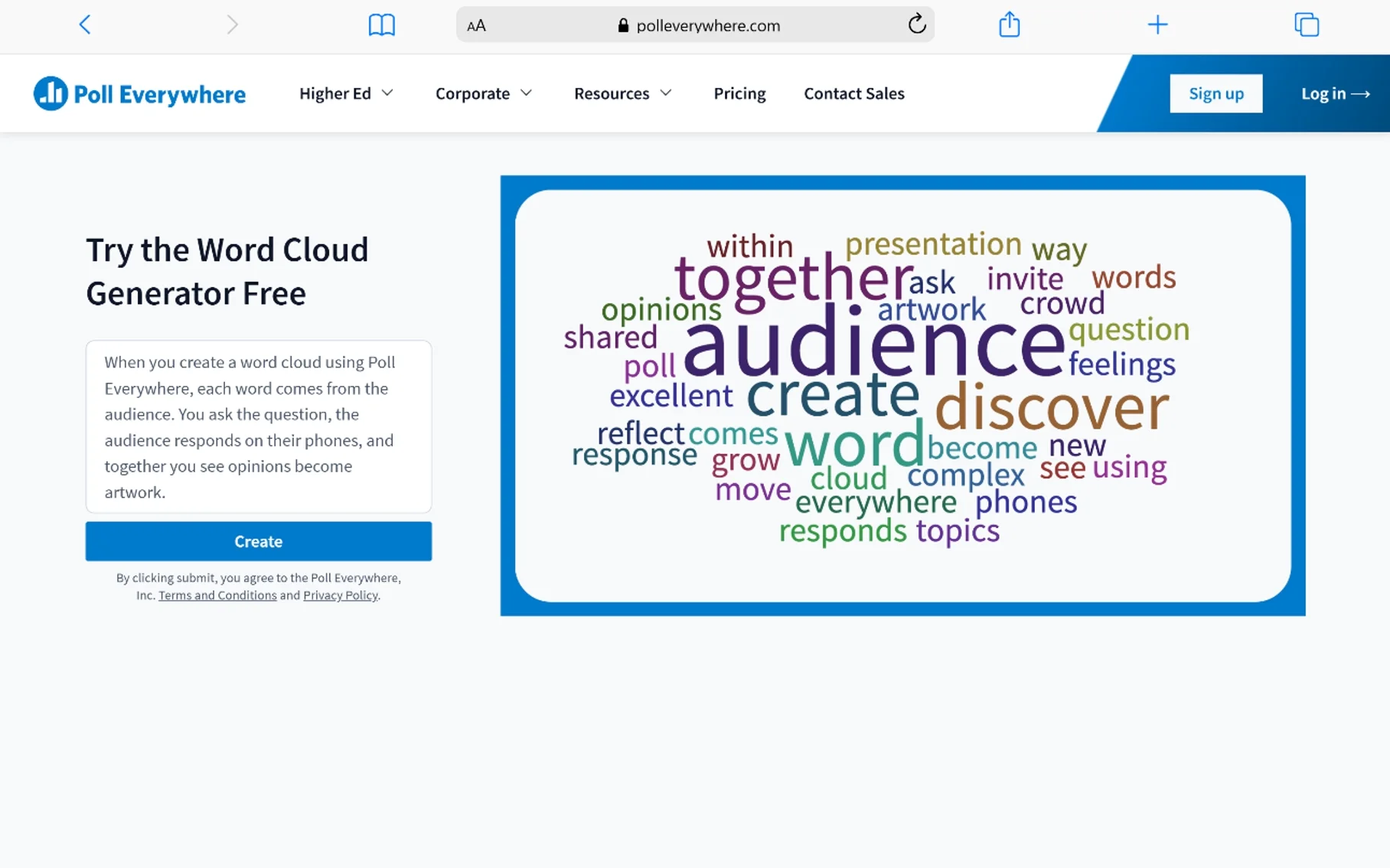
Poll Everywhere takes a different approach from the other tools on this list. Instead of pasting in a block of text to create a word cloud, it lets you build a live, interactive word cloud that your audience fills in for you in real time, which makes it one of the best free word cloud generator options for teachers, trainers, and anyone running a live presentation.
Setting it up is simple: create an empty word cloud activity, embed it into your slides, and present as usual. As your audience submits responses from their phones or laptops, either through the web or by texting in, the words appear on screen and grow larger the more people repeat them. It’s a fun way to visualize popular opinion with a word cloud built entirely from your audience’s own input, rather than a static image you generate on your own.
This makes it especially useful for teachers checking what students remember from a lesson, meeting facilitators opening a session by asking for one word that sums up the room, or speakers who want an easy way to create a word cloud that doubles as an icebreaker. It also works directly inside PowerPoint and Google Slides, so if you need a word cloud for presentation slides without switching between apps, Poll Everywhere fits right into your existing workflow.
You can customize the colors, background, and combine multi-word responses using an underscore or tilde, so phrases like “peanut butter” show up as one entry instead of splitting apart. The free plan is genuinely free, no credit card required, and includes a participant limit per activity, which is generally plenty for a classroom or small meeting. If you’re running a large conference session, a paid plan removes that cap. Either way, it’s a refreshing, engagement-focused alternative to the traditional static word cloud generator.
Conclusion
Creating a word cloud is easy once you know which generator fits what you’re actually trying to do. If you just need a quick, no-frills tag cloud, tools like Wordclouds.com, Jasondavies, or Wordcloud.kr let you paste in text and get a polished result in seconds, no sign-up required. If you want more design control for branded graphics, social media posts, or marketing material, Wordart.com, WordItOut, and Canva give you the fonts, colors, and layout options to make something that looks like it came from a designer. And if you’re running a classroom, workshop, or live presentation, Poll Everywhere and Wooclap take a different approach entirely, building the word cloud live from audience input, which makes them some of the best free word cloud generator options for teachers, trainers, and speakers.
At the end of the day, the “best” word cloud generator depends on your goal: a static image for a report or social post, a fully customized graphic for a brand, or a live, interactive activity to engage a room in real time. Whichever direction you go, every tool on this list is free to start with, so it costs nothing to try a few and see which workflow fits you best.
Frequently Asked Questions
What is the best free word cloud generator?
There isn’t one single “best” tool, it depends on what you need it for. Wordclouds.com and Jasondavies are great for a fast, simple tag cloud. Canva and Wordart.com are better if you want a more designed, shareable graphic. Poll Everywhere is the top choice if you want a live word cloud generator for teachers or presenters that builds in real time from audience responses.
How do I create a word cloud for free?
Most free word cloud generators work the same basic way: paste or type your text into the tool, choose a shape, font, and color scheme, then click generate. Tools like Wordclouds.com, WordItOut, and Wordcloud.kr need no account at all, while others like Canva or Poll Everywhere ask for a free sign-up to save or share your result.
Can I make a word cloud for a PowerPoint presentation?
Yes. You can generate a static word cloud image with any tool on this list and insert it as a picture into your PowerPoint or Google Slides deck. If you want an interactive word cloud for presentation slides that your audience fills in live, Poll Everywhere has a plugin that works directly inside PowerPoint and Google Slides.
Is there a word cloud generator that lets an audience contribute live?
Yes, this is what makes Poll Everywhere different from the rest of the tools on this list. Instead of you typing in the text, your audience submits words from their phones or laptops, and the word cloud grows and updates on screen as responses come in, great for icebreakers, class check-ins, or visualizing popular opinion with a word cloud during a meeting.
Do free word cloud generators add a watermark?
It varies by tool. Some, like Wordclouds.com and Jasondavies, don’t add a watermark to free downloads. Others, like Wooclap, advertise a watermark-free experience but do add one in practice, so it’s worth testing a download before relying on it for something official like a report or client presentation.
What’s a good word cloud generator for teachers?
For classroom use, Poll Everywhere and Wooclap are popular picks because they’re free, need no student sign-up, and turn a lesson recap or icebreaker into a live activity. If you just want a static word cloud to summarize a text or reading assignment, Wordclouds.com or Canva are simple, no-cost options.
Can I customize the colors, fonts, and shape of my word cloud?
Most tools on this list allow at least some customization. Wordart.com, Wordcloud.kr, and Canva offer the most flexibility, letting you change fonts, colors, backgrounds, and mask shapes. Simpler tools like Wooclap keep things basic, with little to no font or color customization, in exchange for speed and ease of use.
You May Also Like
 SEO Tools
50+ Best Free SEO Tools That SEO Experts Actually Use In 2026
 SEO Tools
7 Best SERP Checkers to Monitor & Track Your Keyword Rankings
 SEO Tools
How to Use Ahrefs for Free: 11 Free SEO Tools
 SEO Tools
8 Best Rank Tracker Tools: Free & Paid Options Tested and Compared
 SEO Tools
11 Best Keyword Clustering Tools: Free & Paid Options Tested and Compared
 SEO Tools
11 Best Keyword Generator (Free Keyword Research Tools)
 SEO Tools
How to Block AhrefsBot From Crawling Your Website
 SEO Tools
8 Best On-Page SEO Checkers to Improve Your SEO
 Online Services