Network security is a set of tools and rules that protect computer networks from hackers and cyber attacks. It keeps your personal information, business data, and online activities safe from people who want to steal or damage them. Think of network security like a digital security guard that watches over your internet connection all day and night.
Your network carries valuable information every day. This includes passwords, bank details, personal photos, and business documents. Without proper protection, cybercriminals can easily steal this information or damage your devices. Network security creates multiple barriers that make it much harder for bad actors to access your data.
Modern network security uses various technologies working together. These include firewalls, antivirus software, encryption, and monitoring systems. Each tool has a specific job in keeping your network safe. When they work together, they create a strong defense system against cyber threats.
What Is Network Security?
Network security protects the pathways that connect your devices to the internet. It monitors all the data moving in and out of your network. The system checks every piece of information to make sure it’s safe and legitimate.
The main goal is to protect three important things about your data. First is confidentiality, which means only the right people can see your information. Second is integrity, ensuring your data stays accurate and unchanged. Third is availability, making sure you can access your information when you need it.
Network security works by creating layers of protection. Each layer catches different types of threats that might slip past other defenses. If one security measure fails, other layers continue protecting your network. This approach is called defense in depth.
Network administrators use security policies to control who can access what information. These policies define rules for passwords, user permissions, and data handling. Clear policies help organizations maintain consistent security practices across all systems.

Common Network Security Threats You Should Know
Malware and Computer Viruses
Malware is malicious software designed to damage or steal from your computer. It includes viruses, worms, trojans, and spyware that can harm your system. Ransomware is especially dangerous because it locks your files until you pay money to criminals.
Viruses spread by hiding inside normal programs or files. They can delete your important documents, slow down your computer, or create secret doors for hackers. Worms are similar but spread automatically across networks without needing human help. They consume your internet bandwidth and can crash entire systems.
Spyware secretly watches what you do on your computer. It can steal passwords, credit card numbers, and personal information. Trojans pretend to be helpful software but actually contain hidden malicious code. These threats often arrive through email attachments or downloaded files.
Phishing Scams and Social Engineering
Phishing attacks use fake emails to trick you into giving away personal information. Scammers create emails that look like they come from your bank, social media sites, or other trusted companies. They want you to click links or enter passwords on fake websites.
These fake emails often create urgency by claiming your account will be closed. They might say you won money or need to verify your information immediately. The links usually lead to websites that steal your login details or install malware on your device.
Social engineering tricks people into breaking security rules through manipulation. Attackers might call pretending to be tech support and ask for your password. They use psychology rather than technology to get what they want. Training helps people recognize these manipulation tactics.
Denial of Service Attacks
Denial of Service (DoS) attacks flood networks with fake traffic to shut down websites or services. Imagine thousands of people trying to enter a store at the same time. The entrance gets blocked and real customers can’t get in.
Distributed Denial of Service (DDoS) attacks are even worse. They use many computers from different locations to launch coordinated attacks. These attacks are harder to stop because the traffic comes from everywhere. Popular websites can be shut down for hours or even days.
Attackers often use botnets to launch these attacks. Botnets are networks of infected computers controlled remotely by criminals. The owners of these computers usually don’t know their devices are being used for attacks.
Network Intrusion and Unauthorized Access
Network intrusions happen when hackers break into systems they shouldn’t access. They exploit weak passwords, outdated software, or poor security settings. Once inside, they can steal data, install malware, or spy on your activities.
Advanced hackers sometimes stay hidden in networks for months. They slowly collect sensitive information while avoiding detection. These long-term attacks are called Advanced Persistent Threats (APTs). They’re particularly dangerous because they can cause massive damage before being discovered.
Insider threats come from people within organizations who misuse their access. These might be disgruntled employees or contractors with malicious intentions. Proper access controls help limit the damage from insider threats.
Essential Network Security Tools and Technologies
Firewalls: Your Digital Security Guard
Firewalls examine all traffic entering and leaving your network. They work like security checkpoints that only allow safe data to pass through. Modern firewalls can block malicious websites, filter email attachments, and prevent unauthorized access attempts.
Hardware firewalls protect your entire network at the internet connection point. Software firewalls run on individual computers for personal protection. Most organizations use both types to create comprehensive security coverage throughout their infrastructure.
Next-generation firewalls offer advanced features beyond basic traffic blocking. They can examine the content of applications and detect sophisticated threats. These smart firewalls learn from past attacks to improve future protection capabilities.
Antivirus and Anti-malware Protection
Antivirus software scans your computer for known malicious programs. It uses a database of virus signatures to identify threats. Modern antivirus tools also watch how programs behave to catch new malware variants that haven’t been seen before.
Real-time protection continuously monitors your system as you work. It scans files when you open them and blocks dangerous downloads automatically. Regular updates ensure your antivirus can recognize the latest threats circulating online.
Anti-malware tools specialize in finding specific types of threats like spyware and adware. They work alongside antivirus software for better protection coverage. Some tools focus on cleaning existing infections rather than preventing new ones from occurring.
Intrusion Detection and Prevention Systems
Intrusion Detection Systems (IDS) watch network traffic for suspicious activities around the clock. They analyze patterns to spot potential security breaches or unusual behavior. When they find something concerning, they alert security teams to investigate further.
Intrusion Prevention Systems (IPS) go beyond just detecting threats to take action. They automatically block suspicious traffic and quarantine infected devices immediately. IPS tools provide real-time protection by stopping attacks as they happen.
These systems can monitor entire networks or focus on individual computers and servers. The best approach often combines both methods for complete coverage. They learn normal network behavior patterns to better identify when something goes wrong.
Encryption and Secure Communication
Encryption scrambles your data so only authorized people can read it properly. Even if hackers steal encrypted information, they can’t understand it without the secret decryption key. Strong encryption is like putting your data in an unbreakable digital safe.
Understanding what data encryption is and why it’s important helps you protect sensitive information during transmission and storage. Proper encryption implementation prevents unauthorized access even if data gets intercepted during transfer.
HTTPS encryption protects data traveling between your browser and websites you visit. You can identify secure sites by looking for the padlock icon in your address bar. Always use HTTPS sites when entering personal or financial information online.
File encryption protects data stored on your devices and servers. If someone steals your laptop or phone, they can’t access encrypted files easily. Many companies use full-disk encryption to protect all data on business computers automatically.

Network Security Best Practices for Everyone
Creating Strong Authentication Systems
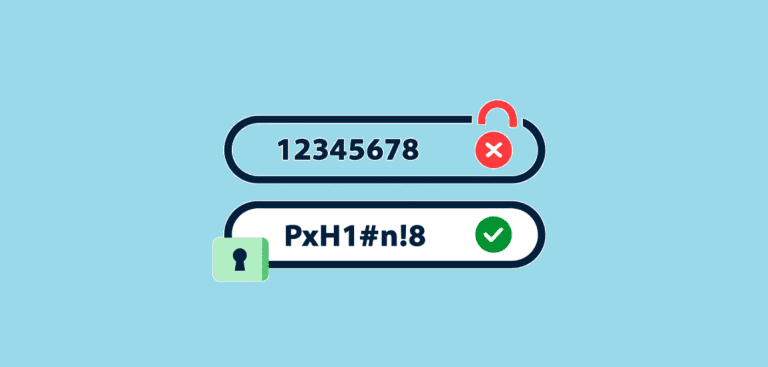
Use complex passwords with at least 12 characters, including letters, numbers, and symbols. Avoid using personal information like birthdays or pet names that hackers can easily guess. Each account should have a unique password to prevent widespread damage if one gets compromised.
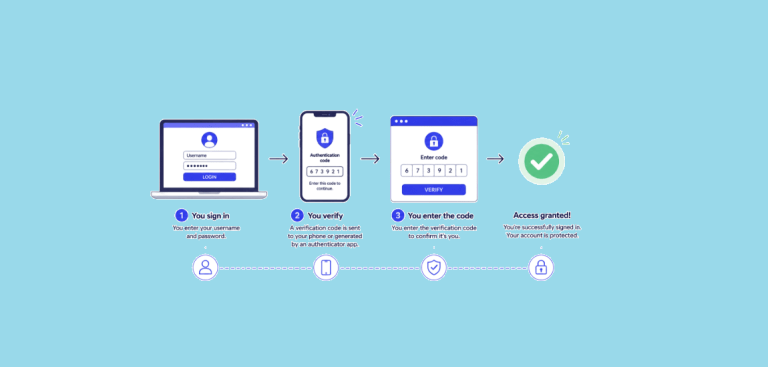
Multi-factor authentication (MFA) adds extra security beyond just passwords for access control. It requires additional verification, like text message codes or fingerprint scans. Even if criminals steal your password, they still can’t access your accounts without the second factor.
Password managers create and store unique passwords for all your accounts safely. They generate random passwords that are impossible for humans to guess. You only need to remember one master password to access everything securely.
Biometric authentication uses fingerprints, facial recognition, or voice patterns for identification. These methods are harder to fake than traditional passwords. Many modern devices include biometric sensors for convenient, secure access.
Keeping Software Updated and Patched
Software updates often include important security fixes for newly discovered vulnerabilities. Cybercriminals actively search for and exploit these weaknesses in popular programs. Installing updates quickly closes these security gaps before attackers can use them against you.
Enable automatic updates for your operating system and security software whenever possible. This ensures you get critical patches as soon as they become available. Schedule updates during times when they won’t interrupt important work or activities.
Keep an inventory of all software installed on your network systems. Know what programs you have and their current version numbers. This helps ensure nothing gets forgotten during the regular update process.
Patch management systems help organizations track and deploy updates systematically. They test patches before widespread deployment to avoid compatibility issues. Proper patch management reduces security risks while maintaining system stability.
Network Monitoring and Threat Detection
Continuous network monitoring helps catch suspicious activities before they cause serious damage. Security teams can respond quickly to stop attacks in progress. Monitoring tools collect and analyze network traffic patterns to spot unusual activities automatically.
Log analysis provides valuable insights into what’s happening on your network infrastructure. Centralized logging systems collect information from multiple sources for easier review and correlation. Regular log analysis helps identify trends and potential security problems early.
Security Information and Event Management (SIEM) systems combine data from multiple security tools. They provide a complete picture of your overall security status. SIEM tools can automatically alert teams about critical security events requiring immediate attention.
Network traffic analysis helps identify baseline normal behavior patterns. When traffic deviates from normal patterns, it might indicate security problems. Advanced tools use machine learning to improve threat detection accuracy over time.
Employee Education and Security Awareness
Human error often creates the biggest security risks in organizations today. Employees need regular training about security best practices and current threat landscapes. Well-trained staff can recognize and report suspicious activities before they cause significant problems.
Phishing simulation exercises test how well employees can identify fake emails and websites. These tests show where additional training focus is needed most. Regular simulations help maintain awareness as threats continue evolving and becoming more sophisticated.
Security training should cover password safety, social engineering tactics, and incident reporting procedures clearly. Make training engaging and relevant to employees’ daily work responsibilities. Regular refresher courses help reinforce important security concepts and updated threat information.
Create a security-conscious culture where employees feel comfortable reporting suspicious activities. Provide clear channels for reporting security concerns without fear of punishment. Reward good security practices to encourage continued vigilance.
Network Security for Different Environments
Home Network Protection Strategies
Home networks need security just like business networks do today. Your home devices contain personal photos, financial information, and login credentials that criminals want. Securing your home network protects your family’s privacy and prevents identity theft attempts.
Start by changing default passwords on your router and all connected smart devices. Many devices come with weak passwords that hackers already know and exploit. Use WPA3 encryption for your WiFi network to prevent unauthorized access from neighbors or passersby.
Keep your home devices updated, including smart TVs, security cameras, and gaming consoles, regularly. These Internet of Things (IoT) devices often have security vulnerabilities that manufacturers fix. Regular updates help protect against known threats targeting these devices.
Set up a guest network for visitors to use instead of your main network. This keeps your personal devices separate from unknown devices that visitors might bring. Guest networks provide internet access without compromising your main network security.
Small Business Network Security
Small businesses are attractive targets because they often have weaker security than large corporations. They handle customer data, financial records, and business secrets that criminals want to steal. Proper network security helps small businesses avoid costly data breaches and maintain customer trust.
Implement endpoint protection on all business computers and mobile devices used for work. This includes antivirus software, firewalls, and device management tools for comprehensive coverage. Endpoint security protects individual devices even when they’re not connected to the main network.
Create separate networks for different purposes within your business infrastructure. Keep guest WiFi completely separate from business systems and sensitive data. Use VLANs to isolate critical systems from general office computers and reduce attack surfaces.
Backup systems regularly and store copies in secure off-site locations or cloud services. Good backups help you recover quickly from ransomware attacks or system failures. Test your backup restoration process regularly to ensure it works when needed.
Enterprise Network Security Architecture
Large organizations need comprehensive security strategies that cover multiple locations and thousands of devices. They handle massive amounts of sensitive data and face sophisticated, targeted attacks regularly. Enterprise security requires careful coordination between multiple security tools and specialized teams.
Zero-trust security assumes no user or device can be trusted by default ever. Every access request must be verified regardless of location or previous authentication status. This approach provides better protection against insider threats and compromised user credentials.
Network segmentation divides large networks into smaller, isolated sections with controlled access points. Critical systems are separated from general user networks through firewalls and access controls. If attackers breach one segment, they can’t easily move to other network parts.
Security orchestration platforms help coordinate responses across multiple security tools and systems automatically. They can automate common response tasks and ensure consistent reactions to detected threats. This improves efficiency while reducing the chance of human error during incidents.
Understanding Cybersecurity Frameworks and Compliance
Industry-Specific Security Requirements
Different industries have specific security requirements they must follow by law or regulation. Healthcare organizations must comply with HIPAA rules to protect patients’ medical information properly. Financial companies follow regulations like PCI-DSS to secure payment card data and prevent fraud.
Educational institutions must protect student records under FERPA guidelines and privacy laws. Government contractors need to meet specific cybersecurity standards before handling classified information. Understanding your industry’s requirements helps ensure proper compliance and avoid costly penalties.
Regular compliance audits help verify that security measures meet all required standards effectively. These assessments identify gaps that need immediate attention and improvement. Proper documentation of security procedures is often required for compliance purposes and auditor reviews.
Privacy engineering principles help organizations build privacy protections into systems from the initial design phase. This proactive approach ensures personal data is collected, stored, and used appropriately throughout its lifecycle.
Risk Assessment and Management
Conduct regular risk assessments to identify what assets need protection and what threats you face. Different organizations have different risk profiles based on their industry, size, and geographic location. Understanding your specific risks helps prioritize security investments most effectively.
Threat modeling helps organizations understand how attackers might target their specific systems and data. This process identifies potential attack paths and vulnerable points in your infrastructure. Use threat models to guide security control selection and implementation priorities.
Business impact analysis determines what would happen if different systems became unavailable or compromised. This helps prioritize which systems need the strongest protection and fastest recovery capabilities. Focus resources on protecting systems that are most critical to business operations.
Risk mitigation strategies help reduce the likelihood and impact of security incidents significantly. These might include technical controls, administrative procedures, or risk transfer through insurance coverage. Regular review ensures mitigation strategies remain effective as threats evolve.
Emerging Network Security Technologies
Artificial Intelligence and Machine Learning
AI and machine learning help security systems recognize new types of attacks automatically. These technologies can analyze massive amounts of network data to spot unusual patterns quickly. AI-powered security tools can respond to threats much faster than human analysts alone.
Behavioral analysis uses AI to learn normal network activity patterns over time. When something unusual happens that deviates from baseline behavior, the system can automatically investigate further. This helps catch advanced threats that traditional signature-based security tools might miss completely.
Automated incident response uses AI to handle routine security tasks without human intervention. This frees up human analysts to focus on complex threats requiring creative problem-solving. Automation can isolate infected devices, block malicious traffic, and collect evidence for investigation purposes.
Machine learning models improve their accuracy over time as they process more security data. They can identify subtle patterns that indicate emerging threats or new attack techniques. Regular model training ensures continued effectiveness against evolving cyber threats.
Cloud Security and Remote Work Protection
Cloud computing requires new security approaches as data moves outside traditional network boundaries. Cloud security tools protect information stored in remote data centers operated by third parties. Organizations must secure both their on-premises networks and cloud environments simultaneously for complete protection.
Remote work has expanded attack surfaces as employees connect from various uncontrolled locations. VPN connections help secure remote access to company networks and sensitive resources. Cloud-based security tools can protect remote workers regardless of their physical location or device.
Identity and access management become more critical with distributed workforces spread across multiple locations. Strong authentication and authorization controls ensure only authorized users can access sensitive systems and data. These controls must work effectively regardless of user location or device type.
Secure web gateways filter internet traffic for remote workers to block malicious websites and downloads. They provide the same protection that office-based firewalls offer to employees working from home. Cloud-based gateways can protect users anywhere they connect to the internet.
Internet of Things (IoT) Security
IoT devices like smart cameras, sensors, and industrial equipment create new security challenges for networks. Many of these devices have weak security controls built in and rarely receive security updates. Securing IoT devices requires special attention to device management and network isolation strategies.
Device discovery tools help organizations understand what IoT equipment is connected to their networks currently. Unknown or unauthorized devices can create significant security risks if left unmanaged. Regular network scanning helps maintain an accurate inventory of all connected equipment.
IoT security platforms specialize in protecting connected devices throughout their operational lifecycle. They can monitor device behavior continuously, detect compromises quickly, and isolate infected equipment automatically. These platforms work alongside traditional network security tools for comprehensive protection.
Network microsegmentation creates isolated zones for different types of IoT devices based on function. Critical industrial sensors are separated from general office devices through network controls. This prevents attackers from moving between different device types if one gets compromised.
Building Your Network Security Strategy
Security Planning and Architecture Design
Start by identifying what digital assets need protection and what specific threats your organization faces. Different organizations have different risk profiles based on their industry, size, and geographic presence. Understanding your unique risks helps prioritize security investments and resource allocation most effectively.
Develop a comprehensive security architecture that addresses all network entry points and data flows. This includes internet connections, remote access points, partner connections, and internal network segments. Proper architecture ensures consistent security coverage across all network pathways.
Create detailed security policies that define acceptable use, access controls, and incident response procedures clearly. These policies should be written in language that all employees can understand easily. Regular policy updates ensure they remain relevant as technology and threats evolve.
Security governance structures help ensure consistent security practices across large organizations with multiple departments. Clear roles and responsibilities prevent security gaps that could occur between different teams. Regular communication helps maintain security awareness at all organizational levels.
Implementation and Management
Phased implementation approaches help organizations deploy security controls systematically without overwhelming existing operations. Start with the most critical systems and gradually expand coverage to less critical areas. This method reduces implementation risks while providing immediate protection for important assets.
Change management processes ensure security updates don’t accidentally break existing systems or business processes. Test all security changes in controlled environments before production deployment. Proper change control helps maintain both security and operational stability.
Security metrics and key performance indicators help measure the effectiveness of your security program over time. Track metrics like incident response times, system availability, and user security awareness levels. Regular measurement helps identify areas needing improvement and justifies security investments to management.
Continuous monitoring and improvement processes help organizations adapt to changing threat landscapes effectively. Regular security assessments identify new vulnerabilities and areas for enhancement. Stay informed about emerging threats through cybersecurity resources and industry collaboration.
Frequently Asked Questions About Network Security
What is the most important network security tool?
No single tool provides complete network security protection. Effective network security requires multiple tools working together in layers. However, firewalls are often considered the most fundamental component because they control all traffic entering and leaving your network. They serve as the first line of defense against most cyber threats.
How often should I update my network security software?
You should enable automatic updates for all security software whenever possible. Security updates often contain patches for newly discovered vulnerabilities that criminals actively exploit. Most security experts recommend installing critical security patches within 24-48 hours of release to minimize exposure time.
Can small businesses afford proper network security?
Yes, many effective security tools are available at reasonable costs for small businesses. Cloud-based security services often provide enterprise-level protection at small business prices. The cost of prevention is typically much less than the cost of recovering from a successful cyber attack.
Is free antivirus software enough for network security?
Free antivirus software provides basic protection but isn’t sufficient for comprehensive network security. You need additional tools like firewalls, intrusion detection, and regular security monitoring. Free solutions often lack advanced features like real-time threat intelligence and professional support when problems occur.
How do I know if my network has been compromised?
Signs of network compromise include unusually slow performance, unexpected network traffic, and unauthorized user accounts. Other indicators include files that have been modified without explanation, new software installations, and unusual system behavior. Regular monitoring and log analysis help detect these warning signs early.
What should I do immediately after discovering a security breach?
Disconnect affected systems from the network immediately to prevent further damage. Document what happened and when you discovered the breach for investigation purposes. Contact your incident response team or security professionals for guidance on next steps and recovery procedures.
Conclusion
Network security protects your digital life from an ever-growing number of cyber threats and criminal activities. It combines multiple technologies, policies, and practices to create strong defenses around your valuable information and systems. Understanding network security basics helps you make informed decisions about protecting your personal data and business assets.
The threat landscape continues evolving as criminals develop new attack methods and technologies. Staying informed about emerging threats and security best practices is essential for maintaining effective protection. Regular security assessments, employee training, and technology updates help ensure your defenses remain strong over time.
Effective network security requires ongoing attention and investment from individuals and organizations alike. The cost of implementing proper security measures is typically much less than the potential losses from successful cyber attacks. Start with basic protections and gradually build more comprehensive security programs as your needs and resources grow.
Remember that network security is not a one-time project but an ongoing process of continuous improvement. Technology changes, threats evolve, and new vulnerabilities are discovered regularly. Stay vigilant, keep learning, and adapt your security practices to meet changing challenges in our increasingly connected digital world.
You May Also Like
 Cyber Security
Can Ransomware Infect iCloud? What Mac and iPhone Users Need to Know
 Data Security & Privacy
Two-Factor Authentication (2FA): How It Works, Which Method to Use, and How to Stay Safe
 Data Security & Privacy
Is a Password Manager Safe? How to Use One Securely
 WordPress
12 Best Cheap SSL Certificate Providers To Secure Your Website
 Data Security & Privacy
Is Password Protection the Same as Encryption? Differences in Data Security
 Data Security & Privacy
What Is End-to-End Encryption? Your Complete Guide to Secure Communication
 Data Security & Privacy
What Is a Cloud Security Scanner for AWS, Azure, and Google Cloud?
 Cyber Security
Is Temu Legit or a Scam? The Complete Truth You Need to Know
 VPN
VPN