SOC 2 compliance requires your organization to meet specific criteria aimed at protecting customer data. You must implement controls based on five trust service principles: security, availability, processing integrity, confidentiality, and privacy. These principles guide how you manage and safeguard information throughout your systems.
To achieve compliance, your company needs to design and maintain internal controls tailored to these principles. The process involves a thorough audit that assesses how well your controls meet the standards, helping build trust with customers and partners.
Understanding what SOC 2 requires can feel complex, but breaking it down into these core areas makes it manageable. Knowing these basics helps you prepare for audits and keep your data practices strong and reliable.
What Is Required for SOC 2 Compliance?
SOC 2 compliance means your company knows how to keep customer data safe. It follows specific rules focused on protecting and handling data properly. Understanding what SOC 2 involves, why it matters, and who needs it will help you get ready and stay compliant with this important standard.
SOC 2 Framework Explained
SOC 2 is a set of guidelines created by the American Institute of Certified Public Accountants (AICPA). It checks how well your systems protect customer data in five key areas, called the Trust Services Criteria:
- Security: Stops people who shouldn’t access your systems, like hackers.
- Availability: Makes sure your systems work when customers need them.
- Processing Integrity: Ensures your systems handle data correctly without mistakes.
- Confidentiality: Keeps private information, like credit card numbers, safe from others.
- Privacy: Handles personal data, like names or emails, the right way.
Your company must create rules and tools to meet these areas. For example, you might use passwords to protect data or backups to keep systems running. SOC 2 is flexible, so you can choose methods that fit your business, like a small app company or a big data center.
Purpose of SOC 2
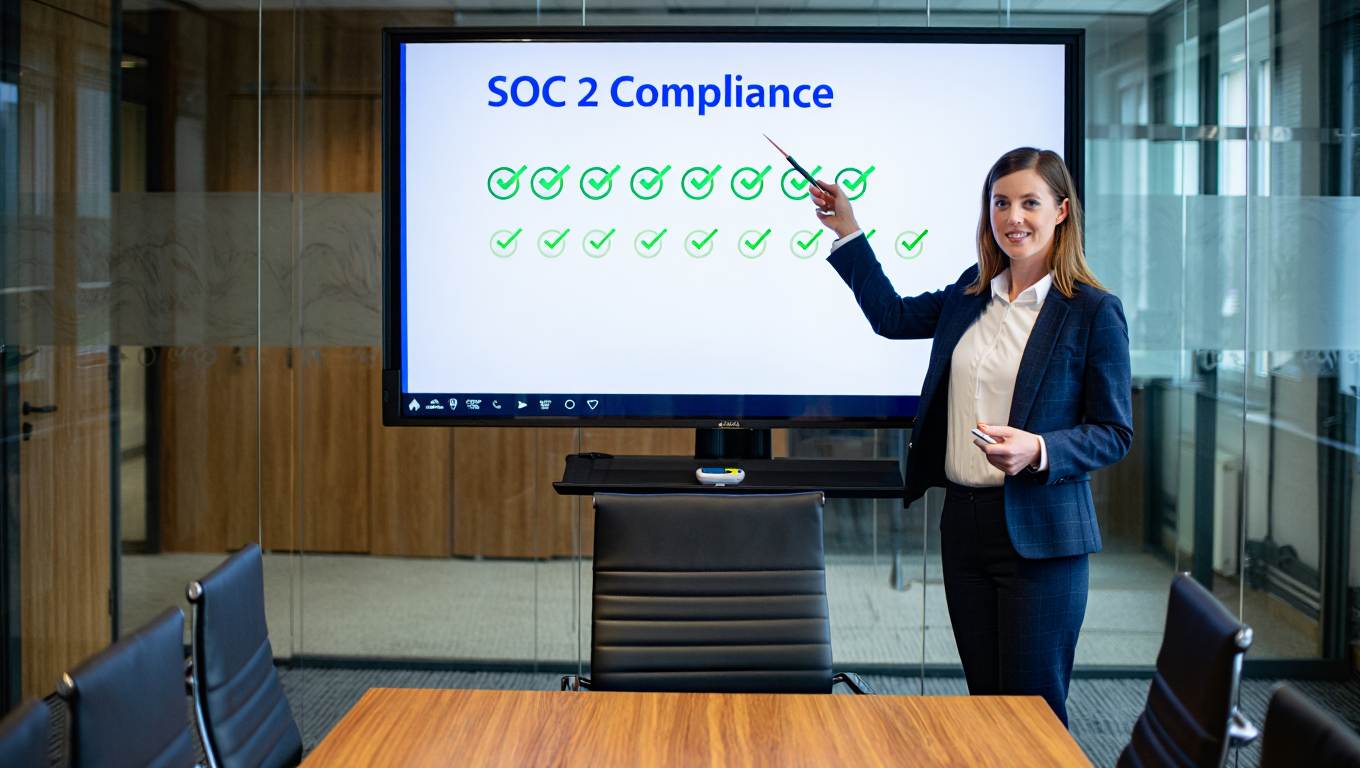
The main goal of SOC 2 is to show that you protect customer data well. It builds trust by proving you have systems to keep information safe. For example, if you run an online store, SOC 2 shows customers that their payment details are secure.
A SOC 2 report makes it easier to work with other companies. It gives them a clear, standard way to see your security practices without extra checks. This saves time during business deals.
By following SOC 2, you lower risks like data theft or system crashes. It also helps your business run smoothly by keeping your systems safe and reliable, which supports your goals.
Organizations That Need SOC 2
You likely need SOC 2 if your business handles sensitive customer data, especially in tech or cloud services. This includes software-as-a-service (SaaS) companies, data storage providers, or IT support businesses. For example, if you store customer information in the cloud, SOC 2 is important.
Customers and partners often ask for SOC 2 during reviews to make sure you’re safe to work with. Even if it’s not required by law, having SOC 2 can help you win more business. It shows you care about data protection, which gives you an edge over competitors. If your services affect customer privacy or system access, SOC 2 compliance is a smart choice.
Steps to Start SOC 2 Compliance
To get SOC 2 compliance, begin by understanding your business needs. Look at what data you handle, like customer names or payment details, and decide which of the five Trust Services Criteria apply. For example, a small app might focus on security and privacy, while a data center might include availability too.
Next, check your current systems. For instance, see if you have strong passwords or backups in place. This helps you find what needs improvement. Write down your findings to plan your next steps.
Involve your team early. For example, ask your IT staff to review security tools and your managers to check policies. Clear communication ensures everyone knows the goal of keeping data safe for SOC 2 compliance.
Working with Third Parties
If you share data with other companies, like a cloud provider, they must follow SOC 2 rules too. For example, if you use a service to store customer data, ask for their SOC 2 report to prove they’re secure.
Set up agreements that explain how these companies should protect your data. Check their work regularly, like every few months, to make sure they’re safe. This helps you stay compliant and shows customers you only work with trusted partners.
Document your checks on third parties. For instance, save their SOC 2 report or notes from your reviews. This proves to auditors you’re careful about data protection across your business.
Preparing for Audits
Getting ready for a SOC 2 audit is a big part of compliance. Start by gathering proof of your controls, like logs of who accesses your systems or records of employee training. For example, save a list of who took a security class.
Choose whether you need a Type I audit (checking systems at one time) or a Type II audit (checking systems over months). Type II is stronger proof but takes longer. Pick what fits your customers’ needs.
Practice for the audit by doing your own checks first. For example, test if your security tools stop fake hackers. This helps you fix problems early and makes the real audit easier, ensuring you meet SOC 2 compliance.
SOC 2 Trust Services Criteria
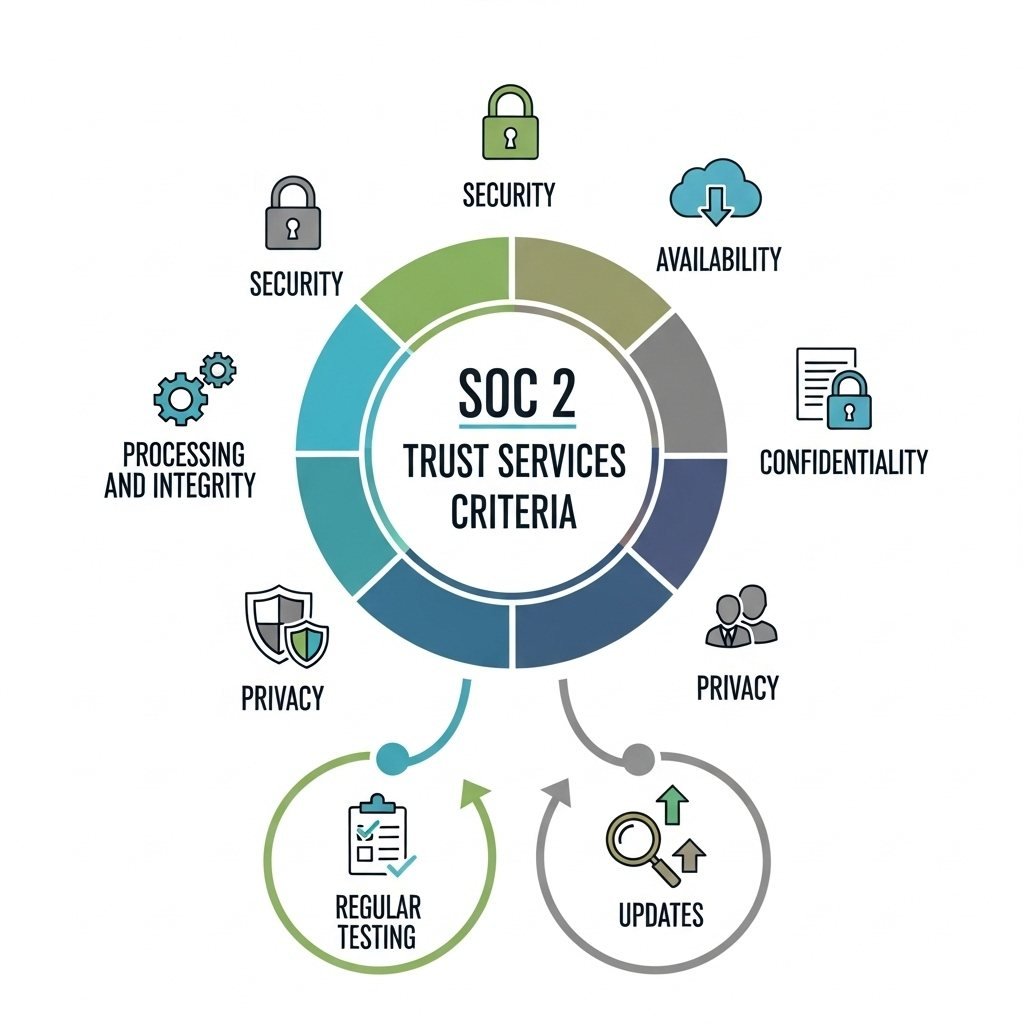
To achieve SOC 2 compliance, you must follow specific rules that show how your company handles data and systems. These rules, called Trust Services Criteria, focus on keeping data safe, reliable, and private. There are five areas: security, availability, processing integrity, confidentiality, and privacy. Each has clear steps you need to take to protect customer data and pass audits. Here’s what each criterion means and how to follow it:
Security
Security is the most important part of SOC 2 compliance. It means protecting your systems from people who shouldn’t access them, like hackers. You need to set up controls to watch for problems, manage who can log in, and keep your network safe.
For example, use firewalls to block unauthorized users, encrypt data to lock it, and require two-step logins (like a password plus a code sent to your phone). Check your systems often for weak spots, like outdated software, and have a plan to fix issues fast, like if a hacker tries to break in. These steps stop data breaches and keep customer information safe.
You should also train your team to spot risks, like fake emails. Regular checks and clear records show auditors you’re serious about data protection for SOC 2 compliance.
Availability
Availability means making sure your systems work when customers need them, as promised in your agreements. For example, if you run a website, it should stay online so users can access it anytime.
Set up tools to watch how your systems perform, like checking if your website loads quickly. Have backup plans, like extra servers, in case something breaks. For instance, if a storm cuts power, your backups should keep things running.
Write down how you handle system problems, like steps to restart a crashed app. These controls ensure customers can use your services without delays, which builds trust and meets SOC 2 standards.
Processing Integrity
Processing integrity means your systems handle data correctly, completely, and on time. For example, if you run an online store, your system should charge the right amount and send orders without mistakes.
Use controls like checks to catch errors, such as making sure a customer’s payment goes through correctly. Keep records, called audit trails, to show what your system did, like tracking an order from start to finish. If something goes wrong, like a wrong charge, fix it fast and report it.
These steps ensure your services are reliable and trustworthy. Clear records of your processes help prove to auditors that you meet SOC 2 compliance.
Confidentiality
Confidentiality means keeping sensitive information, like customer credit card numbers or personal details, safe from being seen by the wrong people. You need to decide what data is private and limit who can access it.
For example, use encryption to lock sensitive data so only authorized people can read it. Store it securely, like in a protected database, and only share it when needed, like with trusted partners. Train your team to handle private information carefully, such as not leaving it on an unsecured computer.
Write down your rules for protecting confidential data. These controls show auditors you’re keeping information safe and help maintain customer trust for SOC 2 compliance.
Privacy
Privacy focuses on handling personal data, like names or addresses, the right way. You must follow strict rules to collect, use, store, and share this data while respecting customer rights.
For example, tell customers what data you collect, like their email for a sign-up form, and why you need it. Only keep data as long as necessary, and delete it when you’re done. Use strong controls, like secure logins, to limit who can see personal information.
Have a process for customers to ask about their data or request changes, like deleting their account. Write down your privacy rules clearly and train your team to follow them. This shows auditors you protect customer privacy and meet SOC 2 compliance.
Regular Testing and Updates
For all five criteria, test your controls regularly to make sure they work. For example, try hacking your own system to find weak spots or check if your backups restore data correctly. These tests help you stay ready for audits.
Update your controls as needed. For instance, if a new hacking method appears, add stronger security tools, like better encryption. Train your team on updates, like new ways to spot fake emails, to keep everyone prepared.
Keep records of your tests and updates. For example, save logs of security checks or training sessions. This proves to auditors that your controls are strong and supports SOC 2 compliance across all criteria.
Privacy Requirements
To meet SOC 2 compliance, you must protect customer data privacy according to strict standards. Privacy requirements focus on how you collect, use, retain, and disclose personal information.
You must clearly define your data handling practices in written policies. These should explain what data you collect, why you collect it, and how long you keep it.
Your controls must ensure that personal data is only accessible to authorized people. You should implement strong authentication and regular monitoring to prevent unauthorized access.
It’s important to limit data sharing to trusted parties and only for approved purposes. You need agreements that require these parties to follow similar privacy controls.
You also need processes for customers to manage their data. This includes giving them choices about data use and responding promptly to data requests or complaints.
Below are key elements you should cover:
| Element | Description |
|---|---|
| Data Collection | Define what data you collect and why |
| Data Use | Explain how customer data is used |
| Data Retention | Set limits on how long data is kept |
| Access Controls | Restrict data to authorized users only |
| Data Sharing | Manage how and with whom data is shared |
| Customer Rights | Enable customers to control their personal data |
By following these privacy requirements, you can demonstrate your commitment to protecting personal data as part of SOC 2 compliance.
Key Steps for SOC 2 Compliance
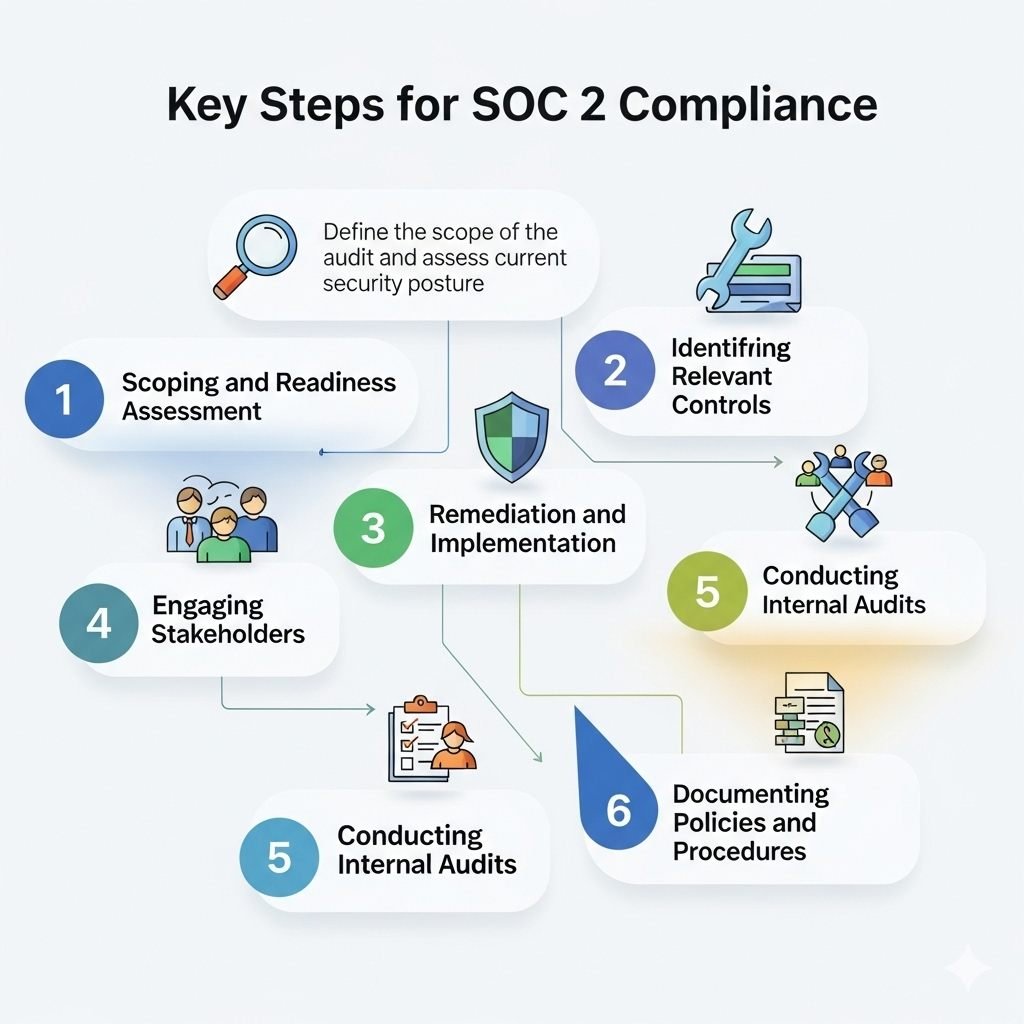
To achieve SOC 2 compliance, you need to check your security setup, choose the right controls, and fix any problems. This process keeps your data safe and helps you pass audits. By following these steps, you show customers and auditors that you take data protection seriously. Here are the key steps to get SOC 2 compliance:
Scoping and Readiness Assessment
Start by deciding what parts of your business need SOC 2 compliance. This is called scoping. Pick which systems, processes, and data will be part of the audit. For example, if you run a website that stores customer names, include that system.
Next, do a readiness assessment. This means checking your current rules and tools against SOC 2 standards. Look for risks, like weak passwords, or missing records, like logs of who accesses your data.
Include all important teams, like IT and management, in this step. Talk clearly so everyone knows the goal. For instance, explain that you’re checking how safe your systems are.
Write down what you find. This report will guide you and help you get ready for the real audit.
Identifying Relevant Controls
SOC 2 focuses on five areas: security, availability, processing integrity, confidentiality, and privacy. You need to choose controls, or tools and rules, that fit these areas for your business. For example, if you store customer information, you need strong security controls.
Focus on controls like access management (who can log in), data encryption (locking data), monitoring (watching for problems), and incident response (fixing issues fast). These keep your systems and data safe.
Create or update your rules to support these controls. Make them easy for your team to follow. For example, write a rule that says all passwords must be strong.
Tell your employees about these controls and train them. For instance, show them how to use secure logins. This ensures everyone helps with SOC 2 compliance.
Remediation and Implementation
Once you find gaps in your controls, make a plan to fix them. Focus on the biggest risks first. For example, if your system has no backup, that’s a high risk to fix quickly.
Add new controls or improve old ones. This might mean updating software, using stronger passwords, or adding tools to watch for hackers. For instance, you could install an app that alerts you to suspicious activity.
Write down all changes you make. This proof is important for your audit. For example, save records of new software you added.
Keep checking your controls regularly. Test them to make sure they work, like trying your backup system to see if it saves data correctly. This keeps you ready for audits.
Engaging Stakeholders
Get everyone in your company involved in SOC 2 compliance. This includes employees, managers, and even third-party partners, like a cloud service you use. For example, tell your team why keeping data safe matters to customers.
Hold meetings to explain SOC 2 goals. For instance, show your IT team how to check for security issues. Make sure everyone knows their role, like reporting a problem if they see one.
If you work with other companies, check that they follow SOC 2 rules too. Ask for their SOC 2 report to prove they’re safe. This teamwork helps you stay compliant.
Conducting Internal Audits
Before the official SOC 2 audit, do your own practice audit. This is like a test run to find any problems. For example, check if your security tools stop fake hackers or if your records are complete.
Use a checklist based on the five SOC 2 areas (security, availability, etc.) to review your systems. Write down what works well and what needs fixing. For instance, you might find that your training records are missing.
Fix any issues you find before the real audit. This makes the process smoother and shows auditors you’re prepared for SOC 2 compliance.
Documenting Policies and Procedures
Clear documentation is key to SOC 2 compliance. Write down all your rules and steps for keeping data safe. For example, create a policy that says only certain people can access customer data.
Make your documents easy to understand. For instance, list steps for handling a data breach, like who to call and what to fix. Share these with your team so everyone follows the same rules.
Keep your documents updated and organized. This helps auditors see your data protection efforts clearly. Good records also make it easier to train new employees on SOC 2 rules.
Documentation and Policies
SOC 2 compliance relies on clear and organized documents. These include security rules, step-by-step procedures, and proof that your team is trained, all matching the five Trust Services Criteria (security, availability, processing integrity, confidentiality, and privacy). Good documents make your SOC 2 audit easier and help keep your data protection strong. Here’s how to create and manage them:
Required Security Policies
You need to write clear security policies that explain how your company protects data and handles risks. These policies cover things like who can access data, how you lock information, what to do if there’s a problem, and how long you keep data.
Your security policies must explain:
- How you keep customer data safe, like using strong passwords.
- Rules for who can log in and how you check their identity.
- Steps to find and stop security threats, like hackers.
- Ways to keep your systems working and data correct.
Write these policies in simple language and update them often. For example, if you add a new app, update your policies to include it. This shows auditors you’re serious about data protection.
Procedures and Protocols
Procedures turn your policies into daily actions your team follows. You need to write down how to do tasks like backing up data, checking for system weaknesses, or handling a security issue.
A good procedure document explains:
- Step-by-step actions for each security task, like how to back up data.
- Who is responsible for each task, like the IT team checking for viruses.
- How to report and fix problems, like what to do if data is stolen.
- How to check if your systems follow SOC 2 rules.
Clear procedures help your team stay consistent. For example, if everyone follows the same backup steps, you won’t lose data. These documents also prove to auditors that you have strong data protection controls.
Employee Training Documentation
You must keep records showing your employees get regular training on keeping data safe. Training teaches your team how to follow policies and protect customer information.
Your training records should include:
- Schedules and lists of who attended training sessions.
- Topics covered, like how to avoid fake emails or protect private data.
- Proof employees understand, like quiz results or signed forms.
- Updates when rules or risks change, like new hacking tricks.
These records show auditors your team knows how to keep data safe. For example, if your employees pass a quiz on spotting scams, it proves they’re ready for SOC 2 compliance.
Organizing Documentation
Keep all your documents in one safe place, like a secure online folder. This makes it easy for auditors to find what they need. For example, store your policies, procedures, and training records together so you can share them quickly.
Use clear names for your files, like “Security Policy 2025” or “Backup Procedure.” Organize them by category, like one folder for policies and another for training. This helps your team and auditors find information fast.
Check your documents regularly to make sure they’re up to date. For instance, if you change how you back up data, update the procedure document right away. Good organization supports SOC 2 compliance and keeps your data protection strong.
Version Control for Documents
Track changes to your documents to avoid confusion. For example, if you update your security policy, save it as a new version, like “Security Policy v2.” This way, you know which version is the latest.
Use tools to manage versions, like software that shows who changed a document and when. For instance, if an employee updates a procedure, the tool can record their name and the date. This helps auditors see how you keep your documents current.
Keep old versions in case auditors want to see past rules. Version control ensures your SOC 2 compliance records are clear and reliable.
Sharing Policies with Employees
Make sure your team can easily access your policies and procedures. For example, put them on a company website or shared folder where everyone can read them. This helps employees follow SOC 2 rules every day.
Explain new or updated policies in team meetings. For instance, if you add a rule about stronger passwords, show your team how to create them. Clear communication ensures everyone understands their role in data protection.
Ask employees to confirm they’ve read the policies, like signing a form. This proves to auditors that your team is informed and supports SOC 2 compliance.
Monitoring and Risk Management
You need clear processes to keep track of your systems and quickly find any issues that could harm data security. At the same time, you must regularly review risks to understand what threats exist and how to reduce them effectively. Both actions help you maintain control over data protection and meet SOC 2 rules. By staying on top of monitoring and risks, you show auditors and customers that you’re serious about keeping data safe.
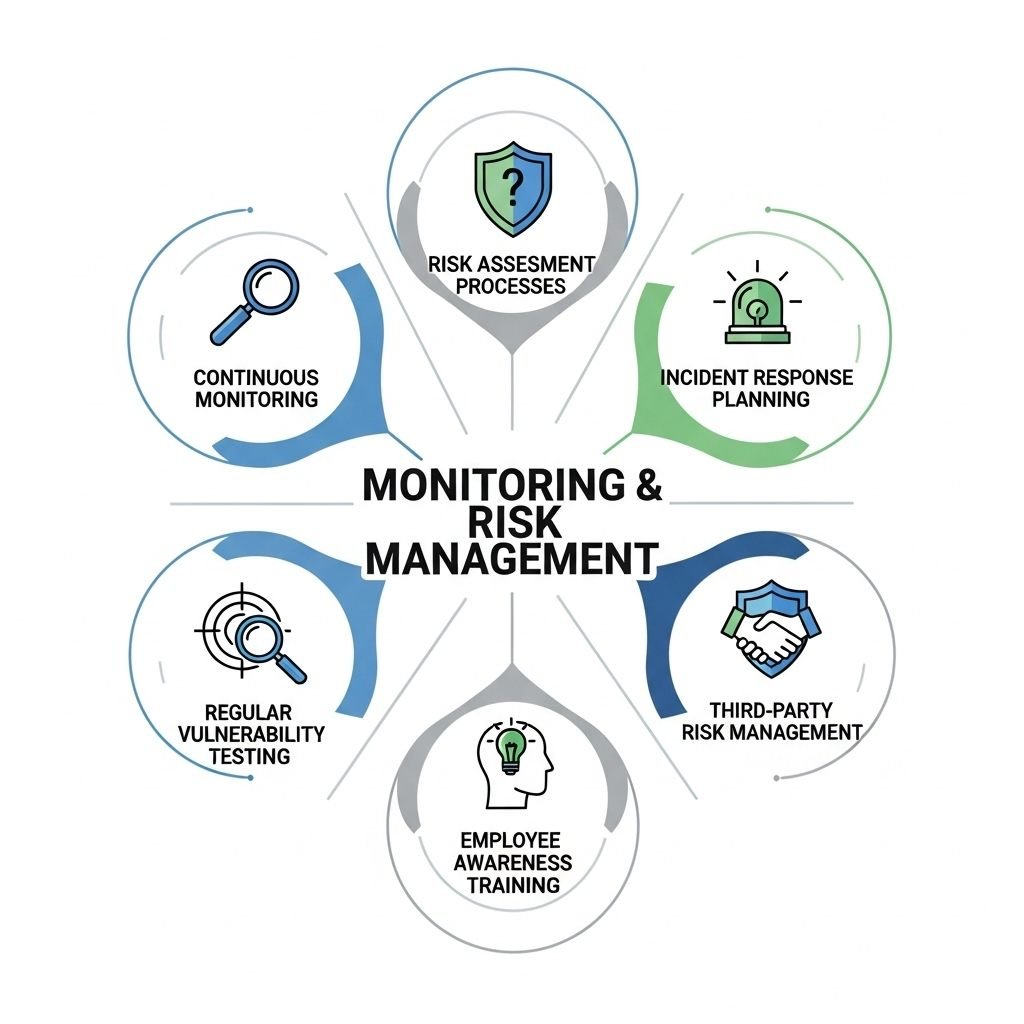
Continuous Monitoring
Continuous monitoring means you constantly check your systems for security problems. This includes watching network activity, access logs, and system performance to spot unusual or risky behavior. For example, if someone tries to log in from an unknown location, you’ll notice it right away.
You should use tools that alert you quickly if something looks wrong. These alerts help you respond fast to stop incidents before they cause damage. For instance, if a hacker tries to break in, an alert can warn you to block them. Regular audits, vulnerability scans, and automated monitoring are key parts of this.
By keeping an ongoing watch, you can maintain the availability and integrity of your data. For example, monitoring ensures your website stays online for customers. This method also shows auditors that you are actively managing security, which is crucial for SOC 2 compliance.
Risk Assessment Processes
Risk assessment is the process of identifying and evaluating potential threats to your data and systems. You need to regularly review what risks exist, how likely they are to happen, and what impact they would have. For example, you might check if your software could be hacked or if a power outage could stop your systems.
Use a structured approach, like risk scoring or ranking, to prioritize the biggest threats. For instance, score a risk high if it could leak customer data. Then, put controls in place to reduce those risks. This might include improving software security, training staff, or updating policies.
Document each risk and your plans to address it. For example, write down that you added stronger passwords to prevent hacking. This helps prove to auditors that you understand your security environment and take steps to protect customer data properly.
Incident Response Planning
To maintain SOC 2 compliance, you need a clear plan for handling security incidents. This means knowing what to do if something goes wrong, like a data breach or system crash. For example, if a hacker gets into your system, your plan should say who to call and how to stop the attack.
Create a step-by-step guide for your team to follow during an incident. This guide might include shutting down affected systems, notifying customers, and fixing the problem. Test your plan regularly, like practicing a fire drill, to make sure it works.
Keep records of any incidents and how you handled them. This shows auditors you’re prepared and helps you improve your data protection over time.
Regular Vulnerability Testing
You should test your systems often to find weak spots before hackers do. For example, use tools to scan for outdated software or weak passwords. These tests, called vulnerability scans, help you spot problems that could put data at risk.
Run these scans at least every few months, or more if you make big changes to your systems. For instance, if you add a new app, test it to make sure it’s secure. Fix any issues you find right away and write down what you did.
Regular testing keeps your systems strong and shows auditors you’re serious about SOC 2 compliance. It also helps protect customer data from new threats.
Employee Awareness Training
Your employees play a big role in keeping data safe, so train them regularly on security risks. For example, teach them how to spot fake emails that try to steal information. This helps prevent mistakes that could harm your systems.
Hold training sessions every few months and quiz your team to check what they learned. For instance, ask them how to report a suspicious login. Keep records of who attended training to show auditors your team is ready.
Training helps your employees stay alert and supports your data protection efforts, which is key for maintaining SOC 2 compliance.
Third-Party Risk Management
If you work with other companies, like a cloud storage provider, make sure they keep data safe too. For example, check if they have their own SOC 2 report to prove they follow security rules. This ensures your customer data stays protected even when shared.
Set up clear agreements with these companies about how they handle your data. Review their work regularly, like checking their security updates every few months. If they don’t meet SOC 2 standards, find a new partner.
Document your checks on third parties to show auditors you only work with secure companies. This helps you maintain SOC 2 compliance and builds trust with customers.
SOC 2 Audit Process
The SOC 2 audit process includes important steps to make sure your company meets data protection standards. You need to pick the right auditor, understand the difference between Type I and Type II reports, and gather clear evidence to show your systems work. These steps help prove your business keeps customer data safe. Here’s how the SOC 2 audit process works in simple terms:
Selecting an Auditor
You must hire a licensed CPA firm to do your SOC 2 audit. This firm should know a lot about SOC 2 audits and your type of business, like tech or software. Choosing an auditor who understands your industry helps make the audit faster and reduces mistakes.
Before hiring, ask if the firm has done audits for businesses like yours. For example, if you run a cloud service, find an auditor who has worked with similar companies. Also, check if they understand the five Trust Services Criteria (security, availability, processing integrity, confidentiality, and privacy) you’re focusing on. Some auditors give tips during preparation to help you avoid problems.
Type I vs. Type II Reports
SOC 2 audits come in two types: Type I and Type II. A Type I report looks at your systems at one specific time. It checks if your controls, like passwords or firewalls, are set up correctly. This report is quicker and often the first step for companies new to SOC 2.
A Type II report is more detailed. It checks how well your controls work over a longer time, usually six months or more. For example, it looks at whether your security systems stopped hackers during that period. This report needs more proof and shows stronger commitment to data protection. You choose the report type based on what your customers need and how much risk your business faces.
Evidence Collection
You need to gather evidence to prove your controls work. This includes things like your security rules, logs of system activity, and records of employee training. Keep this information organized and safe so the auditor can review it easily.
Examples of evidence include lists of who can access your systems, reports of security checks, and notes about how you fixed problems. For instance, if you had a security issue, show how you solved it. Clear and complete records make the audit smoother. Check your evidence before the audit to find and fix any missing pieces.
Preparing for the Audit
Before the audit starts, get your team ready. Make sure everyone knows their role in keeping data safe. For example, your IT team should check that all systems are working, and your managers should review your security rules.
Hold a meeting to go over the audit process with your team. Explain what the auditor will look for, like proof of strong passwords or backup systems. You can also do a practice audit to find any weak spots. This preparation helps you feel confident and makes the real audit easier.
Working with the Auditor
During the audit, you’ll work closely with the auditor. They will ask for your evidence and may want to talk to your team. For example, they might ask how you train employees to avoid data leaks. Be honest and clear when answering their questions.
Give the auditor access to your records, like logs of who signed into your systems. If they find a problem, explain how you’re fixing it. Working well with the auditor shows you’re serious about SOC 2 compliance and helps the audit go smoothly.
After the Audit
Once the audit is done, the auditor will give you a report. This report says whether you passed and if there are any issues to fix. If you get a Type I report, it shows your systems are set up well. A Type II report shows they worked well over time.
If the auditor finds problems, make a plan to fix them quickly. For example, if your backups aren’t strong enough, add better ones. Share the report with customers to prove your data protection is solid. Keep working on your systems to stay ready for the next audit.
Maintaining SOC 2 Compliance
To keep SOC 2 compliance, you must regularly check your systems and controls, fix any issues found, and update policies as needed. Staying consistent with these tasks helps protect your data and meet audit requirements. By following these steps, you show customers and auditors that you take data protection seriously. Here are the key ways to maintain SOC 2 compliance:
Ongoing Review
You need to regularly review your security controls and processes. This includes monitoring system access, logging activities, and checking for unusual behavior. For example, you might check if someone tries to log in from an unknown computer.
Set up automated tools to help track compliance continuously. These tools can send alerts if something looks wrong, like a strange login attempt. Review logs every week to catch issues early.
Document your reviews clearly. For example, write down what you checked and what you found. This will help during audits and show your commitment to security practices.
Responding to Findings
When audits or monitoring detect problems, act quickly to resolve them. Assess the root cause and prioritize fixes based on risk level. For instance, if you find a weak password, make it stronger right away.
Create a corrective action plan with clear deadlines and responsibilities. For example, if your system crashes, your plan might include adding a backup server. Keep records of all responses and improvements you make.
Address issues not only to pass audits but to strengthen your security posture overall. Fixing problems quickly keeps your data safe and builds trust with customers.
Periodic Updates
SOC 2 standards, technology, and threats change over time. Update your policies, procedures, and controls regularly to stay compliant. For example, if a new type of hacking becomes common, you might add better antivirus software.
Schedule formal policy reviews at least once a year. Incorporate new security tools and best practices when necessary. For instance, you could start using stronger locks for your data, like two-step login systems.
Ensure your team is trained on any changes so everyone understands their role in maintaining compliance. Write down all updates to show auditors you’re keeping up with SOC 2 rules.
Regular Employee Training
Keep training your employees to handle data safely. For example, teach them how to spot fake emails that try to steal information. Hold training sessions every few months and use quizzes to check what they learned.
Write down who attends training and what topics you covered. This shows auditors your team is prepared to protect customer data. Regular training helps prevent mistakes, like someone accidentally sharing private information.
Testing Security Systems
Test your security systems often to make sure they work. For example, pretend to be a hacker to see if you can break into your own system. This helps you find weak spots before real hackers do.
Use tools to scan for problems, like outdated software, and fix them quickly. Keep records of your tests to show auditors your systems are strong. Regular testing keeps your data protection solid and helps you stay SOC 2 compliant.
Working with Third Parties
If you share data with other companies, like a cloud storage provider, make sure they follow SOC 2 rules too. For example, ask for their SOC 2 report to prove they keep data safe.
Set up clear agreements with these companies about how they handle your data. Check their work regularly to ensure they’re following the rules. This helps you maintain SOC 2 compliance and shows customers you only work with secure partners.
Communicating with Customers
Let your customers know you’re keeping their data safe. For example, if you make a big security update, tell them how it protects their information. This builds trust and shows you’re serious about SOC 2 compliance.
If customers have questions about their data, answer them quickly and clearly. For instance, if they ask how you store their information, explain your security steps. Good communication helps you maintain compliance and keeps customers happy.
Benefits of Achieving SOC 2 Compliance
SOC 2 compliance helps your business in many ways. It shows you take data protection seriously, which builds trust and makes your company stronger. By following SOC 2 rules, you protect customer information and improve how your business runs. Here are the key benefits:
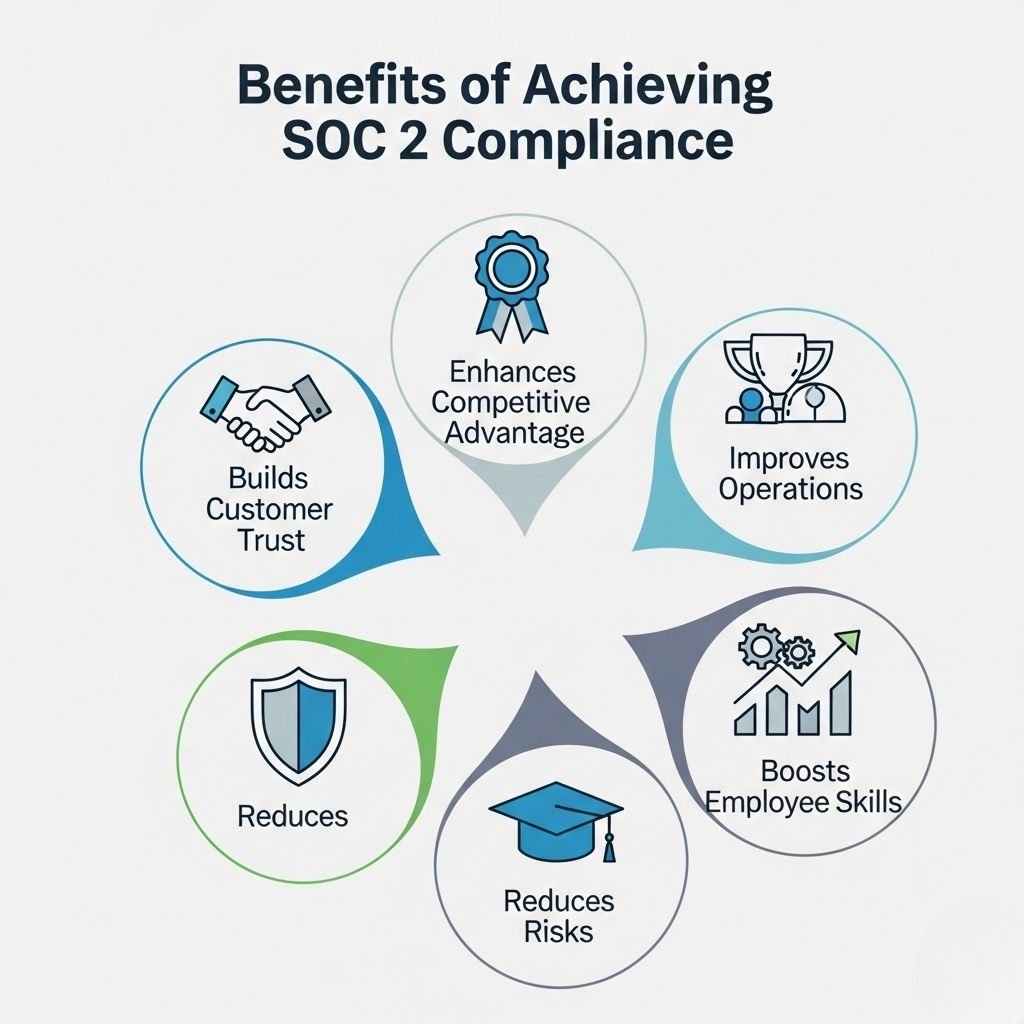
Builds Customer Trust
SOC 2 compliance proves you keep customer data safe. It shows you follow strict rules for security, privacy, and more. For example, if you run an app that stores people’s names and addresses, SOC 2 tells customers their information won’t be stolen.
When you share a SOC 2 report with clients, they can quickly see your systems are secure. This makes them feel safe working with you and builds stronger relationships.
Enhances Competitive Advantage
SOC 2 compliance makes your business look better than others. Many companies, especially big ones, only work with partners who have SOC 2. For instance, a large store might pick your software over another because you’re SOC 2 compliant.
This also helps you work with companies in other countries. SOC 2 aligns with rules like GDPR, which is about data protection in Europe. This makes it easier to follow multiple laws and win more customers.
Improves Business Operations
SOC 2 pushes you to create clear rules for keeping data safe. For example, you might set up better passwords or backup systems to avoid losing information. These steps make your business run smoother and avoid problems like website crashes.
Having strong systems also saves time. When everyone knows how to handle data, there’s less confusion, and your team works more efficiently.
Reduces Risks
SOC 2 helps you find and fix risks before they cause trouble. For example, you might spot a weak spot in your system that hackers could use. By fixing it, you avoid data theft or other problems.
SOC 2 also shows you’re prepared if something goes wrong. If a customer asks how you protect their data, your SOC 2 report proves you’re doing it right. This can keep you out of legal trouble and protect your reputation.
Boosts Employee Skills
To get SOC 2 compliance, you train your team on how to keep data safe. For example, they learn to spot fake emails that try to steal information. This training makes your employees better at their jobs and helps them protect your business.
A well-trained team also makes fewer mistakes, like accidentally sharing private data. This keeps your company safer and shows customers you’re serious about security.
Frequently Asked Questions (FAQ)
Here are answers to common questions about SOC 2 compliance to help you understand what it is and how it works. These answers are simple and clear to make SOC 2 easier to grasp.
What is SOC 2 compliance?
SOC 2 compliance is a set of rules that shows your company keeps customer data safe. It focuses on five areas: security, availability, processing integrity, confidentiality, and privacy. For example, it ensures your website doesn’t let hackers steal customer information. You need to pass an audit to prove you follow these rules.
Who needs SOC 2 compliance?
Businesses that handle customer data, like tech or cloud companies, often need SOC 2. For instance, if you run an app that stores names or payments, SOC 2 shows you protect that data. Customers and partners may ask for it to trust you, even if it’s not required by law.
How long does a SOC 2 audit take?
A SOC 2 audit can take a few weeks to several months, depending on the type. A Type I audit, which checks your systems at one time, is faster, often taking 1–2 months. A Type II audit, which looks at systems over 6 months or more, takes longer. Preparation, like gathering records, also affects the time.
What’s the difference between Type I and Type II audits?
A Type I audit checks if your systems are set up correctly at one point in time, like a snapshot. A Type II audit checks if those systems work well over a period, like 6 months. Type II needs more proof and is stronger for showing SOC 2 compliance.
Why is SOC 2 important for my business?
SOC 2 builds trust with customers by proving you protect their data. For example, it shows your app won’t lose their information. It also helps you win business, as many companies want SOC 2 partners. Plus, it reduces risks like data theft, keeping your business safe.
How do I start preparing for SOC 2 compliance?
Start by checking your systems to see what needs fixing, like weak passwords. Make rules for the five Trust Services Criteria, like security and privacy. Train your team and gather records, like logs of system checks. Then, hire a licensed CPA firm to do your audit.
Can small businesses get SOC 2 compliance?
Yes, small businesses can get SOC 2 compliance. Even if you’re a small app company, you can set up simple controls, like strong passwords and backups, to meet SOC 2 rules. It helps you compete with bigger companies and shows customers you care about data protection.
Conclusion
SOC 2 compliance is a powerful way to show your business takes data protection seriously. By following the five Trust Services Criteria—security, availability, processing integrity, confidentiality, and privacy—you keep customer data safe and build trust. This guide explained the SOC 2 framework, why it matters, and the steps to achieve and maintain it, like setting up controls, preparing for audits, and keeping clear records.
Achieving SOC 2 compliance helps your business stand out, run smoothly, and avoid risks like data breaches. It shows customers and partners you’re a reliable choice, whether you’re a small startup or a large tech company. By regularly checking systems, training your team, and updating rules, you stay compliant and keep data secure. Start your SOC 2 journey today to protect your customers and grow your business with confidence.
You May Also Like
 Cyber Security
Can Ransomware Infect iCloud? What Mac and iPhone Users Need to Know
 Data Security & Privacy
Two-Factor Authentication (2FA): How It Works, Which Method to Use, and How to Stay Safe
 Data Security & Privacy
Is a Password Manager Safe? How to Use One Securely
 Data Security & Privacy
19 Best Email Service Providers for Personal and Business Use
 WordPress
12 Best Cheap SSL Certificate Providers To Secure Your Website
 Data Security & Privacy
Is Password Protection the Same as Encryption? Differences in Data Security
 Data Security & Privacy
How Your Digital Footprint Can Make or Break Your Career Opportunities
 Data Security & Privacy
What Is End-to-End Encryption? Your Complete Guide to Secure Communication
 Data Security & Privacy