Discord voice changers have become popular tools for gamers, streamers, and content creators who want to enhance their online presence. These powerful applications allow you to transform your voice in real-time, creating everything from subtle modifications to dramatic character voices. Whether you’re looking to maintain privacy, entertain your audience, or fully immerse yourself in roleplaying scenarios on platforms like Discord, the right voice changer can significantly elevate your experience.
With countless options available, choosing the perfect voice changer for your needs can feel overwhelming. That’s why we’ve thoroughly tested and evaluated the most popular voice changers on the market to bring you this comprehensive guide. Each recommendation has been assessed based on performance, ease of use, feature set, and overall value to help you make an informed decision about which tool will work best for your gaming setup, whether you’re playing Grand Theft Auto V, PUBG, or Minecraft.
Top 10 Voice Changers for Discord
1. Voicemod Pro
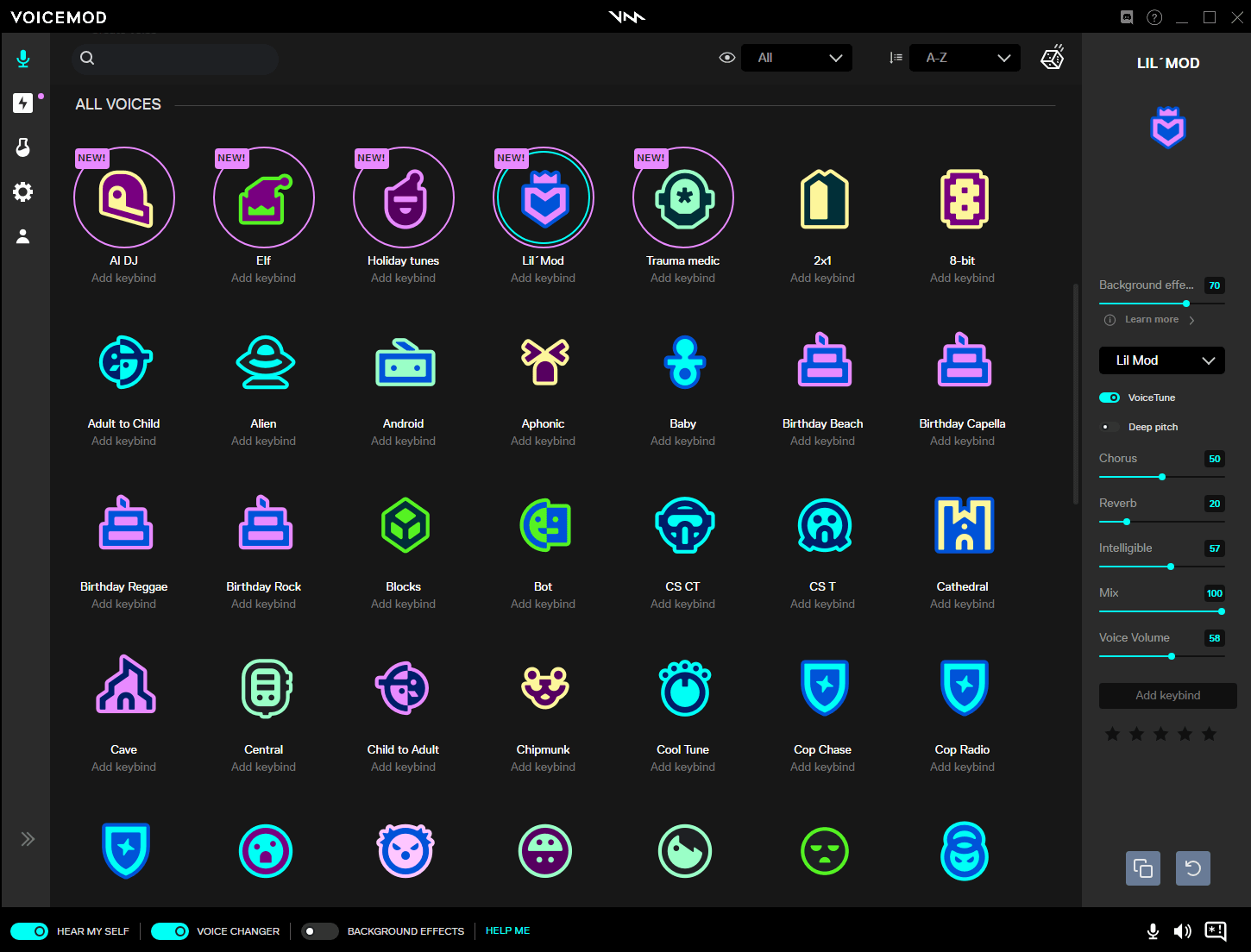
Voicemod Pro is one of the best voice changers for Discord that offers an impressive array of features that cater to both casual users and professional content creators on Twitch and YouTube. This AI-powered voice changer provides access to over 100 distinct voice effects, including everything from robotic transformations to celebrity impressions and fantasy character voices.
Key Features:
- Advanced AI voice modulation technology
- Extensive soundboard with customizable sound effects
- Real-time voice changing with minimal latency
- Integration with popular streaming platforms like OBS Studio
- Regular updates with new voice packs and effects
Pros:
- Exceptional voice quality with natural-sounding transformations
- User-friendly interface suitable for beginners
- Works seamlessly with Discord and other communication platforms
- Free version available with substantial functionality
- Active development and community support
Cons:
- Premium features require subscription ($15-25 annually)
- Can be resource-intensive on older systems – check your CPU usage if you experience lag
- Some advanced voices have a learning curve
Best For: Content creators, streamers, and users who want professional-grade voice modification with extensive customization options.
2. Clownfish Voice Changer
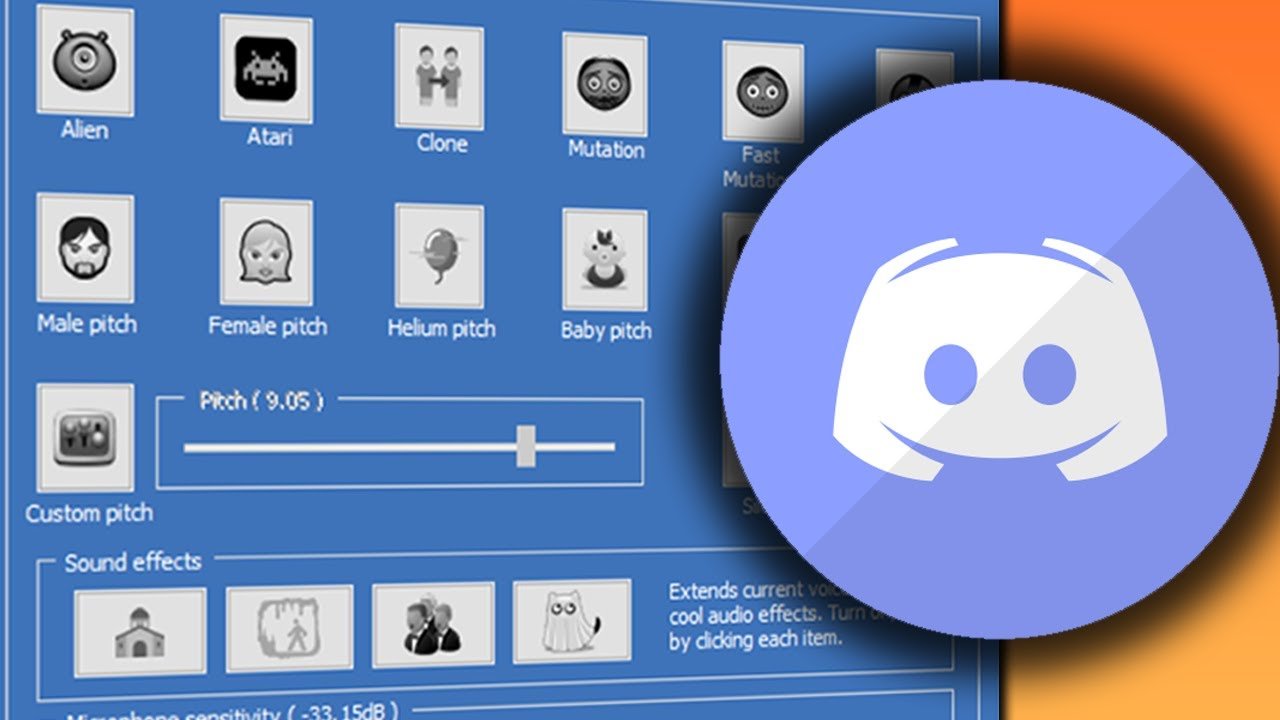
Clownfish Voice Changer is the most popular voice modification tool for Discord. This system-level application works directly with your computer’s audio architecture, ensuring compatibility with virtually any application that uses microphone input, including Discord, games, and other chat software.
Key Features:
- System-level audio interception
- Multiple voice presets (Alien, Male, Female, Helium, etc.)
- Custom pitch adjustment controls
- Music player integration – perfect for when you want to download music legally for your streams
- VST plugin support for advanced users
Pros:
- Completely free with no limitations or ads
- Extremely lightweight with minimal system impact
- Automatic compatibility with all microphone-enabled applications
- Simple installation and setup process
- Stable performance with no crashes or glitches
Cons:
- Limited voice customization options
- Basic interface with outdated design
- No soundboard or additional audio features
- Windows-only support
Best For: Users seeking a simple, reliable voice changer that works out-of-the-box without any configuration or cost.
3. Voxal Voice Changer
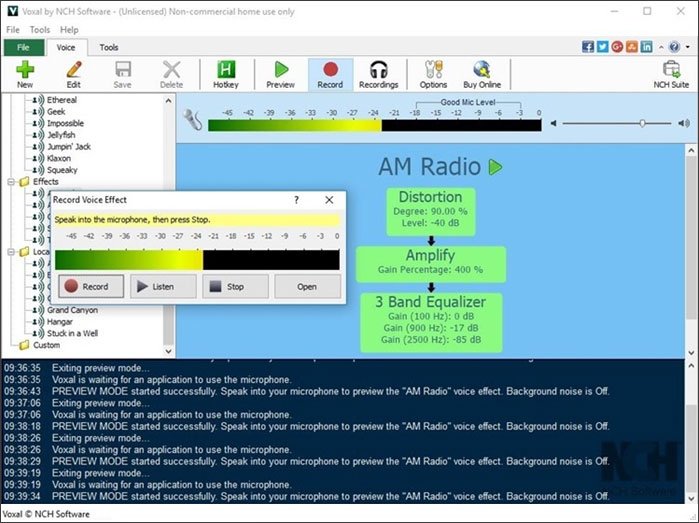
Voxal Voice Changer strikes an excellent balance between functionality and performance, offering a comprehensive set of voice modification tools while maintaining low resource usage. This versatile application works in the background, applying voice effects to any application that uses your microphone, making it perfect for Discord sessions and gaming.
Key Features:
- Real-time voice changing with unlimited custom effects
- Built-in voice recorder and playback functionality
- Create and save custom voice profiles
- Works with any microphone-enabled application
- Low CPU usage optimized for gaming – won’t cause connection problems during intense sessions
Pros:
- Free for non-commercial use
- High-quality voice output with minimal distortion
- Extensive customization options for advanced users
- Doesn’t interfere with game performance
- Compatible with both Windows and macOS
Cons:
- Commercial license required for business use ($24.99)
- Interface could be more intuitive
- Limited preset voices compared to competitors
- Some effects require manual tweaking for optimal results
Best For: Gamers and users who need a reliable voice changer that won’t impact system performance during intensive gaming sessions.
4. MorphVOX Pro
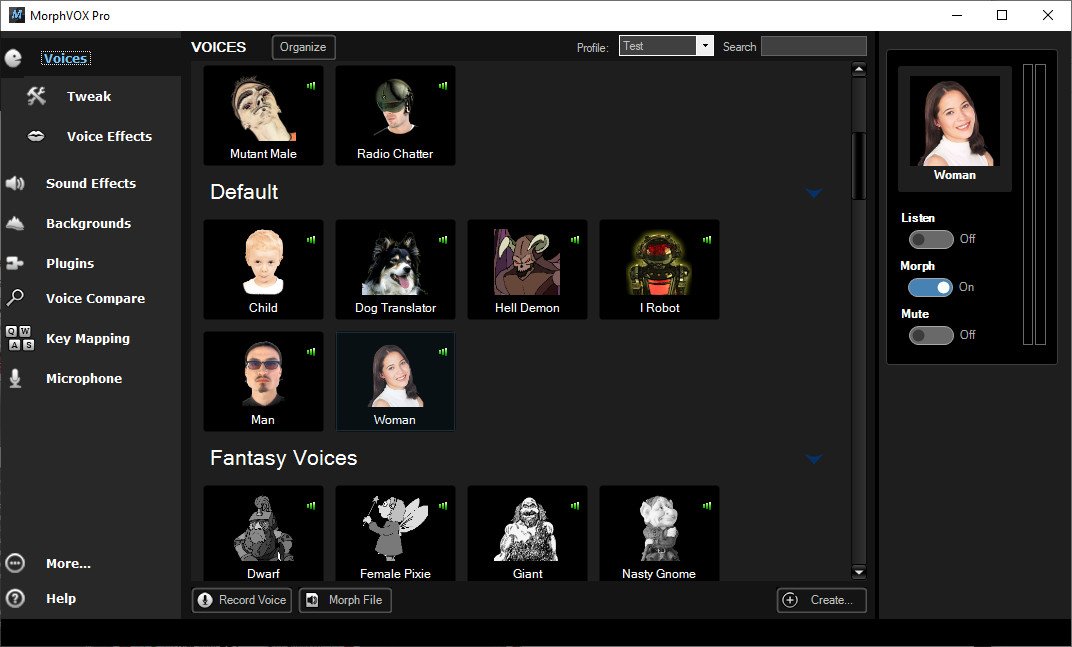
MorphVOX Pro represents the premium end of voice modification software, offering professional-grade features and exceptional voice quality. This powerful application uses advanced voice learning technology to create natural-sounding voice transformations that go far beyond simple pitch shifting, making it ideal for professional digital content creation.
Key Features:
- Advanced voice learning algorithms
- Many Free Voices
- Many Free Sound Packs
- Add any background sound while you talk
- Background effects and environmental sounds
- Voice comparator for testing different effects
- Built-in sound recorder with effects
- Custom voice creation tools
Pros:
- Superior voice quality with natural-sounding results
- Extensive library of high-quality voice presets
- Advanced customization options for precise control
- Excellent noise cancellation and background sound reduction
- Regular updates with new features and improvements
Cons:
- Premium price point ($39.99 for lifetime license)
- Steeper learning curve for advanced features
- Higher system requirements than basic voice changers
- Windows-only support
Best For: Professional content creators, voice actors, and users who demand the highest possible voice quality and advanced customization options.
5. NCH Voxal Voice Changer
NCH Voxal Voice Changer offers free voice changer for Discord. This software good at providing professional-quality voice effects while maintaining system stability and performance, making it an excellent choice for gamers who can’t afford any performance degradation, especially when playing Minecraft online with friends.
Key Features:
- Unlimited custom voice effects creation
- Real-time preview of voice modifications
- Works with any application or game
- Microphone and line input support
- Hotkey support for quick voice switching
Pros:
- Professional-quality voice output
- Extensive customization capabilities
- Low system resource usage
- Free version available for non-commercial use
- Reliable performance with no audio lag
Cons:
- Commercial version requires purchase ($24.99)
- Interface could be more modern and intuitive
- Limited preset voice library
- Some advanced features require technical knowledge
Best For: Users who need professional voice modification capabilities without the performance impact typically associated with high-end voice changers.
6. Soundpad
Soundpad is the go-to tool for gamers who want both voice changing and a killer soundboard in one package. This nifty software lets you transform your voice on the fly while also giving you instant access to tons of sound effects – perfect for those moments when you need to drop an airhorn or a movie quote during Discord gaming sessions. What’s really cool is how it works seamlessly with your favorite games and chat apps without bogging down your system.
Key Features:
- Real-time voice modulation with multiple presets
- Built-in soundboard with customizable hotkeys
- Plays sounds directly through your microphone
- Works with Discord, games, and streaming software
- Super lightweight – won’t mess with your game performance
Pros:
- Combines voice changing and sound effects in one tool
- Extremely easy to set up and use
- No noticeable lag when using voice effects
- Free version available with solid features
- Constantly updated with new sounds and improvements
Cons:
- Some advanced features require paid upgrade
- Limited voice presets compared to dedicated voice changers
- Windows-only (no Mac version)
- Sound library could be bigger
Best For: Gamers who want quick voice changes plus the ability to play sound effects during Discord chats or streaming. It’s perfect for adding some humor to your gaming sessions without dealing with complicated software.
7. Dubbing AI
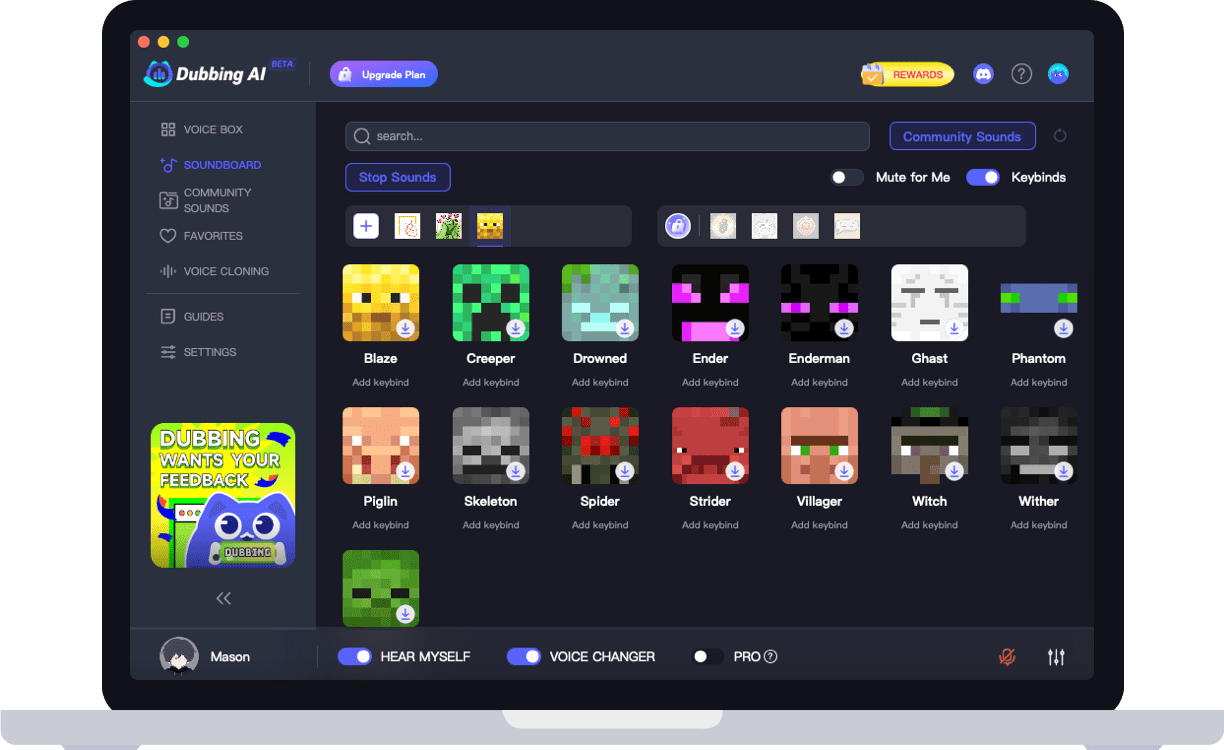
Dubbing AI represents the next generation of the best voice changer for Discord with Avatar, leveraging artificial intelligence to create incredibly realistic voice transformations. This cutting-edge application uses machine learning algorithms to analyze and modify your voice in ways that traditional voice changers simply cannot match, similar to how advanced development skills transform basic programming into sophisticated applications.
Key Features:
- AI-powered voice synthesis and modification
- Over 500 unique voice presets
- Real-time voice cloning capabilities
- 100,000+ meme soundboards
- Cloud-based processing for consistent quality
- Cross-platform compatibility
Pros:
- Unmatched voice quality and realism
- Massive library of diverse voice options
- Advanced AI features not found in traditional voice changers
- Regular updates with new AI models and voices
- Professional-grade results suitable for content creation
Cons:
- Subscription-based pricing model ($9.99/month)
- Requires internet connection for AI processing
- Higher system requirements for optimal performance
- Can be overwhelming for new users due to extensive features
Best For: Professional content creators, streamers, and users who want the most advanced and realistic voice changing technology available.
8. ElevenLabs Voice Changer
ElevenLabs Voice Changer utilizes state-of-the-art AI technology to deliver studio-quality voice modifications that are virtually indistinguishable from natural human speech. This professional-grade tool is designed for users who demand the absolute highest quality in voice transformation, making it perfect for creating large audio files with professional voiceovers.
Key Features:
- Advanced neural network voice synthesis
- Natural-sounding voice transformations
- Custom voice creation and cloning
- Multi-language support
- Professional audio quality (48kHz)
Pros:
- Industry-leading voice quality and realism
- Natural-sounding results without robotic artifacts
- Advanced customization options
- Professional-grade features and capabilities
- Free tier available for testing
Cons:
- Premium pricing for full features ($22/month)
- Steep learning curve for advanced features
- Requires powerful hardware for best performance
- Internet connection required for AI processing
Best For: Professional content creators, voice actors, and businesses that need the highest quality voice modification capabilities available.
9. MasqVox Voice Changer
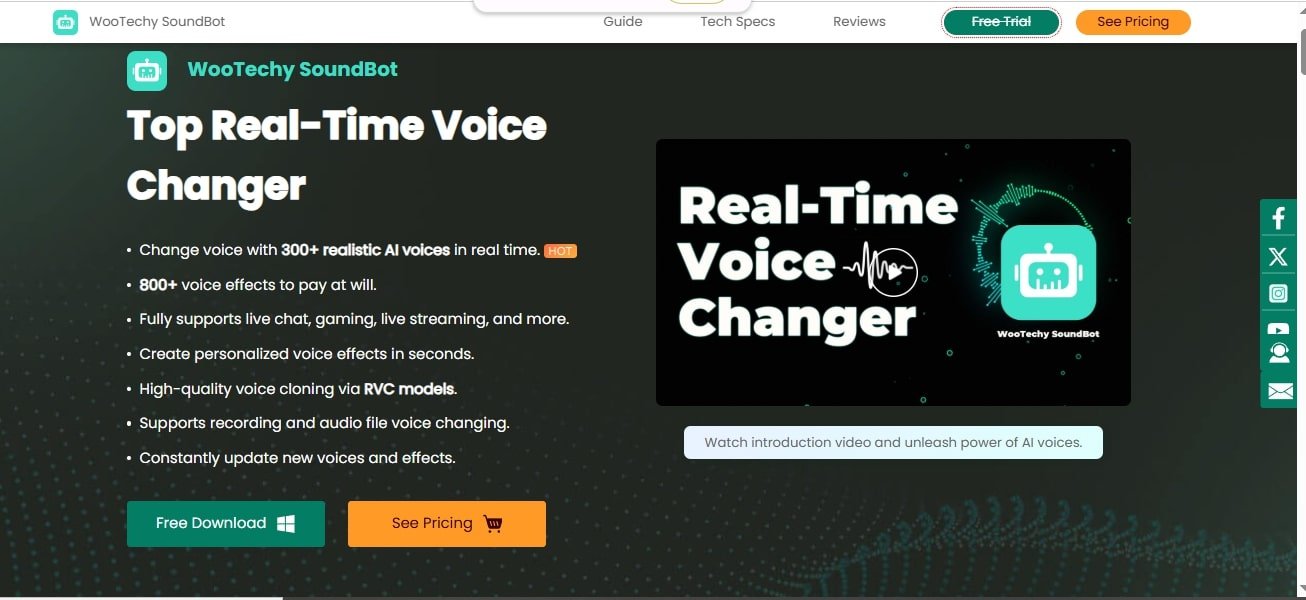
MasqVox Voice Changer is the best real-time voice changer for Discord and streamers on pc This lightweight application is designed specifically for gamers and Discord users who need voice-changing capabilities without sacrificing system performance, even when using animation software or other resource-intensive applications simultaneously.
Key Features:
- Real-time voice changing with low latency
- Human and animation voice effects
- Custom voice profile creation
- System-level audio processing
- Minimal resource usage
Pros:
- Extremely lightweight with no performance impact
- Simple and intuitive interface
- Reliable performance with no audio lag
- Free with no limitations
- Works with most Discord configurations
Cons:
- Limited voice effect library
- Basic customization options
- Dated interface design
- No advanced features like soundboards
Best For: Gamers and Discord users who need a reliable voice changer that won’t affect system performance during gaming sessions.
10. Voice Changer Plus (PC)
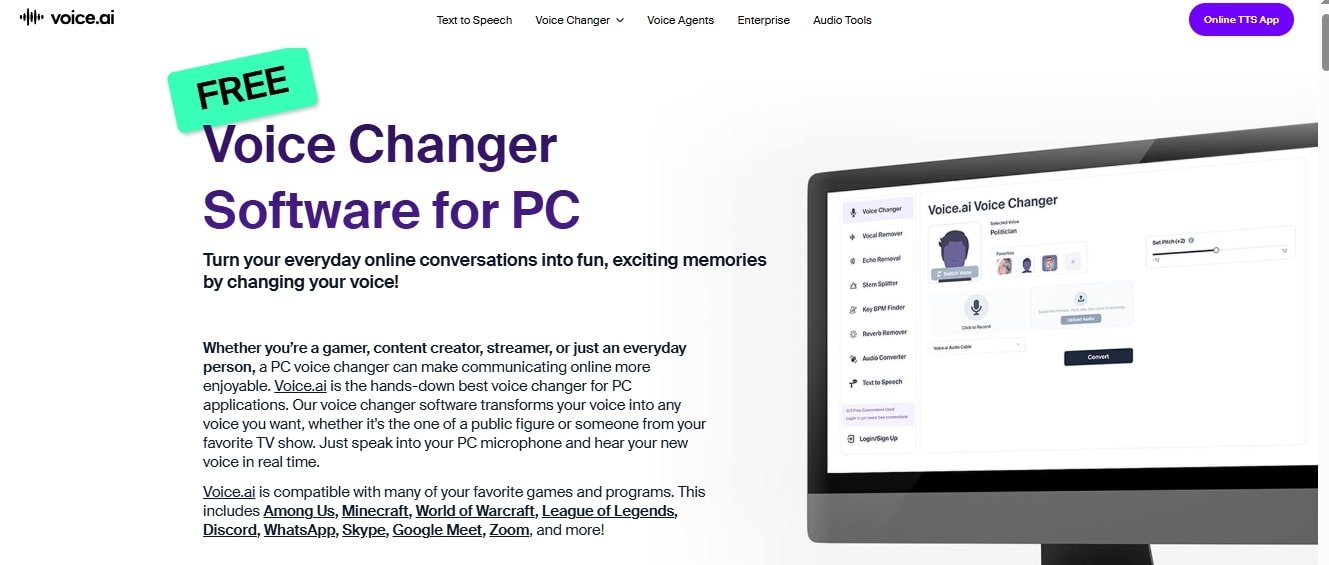
Voice Changer Plus brings the mobile magic to your desktop, giving you a straightforward way to mess with your voice without all the technical nonsense. This software keeps things simple – just pick an effect, start talking, and boom – you sound completely different. It’s perfect for Discord users who want something that just works without reading a manual or watching setup videos.
Key Features:
- Dozens of voice effects from robot to helium
- Real-time voice changing with no delay
- Simple interface that anyone can figure out
- Works with Discord, Skype, and games
- Record and save your modified voice clips
Pros:
- Ridiculously easy to use
- No complicated settings or menus
- Works right out of the box
- Free with no ads or limitations
- Doesn’t slow down your computer
Cons:
- Pretty basic compared to pro tools
- Limited customization options
- Not as many voice effects as premium software
- Windows-only support
Best For: Beginners or casual users who want a no-fuss voice changer for Discord gaming or chatting with friends. If you just want to sound silly occasionally without dealing with complex software, this is your best bet.
How to Choose the Right Voice Changer for Your Needs
Selecting the perfect voice changer depends on several factors specific to your use case and requirements. Consider the following aspects when making your decision, and remember that voice changing technology has evolved significantly in recent years.
For Casual Gaming and Discord Use: If you primarily use Discord for gaming with friends and want to add some fun voice effects, lightweight options like Clownfish Voice Changer or SuperVoiceChanger offer excellent performance without any cost. These applications provide reliable voice modification with minimal system impact.
For Content Creation and Streaming: Professional content creators and streamers should consider premium options like Voicemod Pro or AI-powered solutions such as Dubbing AI and ElevenLabs. According to Forbes analysis of AI voice technology, these tools offer superior voice quality, extensive customization options, and features specifically designed for content creation.
For Mobile Users: Voice Changer with Effects provides the best mobile experience with a comprehensive set of voice effects and features optimized for Android devices. It’s perfect for Discord mobile users and on-the-go content creation.
For Professional Applications: Business users and professionals requiring the highest quality voice modification should invest in premium solutions like MorphVOX Pro or ElevenLabs. As covered by TechCrunch’s AI coverage, these applications offer professional-grade features and exceptional voice quality suitable for commercial use.
Setting Up Your Voice Changer with Discord
Getting your voice changer working with Discord is typically straightforward, but following these steps will ensure optimal performance:
- Install and Configure Your Voice Changer: Download and install your chosen voice changer from the official website, then configure it according to the manufacturer’s instructions. Most applications will guide you through the initial setup process.
- Configure Discord Audio Settings: Open Discord and navigate to User Settings > Voice & Video. Under Input Device, select your voice changer’s virtual microphone or audio device. This ensures Discord receives the modified audio rather than your raw microphone input.
- Test Your Setup: Use Discord’s voice testing feature to ensure your voice changer is working correctly. Speak normally and verify that the modified voice is being transmitted clearly.
- Adjust Settings as Needed: Fine-tune your voice changer settings and Discord audio settings to achieve the perfect balance between voice quality and performance.
Common Issues and Troubleshooting
Even the best voice changers can occasionally encounter issues. Here are solutions to the most common problems:
Audio Lag or Delay: If you experience delays between speaking and hearing the modified voice, try reducing the quality settings in your voice changer or closing unnecessary applications that might be consuming system resources.
Poor Voice Quality: Ensure your microphone is properly positioned and configured. Check that your voice changer settings are optimized for your specific microphone and voice characteristics.
Discord Not Detecting Modified Voice: Verify that Discord’s input device is set to your voice changer’s virtual audio device. You may need to restart Discord after installing or configuring your voice changer.
System Performance Issues: If your voice changer is causing system slowdowns, consider switching to a more lightweight option like Clownfish or MasqVox, which are specifically designed for minimal performance impact.
The Future of Voice Changing Technology
Voice-changing technology continues to evolve rapidly, with artificial intelligence leading the next generation of innovations. AI-powered voice changers like Dubbing AI and ElevenLabs are already delivering unprecedented levels of realism and customization, and this trend is expected to accelerate.
Future developments may include:
- Real-time language translation with voice preservation
- Emotional voice modulation for enhanced expression
- Cross-platform voice synchronization
- Integration with virtual and augmented reality environments
- Advanced voice cloning with ethical safeguards
As these technologies mature, voice changers will become even more sophisticated, offering users increasingly natural and customizable voice modification capabilities that could transform how we interact in digital spaces.
Conclusion
Voice changers have transformed from simple novelty tools into essential applications for gamers, content creators, and privacy-conscious users. The options available in 2025 offer unprecedented levels of quality, customization, and performance, catering to every need and budget.
Whether you’re looking to entertain friends on Discord, protect your privacy while gaming, or create professional content, there’s a voice changer perfectly suited to your requirements. From free, lightweight options like Clownfish to cutting-edge AI solutions like ElevenLabs, the market offers something for everyone.
Consider your specific needs, technical requirements, and budget when selecting a voice changer. With the right choice, you can unlock new levels of creativity, privacy, and entertainment in your online interactions. The world of voice modification is more accessible and powerful than ever before – explore these tools and discover how they can enhance your digital experience.
You May Also Like
 Best Software
Top 10 Free & Open Source Inventory Management Software in 2026: A Comprehensive Buyer’s Guide With Real-World Data
 SaaS
SaaS
11 Best VoIP Call Center Solutions for Small Business 2026 (Comparison Guide)
 Best Software
6 Best Software to Record Mouse and Keyboard Actions and Automate Repetitive Tasks
 Best Software
Jira vs Hive: Which Project Management Tool is Right for Your Team?
 Best Software
8 Best Free Registry Cleaners Tools to Clean Junk and Registry on Windows PC
 Best Software
12 Top Plumbing Management Software Solutions for 2026
 Best Software
ServiceTitan Pricing Explained: How Much Does ServiceTitan Cost for Your Business?
 Best Software
12 Best Construction Project Management Software For Your Businesses
 Best Software


