You’re trying to connect to a VPN, but it won’t work. Your school blocks it. Your workplace filters it out. Or maybe you’re traveling somewhere that bans VPNs entirely. This happens because networks can detect regular VPN traffic and shut it down.
An obfuscated VPN fixes this problem. It makes your VPN traffic look like normal internet browsing. Nobody can tell you’re using a VPN, not your internet provider, not network admins, not government censors. The traffic appears completely ordinary, like you’re just checking email or reading news.
Think of it this way: a regular VPN is like wearing a disguise that everyone recognizes. An obfuscated VPN is like blending into a crowd where nobody notices you at all. This guide explains everything about obfuscated VPNs in plain language, when you need one, how to set it up, and which services work best.
What Is an Obfuscated VPN?
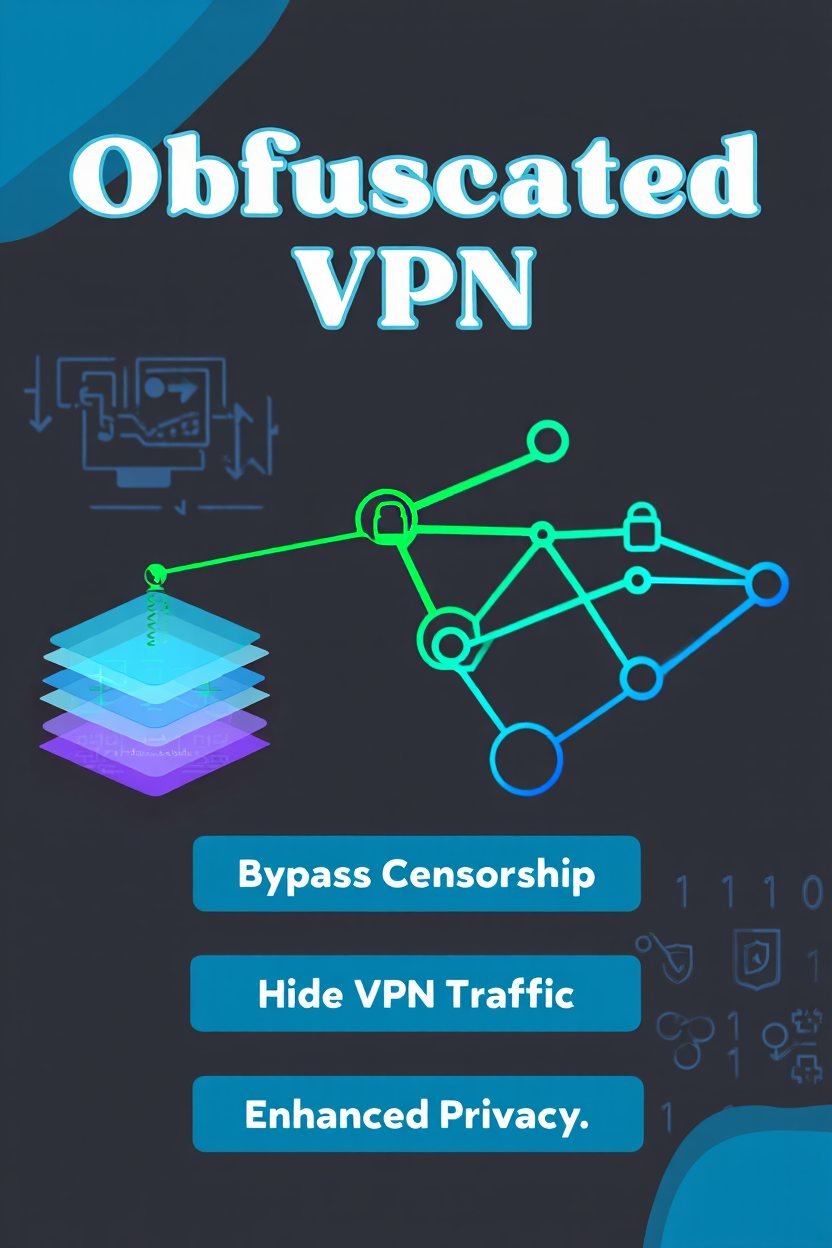
An obfuscated VPN disguises your encrypted VPN connection as regular web traffic so detection systems cannot identify or block it. Networks scan for VPN signatures, but obfuscation removes these telltale signs.
Regular VPNs encrypt your data, which is great for privacy. However, that encryption creates patterns. Deep packet inspection tools can spot these patterns and say “that’s a VPN.” Once identified, the network blocks your connection.
Obfuscated VPNs add an extra layer. They scramble the VPN traffic patterns. They wrap the connection in different protocols. They make everything look like standard HTTPS traffic, the same type used for online banking and shopping. When scanners check your connection, they see normal encrypted web browsing, nothing suspicious.
How the Technology Actually Works
The obfuscation process happens in three steps:
- Step 1: Standard Encryption – Your device encrypts data with standard VPN encryption like AES-256 or ChaCha20
- Step 2: Obfuscation Layer – Special software scrambles this encrypted data to remove VPN fingerprints and protocol signatures
- Step 3: Transmission – Modified traffic travels through common ports like 443 (HTTPS) or 80 (HTTP) that networks cannot block
Different obfuscation methods exist. Some VPNs use special protocols like Shadowsocks that were designed specifically to avoid detection. Others use techniques like “stunnel” which wraps VPN traffic inside SSL/TLS tunnels. Some services add random data padding to change packet sizes, making traffic patterns irregular and hard to identify.
The key point is this: detection systems look for patterns. Obfuscation breaks those patterns. Your traffic becomes invisible to scanning tools while staying fully encrypted and secure. Understanding what is network security helps you see why this matters for protecting your connection.
Why You Actually Need an Obfuscated VPN
You need an obfuscated VPN when regular VPNs fail because networks actively detect and block VPN connections. Specific situations make obfuscation essential rather than optional.
Countries That Block VPNs
Some countries have sophisticated systems that identify and shut down VPN traffic:
- China – Uses the Great Firewall with advanced deep packet inspection that blocks OpenVPN, WireGuard, and IPsec protocols
- Russia – Requires VPN providers to register with authorities and block prohibited content or face bans
- Iran – Bans unauthorized VPN services completely and actively disrupts encrypted traffic
- UAE – Restricts VPN usage and enforces penalties for circumventing censorship, especially VoIP services
- Turkey – Blocks VPN protocols during political unrest and maintains ongoing restrictions
In these places, a regular VPN simply won’t connect. The government’s detection system spots it immediately. An obfuscated VPN is your only reliable option for accessing blocked content.
Schools and Workplaces
Educational institutions and companies often block VPNs to enforce network policies. They want students focusing on schoolwork, not streaming videos. They want employees accessing work resources, not personal sites. Their firewalls detect VPN traffic and stop it.
An obfuscated VPN helps you maintain privacy even on restricted networks. However, check your school or workplace policies first. Some organizations have rules against bypassing their security measures. Knowing how to identify system vulnerabilities in networks helps you understand what network admins can detect.
Streaming Services
Netflix, Hulu, BBC iPlayer, and other platforms actively block VPN users. They have licensing agreements that restrict content by region. When they detect VPN traffic, they display error messages and refuse to stream content.
These services maintain databases of known VPN server IP addresses. They also use detection technology to spot VPN traffic patterns. An obfuscated VPN makes your connection look like regular home internet, helping you access geo-restricted content.
ISP Throttling
Some internet providers slow down certain types of traffic. They might throttle streaming video, online gaming, or file downloads. They detect these activities by analyzing traffic patterns. If they see VPN traffic, they might throttle it too, assuming you’re trying to hide high-bandwidth activities.
Obfuscation prevents your ISP from identifying your traffic type. They cannot throttle what they cannot detect. Your speeds remain consistent regardless of what you’re doing online.
How Obfuscated VPN Differs from Regular VPN
Obfuscated VPN adds a disguise layer on top of regular VPN encryption, while standard VPN only encrypts data without hiding the fact that encryption is happening. This creates a fundamental difference in detectability.
A regular VPN creates an encrypted tunnel between your device and the VPN server. This tunnel has distinctive characteristics. The protocol headers (OpenVPN, WireGuard, IPsec) are visible. The encryption handshake follows predictable patterns. The packet sizes and timing create unique fingerprints. Detection systems recognize these markers easily.
An obfuscated VPN removes or alters these identifiable elements. It strips protocol headers. It randomizes packet patterns. It disguises the traffic inside standard protocols. The result looks completely different to scanning tools.
Technical Comparison Table
| Feature | Regular VPN | Obfuscated VPN |
|---|---|---|
| Encryption | Yes (AES-256) | Yes (AES-256) |
| Protocol visibility | Visible signatures | Hidden signatures |
| Port usage | VPN-specific ports | Standard web ports |
| DPI detection | Easily detected | Not detected |
| Speed | Faster | Slightly slower |
| Complexity | Simple setup | More complex |
| Bypass censorship | Often blocked | Rarely blocked |
The speed difference exists because obfuscation adds processing overhead. Your data gets encrypted, then obfuscated, then transmitted. This takes extra computational resources. However, the speed reduction is usually minor, typically 5-15% slower than regular VPN.
Common Obfuscation Methods Explained Simply
VPNs use four main obfuscation techniques: protocol wrapping, traffic scrambling, port switching, and specialized stealth protocols. Each method works differently to hide VPN traffic.
Protocol Wrapping (Stunnel/SSTP)
This method wraps your VPN connection inside an SSL/TLS tunnel. SSL/TLS is the same encryption that protects online banking and shopping. Every secure website uses it. By wrapping VPN traffic in SSL, your connection looks exactly like visiting a secure website.
- Stunnel – Creates SSL tunnels around existing VPN connections, making them appear as HTTPS traffic
- SSTP (Secure Socket Tunneling Protocol) – Microsoft’s protocol that natively wraps VPN traffic in SSL/TLS
- Advantage – Nearly impossible to block without breaking legitimate HTTPS websites
- Use case – Best for corporate firewalls and moderate censorship environments
Traffic Scrambling (OpenVPN XOR)
XOR patching modifies OpenVPN to scramble packet data. It runs your traffic through a mathematical operation called XOR (exclusive or) that changes how the data appears. The receiving server unscrambles it with the same XOR key.
To detection systems, the scrambled traffic looks random. They cannot identify the OpenVPN signature because it’s been altered. This simple but effective technique defeats many basic detection systems.
Specialized Stealth Protocols
Some VPNs use protocols specifically designed to avoid detection:
- Shadowsocks – Created in China to bypass the Great Firewall, uses SOCKS5 proxy protocol with custom encryption that mimics regular web proxy usage
- V2Ray – Advanced platform that disguises traffic as HTTP, WebSocket, or video streaming, highly configurable and extremely difficult to detect
- Obfsproxy – Originally developed for the Tor network, transforms traffic to look like completely random data with no identifiable patterns
- Trojan – Mimics HTTPS traffic to popular websites, making VPN connections appear as normal web browsing to censors
Port Switching
Standard VPNs use specific ports (OpenVPN typically uses 1194, IPsec uses 500/4500). Firewalls can block these ports easily. Obfuscated VPNs run on common ports like 443 (HTTPS) or 80 (HTTP). These ports cannot be blocked without breaking normal web browsing.
Some VPNs also use port forwarding techniques to further hide the connection origin. This adds another layer of obscurity. Learning about what is endpoint protection helps you understand how these connection methods relate to overall security.

Setting Up an Obfuscated VPN Step by Step
Setting up an obfuscated VPN requires choosing a provider with obfuscation features, enabling the obfuscation option in settings, and connecting to a specialized server. Most quality VPN services make this process straightforward.
Choosing the Right VPN Service
Not all VPNs offer obfuscation. Look for providers that specifically advertise “obfuscated servers,” “stealth mode,” or “camouflage mode.” The top services with reliable obfuscation include NordVPN, ExpressVPN, Surfshark, and VyprVPN.
Check that the provider has servers in locations you need. If you’re in China, you want servers in nearby countries like Japan, Singapore, or South Korea. Closer servers mean better speeds.
Read reviews from users in similar situations. Someone in Turkey will have different needs than someone at a university. Real user experiences tell you what actually works. You might also want to review best free password manager to save passwords to securely store your VPN credentials.
Installation Process
- Download from official sources – Never download VPN software from third-party sites as fake VPN apps can contain malware or steal your data
- Install the application – Follow standard installation procedures for your operating system
- Create an account – Sign up if you haven’t already, most premium VPNs offer 30-day money-back guarantees
- Verify installation – Open the app and confirm it launches correctly
Enabling Obfuscation Features
Open your VPN app settings. Look for options named:
- “Obfuscated servers” (NordVPN)
- “Stealth mode” or “Stealth VPN” (Astrill, TorGuard)
- “Camouflage mode” (Surfshark)
- “NoBorders mode” (Surfshark for restrictive countries)
- “Chameleon protocol” (VyprVPN)
Different providers use different names. Enable this feature. Some VPNs require you to select obfuscated servers specifically from a server list. Others automatically route you through obfuscated servers when detection is likely.
Connecting and Testing
Choose a server location and connect. Wait for the connection to establish. This might take slightly longer than regular VPN connections because of the extra obfuscation processing.
Test your connection by visiting blocked websites. Try streaming services. Check if your school or workplace network still works. If the obfuscated VPN is working properly, everything should function normally without triggering blocks.
You can verify your connection is protected by checking your IP address. Visit whatismyip.com to confirm your IP shows the VPN server location, not your actual location.

Best VPN Providers with Strong Obfuscation
NordVPN, ExpressVPN, Surfshark, and VyprVPN offer the most reliable obfuscation features with proven success rates in restrictive environments. Each service has specific strengths worth considering.
NordVPN Obfuscated Servers
NordVPN provides dedicated obfuscated servers in numerous countries. You simply filter the server list to show only obfuscated options. The service uses XOR patching on OpenVPN to scramble traffic patterns.
- Obfuscation method – XOR patching on OpenVPN protocol
- Server network – 5,500+ servers in 60 countries with dedicated obfuscated servers
- Success rate – Works consistently in China, UAE, Russia, and other restrictive countries
- Additional features – Double VPN, Onion over VPN, CyberSec ad-blocking
- Pricing – $3-4 per month with longer subscriptions
- Best for – Users in high-censorship countries needing reliable, proven obfuscation
NordVPN works consistently in China, UAE, and other restrictive countries. The company updates its obfuscation techniques regularly to stay ahead of detection systems. Their app makes enabling obfuscation simple with just one click. Understanding why is cybersecurity important for your businesses shows why investing in quality VPN service matters.
ExpressVPN Stealth Features
ExpressVPN doesn’t label servers as “obfuscated” because all servers include obfuscation capabilities. The service automatically detects network restrictions and adjusts its connection method accordingly.
- Obfuscation method – Proprietary Lightway protocol with built-in obfuscation
- Server network – 3,000+ servers across 94 countries
- Auto-detection – Automatically adjusts obfuscation level based on network conditions
- Speed performance – Maintains excellent speeds even with obfuscation enabled
- Pricing – $6-8 per month (premium pricing)
- Best for – Users who need reliable connections without manual configuration
ExpressVPN uses proprietary Lightway protocol with built-in obfuscation. This protocol was designed from the ground up to avoid detection while maintaining fast speeds. The technology works extremely well in China and other censored regions.
Surfshark Camouflage Mode
Surfshark calls its obfuscation feature “Camouflage Mode.” You enable it in settings, and it activates automatically on all connections. The service uses OpenVPN with obfuscation to hide VPN usage from your ISP and network administrators.
- Obfuscation method – OpenVPN with traffic obfuscation
- Server network – 3,200+ servers in 100 countries
- Unique advantage – Unlimited simultaneous device connections
- Additional features – CleanWeb ad-blocking, MultiHop, NoBorders mode
- Pricing – $2-3 per month for long-term plans (best value)
- Best for – Families or users with multiple devices needing budget-friendly obfuscation
Surfshark’s major advantage is unlimited simultaneous connections. You can protect every device you own with one subscription. This makes it excellent value for families or users with multiple devices.
VyprVPN Chameleon Protocol
VyprVPN developed its own obfuscation protocol called Chameleon. This proprietary technology scrambles OpenVPN packet metadata, making connections undetectable even to sophisticated DPI systems.
- Obfuscation method – Proprietary Chameleon protocol specifically designed to defeat DPI
- Infrastructure – Owns and operates all servers (no third-party providers)
- Server network – 700+ servers in 70+ countries
- Target regions – Optimized for China, Russia, Middle East censorship systems
- Pricing – $3-5 per month
- Best for – Users who prioritize security and need proven anti-censorship technology
Chameleon specifically targets the detection methods used in China, Russia, and the Middle East. VyprVPN owns and operates all its servers, meaning no third parties have access to the hardware. This provides an extra security layer.
Obfuscated VPN for Specific Use Cases
Different situations require different obfuscation approaches, with streaming, censorship bypassing, and workplace access each demanding specific features and configurations. Knowing which setup works best saves frustration.
Streaming Geo-Restricted Content
Streaming services like Netflix use multiple detection methods:
- IP blacklisting – Maintain databases of known VPN server IP addresses
- Traffic analysis – Scan for VPN encryption patterns and protocol signatures
- DNS leak detection – Check if DNS queries reveal your actual location
- Browser fingerprinting – Analyze device and browser characteristics for inconsistencies
For streaming, choose VPN servers specifically optimized for that purpose. Many providers label certain servers as “streaming servers” or “Netflix servers.” These servers have residential IP addresses that streaming platforms don’t associate with VPN usage.
Enable obfuscation to prevent your ISP from throttling video traffic. Connect to a server in the country whose content library you want to access. Clear your browser cookies before trying to stream, as these can reveal your actual location.
If one server doesn’t work, try another. Streaming services constantly update their detection methods, so VPN providers constantly rotate servers and IP addresses. What works today might not work tomorrow, but switching servers usually solves the problem. Similar concerns exist with free movie streaming sites which face constant blocking issues.
Bypassing Government Censorship
Government censorship systems are the most sophisticated. China’s Great Firewall uses machine learning to detect new obfuscation methods. Russia requires VPN providers to register and maintain logs. Iran periodically shuts down internet access entirely during political unrest.
Best practices for censorship environments:
- Install before traveling – Download and set up VPN software before entering restrictive countries
- Use proven providers – ExpressVPN and VyprVPN work most reliably in China, NordVPN succeeds in Russia and UAE
- Research current status – Read recent user reports as effectiveness changes frequently
- Enable bridge servers – Use specialized servers designed for high-censorship countries
- Try multi-hop connections – Route traffic through two VPN servers for extra protection
- Have backup methods – Keep Shadowsocks or Tor as alternatives if primary VPN fails
Consider bridge servers or multi-hop connections for extra security. Some VPNs offer bridge servers specifically designed for high-censorship countries. These use advanced obfuscation and change IP addresses frequently. Understanding complete guide to ransomware protection also helps you stay secure in high-risk environments.
School and Workplace Networks
School and corporate networks use firewall rules and content filtering. They block social media, streaming sites, gaming platforms, and VPN protocols. Their goal is controlling bandwidth usage and enforcing acceptable use policies.
Important considerations for institutional networks:
- Check policies first – Review acceptable use policies before bypassing restrictions
- Use port 443 – HTTPS port cannot be blocked without breaking legitimate business applications
- Understand consequences – Violating policies could result in disciplinary action
- Consider legitimate needs – If you need VPN for security reasons, discuss with IT department
For these networks, port 443 obfuscation works best. Since port 443 handles all HTTPS traffic, blocking it would break legitimate business applications. Your obfuscated VPN traffic blends with this essential traffic.
Be aware of the potential consequences. Many schools and workplaces have policies against circumventing network security. You could face disciplinary action if caught. Using a VPN might violate acceptable use policies even if the technology works.
Public WiFi Protection
Public WiFi networks at coffee shops, airports, and hotels are notoriously insecure:
- Man-in-the-middle attacks – Hackers intercept unencrypted traffic between your device and router
- Packet sniffing – Attackers capture data packets transmitted over the network
- Evil twin networks – Fake WiFi hotspots that mimic legitimate networks
- Session hijacking – Stealing session cookies to access your accounts
A VPN encrypts all your traffic, protecting you from these threats. Obfuscation adds extra security by preventing network operators from seeing you’re using a VPN. This stops them from potentially blocking VPN traffic or singling out VPN users.
On public WiFi, enable your VPN before connecting to the network. This protects you from the very first data packet. Choose nearby VPN servers for best speeds. Read more about why you should use a VPN on public WiFi to understand all the risks involved.
Legal Considerations and Responsible Use
Obfuscated VPNs are legal in most countries, but using them to break local laws or service terms can result in serious consequences. Understanding the legal landscape protects you from unintended violations.
Where VPNs Are Legal
VPNs are completely legal in the United States, Canada, United Kingdom, most European countries, Australia, Japan, and South Korea. These countries recognize VPNs as legitimate privacy tools. Businesses use them routinely for secure communications.
Legal VPN usage includes:
- Protecting personal privacy from ISP tracking
- Securing data on public WiFi networks
- Accessing work resources remotely
- Bypassing geo-restrictions for legally available content
- Preventing bandwidth throttling
Using a VPN for privacy, security, or accessing content is perfectly acceptable in these jurisdictions. No laws prohibit VPN usage itself. However, illegal activities remain illegal regardless of VPN use. Pirating copyrighted content, hacking, or conducting illegal transactions are still crimes.
Countries with VPN Restrictions
Some countries heavily restrict or ban VPN usage:
- China – Allows only government-approved VPNs that comply with censorship requirements, enforcement focuses on providers rather than individual users
- Russia – Requires VPN services to register and block access to banned websites, foreign VPNs that refuse face blocking
- UAE – Prohibits using VPNs for illegal activities, particularly accessing VoIP services, violators face hefty fines
- Iran – Bans unauthorized VPN services, only government-approved VPNs are legal
- Turkey – Periodically blocks VPN services during political events, legal status changes frequently
- North Korea – Bans internet access for ordinary citizens entirely
Check if VPNs are legal in your country before using obfuscation features.
Service Terms of Use
Many online services prohibit VPN usage in their terms of service:
- Streaming platforms – Netflix, Hulu, BBC iPlayer ban circumventing geo-restrictions
- Gaming services – Some prohibit VPNs to prevent cheating or regional pricing manipulation
- Banking websites – May block VPN access as fraud prevention measure
- Shopping sites – Can deny service or cancel orders from VPN users
Breaking these terms of service isn’t illegal in the criminal sense, but companies can enforce their rules. You might lose access to services you paid for. Use VPNs responsibly and be aware of potential account consequences.
Responsible Usage Guidelines
Ethical obfuscated VPN use:
- ✅ Protect personal data on public WiFi
- ✅ Maintain privacy from ISP tracking
- ✅ Access legally available but geo-restricted content
- ✅ Secure remote work connections
- ✅ Research and journalism in restrictive countries
- ❌ Hide illegal activities or criminal behavior
- ❌ Bypass copyright protections for piracy
- ❌ Commit fraud or identity theft
- ❌ Harass, threaten, or harm others
Don’t use obfuscation to hide illegal activities. VPNs are not magic shields that make you untraceable. Law enforcement can work with VPN providers, internet providers, and websites to identify users when investigating serious crimes.
Respect local laws when traveling. What’s legal at home might be restricted abroad. Research the countries you’re visiting and their internet regulations. When in doubt, avoid using VPNs in countries with strict prohibitions.
Performance Impact and Speed Considerations
Obfuscated VPNs typically reduce connection speeds by 10-30% compared to regular VPN connections due to additional processing overhead. Understanding these impacts helps you optimize performance.
Why Obfuscation Slows Connections
Your data goes through multiple processing steps with obfuscation:
- Standard encryption – Wraps your data in AES-256 or ChaCha20 encryption
- Obfuscation protocols – Scrambles or disguises the encrypted data
- Additional routing – May route through extra servers or proxies
- Data overhead – Adds padding or extra packets to disguise patterns
The obfuscation layer adds packets or modifies data structure. This increases the total amount of data transmitted. More data means more time to transfer, especially on slower connections. Some obfuscation methods like double VPN or multi-hop routing literally send your traffic through twice as many servers, doubling the latency.
Your device’s processor must handle the extra encryption and obfuscation work. On older devices or smartphones, this can noticeably impact battery life and overall device performance.
Optimization Strategies
Maximize obfuscated VPN speed:
- Choose nearby servers – Select VPN servers geographically close to your actual location
- Use modern protocols – WireGuard with obfuscation is faster than obfuscated OpenVPN
- Connect via ethernet – Wired connections eliminate WiFi latency and interference
- Close unnecessary apps – Free up system resources for VPN processing
- Select low-load servers – Choose servers with lower user percentages
- Upgrade your device – Newer processors handle encryption more efficiently
- Test different servers – Performance varies between servers, experiment to find fastest
Try different obfuscated servers. Not all servers have the same performance. Some are crowded with users, others are nearly empty. Most VPN apps show server load percentages. Choose servers with lower loads for better speeds.
Speed Comparison Data
Real-world testing shows these typical speed patterns:
| Connection Type | Speed Retention | Typical Use Case |
|---|---|---|
| No VPN | 100% baseline | Direct connection |
| Regular VPN | 70-85% | Standard privacy needs |
| Obfuscated VPN | 60-75% | Bypassing restrictions |
| Double VPN/Multi-hop | 40-60% | Maximum security needs |
Your actual experience depends on internet speed, server location, time of day, and network congestion. A 500 Mbps connection might see less percentage impact than a 50 Mbps connection because the overhead is constant while base speed varies.
For most activities (browsing, streaming, video calls), even the reduced obfuscated VPN speed remains adequate. You might notice buffering on 4K streaming or lag in competitive gaming, but normal usage works fine.
Troubleshooting Common Obfuscation Issues
When obfuscated VPN connections fail, the problem usually involves incorrect settings, incompatible protocols, or aggressive blocking that requires switching servers or obfuscation methods. Systematic troubleshooting resolves most issues.
Connection Won’t Establish
Step-by-step troubleshooting process:
- Verify obfuscation is enabled – Check settings to confirm the feature is activated
- Try different protocols – Switch from OpenVPN to IKEv2 or WireGuard
- Change port numbers – Test port 443, 80, or other common ports
- Disable IPv6 – Temporarily turn off IPv6 in network settings
- Check firewall settings – Add VPN app to firewall allowed programs list
- Temporarily disable antivirus – Test if security software blocks the connection
- Restart device and router – Clear temporary network glitches
If your obfuscated VPN won’t connect at all, verify obfuscation is actually enabled in settings. It’s easy to overlook this step. Some apps require you to manually select obfuscated servers rather than using automatic connection.
Check firewall and antivirus settings. Security software sometimes blocks VPN connections, ironically treating them as potential threats. Add your VPN app to the firewall’s allowed programs list.
Slow Speeds or Frequent Disconnections
Performance improvement checklist:
- Check server load – Switch to less crowded servers in the same region
- Test without obfuscation – Compare speeds to identify if obfuscation is the bottleneck
- Update VPN app – Install latest version with bug fixes and improvements
- Change VPN protocol – Try different protocols to find faster option
- Restart network devices – Reboot router, modem, and computer
- Contact support – Ask provider which servers work best in your location
Slow performance might indicate server overload. Check your VPN app’s server load indicators. If your current server shows high usage, switch to a different obfuscated server in the same region. Server load significantly impacts speed and stability.
Update your VPN app. Outdated versions have bugs and security vulnerabilities. Developers regularly release updates that improve performance and fix connection issues. Check for updates and install the latest version.
Detection and Blocking
When websites still detect your VPN:
- Clear browser data – Delete cookies and cache that reveal your location
- Use incognito mode – Prevent websites from accessing stored data
- Check for DNS leaks – Use online tools to verify DNS queries route through VPN
- Switch VPN servers – Try different servers with fresh IP addresses
- Enable leak protection – Activate DNS and WebRTC leak protection features
- Try residential IP VPNs – Consider providers offering residential IP addresses
If websites still detect your VPN despite obfuscation, clear browser cookies and cache. Websites store information that can reveal your actual location. Fresh cookies prevent this tracking.
Check for DNS leaks. Your VPN might encrypt traffic but still use your ISP’s DNS servers, revealing your location. Use DNS leak test websites to check. Enable your VPN’s DNS leak protection feature if leaks exist.
Consider residential IP VPNs. Some premium providers offer residential IP addresses that appear as regular home internet connections. These are much harder to detect and rarely blocked. You might need similar thoroughness as best practices for vulnerability scanning requires when identifying network issues.
Alternatives to Obfuscated VPN
Smart DNS services, Tor browser, proxy servers, and specialized tools like Shadowsocks offer different approaches to bypassing restrictions, each with specific advantages and limitations. Understanding alternatives helps you choose the right tool.
Smart DNS Services
Smart DNS doesn’t encrypt your traffic like a VPN. Instead, it reroutes DNS queries through servers in different countries. This tricks websites into thinking you’re in a different location.
Smart DNS characteristics:
- Speed advantage – No encryption means minimal slowdown, ideal for 4K streaming
- Simple setup – Just change DNS settings on device or router
- No privacy protection – ISP sees all your activity and real IP address
- Limited scope – Only changes apparent location, doesn’t hide traffic
- Best for – Streaming geo-restricted content on trusted networks
However, Smart DNS provides zero privacy protection. Your ISP sees all your activity. The service doesn’t hide your IP address from websites. It only changes which content library you can access. Use Smart DNS when speed matters more than privacy, and only on networks you trust.
Tor Browser
Tor (The Onion Router) routes traffic through multiple volunteer-operated servers, encrypting it multiple times in layers. Each server only knows the previous and next hop, not the full path.
Tor Network features:
- Maximum anonymity – Multi-layer encryption through random server paths
- Free and open-source – No cost, fully transparent code
- Censorship resistance – Works in heavily censored countries
- Trusted by professionals – Used by journalists, activists, security researchers
- Very slow speeds – Multiple server hops create significant latency
- Not for streaming – Bandwidth insufficient for video or downloads
- Best for – Anonymous browsing and accessing onion sites
The significant downside is speed. Routing through multiple servers slows connections dramatically. Browsing is sluggish, streaming is impossible, and downloads take forever. Understanding what is the dark web and how can you access it explains more about Tor’s capabilities and risks.
Proxy Servers
Proxies act as intermediaries between your device and the internet. Your traffic routes through the proxy server, which makes requests on your behalf.
Proxy server comparison:
- Free proxies – Abundant but unreliable, may log activities or inject ads, potential security risks
- Paid proxies – Better security and performance, more reliable connections
- HTTPS proxies – Encrypt traffic for secure websites only
- SOCKS proxies – Handle any traffic type, more versatile than HTTP proxies
- Limited encryption – ISP can see most activity unless using HTTPS sites
- Best for – Simple geographic restrictions or workplace filters
Proxies generally don’t encrypt traffic unless you use HTTPS websites. This means your ISP and network operators can see your activity. For better understanding, read about what are proxies and why choose them. Learning about what are residential proxies provides additional context.
Shadowsocks and V2Ray
These specialized tools were specifically developed to bypass censorship in China:
Advanced anti-censorship tools:
- Shadowsocks – SOCKS5 proxy with flexible encryption, lightweight and fast, difficult to detect
- V2Ray – More advanced platform with sophisticated obfuscation, supports multiple protocols
- Technical setup required – Needs configuration knowledge or specialized provider
- Server options – Can self-host or use services offering these protocols
- Proven effectiveness – Consistently works against Great Firewall
- Best for – Users in high-censorship countries who need reliable access
Both tools are highly effective against government censorship systems. They’re lightweight, fast, and extremely difficult to detect. However, they require more technical knowledge to set up than consumer VPNs. You typically need to configure your own server or use a provider that offers Shadowsocks/V2Ray services.
Future of Obfuscation Technology
Obfuscation technology continues evolving through machine learning detection resistance, protocol innovation, decentralized networks, and quantum-safe encryption methods. These developments shape the next generation of privacy tools.
AI-Powered Detection and Counter-Detection
Censorship systems increasingly use artificial intelligence to identify VPN traffic:
- Machine learning detection – Algorithms analyze traffic patterns, connection behaviors, and subtle fingerprints
- Adaptive systems – Detection improves over time by learning from blocked connections
- Behavioral analysis – Examines how users interact with networks to identify VPN usage
- Statistical modeling – Compares traffic characteristics against normal browsing patterns
Obfuscation technology responds with its own AI implementations. Modern VPN protocols use machine learning to mimic normal traffic patterns more accurately. They analyze how typical HTTPS connections behave and replicate those patterns precisely.
The next generation of obfuscated VPNs will likely use neural networks to generate traffic that’s statistically indistinguishable from legitimate browsing. This moves beyond simple disguises to creating perfect mimicry.
New Protocols and Standards
Emerging VPN technologies:
- WireGuard obfuscation layers – New protocols maintaining WireGuard’s speed while adding stealth
- QUIC-based VPNs – Disguising VPN traffic as HTTP/3 protocol that major services use
- Native obfuscation – Future protocols with built-in obfuscation rather than add-on features
- Adaptive protocols – Automatically adjust obfuscation level based on network conditions
- Post-quantum protocols – Resistant to quantum computer attacks while maintaining obfuscation
WireGuard represents a new approach to VPN protocols, modern, lean, and fast. Developers are creating obfuscation layers specifically for WireGuard that maintain its speed advantages while adding stealth capabilities.
QUIC protocol, developed by Google and now standardized as HTTP/3, offers new opportunities for obfuscation. Since major internet services are adopting QUIC, blocking it isn’t feasible. VPN traffic disguised as QUIC connections blends perfectly with legitimate modern web traffic.
Decentralized VPN Networks
Traditional VPNs rely on company-operated servers. Governments can pressure or force these companies to shut down:
Decentralized VPN advantages:
- No central control – Distributed across thousands of independent operators
- Censorship resistant – Impossible to shut down entire network
- Blockchain-based – Uses cryptocurrency for payments and trust mechanisms
- User-operated nodes – Anyone can run a node and earn cryptocurrency
- Current challenges – Trust, performance consistency, and user experience need improvement
Projects like Orchid and Mysterium Network use blockchain technology and cryptocurrency payments to create decentralized VPN ecosystems. No single entity controls the network. Users can operate nodes and earn cryptocurrency by sharing bandwidth.
Quantum Computing Considerations
Quantum computers threaten current encryption methods:
- Quantum threat – Future quantum computers could break current encryption algorithms
- Post-quantum cryptography – New encryption methods resistant to quantum attacks
- Gradual transition – Security community developing and implementing quantum-safe algorithms
- Obfuscation remains relevant – Traffic pattern analysis works regardless of encryption strength
- Future-proof VPNs – Will combine quantum-resistant encryption with advanced obfuscation
The security community is developing quantum-resistant encryption algorithms. Future VPNs will implement these new encryption methods to remain secure in a post-quantum world. The transition will happen gradually as quantum computing develops.
Obfuscation will remain important even with quantum-resistant encryption. Detection and blocking don’t depend solely on breaking encryption. Traffic pattern analysis and fingerprinting work regardless of encryption strength. Staying updated on what is data security helps you understand evolving protection needs.
Frequently Asked Questions
Does obfuscated VPN slow down my internet speed?
Yes, obfuscated VPN reduces speed by approximately 10-30% compared to regular VPN connections. The extra processing required for obfuscation creates this overhead. Your data gets encrypted, then obfuscated, then transmitted. This takes additional computational resources and time. Server distance, network congestion, and your base internet speed also affect the final performance. Despite the slowdown, most users find obfuscated VPN speeds adequate for browsing, streaming, and video calls.
Can schools and workplaces still detect obfuscated VPN?
No, properly configured obfuscated VPN traffic appears as regular HTTPS browsing and cannot be distinguished from normal encrypted web traffic. The technology removes VPN signatures that detection systems look for. However, network administrators might notice unusual data volumes or connection patterns. They could potentially block suspected VPN usage through traffic analysis rather than protocol detection. Using port 443 and connecting during normal hours helps your traffic blend with legitimate activities.
Is using obfuscated VPN legal in my country?
Obfuscated VPN legality depends on your country’s specific laws regarding VPN usage and internet access. VPNs are legal in most Western countries including the US, UK, Canada, and EU nations. China, Russia, UAE, Iran, and Turkey have restrictions or bans on unauthorized VPN services. Using obfuscated VPN in restricted countries carries legal risks that vary from fines to more serious consequences. Check local laws before using obfuscation features, especially when traveling internationally. Resources like are VPNs legal in your country provide specific information.
Do I need technical skills to set up obfuscated VPN?
No, modern VPN providers make obfuscation simple with one-click activation in their apps. You don’t need coding knowledge or networking expertise. Premium VPN services like NordVPN and ExpressVPN include obfuscation in their standard applications. You simply enable the feature in settings or select obfuscated servers from the server list. The apps handle all technical configuration automatically. Complete setup typically takes 5-10 minutes including installation and configuration.
Will obfuscated VPN protect me from hackers on public WiFi?
Yes, obfuscated VPN provides the same security as regular VPN, encrypting all traffic between your device and the VPN server. This prevents hackers on public WiFi from intercepting your data. The obfuscation layer adds disguise on top of standard encryption without reducing security. Your passwords, credit card numbers, and personal information remain protected. The obfuscation simply makes your VPN usage less visible to network operators while maintaining full encryption security. For comprehensive protection, also review how to protect your data with Google Cloud Platform.
Can streaming services like Netflix detect obfuscated VPN?
No, Netflix and other streaming platforms cannot detect properly obfuscated VPN traffic, but they can blacklist known VPN server IP addresses. Obfuscation hides that you’re using a VPN, but if the VPN server’s IP address is already on Netflix’s blocklist, you’ll still get error messages. The solution is choosing VPN providers that regularly refresh IP addresses and maintain dedicated streaming servers. Premium services actively rotate servers to stay ahead of blocklists. If one server doesn’t work, switching to another usually solves the problem.
Which VPN protocol works best with obfuscation?
OpenVPN with XOR patching or stunnel wrapping provides the most reliable obfuscation for bypassing detection systems. This combination has proven effectiveness against sophisticated firewalls including China’s Great Firewall. However, newer protocols like WireGuard with obfuscation layers offer better speeds while maintaining stealth capabilities. The best protocol depends on your specific situation. For maximum stealth in high-censorship countries, use OpenVPN with obfuscation. For balanced speed and stealth on less restrictive networks, try obfuscated WireGuard or Lightway.
Does obfuscated VPN hide my activity from my ISP?
Yes, obfuscated VPN prevents your ISP from seeing your online activities or knowing you’re using a VPN. Your ISP sees only encrypted data that appears as regular HTTPS web traffic. They cannot determine which websites you visit, what you download, or what services you use. The ISP knows you’re connected to a server (the VPN server) but cannot identify it as a VPN or see what happens inside the encrypted tunnel. This provides privacy from ISP tracking, logging, and potential data selling to advertisers. Understanding what is end-to-end encryption helps you grasp how this protection works.
Can I use obfuscated VPN on my phone?
Yes, major VPN providers offer obfuscation features in their iOS and Android mobile apps. Setup works the same as desktop versions. Install the VPN app from the official app store, enable obfuscation in settings, and connect. Mobile obfuscation provides the same traffic disguise as desktop versions. Battery life might decrease slightly due to extra processing, but modern phones handle obfuscation without significant impact. Mobile obfuscated VPN protects you on cellular networks and public WiFi equally well.
How much does obfuscated VPN cost?
Obfuscated VPN services typically cost $3-10 per month depending on the provider and subscription length. NordVPN costs around $3-4 monthly with long-term plans. ExpressVPN charges $6-8 monthly but offers premium performance. Surfshark provides excellent value at $2-3 monthly with unlimited devices. VyprVPN costs $3-5 monthly. Most providers offer 30-day money-back guarantees so you can test obfuscation risk-free. The investment is worthwhile if you face regular VPN blocking or live in restrictive countries. Free VPNs rarely offer obfuscation and often compromise privacy through data logging or selling.
Conclusion
Obfuscated VPN technology solves a critical problem for internet users worldwide. When regular VPNs fail because of detection and blocking, obfuscation provides the solution. It disguises VPN traffic as normal web browsing, making your connection invisible to censors, firewalls, and monitoring systems.
This guide covered everything you need to know. You learned what obfuscated VPNs are and how they work through protocol wrapping, traffic scrambling, and specialized stealth protocols. You discovered when you need obfuscation, whether facing government censorship, school restrictions, streaming blocks, or ISP throttling.
We compared top providers like NordVPN, ExpressVPN, Surfshark, and VyprVPN, each offering proven obfuscation with different strengths. You now understand setup processes, performance considerations, troubleshooting steps, and legal implications. We explored alternatives like Tor, proxies, and Shadowsocks for different use cases.
The technology continues evolving. AI-powered detection faces AI-powered counter-detection. New protocols emerge. Decentralized networks develop. Quantum-safe encryption approaches. Staying informed helps you maintain privacy and access as the digital landscape changes.
Take action today. If you face VPN blocking, choose a reputable provider with obfuscation features. Test different servers and protocols to find what works in your situation. Enable obfuscation before connecting to restricted networks. Protect your privacy and maintain internet freedom with the right tools and knowledge.
Your online privacy matters. Obfuscated VPN technology empowers you to maintain that privacy even when others try to restrict it. Use this guide as your resource for understanding, implementing, and troubleshooting obfuscation technology. Stay private, stay connected, stay free.
You May Also Like
 VPN
VPNCloudflare WARP as a Free VPN Alternative: Review After Months of Daily Use
 Proxies
10 Best Public DNS Servers for Faster Browsing and Lower Gaming Latency in 2026
 VPN
VPNHow to Block Ads on FirstRowSports: A Step-by-Step Guide
 VPN
VPNCan You Use a VPN on a School Chromebook? (What Works + What’s Allowed)
 Tiktok
Does TikTok Detect VPN Usage? Everything You Need to Know
 Cyber Security
What Is the Dark Web and How Can You Access It? Beware!
 VPN
VPNCan Someone Find Me With My IP Address? Guide to IP Privacy and Security
 Online Services
Top 10 Putlocker Alternatives in 2026 (Free & Legal)
 VPN
VPN